
JJRC JJRC H71
JJRC H71 Foldable Drone User Manual
Model: JJRC H71
1. Introducere
This manual provides essential information for the safe operation and maintenance of your JJRC H71 Foldable Drone. Please read it thoroughly before operating the drone to ensure proper usage and to prevent damage or injury. Keep this manual for future reference.
1.1 Liniile directoare de siguranță
- Operați întotdeauna drona în zone deschise, departe de oameni, animale și obstacole.
- Nu zburați în apropierea aeroporturilor, a spațiului aerian restricționat sau a zonelor sensibile.
- Ensure the drone batteries are fully charged before each flight.
- Evitați zborul pe vânturi puternice sau în condiții meteorologice nefavorabile.
- Maintain a safe distance from the rotating propellers.
- Copiii ar trebui să opereze drona doar sub supravegherea unui adult.
- Nu modificați drona sau componentele acesteia.
2. Conținutul pachetului
Verificați dacă toate articolele enumerate mai jos sunt incluse în pachetul dumneavoastră:
- JJRC H71 Foldable Drone
- Telecomanda
- Modular Batteries (2 pcs)
- Spare Propellers (1 set)
- Propeller Guards (4 pcs)
- Cablu de încărcare USB
- Şurubelniţă
- Manual de utilizare (acest document)
- Husă de transport

Image: All components of the JJRC H71 Foldable Drone package, including the drone, remote controller, two batteries, spare propellers, propeller guards, USB charging cable, screwdriver, and carrying case.
3. Identificarea componentelor
3.1 Drone Overview

Image: The JJRC H71 Foldable Drone in its unfolded state, alongside its remote controller with a phone holder, a folded drone, and two modular batteries.
The JJRC H71 drone features a foldable design for portability. It includes a 1080P HD camera, LED lights, and modular battery compartments.
3.2 Telecomandă
The remote controller is equipped with joysticks for flight control, buttons for various functions, and a phone holder for FPV viewing.
4. Configurare
4.1 Instalarea și încărcarea bateriei
- Drone baterie: Insert a fully charged modular battery into the drone's battery compartment until it clicks into place.
- Baterii telecomenzii: Open the battery cover on the back of the remote controller and insert 4 AA batteries (not included), ensuring correct polarity. Close the cover.
- Încărcare: Connect the modular drone battery to the USB charging cable. Plug the USB cable into a 5V/1A USB power adapter (not included). The indicator light on the cable will show charging status. Charging typically takes 60-80 minutes.

Image: Illustration showing the modular battery being inserted into the JJRC H71 drone's battery compartment, with a second battery shown separately.
4.2 Propeller and Guard Installation
- Elice: Ensure propellers are correctly installed according to their markings (A and B) on the corresponding motor shafts. Use the provided screwdriver to secure them.
- Protecții pentru elice: Attach the propeller guards to the drone's arms for added protection, especially for beginners.
4.3 Descărcarea aplicației și conectarea
- Download the official JJRC app from your mobile device's app store. Caută 'JJRC'.
- Turn on the drone and your mobile device's Wi-Fi.
- Connect your mobile device to the drone's Wi-Fi network (e.g., 'JJRC-H71-XXXX').
- Open the JJRC app to access FPV view and advanced flight features.
5. Instrucțiuni de utilizare
5.1 Lista de verificare înainte de zbor
- Ensure drone and remote batteries are fully charged.
- Check that propellers and guards are securely installed.
- Select an open, safe flying area.
- Porniți drona și telecomanda.
5.2 Împerechere și calibrare
- Asociere: Turn on the drone, then turn on the remote controller. Push the left joystick up and then pull it down. The drone's lights will stop flashing, indicating successful pairing.
- Calibrarea giroscopului: After pairing, place the drone on a flat, level surface. Push both joysticks down and to the right simultaneously. The drone's lights will flash rapidly and then become solid, indicating successful calibration.
5.3 Decolare și aterizare
- Decolare cu o singură cheie: Press the one-key take-off button on the remote. The drone will automatically ascend to a stable altitude.
- Decolare manuală: Push both joysticks outwards and downwards to start the motors. Then, gently push the left joystick up to ascend.
- Aterizare cu o singură tastă: Apăsați butonul de aterizare cu o singură tastă. Drona va coborî și va ateriza automat.
- Aterizare manuală: Gently pull the left joystick down to descend. Once landed, pull both joysticks inwards and downwards to stop the motors.
5.4 Flight Controls and Features
- Controale de bază: Use the left joystick for altitude (up/down) and rotation (left/right). Use the right joystick for forward/backward and left/right strafing.
- Menținerea altitudinii: Drona își menține automat altitudinea curentă, permițând o plutire stabilă.
- Poziționarea fluxului optic: This feature uses a downward-facing camera to detect patterns on the ground, helping the drone maintain its position and hover steadily, especially at lower altitudes.
- Modul fără cap: In Headless Mode, the drone's orientation is relative to the pilot, regardless of the drone's front direction. Press the Headless Mode button to activate/deactivate.
- Comutare viteză: The drone offers three speed modes (30%, 60%, 100%) suitable for different skill levels. Press the speed switch button to cycle through modes.
- Flight Planning (App Control): Using the JJRC app, you can draw a flight path on your mobile screen, and the drone will follow the designated route.
- Gravity Sensor (App Control): Tilt your mobile phone to control the drone's direction. Activate this feature within the JJRC app.

Image: Diagram illustrating how Optical Flow Positioning helps the drone hover steadily by analyzing ground patterns, and how Altitude Hold maintains a specific height.

Image: Illustration showing the JJRC H71 drone in flight with three speed modes (30%, 60%, 100%) indicated on the remote controller's display.
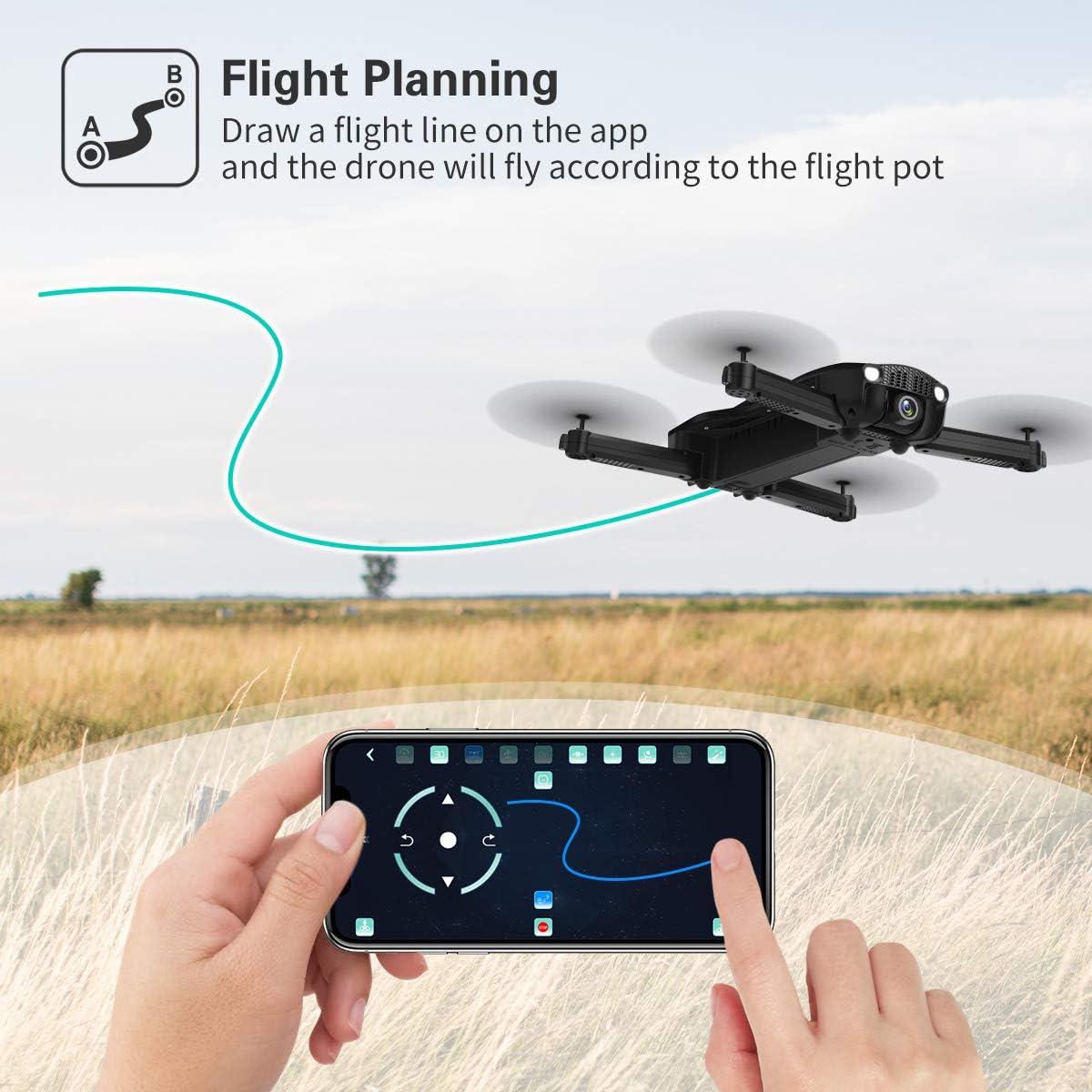
Image: A hand interacting with the JJRC app on a smartphone, demonstrating the flight planning feature where a path is drawn for the drone to follow.
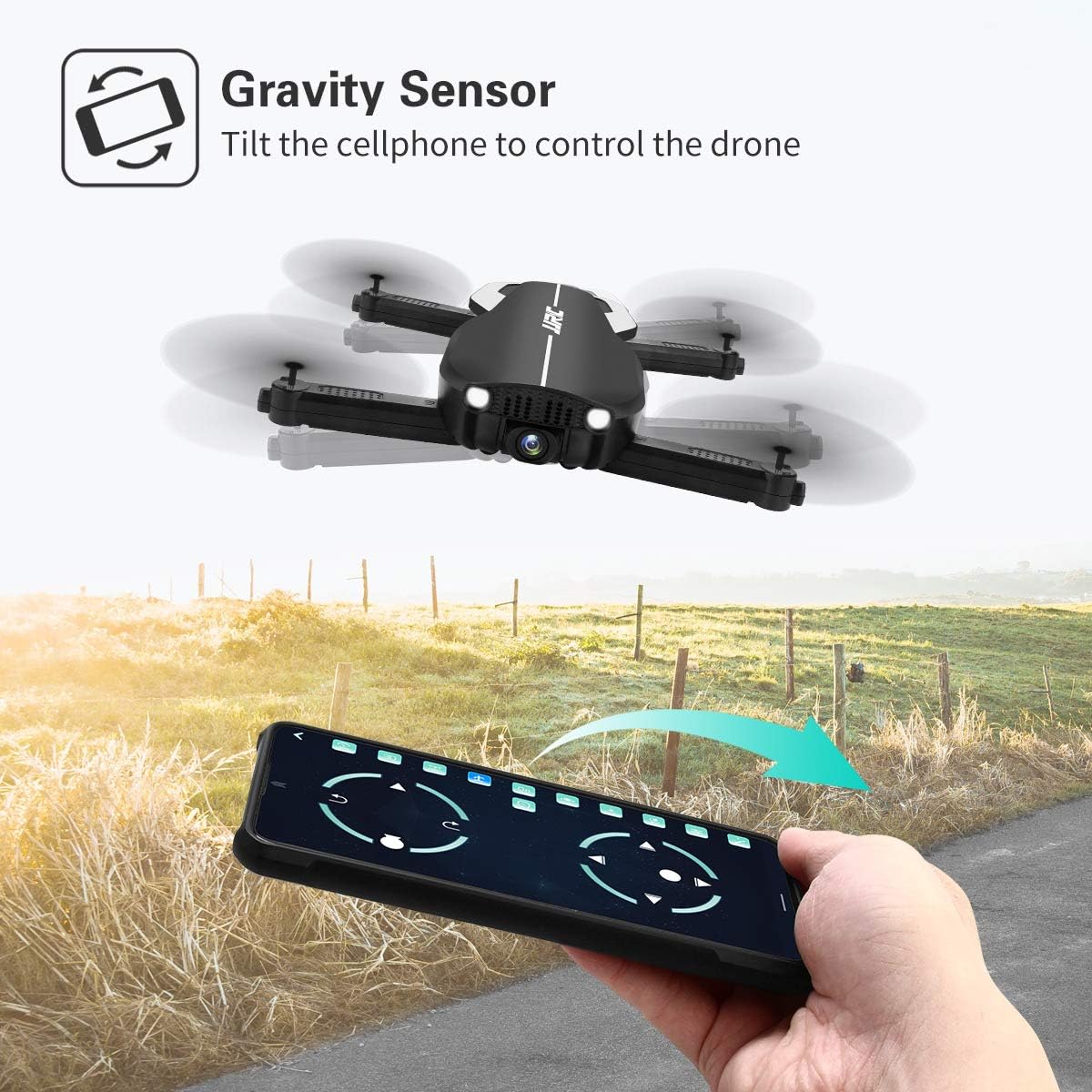
Image: A hand holding a smartphone, demonstrating the Gravity Sensor feature where tilting the phone controls the drone's flight direction.
5.5 Funcționarea camerei și FPV
- Camera 1080P HD: The drone is equipped with a 90° adjustable 1080P HD camera for capturing high-quality photos and videos.
- FPV Function: Through the Wi-Fi FPV real-time transmission, live images and videos from the drone's camera are streamed directly to your connected mobile device via the JJRC app. The transmission range is up to 50 meters.
- Înregistrare: Use the dedicated buttons on the remote controller or the controls within the JJRC app to start/stop video recording or take photos.

Imagine: Prim-plan view of the JJRC H71 drone's 1080P HD camera, highlighting its 90-degree adjustable angle and 120-degree field of view.
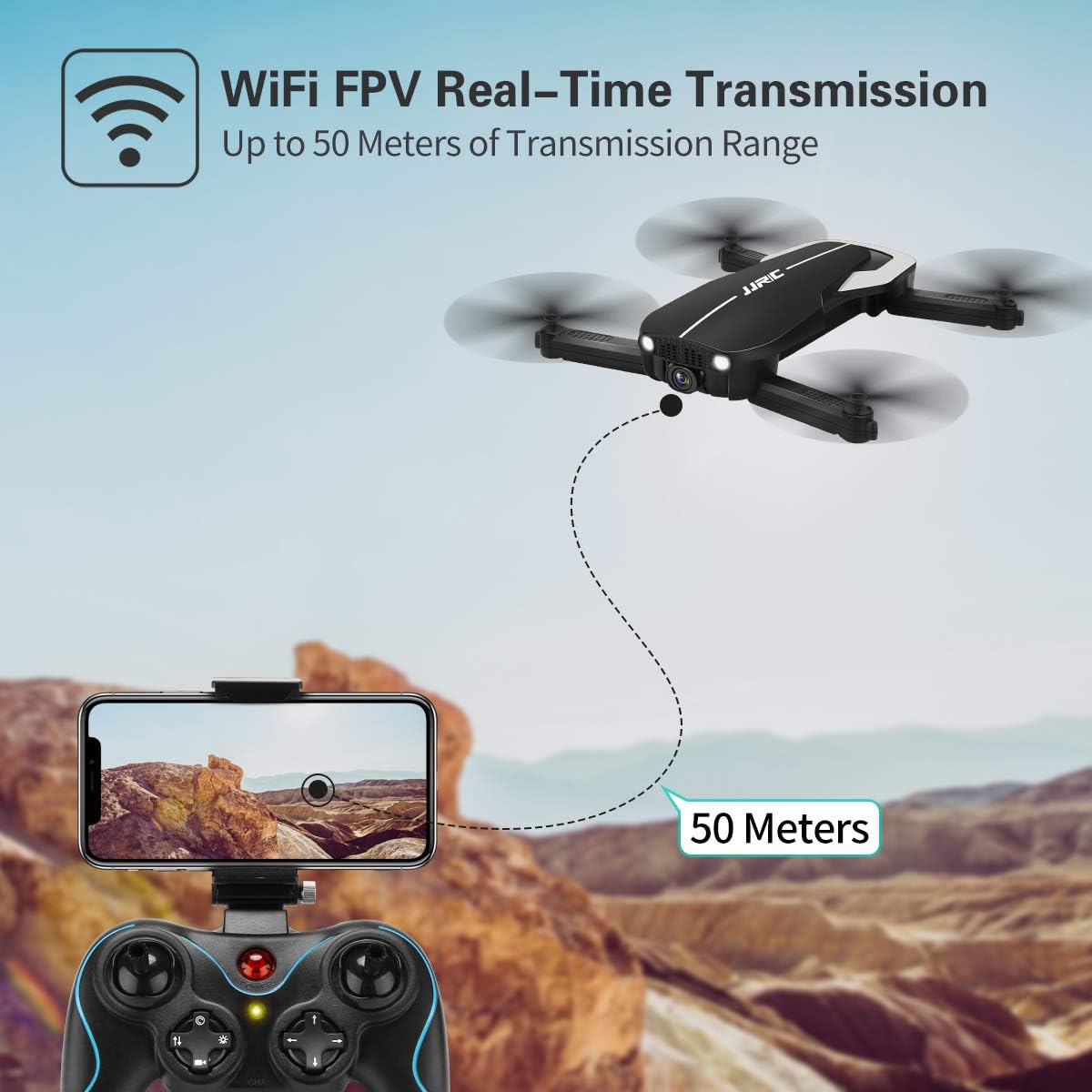
Image: Illustration showing the JJRC H71 drone transmitting live video feed via Wi-Fi to a smartphone mounted on the remote controller, with a transmission range of up to 50 meters.
6. Întreținere
- curatenie: Folosește o lavetă moale și uscată pentru a curăța drona și telecomanda. Evită utilizarea apei sau a solvenților.
- Înlocuirea elicei: If a propeller is damaged, replace it with a spare propeller of the correct type (A or B) using the provided screwdriver.
- Depozitare: Store the drone and its components in the carrying case in a cool, dry place, away from direct sunlight and extreme temperatures. Remove batteries from the remote controller if storing for extended periods.
7. Depanare
| Problemă | Cauza posibila | Soluţie |
|---|---|---|
| Drona nu răspunde la telecomandă. | Not paired or low battery. | Ensure drone and remote are powered on and paired correctly. Charge batteries. |
| Drona se deplasează în derivă în timpul zborului. | Gyro not calibrated or strong wind. | Perform gyro calibration on a flat surface. Avoid flying in windy conditions. |
| Imaginea FPV este neclară sau deconectată. | Weak Wi-Fi signal or incorrect app. | Ensure drone and phone are within 50m range. Reconnect to drone's Wi-Fi. Use the official JJRC app. |
| Elicele nu se rotesc. | Motors not armed or damaged propellers. | Arm motors (joysticks outwards/downwards). Check for obstructions or replace damaged propellers. |
8. Specificații
| Caracteristică | Detaliu |
|---|---|
| Marca | JJRC |
| Model | H71 |
| Rezoluția camerei | 1080P HD (90° adjustable) |
| Timp de zbor | Până la 22 de minute (cu 2 baterii) |
| Capacitatea bateriei | 900 mAh (per baterie) |
| Sistem de pozitionare | Optical Flow Positioning, Altitude Hold |
| Conectivitate | Wi-Fi (FPV up to 50m) |
| Moduri de control | Remote Control, App Control (Flight Planning, Gravity Sensor) |
| Caracteristici speciale | Foldable Design, Headless Mode, 3 Speed Modes |
| Material | Plastic Carbon Fiber |
| Greutatea articolului | 880 g |
9. Garanție și asistență
For warranty information and technical support, please refer to the official JJRC website-ul web sau contactați distribuitorul. Păstrați bonul fiscal ca dovadă a achiziției.
Ask a question about this manual
Ask about setup, troubleshooting, compatibility, parts, safety, or missing instructions. Manuals+ will review the question and use this page’s manual context to help answer it.