
1. Introducere
Thank you for choosing the Targus W620 Wireless Optical Mouse. This manual provides detailed instructions for setting up, operating, and maintaining your mouse to ensure optimal performance and longevity. The Targus W620 offers reliable 2.4 GHz wireless connectivity, a precise 1600 DPI optical sensor, and a compact design suitable for both office and mobile use.
2. Conținutul pachetului
Vă rugăm să verificați pachetul pentru următoarele articole:
- Targus W620 Wireless Optical Mouse
- Receptor USB
- 2 x baterii AAA
3. Produs terminatview
Familiarize yourself with the components of your Targus W620 Wireless Optical Mouse.
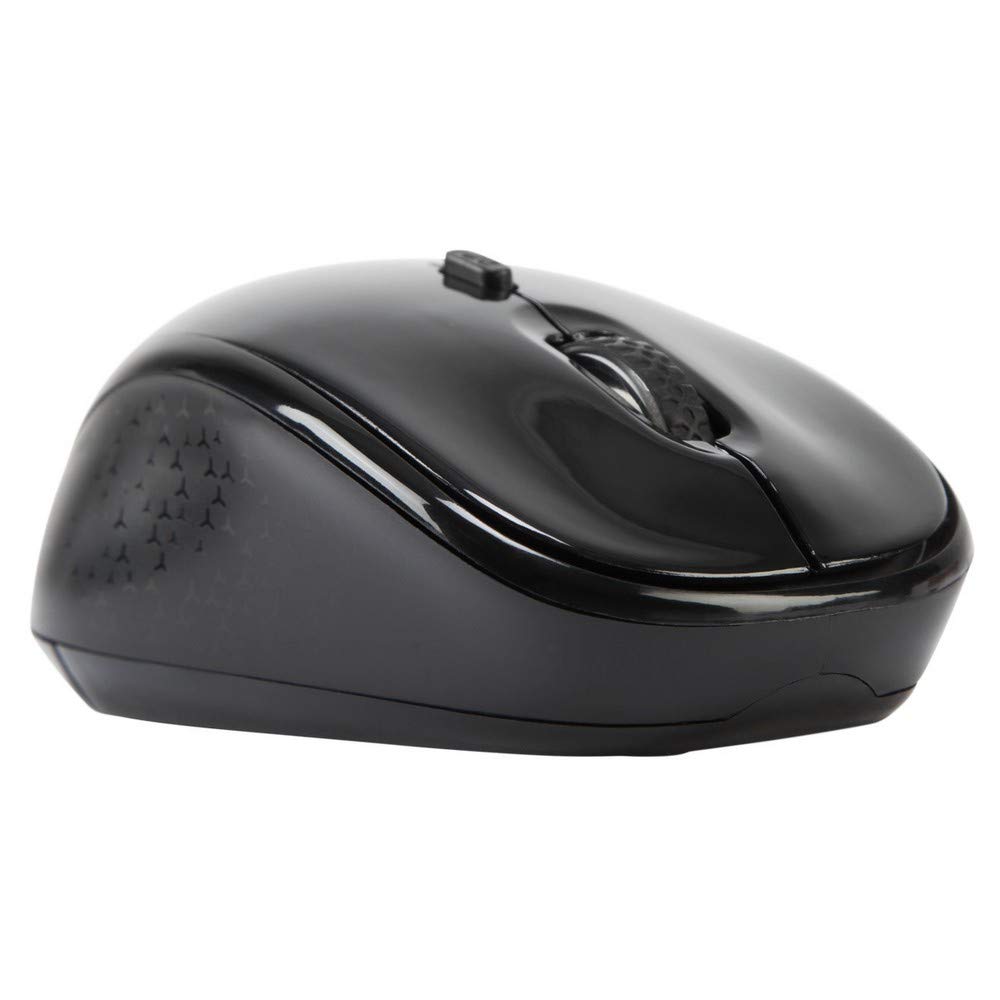
Imaginea 3.1: Top view of the Targus W620 Wireless Optical Mouse. This image displays the primary buttons and scroll wheel.
- Butonul stânga pentru clic: Funcția standard de clic principal.
- Buton clic dreapta: Funcție standard de clic secundar.
- Rotiță de defilare: Pentru derulare verticală și funcția de clic din mijloc.
- Butonul DPI: Ajustează sensibilitatea mouse-ului (DPI).
- Senzor optic: Located on the bottom, detects mouse movement.
- Compartiment baterie: Located on the bottom, holds two AAA batteries.
- Stocare receptor USB: A dedicated slot on the bottom for storing the USB receiver when not in use.

Imaginea 3.2: Fund view of the mouse, highlighting the battery compartment and optical sensor.
4. Instrucțiuni de configurare
Follow these steps to set up your Targus W620 Wireless Optical Mouse:
- Instalați bateriile:
- Localizați capacul compartimentului bateriei în partea inferioară a mouse-ului.
- Deschideți capacul.
- Introduceți cele două baterii AAA, asigurându-vă că polaritatea este corectă (+/-).
- Închideți bine capacul compartimentului bateriei.
- Conectați receptorul USB:
- The USB receiver is typically stored in a slot on the bottom of the mouse for transport. Gently remove it.
- Conectați receptorul USB la un port USB disponibil de pe computer.

Imaginea 4.1: The mouse with its USB receiver, ready for connection.
- Pornire:
- There is no explicit power switch on this model; the mouse activates upon movement and connection.
- Calculatorul dumneavoastră ar trebui să detecteze și să instaleze automat driverele necesare. Acest lucru poate dura câteva momente.
- Once drivers are installed, the mouse is ready for use.
5. Instrucțiuni de utilizare
The Targus W620 Wireless Optical Mouse is designed for intuitive use. Here are its primary functions:
- Navigare de bază: Mișcați mouse-ul pe o suprafață plană pentru a controla cursorul pe ecran.
- Click stânga: Utilizare pentru selectarea elementelor, deschiderea files, sau activarea funcțiilor.
- Click dreapta: Use for accessing context menus or secondary functions.
- Rotiță de defilare: Rotate the wheel to scroll vertically through documents and web pages. Press the scroll wheel for a middle-click function, often used for opening links in new tabs or auto-scrolling.
- Ajustare DPI: Press the DPI button (located behind the scroll wheel) to cycle through the available DPI settings (800, 1200, 1600 DPI). This changes the sensitivity of the mouse cursor. A higher DPI means the cursor moves further with less physical mouse movement.
6. Întreținere
Proper maintenance ensures the longevity and performance of your mouse.
- curatenie: Folosiți o lavetă moale, uscată și fără scame pentru a curăța exteriorul mouse-ului. Pentru murdăria persistentă, ștergeți ușor.ampClătiți cârpa cu apă. Evitați utilizarea substanțelor chimice dure sau a produselor de curățare abrazive.
- Senzor optic: Păstrați zona senzorului optic din partea inferioară a mouse-ului curată și lipsită de praf sau resturi pentru a asigura o urmărire precisă.
- Înlocuire baterie: When the mouse performance degrades or stops responding, it is likely time to replace the batteries. Follow the steps in Section 4.1 to replace the two AAA batteries.
- Depozitare: When transporting or storing the mouse, always place the USB receiver back into its dedicated storage slot on the bottom of the mouse to prevent loss.
7. Depanare
If you encounter issues with your Targus W620 mouse, try the following solutions:
| Problemă | Soluție posibilă |
|---|---|
| Mouse not responding or cursor not moving. |
|
| Mișcarea cursorului este neregulată sau sacadată. |
|
| Butonul DPI nu modifică sensibilitatea. |
|
| Probleme de conexiune wireless. |
|
8. Specificații
| Marca | Targus |
| Numărul de model | AMW620AP |
| Tehnologia de conectivitate | 2.4 GHz Wireless (Radio Frequency) |
| Tehnologia de detectare a mișcării | Optical (BlueTrace Technology) |
| Niveluri DPI | 800 / 1200 / 1600 DPI (Reglabil) |
| Numărul de butoane | 4 (Left, Right, Scroll Wheel, DPI) |
| Orientarea mâinii | Right (Comfortable for ambidextrous use) |
| Sursa de alimentare | 2 x baterii AAA (incluse) |
| Greutatea articolului | 26 grame |
| Compatibilitatea sistemelor de operare | Linux, Windows XP (Compatible with modern Windows and macOS) |
| Platformă hardware | Mac, PC |
| Culoare | Negru |
9. Garanție și asistență
Informații despre garanție: The Targus W620 Wireless Optical Mouse comes with a Garanție de 3 an de la producător de la data achiziției. Această garanție acoperă defectele de materiale și de fabricație în condiții normale de utilizare. Vă rugăm să păstrați dovada achiziției pentru reclamațiile în garanție.
Asistență clienți: For technical assistance, troubleshooting beyond this manual, or warranty inquiries, please visit the official Targus website or contact their customer support service. Refer to the contact information provided with your product packaging or on the Targus official website-ul.