
Introducere
This manual provides essential instructions for the safe and effective use of your Turtlebox Speaker Replacement Charger (Gen 1). Please read this manual thoroughly before use and retain it for future reference.
Informații de siguranță
- Use only the specified charger for your Turtlebox Gen 1 speaker.
- Nu expuneți încărcătorul la temperaturi extreme sau la lumina directă a soarelui.
- Keep the charger away from water or liquids. Ensure the speaker's charging port cover is securely closed when not charging to maintain its waterproof integrity.
- Nu încercați să dezasamblați sau să modificați încărcătorul.
- Deconectați încărcătorul de la priză atunci când nu îl utilizați sau în timpul furtunilor cu descărcări electrice.
Conținutul pachetului
- 1 x Turtlebox Replacement Charger (Gen 1)
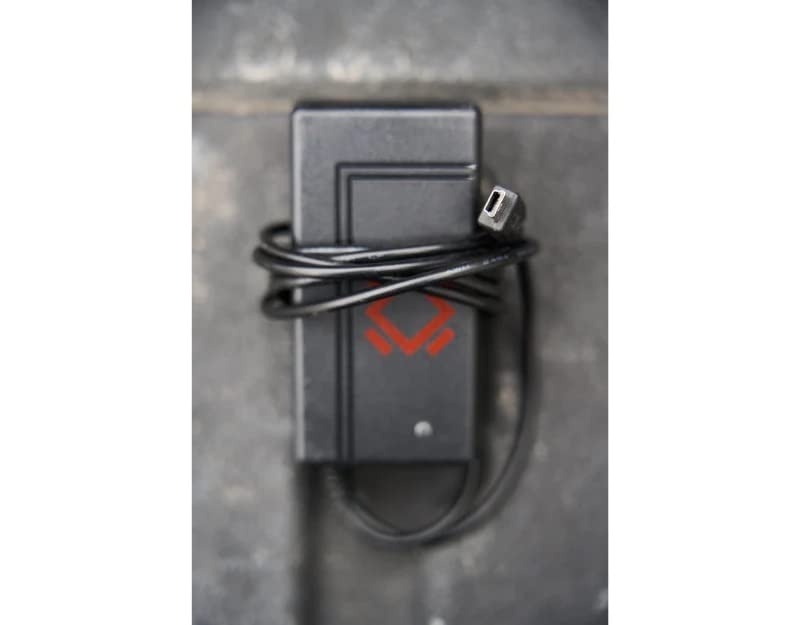
This image displays the Turtlebox Gen 1 Replacement Charger, a compact black power adapter with an attached cable ending in a barrel connector. The charger features the Turtlebox logo.
Înființat
- Localizați portul de încărcare: On your Turtlebox Gen 1 speaker, find the waterproof cover on the side or back panel. Open this cover to reveal the charging port.
- Conectați încărcătorul: Insert the barrel connector of the replacement charger into the charging input port on your Turtlebox speaker.
- Conectați la alimentare: Plug the charger's power adapter into a standard 110V AC wall outlet.
This video demonstrates the physical characteristics of the charger and how it connects to the speaker. It highlights the barrel connector and the power adapter, showing the process of plugging it into a wall outlet.
Funcționează
Once connected to power, the charging indicator lights on your Turtlebox speaker will illuminate, typically showing green LEDs to indicate the battery level and charging status. Allow the speaker to charge until all indicator lights are solid green, signifying a full charge.
After charging, disconnect the charger from the speaker and the wall outlet. Ensure the waterproof cover on the speaker's charging port is securely closed to maintain its IP67 rating.
Întreţinere
- Keep the charger clean and free from dust and debris. Use a dry, soft cloth for cleaning.
- Depozitați încărcătorul într-un loc răcoros și uscat atunci când nu îl utilizați.
- Regularly inspect the charger cable and connector for any signs of damage. If damaged, discontinue use and replace with an official Turtlebox charger.
Depanare
| Emisiune | Cauza posibila | Soluţie |
|---|---|---|
| Difuzorul nu se încarcă | Charger not properly connected; Power outlet issue; Damaged charger. | Ensure the charger is fully inserted into the speaker and wall outlet. Test the outlet with another device. Inspect the charger for damage and replace if necessary. |
| Încărcare lentă | Using a non-standard charger; Power fluctuations. | Ensure you are using the official Turtlebox Gen 1 Replacement Charger. Try a different power outlet. |
Specificații
- Marca: Turtlebox
- Model: Gen 1 Replacement Charger
- Vol. ieșire încărcătortage: 14 volți
- Intrare încărcător: Standard AC Wall Outlet
- Material: Plastic
- Greutatea articolului: 6.7 ounces (Note: This weight is likely for the speaker, not the charger itself.)
- Dimensiuni produs: 11.5 x 6.5 x 8.75 inches (Note: These dimensions are likely for the speaker, not the charger itself.)
- UPC: 861053002621
- Producător: Turtlebox Audio, LLC
Garanție și suport
The Turtlebox Speaker Replacement Charger (Gen 1) comes with a Limited Warranty. For specific warranty details, claims, or technical support, please refer to the official Turtlebox Audio, LLC website-ul lor sau contactați direct serviciul lor de asistență pentru clienți.
Pentru asistență suplimentară, vizitați Turtlebox Store on Amazon.