
1. Introducere
This manual provides detailed instructions for the Redragon K503 Gaming Keyboard. Please read this guide thoroughly to ensure proper setup, operation, and maintenance of your device. The Redragon K503 is a multimedia gaming keyboard featuring RGB LED backlighting and a comfortable wrist rest, designed for use with Windows and MacOS PC systems.
2. Configurare
2.1 Conținutul pachetului
- Tastatură de gaming Redragon K503
- Cablu USB (integrat)
2.2 Conectarea tastaturii
- Găsiți un port USB disponibil pe computer.
- Conectați conectorul USB al tastaturii Redragon K503 la portul USB.
- Your operating system (Windows or MacOS) should automatically detect and install the necessary drivers. No additional software installation is typically required for basic functionality.
- The keyboard's RGB backlighting will illuminate upon successful connection.
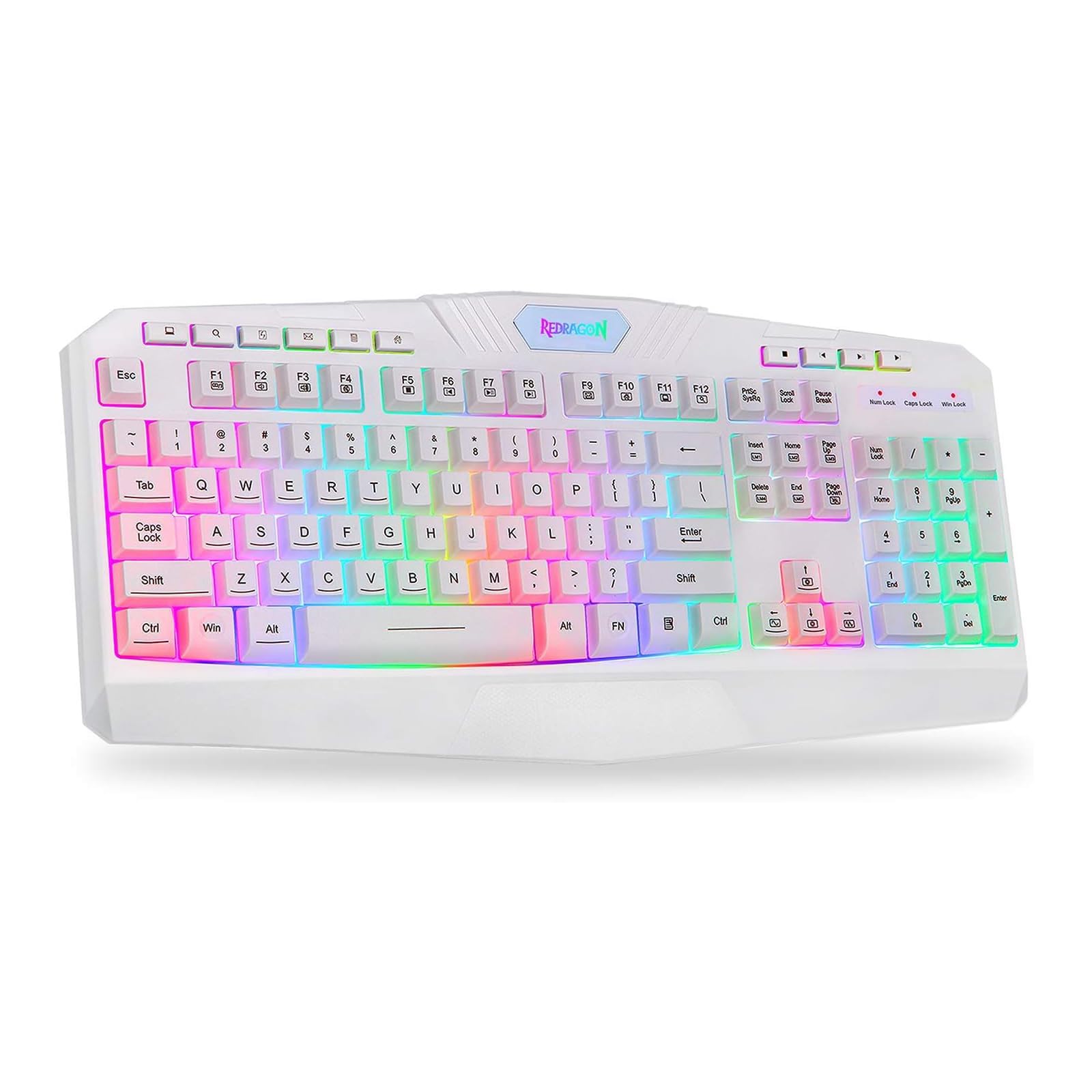
This image shows the Redragon K503 Gaming Keyboard, highlighting its full layout and white finish. The keys feature RGB backlighting, visible around the keycaps.
3. Instrucțiuni de utilizare
3.1 Funcții de bază
The Redragon K503 functions as a standard QWERTY keyboard for typing and input. All standard keys operate as labeled.
3.2 taste multimedia
The keyboard includes dedicated multimedia keys for convenient control of media playback and system functions. These keys are typically located above the function keys (F1-F12) or integrated with them via the 'Fn' key. Common functions include:
- Controlul volumului: Increase, decrease, or mute audio.
- Redare media: Play/pause, stop, previous track, next track.
- Web Browser: Launch default web browser.
- E-mail: Launch default email client.
Iluminare de fundal cu LED-uri RGB 3.3
The K503 features customizable RGB LED backlighting. The lighting modes and brightness can be adjusted directly on the keyboard using specific key combinations. Refer to the keycap legends for specific lighting control keys, often involving the 'Fn' key combined with other function keys (e.g., Fn + Scroll Lock, Fn + Home/End, or dedicated lighting keys).
- Schimbarea modurilor de iluminare: Press the designated key combination to cycle through various lighting effects (e.g., static, breathing, wave).
- Reglarea luminozității: Use the specified key combination to increase or decrease the backlight intensity.
- Schimbarea culorilor: Some modes allow for color customization using specific key presses.
4. Întreținere
4.1 Curățarea tastaturii
Pentru a menține performanța și aspectul optime, curățați tastatura în mod regulat:
- Deconectați tastatura de la computer înainte de curățare.
- Folosiți o cârpă moale, fără scame dampClătiți cu apă sau o soluție de curățare blândă pentru a șterge capacele tastelor și suprafața.
- Pentru praf și resturi între taste, folosiți aer comprimat.
- Nu utilizați substanțe chimice dure, produse de curățare abrazive și nu scufundați tastatura în lichide.
5. Depanare
5.1 Tastatura nu răspunde
- Asigurați-vă că cablul USB este conectat corect atât la tastatură, cât și la computer.
- Încearcă să conectezi tastatura la un alt port USB al computerului.
- Testați tastatura pe un alt computer pentru a determina dacă problema este cu tastatura sau cu portul/driverele USB ale computerului.
- Reporniți computerul.
5.2 Iluminarea de fundal nu funcționează sau este incorectă
- Check if the backlighting has been turned off or set to the lowest brightness level using the keyboard's lighting control keys.
- Asigurați-vă că tastatura este conectată corect la computer.
- If a specific key's backlight is not working, it may indicate a hardware issue.
5.3 Specific Keys Not Functioning
- Clean around and under the affected keycap to remove any debris that might be obstructing its movement.
- If the issue persists, it may indicate a hardware malfunction.
6. Specificații
| Marca | Reddragon |
| Numărul de model | K503W-RGB |
| Tehnologia de conectivitate | USB |
| Dispozitive compatibile | PC (Windows, MacOS) |
| Descrierea tastaturii | Multimedia |
| Caracteristica specială | Lighting (RGB LED Backlit) |
| Culoare | Alb |
| Dimensiunile produsului | 17.6 cm L x 7.9 cm l x 1.2 cm Î |
| Material | Acrilonitril butadienă stiren |
| Componente incluse | Cablu USB |
7. Informații despre garanție
Redragon products are typically covered by a limited manufacturer's warranty. The specific terms and duration of the warranty may vary by region and retailer. Please retain your proof of purchase for warranty claims. For detailed warranty information, refer to the warranty card included with your product or visit the official Redragon website-ul.
8. Asistență pentru clienți
If you encounter any issues not covered in this manual or require further assistance, please contact Redragon customer support. Contact information can usually be found on the official Redragon website or on the product packaging. When contacting support, please have your product model number (K503) and proof of purchase ready.