
1. Produs terminatview
The Itek SIISBE 3.0 is a gaming middle tower PC case designed to combine high-level features with a modern aesthetic. It features a fully perforated front panel for optimal airflow and a tempered glass side panel with a convenient hinged closure, allowing for easy access and showcasing your internal components.
The case comes equipped with three 12 cm ARGB fans: two located at the front and one at the rear. These fans can be controlled via a dedicated button on the front panel or through your motherboard's ARGB software, providing customizable lighting effects and efficient cooling.
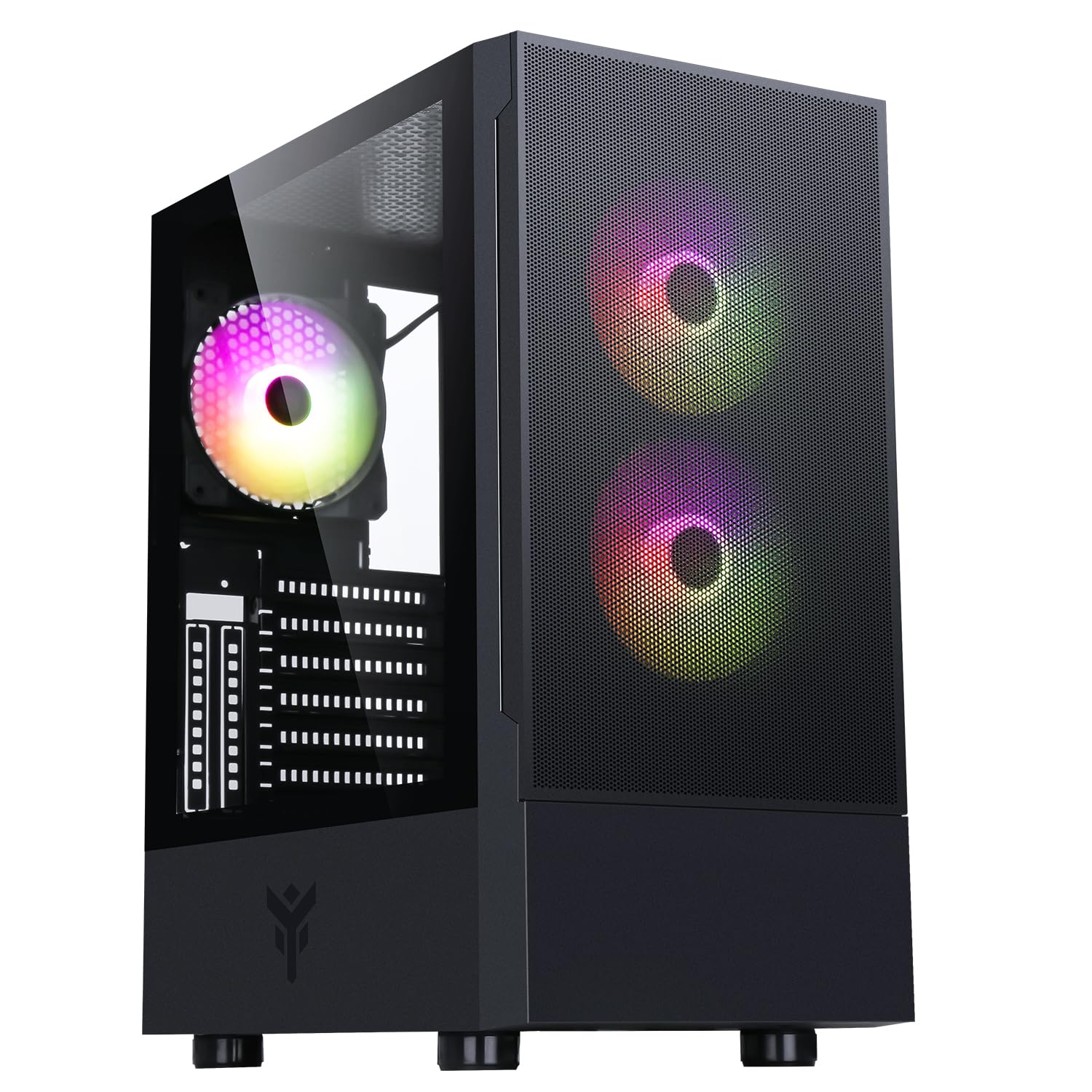
Figura 1: Partea frontală view of the Itek SIISBE 3.0 Gaming PC Case, showcasing the perforated front panel and tempered glass side panel.
The SIISBE 3.0 supports a wide range of hardware, including ATX, Micro-ATX, and Mini-ITX motherboards. It accommodates graphics cards up to 315 mm in length, CPU coolers up to 160 mm in height, and liquid cooling radiators up to 280 mm. The case also offers 28 mm of space for efficient cable management, ensuring a clean and organized build.
2. Configurare și instalare
2.1 Pregătirea cazului
- Despachetați carcasa și îndepărtați toate materialele de ambalare.
- Open the tempered glass side panel by gently pulling it open from the hinge.
- Locate the accessory box inside the case, which contains screws and other mounting hardware.
2.2 Instalarea plăcii de bază
- Install the necessary standoffs for your motherboard form factor (ATX, Micro-ATX, or Mini-ITX) onto the motherboard tray.
- Așezați cu grijă placa de bază pe distanțiere, aliniind orificiile șuruburilor.
- Fixați placa de bază cu șuruburile furnizate.

Figura 2: Intern view of the Itek SIISBE 3.0, highlighting the motherboard mounting area and cable routing options.
2.3 Instalarea unității de alimentare (PSU).
- Mount the PSU in the dedicated bottom compartment of the case.
- Fixați sursa de alimentare cu șuruburi din spatele carcasei.
2.4 Instalarea unității de stocare
- Install 2.5-inch SSDs or 3.5-inch HDDs into the designated internal bays. Refer to the case's internal layout for specific mounting points.
- Secure drives with the appropriate screws.

Figura 3: Partea internă din spate view of the Itek SIISBE 3.0, showing the motherboard tray, SSD mounting points, and ample space for cable management.
2.5 Instalarea plăcii grafice și a plăcii de extensie
- Scoateți capacele sloturilor de expansiune necesare din spatele carcasei.
- Insert your graphics card or other expansion cards into the PCIe slots on your motherboard.
- Secure the cards with screws. The case supports graphics cards up to 315 mm in length.
2.6 Instalarea sistemului de răcire
- The case includes three 12 cm ARGB fans (two front, one rear). Connect their power and ARGB cables to the motherboard or the integrated fan controller.
- For additional cooling, install extra fans or a liquid cooling radiator (up to 280 mm) in the designated mounting points.
- Install your CPU cooler. The case supports CPU coolers up to 160 mm in height.
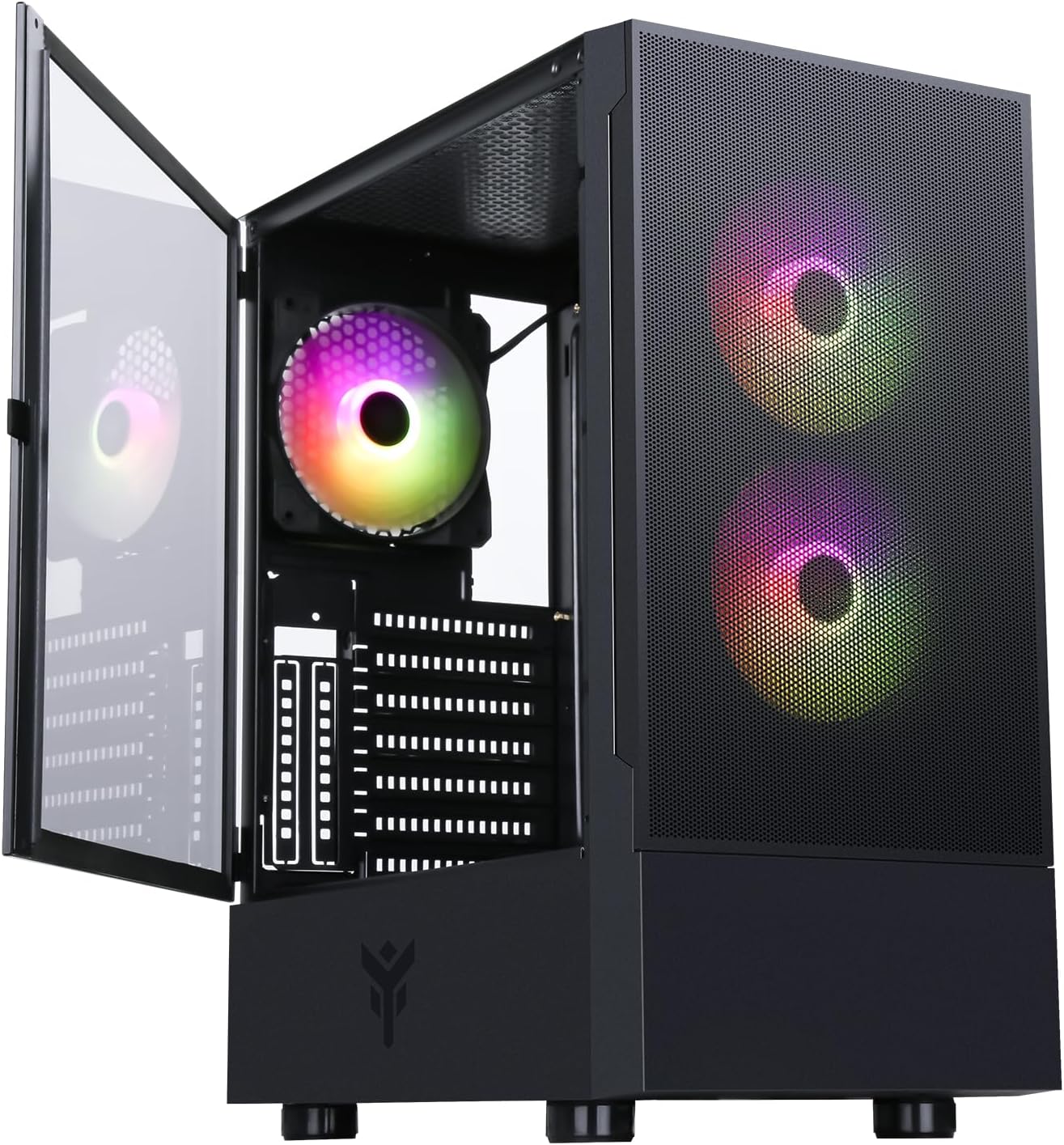
Figure 4: The Itek SIISBE 3.0 with its hinged tempered glass panel open, revealing the pre-installed ARGB fans and internal layout.
2.7 Managementul cablurilor
- Utilize the 28 mm cable management space behind the motherboard tray to route and organize all power and data cables.
- Use cable ties (not included) to secure cables and maintain optimal airflow.
3. Instrucțiuni de utilizare
3.1 Pornire
- Ensure all components are correctly installed and connected.
- Connect the power cable to your PSU and a wall outlet.
- Press the power button located on the top I/O panel of the case to start your system.
3.2 Controlul ventilatorului ARGB
- The pre-installed ARGB fans can be controlled via the dedicated LED control button on the front panel. Press the button to cycle through various lighting modes and colors.
- Alternatively, if the fans are connected to an ARGB header on your motherboard, you can use the motherboard's proprietary software (e.g., ASUS Aura Sync, MSI Mystic Light, Gigabyte RGB Fusion) to synchronize and customize the lighting effects.
3.3 Porturi I/O frontale
- The front I/O panel includes USB 3.0 and USB 2.0 ports for connecting peripherals and external storage devices.
- Audio jacks are also available for headphones and microphones.
4. Întreținere
4.1 Curățarea filtrului de praf
- The SIISBE 3.0 case is equipped with dust filters to prevent dust buildup inside. Regularly check and clean these filters.
- Gently remove the dust filters (typically located on the top, front, and/or bottom) and clean them with compressed air or by rinsing them with water. Ensure they are completely dry before re-installing.
4.2 Curățare generală
- Folosiți un moale, damp cloth to wipe down the exterior surfaces of the case, including the tempered glass panel. Avoid abrasive cleaners.
- For internal cleaning, use compressed air to remove dust from fans, heatsinks, and other components. Ensure the system is powered off and unplugged before cleaning.
5. Depanare
This section provides general troubleshooting tips for common issues. For more specific problems, consult the manuals for your individual PC components (motherboard, PSU, GPU, etc.) or contact Itek support.
5.1 System Does Not Power On
- Verificați conexiunile de alimentare: Ensure the PSU is properly connected to the wall outlet and the power switch on the PSU is in the 'ON' position. Verify all internal power cables (24-pin ATX, 8-pin CPU, PCIe, SATA) are securely connected to the motherboard and components.
- Conectori panoului frontal: Confirmați că este conectat corect cablul comutatorului de alimentare de pe panoul frontal la conectorul panoului frontal al plăcii de bază.
5.2 Fans Not Spinning / ARGB Not Working
- Conexiuni ventilator: Verify that the fan power cables are securely connected to the motherboard fan headers or the integrated fan controller.
- Conexiuni ARGB: Ensure ARGB cables are correctly connected to the motherboard's ARGB header or the case's ARGB controller.
- Control prin software/buton: If using the case's LED button, try pressing it to cycle modes. If using motherboard software, ensure it is installed and configured correctly.
5.3 Probleme de supraîncălzire
- Flux de aer: Ensure fans are installed in the correct orientation for optimal airflow (front fans typically intake, rear/top fans exhaust).
- Acumulare de praf: Curățați filtrele de praf și componentele interne conform descrierii din secțiunea Întreținere.
- Organizare de cabluri: Improve cable routing to reduce obstructions to airflow.
6. Specificații
| Caracteristică | Caietul de sarcini |
|---|---|
| Producător | ITEK |
| Numărul de model al articolului | ITGCASIB30 |
| Marca | Itek |
| Compatibilitate cu placa de baza | ATX, Micro ATX, Mini ITX |
| Tipul cazului | Turnul Mijlociu |
| Utilizări recomandate ale produsului | Gaming, Professional |
| Culoare | Negru |
| Material | Sticla securizata |
| Tip de montare a sursei de alimentare | Montare de jos |
| Metoda de răcire | Aer |
| Numele modelului | Case SIISBE 3.0 |
| Dimensiunea ventilatorului | 120 milimetri |
| Total Expansion Slots | 7 |
| Total USB 2.0 Ports | 2 |
| Total USB 3.0 Ports | 1 |
| Total porturi USB | 4 |
| Caracteristicile produsului | LED Control Button, Dust Filter, Integrated Fan |
| Înălțimea maximă a răcitorului CPU | 160 milimetri |
| Number of Internal Bays | 7 |
| Dispozitive compatibile | ATX Motherboards, Full-size Graphics Cards, Standard Cooling Solutions |
| Număr de fani | 3 |
| Culoare deschisă | RGB |
| Dimensiuni articol (D x L x H) | 37.6D x 37.6W x 44.6H centimetri |
7. Informații despre garanție
Specific warranty details for the Itek SIISBE 3.0 PC Case may vary by region and retailer. Please refer to the warranty card included with your product or visit the official Itek website-ul pentru cele mai precise și actualizate informații despre garanție.
Păstrați dovada achiziției (bonul fiscal sau factura), deoarece va fi necesară pentru orice reclamații în garanție.
8. Asistență pentru clienți
For technical assistance, product inquiries, or support regarding your Itek SIISBE 3.0 PC Case, please contact Itek customer support through their official channels.
- Oficial Website: Visit the Itek official website pentru resurse de asistență, întrebări frecvente și informații de contact.
- Asistență prin e-mail: Look for a support email address on the Itek website-ul.
- Asistență telefonică: Check the Itek website pentru numerele de telefon de asistență regionale.
When contacting support, please have your product model (SIISBE 3.0) and item model number (ITGCASIB30) ready to help expedite the process.