
Introducere
This manual provides detailed instructions for the installation, operation, and maintenance of your NEC SL2100 IP7WW-12TXH-B1 12-Button Display Speaker Telephone. Please read this manual thoroughly before using the telephone to ensure proper functionality and to prevent damage.
Informații de siguranță
Respectați întotdeauna măsurile de siguranță de bază atunci când utilizați acest produs pentru a reduce riscul de incendiu, electrocutare și vătămare corporală.
- Nu utilizați acest produs lângă apă, de exampl, lângă o cadă, un vas de spălat, o chiuvetă de bucătărie sau o cadă de rufe, într-un subsol umed sau lângă o piscină.
- Evitați să folosiți telefonul în timpul unei furtuni cu descărcări electrice. Poate exista un risc mic de electrocutare cauzată de fulgere.
- Nu folosiți telefonul pentru a raporta o scurgere de gaz în apropierea scurgerii.
- Use only the power source specified in this manual or marked on the product. This telephone is powered by the phone system.
- Deconectați acest produs de la priza de perete înainte de curățare. Nu utilizați substanțe de curățare lichide sau aerosoli. Folosește anunțulamp cârpă pentru curățare.
Conținutul pachetului
Verificați dacă toate articolele sunt prezente în colet:
- NEC SL2100 IP7WW-12TXH-B1 12-Button Display Speaker Telephone (Black)
- Telefon
- Cablul receptorului
- Base Stand (for desk or wall mounting)
- Ethernet Cable (if applicable for IP connection)
Produs terminatview
The NEC SL2100 IP7WW-12TXH-B1 is a corded 12-button display speaker telephone designed for use with NEC SL2100 systems. It features a clear display for call information and menu navigation, a built-in speakerphone for hands-free communication, and 12 programmable function keys.
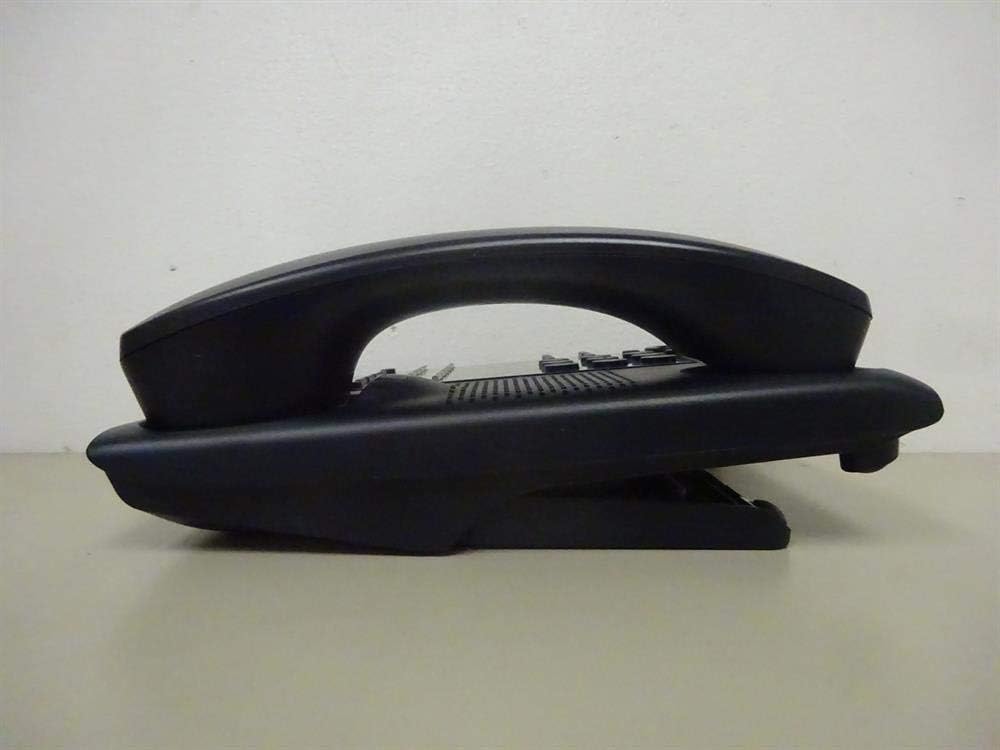
Figura 1: Latura view of the NEC SL2100 IP7WW-12TXH-B1 telephone, showing the ergonomic design of the handset and base unit.

Figura 2: Spate view of the telephone, illustrating the various connection ports for the handset and network, as well as the integrated wall-mounting slots.
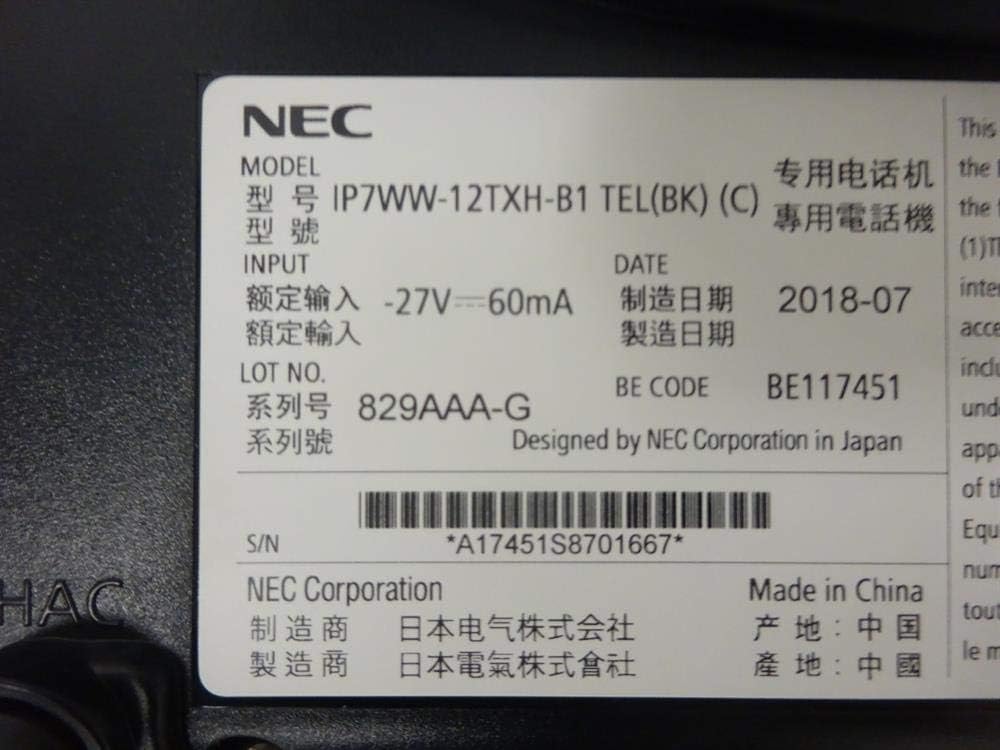
Figura 3: Close-up of the product label, displaying model number IP7WW-12TXH-B1, input specifications, and manufacturer details.
Înființat
1. Assembling the Telephone
- Atașați suportul de bază: Align the base stand with the slots on the bottom of the telephone. Slide it into place until it clicks securely. The stand can be adjusted for different viewing angles or reversed for wall mounting.
- Conectați receptorul: Conectați un capăt al cablului spiralat al receptorului la receptor și celălalt capăt în portul destinat de pe lateralul bazei telefonului.
2. Conectarea la sistem
This telephone is designed to connect to an NEC SL2100 system. Ensure your SL2100 system is properly installed and configured.
- Conectați cablul de rețea: Plug one end of an Ethernet cable into the LAN port on the back of the telephone. Plug the other end into an available port on your NEC SL2100 system or a network switch connected to the system.
- Pornire: The telephone receives power directly from the NEC SL2100 system (Power over Ethernet - PoE) or via a separate power adapter (not included, if PoE is not available). Once connected, the telephone should power on automatically.
- Configurație inițială: The telephone will typically register with the SL2100 system automatically. If prompted, follow the on-screen instructions or consult your system administrator for specific extension number assignment or network settings.
Instrucțiuni de operare
Efectuarea de apeluri
- Ridicați receptorul: Ridicați receptorul și ascultați tonul de apel.
- Formeaza numarul: Formați numărul de telefon dorit folosind tastatura.
- Difuzor: Apăsați tasta VORTORUL button to activate the speakerphone, then dial the number.
Primirea apelurilor
- Ridicați receptorul: When the telephone rings, lift the handset to answer.
- Difuzor: Apăsați tasta VORTORUL button to answer the call hands-free.
Utilizarea Afișajului
The display shows call information, menu options, and system status. Use the navigation buttons (usually arrow keys) to scroll through menus and the ENTER or SELECTA butonul pentru a confirma selecțiile.
Programmable Function Keys (12 Buttons)
The 12 buttons on the telephone can be programmed for various functions such as speed dial, line access, feature activation, or direct station selection. Consult your system administrator for the specific programming of these keys.
Apeluri conferinte
The telephone supports 3-way conference calls. To initiate a conference call:
- Stabiliți un apel cu primul interlocutor.
- Apăsați tasta CONF (Conference) button or the designated programmable key. The first party will be put on hold.
- Formați numărul celei de-a doua persoane.
- Once connected to the second party, press the CONF button again to join all three parties.
ID apelant
When an incoming call is received, the caller's information (name and number, if available) will be displayed on the screen.
Operațiune multilinie
This telephone supports multi-line operation, allowing you to manage multiple calls simultaneously. Use the designated line keys or programmable keys to switch between active lines or place calls on hold.
Întreţinere
Curatenie
To clean the telephone, unplug it from the network connection. Use a soft, slightly damp cloth. Do not use harsh chemicals, abrasive cleaners, or excessive moisture. Avoid spraying cleaners directly onto the telephone.
Depozitare
If storing the telephone for an extended period, ensure it is clean and dry. Store it in a cool, dry place away from direct sunlight and extreme temperatures.
Depanare
- Fără ton de apel:
- Check all cable connections, especially the network cable to the SL2100 system.
- Ensure the SL2100 system is powered on and functioning correctly.
- If using a separate power adapter (not PoE), ensure it is properly connected and receiving power.
- Afișajul nu funcționează:
- Verify the telephone is receiving power.
- Try disconnecting and reconnecting the network cable.
- Nu pot efectua/primi apeluri:
- Verificați tonul de apel.
- Ensure the telephone is properly registered with the SL2100 system.
- Contact your system administrator to verify line assignments and system status.
- Calitate slabă audio:
- Check handset and network cable connections.
- Asigurați-vă că nu există interferențe de la alte dispozitive electronice.
- Test with another telephone if possible to isolate the issue.
Specificații
| Caracteristică | Caietul de sarcini |
|---|---|
| Marca | NEC |
| Numărul de model | IP7WW-12TXH-B1 (Mfr Part Number: BE117451) |
| Culoare | Negru |
| Tip de telefon | legat cu frânghie |
| Material | Plastic |
| Sursa de alimentare | Phone System (PoE compatible) |
| Tip de apelator | Tastatură unică |
| Dimensiuni articol (L x l x H) | 15 x 12 x 6 inci |
| Tip de sistem de răspuns | Digital (System Dependent) |
| Dispozitive compatibile | NEC SL2100 Systems, NEC SL2100 IP7WW-082U-B1 8 Port Digital Station Card |
| Capacitate de conferință telefonică | 3 sensuri |
| Operațiune multilinie | Da |
| ID apelant | Da |
Garanție și suport
For warranty information, please refer to the documentation provided with your NEC SL2100 system or contact your NEC authorized dealer. For technical support, please contact your system administrator or NEC customer service.
Corporația NEC
For further assistance, please visit the official NEC website or contact your local support representative.