
Introducere
Thank you for choosing the MARVO KG925G Mechanical Gaming Keyboard. This manual provides essential information for setting up, operating, maintaining, and troubleshooting your new keyboard. Please read this manual carefully before use to ensure optimal performance and longevity of your device.
Conținutul pachetului
Verificați dacă toate articolele sunt prezente în colet:
- MARVO KG925G Mechanical Gaming Keyboard
- Manual de utilizare (acest document)
Înființat
Cerințe de sistem
- Sistem de operare: Windows 8 sau o versiune ulterioară
- Port USB 2.0 disponibil
Conectarea tastaturii
- Localizați un port USB 2.0 disponibil pe computer.
- Plug the USB connector of the MARVO KG925G keyboard into the USB port.
- Sistemul de operare va detecta și instala automat driverele necesare. Acest proces poate dura câteva momente.
- Once the drivers are installed, the keyboard's backlighting will illuminate, indicating it is ready for use.
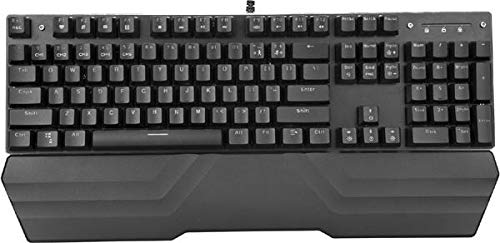
Image: The MARVO KG925G Mechanical Gaming Keyboard with its USB cable connected, ready for use. The keyboard features a wrist rest and illuminated keys.
Instrucțiuni de operare
Funcții de bază ale tastaturii
The MARVO KG925G functions as a standard QWERTY keyboard for typing and general computer use.
Taste multimedia
The keyboard includes dedicated multimedia functions, typically accessed via the Fn key combined with the F-keys (F1-F12). Refer to the keycap legends for specific functions such as volume control, media playback, and launching applications.
- Fn + F1-F12: Access various multimedia and system functions.
Controlul iluminării de fundal
The MARVO KG925G features customizable backlighting. Specific key combinations are used to change lighting modes, brightness, and speed. Consult the keyboard's keycap legends or the manufacturer's website for detailed instructions on advanced lighting customization.
- Moduri de iluminare: Typically cycled using a dedicated key or Fn + a specific key (e.g., Scroll Lock, Pause Break, or a dedicated lighting key).
- Reglarea luminozității: Adesea controlat de Fn + Up/Down arrow keys.
Întreținere și îngrijire
Întreținerea corectă asigură longevitatea și performanța tastaturii tale.
- curatenie: Folosiți o cârpă moale și uscată pentru a șterge suprafața tastaturii. Pentru o curățare mai profundă, folosiți o recipient cu aer comprimat pentru a îndepărta praful și resturile dintre capacele tastelor. Evitați utilizarea substanțelor chimice dure sau a materialelor abrazive.
- Vărsări: In case of liquid spills, immediately unplug the keyboard from your computer. Turn it upside down to drain any liquid and allow it to dry completely for at least 24-48 hours before reconnecting. Do not attempt to use the keyboard while it is wet.
- Depozitare: Depozitați tastatura într-un loc răcoros și uscat, ferit de lumina directă a soarelui și de temperaturi extreme.
Depanare
If you encounter issues with your MARVO KG925G keyboard, refer to the following common solutions:
| Problemă | Soluție posibilă |
|---|---|
| Tastatura nu răspunde. |
|
| Backlighting is not working. |
|
| Cheile nu se înregistrează corect. |
|
Specificații
- Model: KG925G
- Marca: MARVO
- Conectivitate: USB 2.0
- Tip tastatură: Tastatură mecanică pentru jocuri
- Caracteristici: Illumination, Wrist Rest, Multimedia Keys
- Sistem de operare compatibil: Windows 8 și versiuni ulterioare
- Dimensiuni: Aproximativ 47.5 x 18.7 x 8.4 cm (18.7 x 7.4 x 3.3 inchi)
Garanție și suport
For warranty information and technical support, please refer to the warranty card included with your product or visit the official MARVO webPăstrați dovada achiziției pentru reclamații în garanție.