
1. Introducere
This manual provides essential information for the proper use and maintenance of your Speedlink Competition Pro Extra USB Joystick (Model SL-650212-BKRD). This joystick is designed for use with PCs and Android devices, offering a retro arcade gaming experience. Please read these instructions carefully before using the product.
2. Instrucțiuni importante de siguranță
Failure to observe these instructions can cause product damage, explosion, fire, and/or electric shock.
- Use this device only as indicated in the user guide. Do not open or repair it.
- Nu expuneți dispozitivul la lichide, căldură sau frig.
- Nu utilizați dispozitivul în reclameamp mediu.
- Curățați dispozitivul cu o cârpă uscată.
- Păstrați dispozitivul și toate piesele libere departe de copii, animale de companie și persoane neautorizate.
- Use only with the appropriate provided accessories/cables.
- Disconnect the charging cable from the device if it will not be used for a long time. When disconnecting the cable, don't pull on the cable but on the plug.
- Don't use the cables in any way other than mentioned in the user guide; don't bend, cut, extend, or knot up them.
- Nu introduceți obiecte străine în orificiile dispozitivului.
- Dacă dispozitivul este deteriorat în vreun fel sau se încălzește prea mult, nu îl mai utilizați imediat.
- Take caution when using the device if you have a pacemaker or are dependent on other sensitive electronic aids, as the device emits radio signals.
Safety instructions in further languages can be found at www.speedlink.com.
3. Conținutul pachetului
The Speedlink Competition Pro Extra USB Joystick package includes:
- Speedlink Competition Pro Extra USB Joystick (Model SL-650212-BKRD)
- Cablu USB integrat
- Information on how to download the included 20 retro games
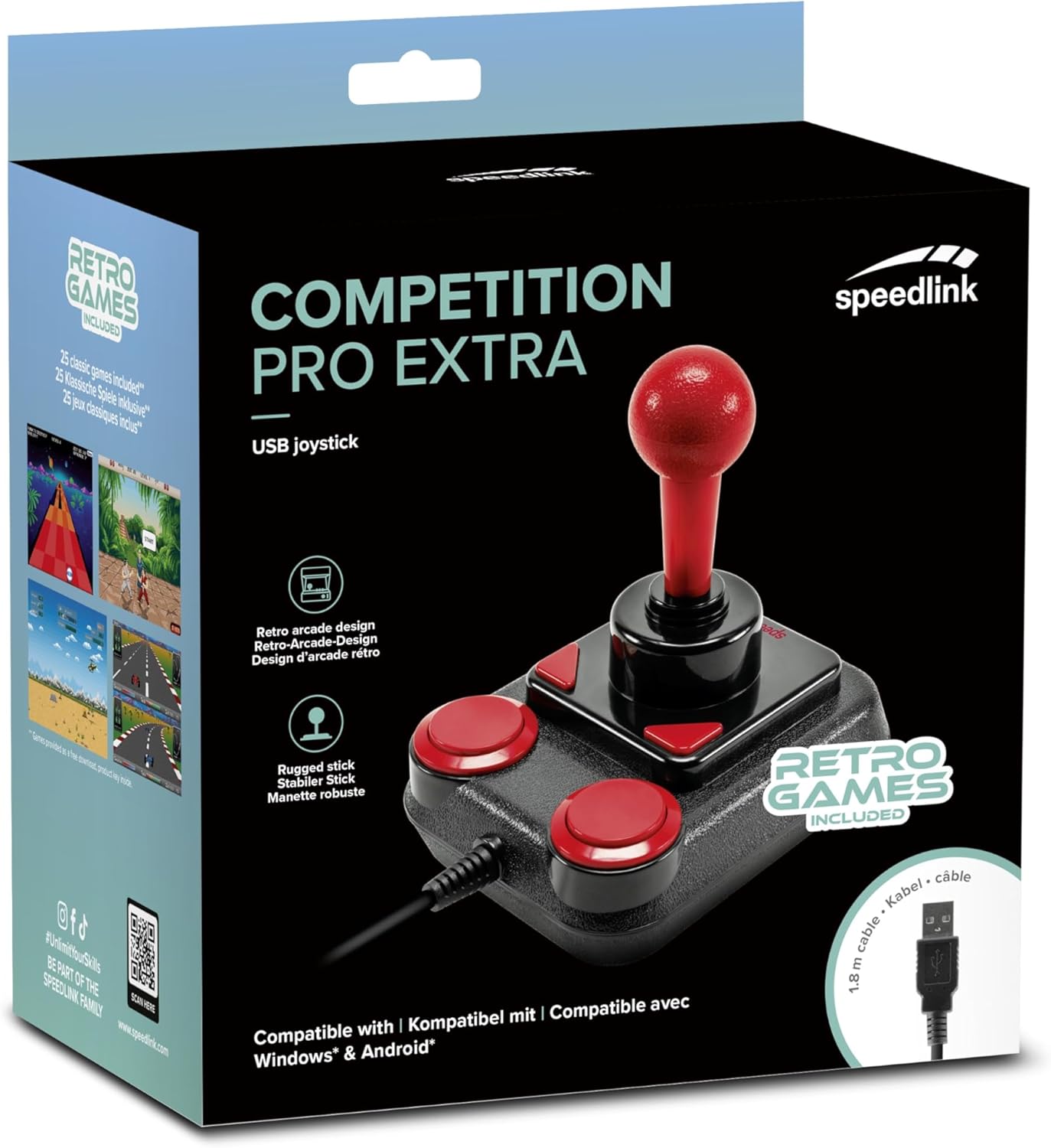
Image: Retail packaging for the Speedlink Competition Pro Extra USB Joystick, showing the product and "Retro Games Included" label.
4. Produs terminatview
The Competition Pro Extra USB Joystick features a classic arcade design with a robust stick and responsive buttons.

Imagine: De sus în jos view of the joystick, highlighting the red ball-top stick and red circular fire buttons.

Imagine: Înclinată view showing the joystick's main stick, two circular fire buttons, and two triangular fire buttons.
The joystick includes:
- Arcade Stick: A classic red ball-top joystick for directional control.
- Fire Buttons: Two large circular red buttons and two smaller triangular red buttons for in-game actions.
- Rapid-Fire Switch: A switch located on the underside of the joystick to enable or disable rapid-fire functionality for the main fire buttons.

Image: Underside of the joystick, showing the "ON" and "OFF" positions for the rapid-fire switch.
5. Configurare
5.1 Conectarea la un PC
- Găsiți un port USB disponibil pe computer.
- Plug the USB connector of the Competition Pro Extra joystick into the USB port.
- The operating system (Windows 7 or later) will automatically detect and install the necessary drivers. No manual driver installation is typically required.
- Once installed, the joystick is ready for use with compatible games and emulators. You may need to configure joystick settings within individual game or emulator software.
5.2 Connecting to an Android Device
For Android devices, an OTG (On-The-Go) adapter is required (not included).
- Connect the USB connector of the joystick to an OTG adapter.
- Plug the OTG adapter into the USB port of your Android device.
- The Android device should recognize the joystick. Compatibility may vary depending on the Android device and game/application.
6. Instrucțiuni de utilizare
6.1 Control de bază
- joystick: Use the main stick for directional movement (up, down, left, right, and diagonals).
- Fire Buttons: Press any of the four red buttons to perform in-game actions such as firing, jumping, or selecting.
6.2 Rapid-Fire Mode
The joystick features a rapid-fire function for enhanced gameplay in certain titles.
- To activate rapid-fire, locate the switch on the underside of the joystick and slide it to the "ON" position.
- To deactivate rapid-fire, slide the switch to the "OFF" position.
6.3 Included Games
The Anniversary Edition includes a collection of 20 retro games available for download. Refer to the instructions provided with your product for details on how to access and download these games.

Image: Screenshot of the game launcher interface, displaying a list of classic games such as Bomberwarrior, Summer Games, and River Attack.
7. Întreținere
- curatenie: Use a soft, dry cloth to clean the surface of the joystick. Do not use liquid cleaners or abrasive materials.
- Depozitare: Store the joystick in a dry place away from direct sunlight and extreme temperatures.
- Îngrijirea cablului: Avoid bending or twisting the USB cable excessively. Do not pull on the cable to disconnect it; always grasp the plug.
8. Depanare
- Joystick not recognized by PC:
- Asigurați-vă că cablul USB este conectat corect la un port USB funcțional.
- Încercați un alt port USB.
- Reporniți computerul.
- Check Device Manager (Windows) to see if the device is listed and if there are any driver issues.
- Joystick not recognized by Android device:
- Ensure your Android device supports USB OTG functionality.
- Verify the OTG adapter is functioning correctly.
- Try a different OTG adapter or Android device if possible.
- Buttons or stick unresponsive:
- Ensure the joystick is properly connected.
- Test the joystick in a different game or application to rule out software-specific issues.
- Calibrate the joystick through your operating system's game controller settings if available.
- Rapid-fire not working:
- Check that the rapid-fire switch on the underside of the joystick is set to "ON".
9. Specificații
| Caracteristică | Detaliu |
|---|---|
| Numele modelului | SL-650212-BKRD |
| Marca | Speedlink |
| Tehnologia de conectivitate | USB |
| Dispozitive compatibile | PC (Windows 7 or later), Android (via OTG adapter) |
| Tip controler | Joystick |
| Culoare | Negru, Roșu |
| Greutatea articolului | 3.53 uncii (aprox. 100 g) |
| Dimensiunile produsului (Lxlxh) | 4.65 x 3.78 x 5.12 inci (aprox. 11.8 x 9.6 x 13 cm) |
| Sursa de alimentare | Electric cu fir (alimentat prin USB) |
| Voltage | 5 volți |
10. Informații de conformitate
10.1 Declarație FCC
Acest dispozitiv respectă Partea 15 din Regulile FCC. Funcționarea este supusă următoarelor două condiții: (1) Acest dispozitiv nu poate cauza interferențe dăunătoare și (2) acest dispozitiv trebuie să accepte orice interferență primită, inclusiv interferențe care pot cauza o funcționare nedorită.
Acest echipament a fost testat și sa constatat că respectă limitele pentru un dispozitiv digital de Clasa B, în conformitate cu partea 15 din Regulile FCC. Aceste limite sunt concepute pentru a oferi o protecție rezonabilă împotriva interferențelor dăunătoare într-o instalație rezidențială. Acest echipament generează, utilizează și poate radia energie de frecvență radio și, dacă nu este instalat și utilizat în conformitate cu instrucțiunile, poate provoca interferențe dăunătoare comunicațiilor radio. Cu toate acestea, nu există nicio garanție că interferențele nu vor apărea într-o anumită instalație. Dacă acest echipament cauzează interferențe dăunătoare recepției radio sau televiziunii, ceea ce poate fi determinat prin oprirea și pornirea echipamentului, utilizatorul este încurajat să încerce să corecteze interferența prin una sau mai multe dintre următoarele măsuri:
- Reorientați sau mutați antena de recepție.
- Măriți distanța dintre echipament și receptor.
- Conectați echipamentul la o priză pe un circuit diferit de cel la care este conectat receptorul.
- Consultați distribuitorul sau un tehnician radio/TV cu experiență pentru ajutor.
Note: Modifications to this product will void the user's authority to operate this equipment.
10.2 CE, UKCA, EAC Compliance
Produsul respectă următoarele directive:
- EMC: 2014/30 / UE
- RoHS: 2011/65 / UE
Pentru o declarație completă de conformitate, cel mai recent ghid al utilizatorului, Întrebări frecvente sau informații suplimentare, vă rugăm să vizitați www.speedlink.com.

Image: Excerpt from the product manual showing safety instructions, warnings, FCC statement, and conformity information in multiple languages.
11. Garanție și asistență
For warranty information, technical support, and frequently asked questions, please visit the official Speedlink website:
Vă rugăm să păstrați aceste informații pentru referințe viitoare.


