
1. Introducere
The Picun H12 Bluetooth Neckband Headset offers a comfortable and high-quality audio experience for various activities, including sports and daily use. Featuring Bluetooth 4.1 connectivity, a 13mm driver for clear sound, and IPX6 water resistance, these earphones are designed for durability and convenience. The magnetic earbuds and lightweight neckband design enhance portability and ease of use.
2. Ce se află în cutie
- Picun H12 Bluetooth Neckband Headset
- Cablu de încărcare USB
- Earbuds Covers (various sizes)
- Manual de utilizare
3. Produs terminatview
The Picun H12 headset is engineered for superior sound and extended battery life, ensuring an immersive audio experience.

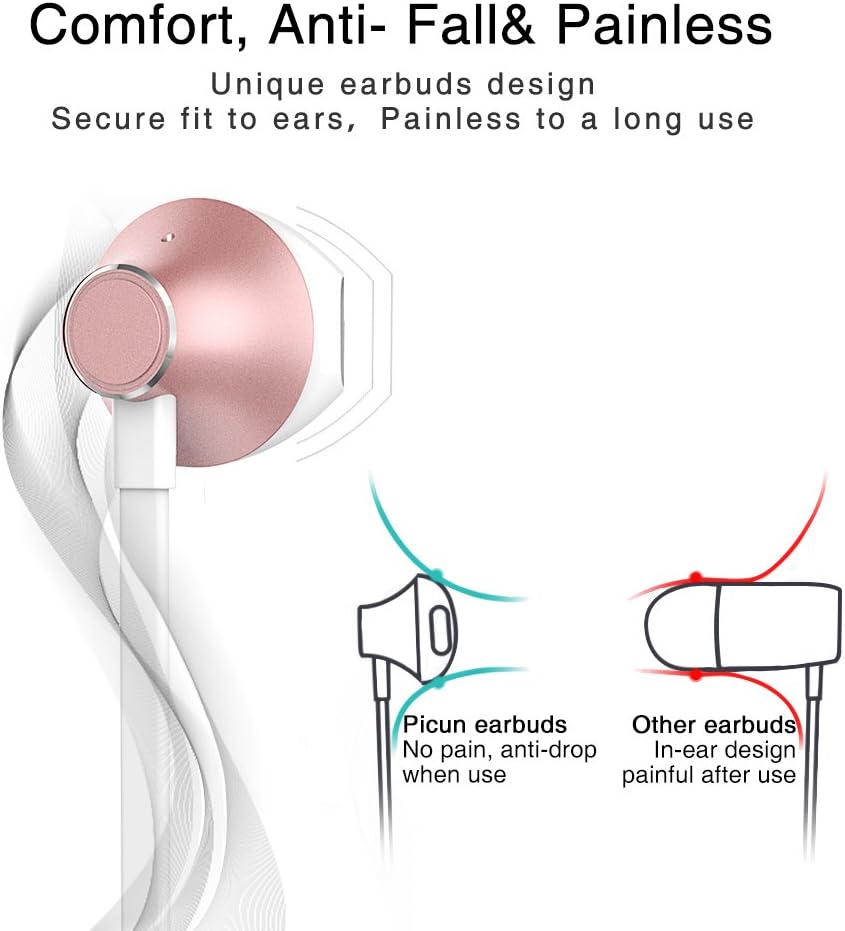
Designed for comfort, the unique earbud shape provides a secure fit without causing discomfort, even during prolonged use.
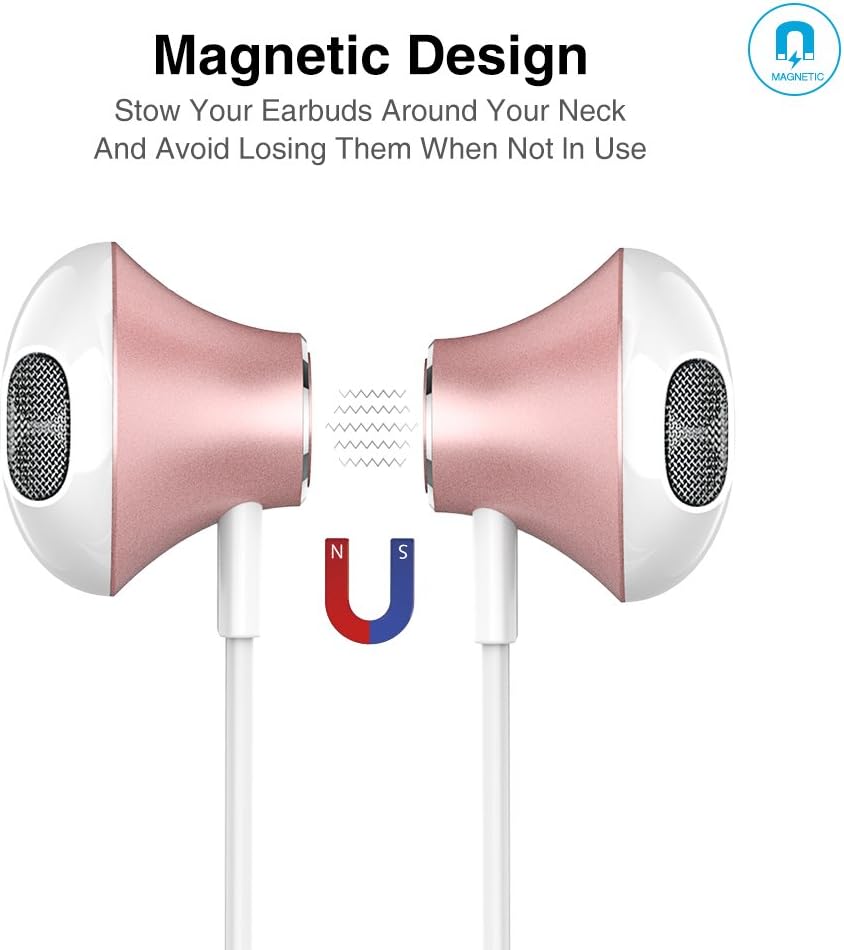
The magnetic design allows the earbuds to clip together when not in use, preventing tangles and making them easy to carry around your neck.
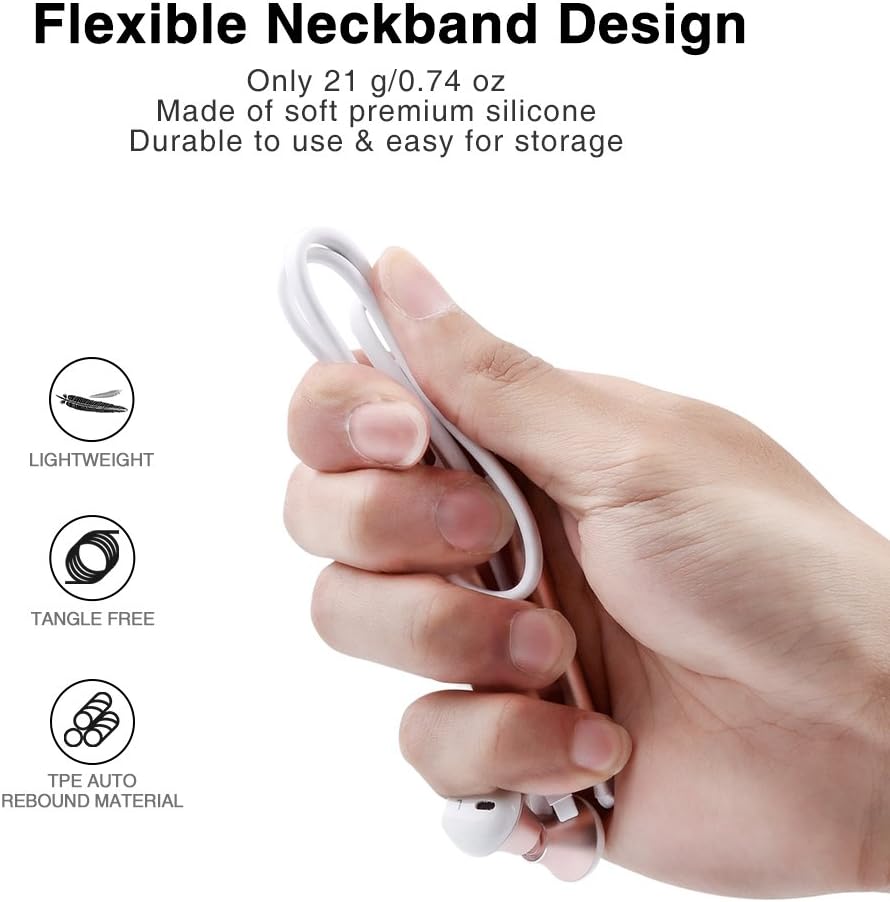
The flexible neckband is lightweight and made from TPE auto-rebound material, ensuring durability and tangle-free storage.
Control your audio and calls effortlessly with the integrated in-line remote and HD noise reduction microphone.

With an IPX6 water-resistant nano-coating, the headset is protected against sweat and rain, making it ideal for workouts.

Urmăriți acest videoclip pentru o imagine de ansambluview of the Picun H12 Bluetooth Neckband Headset's features and design.
4. Configurare
4.1 Încărcarea căștilor
- Conectați cablul de încărcare micro USB la portul de încărcare de pe căști.
- Conectați celălalt capăt al cablului la o sursă de alimentare USB (de exemplu, computer, adaptor de perete).
- The indicator light will show charging status. A full charge takes approximately 1 hour and provides up to 10 hours of playtime.
4.2 Asociere Bluetooth
- Asigurați-vă că setul cu cască este complet încărcat.
- Press and hold the multi-function button (usually the center button on the in-line remote) until the indicator light flashes red and blue, indicating pairing mode.
- Pe dispozitivul dvs. (smartphone, tabletă etc.), activați Bluetooth și căutați dispozitivele disponibile.
- Select "Picun H12" from the list of found devices.
- Once paired, the indicator light will typically turn solid blue or flash blue slowly. A voice prompt may confirm successful connection.
5. Instrucțiuni de utilizare
5.1 Pornire/Oprire
- Pornire: Press and hold the multi-function button for approximately 3 seconds until the indicator light flashes blue and a voice prompt confirms power on.
- Oprire: Press and hold the multi-function button for approximately 3-5 seconds until the indicator light flashes red and a voice prompt confirms power off.
5.2 Redarea muzicii
- Redare/Pauză: Apăsați scurt butonul multifuncțional.
- Următorul cântec: Long press the "V+" button.
- Cântecul precedent: Long press the "V-" button.
- Creșterea volumului: Short press the "V+" button.
- Volum scăzut: Short press the "V-" button.
5.3 Gestionarea apelurilor
- Răspunde la apel: Apăsați scurt butonul multifuncțional atunci când primiți un apel.
- Terminare apel: Apăsați scurt butonul multifuncțional în timpul unui apel.
- Respinge apelul: Apăsați lung butonul multifuncțional atunci când primiți un apel.
- Reapelează ultimul număr: Apăsați de două ori butonul multifuncțional.
6. Întreținere
- curatenie: Folosiți o lavetă moale și uscată pentru a curăța setul cu cască. Nu utilizați substanțe de curățare abrazive sau solvenți.
- Rezistenta la apa: The headset is IPX6 water-resistant, meaning it can resist high-pressure, heavy sprays of water. It is not designed for submersion. Dry thoroughly if exposed to water or sweat.
- Depozitare: When not in use, store the headset in a cool, dry place. The magnetic earbuds help prevent tangling.
- Îngrijirea bateriei: Pentru a prelungi durata de viață a bateriei, evitați descărcarea completă frecventă a bateriei. Încărcați setul cu cască în mod regulat, chiar dacă nu este utilizat pentru perioade lungi de timp.
7. Depanare
| Emisiune | Soluție posibilă |
|---|---|
| Headset won't power on | Ensure the headset is fully charged. Connect to a power source and try again. |
| Nu se poate asocia cu dispozitivul | Ensure the headset is in pairing mode (flashing red and blue light). Turn off and on Bluetooth on your device. Move closer to the headset. |
| Fără sunet sau volum redus | Check volume levels on both the headset and your connected device. Ensure the headset is properly paired. Try re-pairing. |
| Conexiune intermitentă | Ensure no obstacles are between the headset and your device. Stay within the 33-foot (10-meter) Bluetooth range. Avoid strong electromagnetic interference. |
| Problemă de încărcare | Check the charging cable and USB power source. Try a different cable or power adapter. Ensure the charging port is clean and free of debris. |
8. Specificații
- Marca: Picun
- Model: H12
- Tehnologie de conectivitate: Wireless (Bluetooth)
- Versiune Bluetooth: 4.1
- Raza wireless: Până la 33 de picioare (10 metri)
- Timp de joacă: Până la 10 ore
- Timp de încărcare: Aproximativ 1 oră
- Dimensiune driver: 13 MM Neodymium
- Raspuns in frecventa: 20 Hz - 20 kHz
- Rezistenta la apa: IPX6 (Sweatproof and splash-resistant)
- Plasarea urechii: În ureche
- Factor de formă: Bandă pentru gât
- Tip control: In-line Volume Control, Multi-function button
- Microfon: Built-in HD noise reduction mic
- Greutate: 0.05 lire sterline (aproximativ 21 g)
- Material: Silicon, Elastomer Termoplastic (TPE)
9. Garanție și asistență
The Picun H12 Bluetooth Neckband Headset comes with a 10-month guarantee period from the date of purchase. For any product-related inquiries, technical support, or warranty claims, please contact Picun customer service. Refer to the contact information provided on the product packaging or the official Picun website pentru asistență.