
Introducere
Thank you for choosing the Calypso K5769/2 Analogue Digital Quartz Watch. This manual provides detailed instructions for setting up, operating, and maintaining your watch to ensure optimal performance and longevity. Please read this manual thoroughly before using your watch.
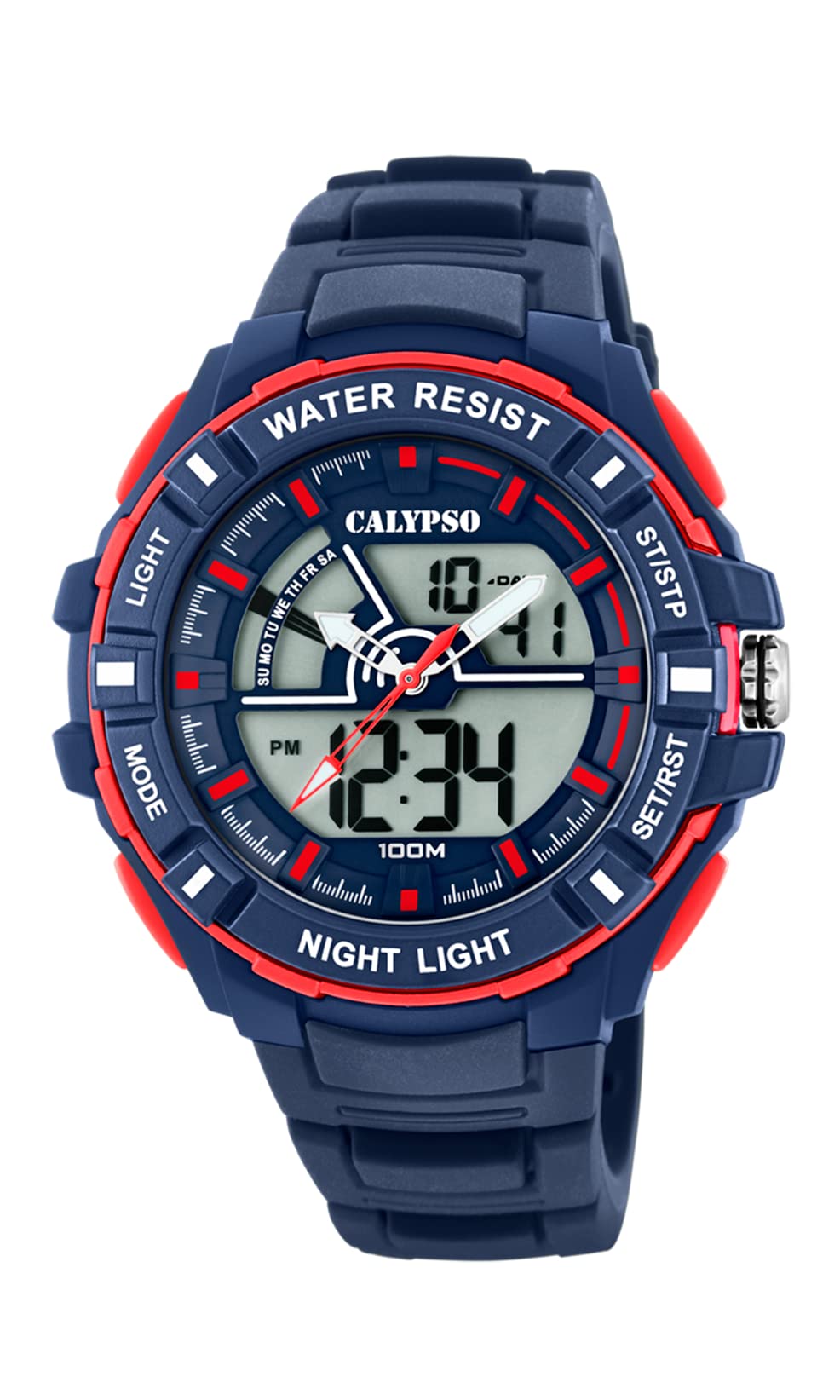
Imagine: față view of the Calypso K5769/2 Analogue Digital Quartz Watch, showcasing its blue plastic case and silicone strap.
Înființat
Setarea inițială a orei și datei
Your Calypso K5769/2 watch features both analogue and digital displays. Both need to be set for accurate timekeeping.
- Setare digitală a orei:
- Apăsați tasta MOD Apăsați butonul în mod repetat până când este afișat modul de setare a orei (de obicei indicat prin cifre care clipesc).
- Utilizați REGLA button to select the digit you wish to change (hours, minutes, seconds).
- Utilizați SET or START/STOP butonul pentru a crește valoarea.
- Odată setat, apăsați MOD din nou pentru a ieși din modul de setare.
- Analogue Time Setting:
- Pull the crown (the small knob on the side of the watch case) out to the first or second position (refer to specific watch model for exact crown positions).
- Rotiți coroana pentru a regla acele orei și minutelor la ora corectă.
- Împingeți coroana înapoi pentru a asigura setarea orei.
- Setarea datei:
- In digital time setting mode, after setting the time, continue using the REGLA button to navigate to the date (month, day, year) settings.
- Ajustați valorile folosind SET or START/STOP buton.
- Exit by pressing MOD.

Imagine: Laterală view of the Calypso K5769/2 watch, highlighting the control buttons and the crown used for adjustments.
Instrucțiuni de operare
Your watch is equipped with several functions accessible via the control buttons.
Selectarea modului
Apăsați tasta MOD button to cycle through the available functions:
- Time Display (Analogue & Digital)
- Alarma
- Cronometru
- Fus orar dual
- Afișarea datei
Funcția de alarmă
- Presa MOD până când este afișat modul Alarmă.
- Presa REGLA pentru a selecta cifrele orei sau minutelor.
- Utilizare SET or START/STOP pentru a seta ora de alarmă dorită.
- Presa MOD pentru a confirma și a ieși.
- To activate/deactivate the alarm, press a specific button (often REGLA or SET) while in Alarm mode. An alarm icon will appear when active.
Funcția de cronometru
- Presa MOD until the Stopwatch mode is displayed (usually showing 00:00:00).
- Presa START/STOP pentru a începe cronometrarea.
- Presa START/STOP din nou pentru a întrerupe/relua cronometrarea.
- Presa RESET (often the REGLA button) to clear the stopwatch to zero.
Fus orar dual
This feature allows you to display a second time zone simultaneously.
- Presa MOD until the Dual Time Zone mode is displayed.
- Utilizare REGLA şi SET or START/STOP to set the desired second time zone.
- Presa MOD pentru a confirma și a ieși.
Funcția de iluminare
Pentru a ilumina afișajul digital în condiții de lumină slabă, apăsați butonul APRINDE button (usually located on the top left of the watch case).
Întreţinere
Water Resistance (10 ATM / 100 Metres)
Your Calypso K5769/2 watch is water resistant up to 10 ATM (100 meters). This means it is suitable for swimming, snorkeling, and showering. However, it is nu potrivit pentru sporturi nautice cu impact mare sau scufundări. Do not operate buttons or the crown while the watch is wet or submerged, as this can compromise the water resistance.
Curatenie
Pentru a curăța ceasul, ștergeți-l ușor cu o lavetă moale șiamp cloth. Avoid using harsh chemicals, solvents, or abrasive cleaners, as these can damage the case and strap materials.
Înlocuirea bateriei
The watch is powered by a Quartz (battery) movement. When the display becomes dim or the watch stops functioning, the battery may need replacement. Battery replacement should be performed by a qualified watch technician to ensure proper sealing and maintain water resistance.
Depanare
| Problemă | Cauza posibila | Soluţie |
|---|---|---|
| Watch not displaying time/functions. | Baterie descărcată sau descărcată. | Înlocuiți bateria (se recomandă service profesional). |
| Analogue hands not moving. | Coroana a fost scoasă; problemă cu bateria. | Push crown back in; if still not working, replace battery. |
| Digital display is dim or flickering. | Baterie descărcată. | Înlocuiți bateria. |
| Apă în interiorul ceasului. | Buttons operated underwater; seal compromised. | Duceți imediat la un service profesionist de reparații ceasuri. Nu încercați să îl uscați singur. |
| Ora/data afișată incorect. | Settings were not saved or incorrectly set. | Refer to the "Initial Time and Date Setting" section and re-set the watch. |
Specificații
| Număr de model: | K5769/2 |
| Marca: | Calypso |
| Tip de afișare: | Analogue-Digital |
| Tip de mișcare: | Quartz (Battery) |
| Rezistenta la apa: | 10 ATM (100 Metres) |
| Material carcasa: | Policarbonat (plastic) |
| Material curea: | Plastic (silicon) |
| Diametrul carcasei: | 53 Milimetri |
| Grosimea carcasei: | 19 Milimetri |
| Lățimea benzii: | 26 Milimetri |
| Caracteristici suplimentare: | Alarm, Dual Time Zone, Light Up, Stopwatch |
| Greutatea articolului: | 65 grame |
Informații despre garanție
Calypso watches typically come with a manufacturer's warranty covering defects in materials and workmanship for a specified period from the date of purchase. This warranty usually does not cover damage resulting from improper handling, accidents, unauthorized repairs, or normal wear and tear (e.g., battery, strap, crystal). Please retain your proof of purchase for warranty claims. For specific warranty terms and conditions, refer to the warranty card included with your watch or contact Calypso customer support.
Asistență pentru clienți
If you encounter any issues or have questions regarding your Calypso K5769/2 watch that are not addressed in this manual, please contact Calypso customer support. You can typically find contact information on the official Calypso website-ul sau pe ambalajul produsului dumneavoastră.
- Suport online: Visit the official Calypso Watches website for FAQs and support contact details.
- Centre de service: For repairs or battery replacement, locate an authorized Calypso service center.