
1. Introducere
Mulțumesc pentru achizițieasing the CAIWEI A8AB-NEW Video Projector. This manual provides essential information for the safe and efficient operation of your device. Please read it thoroughly before use and retain it for future reference.
2. Instrucțiuni de siguranță
- Nu priviți direct în lentila proiectorului atunci cândamp este pornit.
- Asigurați o ventilație adecvată în jurul proiectorului pentru a preveni supraîncălzirea.
- Nu expuneți proiectorul la ploaie sau umezeală.
- Folosiți doar adaptorul de alimentare furnizat împreună cu proiectorul.
- Țineți proiectorul departe de materiale inflamabile.
- Deconectați proiectorul în timpul furtunilor cu fulgere sau când nu este utilizat pentru perioade lungi de timp.
- Nu încercați să reparați singur proiectorul. Apelați la personal calificat pentru orice service.
3. Conținutul pachetului
Vă rugăm să verificați dacă toate articolele sunt prezente la despachetare:
- CAIWEI A8AB-NEW Video Projector
- Cablu de alimentare
- Telecomanda
- Cablu HDMI
- Cablu VGA
- Cablu AV
- Manual de utilizare
4. Produs terminatview
Familiarizați-vă cu componentele proiectorului:
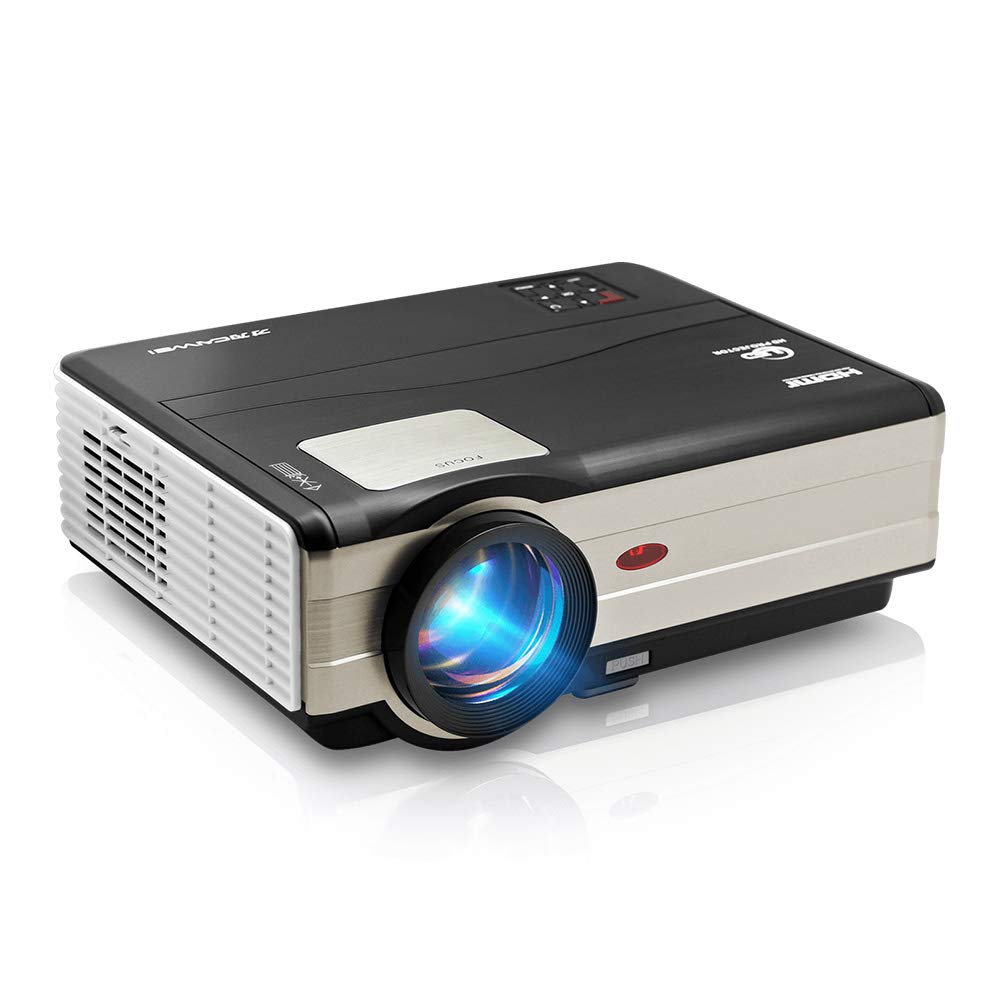
Figura 1: Faţă view of the CAIWEI A8AB-NEW Video Projector, showing the lens and ventilation.
Panoul frontal
- Lentila de proiectie: Emite imaginea.
- Inel de focalizare: Reglează claritatea imaginii.
- Corecție trapezoială: Corectează distorsiunea trapezoidală a imaginii.
Panoul din spate
- Port de alimentare: Se conectează la cablul de alimentare.
- Porturi HDMI (x2): Connects to HDMI-enabled devices (e.g., Blu-ray player, game console).
- Porturi USB (x2): Connects to USB storage devices or other USB peripherals.
- Port VGA: Connects to computers or laptops with VGA output.
- Port AV: Connects to older devices using composite video and stereo audio.
- Ieșire audio (3.5 mm): Se conectează la difuzoare externe sau căști.
5. Configurare
5.1 Plasarea
Place the projector on a stable, flat surface or mount it to a ceiling. Ensure the projector is perpendicular to the projection screen or wall. The optimal projection distance varies, but generally, a larger distance yields a larger image.
5.2 Conexiune la alimentare
- Conectați cablul de alimentare la portul de alimentare al proiectorului.
- Conectați celălalt capăt al cablului de alimentare la o priză.
- Indicatorul luminos de alimentare se va aprinde.
5.3 Conectarea dispozitivelor de intrare
Proiectorul acceptă diverse surse de intrare:
- HDMI: Connect an HDMI cable from your device (e.g., laptop, game console, streaming stick) to one of the projector's HDMI ports.
- USB: Insert a USB flash drive into a USB port to play media files direct.
- VGA: Connect a VGA cable from your computer to the projector's VGA port.
- DE: Use the provided AV cable to connect to devices with composite video output.
- Fără fir (WiFi): For screen mirroring from smartphones or tablets, navigate to the 'Wireless Display' or 'Screen Mirroring' option in the projector's menu and follow the on-screen instructions. Ensure your device and the projector are on the same Wi-Fi network.
- Bluetooth: To connect external Bluetooth speakers, go to the Bluetooth settings in the projector's menu, enable Bluetooth, and pair with your desired audio device.
5.4 Reglarea focalizării și a trapezului
- Porniți proiectorul și afișați o imagine.
- Rotiți Inel de focalizare on the lens until the image appears sharp and clear.
- If the image is trapezoidal (wider at the top or bottom), adjust the Corecție corecție dial or setting until the image is rectangular.
6. Instrucțiuni de utilizare
6.1 Pornire/Oprire
- Pornire: Apăsați butonul de pornire de pe proiector sau de pe telecomandă.
- Oprire: Apăsați din nou butonul de pornire/oprire. Confirmați oprirea dacă vi se solicită.
6.2 Navigare prin meniu
Use the navigation buttons (Up, Down, Left, Right, OK) on the projector or remote control to browse the on-screen menu. The 'Menu' button typically opens the main settings, and 'Exit' or 'Back' closes sub-menus.
6.3 Selectarea sursei de intrare
Press the 'Source' or 'Input' button on the remote control or projector. A list of available input sources (HDMI1, HDMI2, USB1, USB2, VGA, AV, Wireless Display) will appear. Select the desired source using the navigation buttons and press 'OK'.
6.4 Setări audio
Access the audio settings through the main menu to adjust volume, select audio output (internal speaker, external via 3.5mm jack, or Bluetooth), and modify sound modes.
6.5 Wireless/Bluetooth Connection
Refer to section 5.3 for detailed instructions on connecting via Wi-Fi for screen mirroring or Bluetooth for audio output.
7. Întreținere
7.1 Curățarea lentilei
Use a soft, lint-free cloth specifically designed for optical lenses. Gently wipe the lens surface. Avoid using abrasive cleaners or excessive force, which can scratch the lens.
7.2 Cleaning the Air Filter/Vents
Regularly check the air intake and exhaust vents for dust accumulation. Use a soft brush or a can of compressed air to gently clean the vents. This helps maintain proper airflow and prevents overheating.
7.3 Depozitare
When not in use, store the projector in a cool, dry, and dust-free environment. Use the original packaging or a protective case to prevent damage.
8. Depanare
| Problemă | Cauza posibila | Soluţie |
|---|---|---|
| Nicio imagine pe ecran | Power not connected; Incorrect input source; Device not powered on. | Check power cable; Select correct input source; Ensure connected device is on. |
| Imaginea este neclară | Focalizarea nu este reglată; Proiectorul este prea departe/prea aproape. | Reglați inelul de focalizare; Repoziționați proiectorul. |
| Imaginea este trapezoidală | Corecția trapezoidală nu este ajustată. | Reglați corecția keystone. |
| Nici un sunet | Volume too low; Muted; Incorrect audio output; Cable issue. | Increase volume; Unmute; Check audio settings; Verify cable connections. |
| Telecomanda nu funcționează | Batteries dead; Obstruction; Out of range. | Înlocuiți bateriile; Îndepărtați obstrucțiile; Asigurați linia de vizibilitate către receptorul IR. |
| Avertizare de supraîncălzire | Blocked vents; Poor ventilation. | Clear vents; Ensure adequate space around projector. |
9. Specificații
- Model: A8AB-NEW
- Marca: CAIWEI
- Rezoluția afișajului: 1280 x 800
- Tehnologie de conectivitate: Bluetooth, HDMI, USB, VGA, Wireless
- Caracteristici speciale: Wi-Fi încorporat, portabil, fără fir
- Utilizări recomandate: Jocuri, Home Theater
- Greutatea articolului: 6.1 lire sterline
- Dimensiuni produs: 11.2 x 14.7 x 5 inci
10. Garanție și asistență
CAIWEI products are designed for reliability and performance. For specific warranty details, please refer to the warranty card included with your purchase or contact CAIWEI customer support. If you encounter any issues not covered in this manual, please reach out to our support team for assistance.
Asistență clienți: Vă rugăm să vizitați site-ul oficial CAIWEI website-ul web sau contactați distribuitorul pentru informații de asistență.