
1. Introducere
The ADA Cosmo 120 Video is a professional digital laser distance meter designed for precise measurements up to 120 meters (394 feet). It features a unique combination of a digital viewfinder and a 360° tilt sensor, enabling measurements that are challenging for ordinary laser distance meters. This device is ideal for both indoor and outdoor applications, providing accurate results with an error margin of ±1.5 mm.
Caracteristicile cheie includ:
- Digital Viewfinder with 3X Zoom: Allows for precise targeting and measurement in unfavorable light conditions or over long distances, even when the laser dot is not visible.
- Integrated 360° Tilt Sensor: Enables horizontal distance measurement even with obstacles, and functions as a digital level for surface inclination.
- Conectivitate Bluetooth: Facilitates data transmission to other devices.
- Painter Function: Automatically calculates the total area of walls in a room.

Image 1.1: The ADA Cosmo 120 Video displaying multiple distance measurements on its digital screen.
2. Conținutul pachetului
Vă rugăm să verificați pachetul pentru următoarele articole:
- ADA Cosmo 120 Video Laser Distance Meter
- Toc
- 2 x baterii AA
- Placa reflectorizanta
- Manual de utilizare
3. Configurare
3.1 Instalarea bateriei
The device requires two AA batteries. To install:
- Localizați capacul compartimentului bateriei pe spatele dispozitivului.
- Deschide capacul.
- Introduceți două baterii AA, asigurându-vă că polaritatea este corectă (+/-).
- Închideți bine capacul compartimentului bateriei.
3.2 Pornire/Oprire
- Pentru a porni: Apăsați butonul MĂSURI buton.
- Pentru a opri: Apăsați și mențineți apăsat butonul PĂRĂSIȚI butonul pentru câteva secunde.
3.3 Schimbarea unităților de măsură
The device can display measurements in meters (m) or feet (ft). To change the unit:
- Asigurați-vă că unitatea este oprită.
- Țineți apăsat butonul MĂSURI apăsat butonul timp de aproximativ 8-10 secunde.
- The unit will beep, and the measurement unit displayed on the screen will change.
4. Instrucțiuni de utilizare
4.1 Măsurarea distanței de bază
Pentru a efectua o singură măsurare a distanței:
- Point the laser distance meter at the target object.
- Apăsați tasta MĂSURI buton. Laserul se va activa.
- Apăsați tasta MĂSURI Apăsați din nou butonul pentru a efectua măsurătoarea. Rezultatul va fi afișat pe ecran.
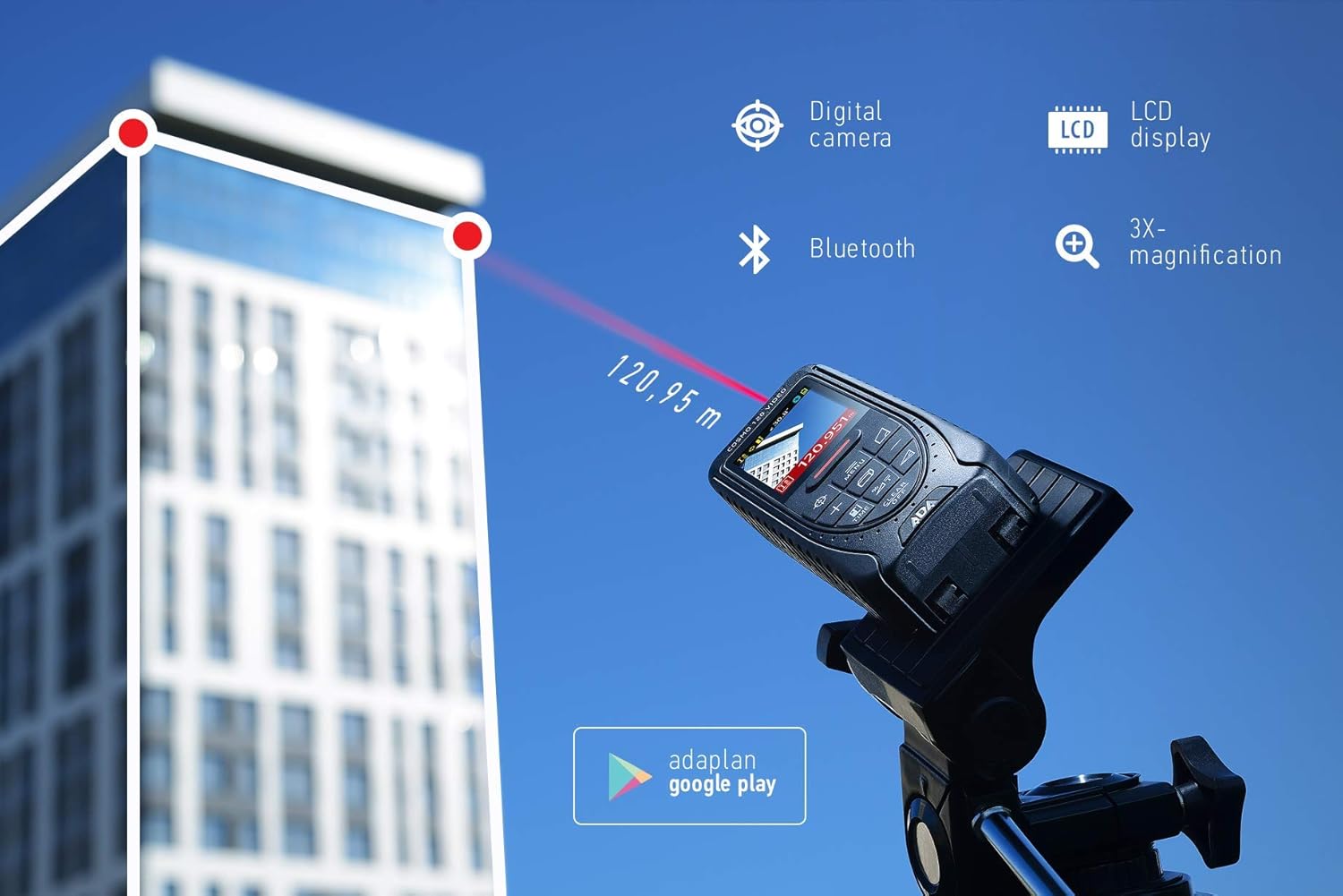
Image 4.1: The ADA Cosmo 120 Video in use, measuring a distance of 120.95 meters to a building.
4.2 Using the Digital Viewgăsitor
Digitalul integrat viewfinder with 3X zoom allows for accurate targeting, especially in bright outdoor conditions or when measuring long distances where the red laser dot might be invisible. The viewfinder displays a reticle on the screen, helping you precisely aim the device at your target.
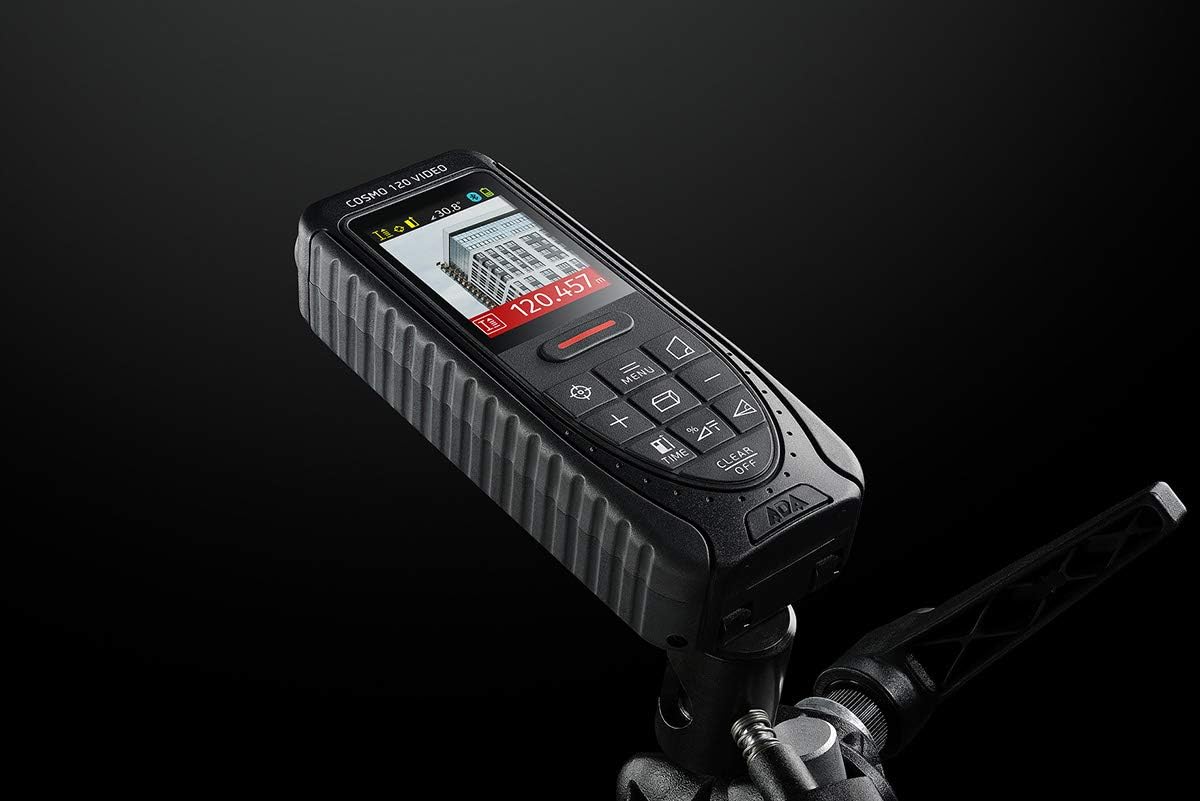
Image 4.2: The ADA Cosmo 120 Video mounted on a tripod, with its screen displaying a digital view of a building and measurement data.
4.3 360° Tilt Sensor
The integrated 360° tilt sensor allows for:
- Horizontal Distance Measurement: Combine distance and inclination measurements to determine horizontal distances, even when direct line-of-sight is obstructed.
- Digital Level Function: Use the device to measure the inclination of any surface.
4.4 Painter Function
This function simplifies the calculation of the total wall area in a room. To use:
- Measure the height of the wall once.
- Measure the length of all walls.
- The device will automatically calculate the total area.
4.5 Conectivitate Bluetooth
The ADA Cosmo 120 Video supports Bluetooth for transmitting measurement data to compatible applications or devices. Refer to the specific application's instructions for pairing and data transfer procedures.
4.6 Using the Reflective Plate
For measurements over very long distances, in bright sunlight, or on surfaces with poor reflection properties, use the included reflective plate. Place the plate at the target point to improve laser detection and measurement accuracy.

Image 4.3: The reflective plate included with the ADA Cosmo 120 Video, used to enhance laser detection.
5. Întreținere
To ensure the longevity and accuracy of your ADA Cosmo 120 Video, follow these maintenance guidelines:
- curatenie: Folosiți un moale, damp cloth to clean the device. Do not use harsh chemicals or abrasive cleaners. Pay special attention to the lens and display, keeping them free of dust and smudges.
- Depozitare: Store the device in its holster in a dry, cool place, away from direct sunlight and extreme temperatures.
- Baterii: Scoateți bateriile dacă dispozitivul nu va fi utilizat pentru o perioadă lungă de timp, pentru a preveni scurgerile.
- Evitați impactul: Protect the device from drops and impacts, as this can affect its calibration and functionality.
6. Depanare
If you encounter issues with your ADA Cosmo 120 Video, try the following solutions:
- Dispozitivul nu pornește: Verificați dacă bateriile sunt introduse corect și au suficientă încărcare. Înlocuiți bateriile dacă este necesar.
- Citiri inexacte: Ensure the target surface is suitable for laser measurement. Use the reflective plate for difficult surfaces or long distances. Check for obstructions in the laser path.
- Laser dot not visible: This is normal in bright conditions or over long distances. Use the digital viewfinder for targeting.
- Probleme de conexiune Bluetooth: Ensure Bluetooth is enabled on both the device and your receiving unit. Check the pairing process according to your application's instructions.
If problems persist, contact ADA Instruments customer support for assistance.
7. Specificații
| Caracteristică | Caietul de sarcini |
|---|---|
| Producător | Instrumente ADA |
| Numărul de model | A00502 |
| Dimensiuni | 13.7 x 5.2 x 2.8 cm |
| Greutate | 150 g |
| Sursa de alimentare | 2 x baterii AA (alcaline) |
| Interval de lucru | 0.05 până la 120 m |
| Precizia măsurătorilor | ±1.5 mm |
| Tilt Sensor Accuracy | ±0.3° |
| Tip de afișare | Digital |
| Material | Plastic with rubber coating |
| Mediul de utilizare | Interior și exterior |
8. Garanție și asistență
For warranty information or technical support, please refer to the documentation provided with your purchase or visit the official ADA Instruments webPăstrați dovada achiziției pentru reclamații în garanție.