
Introducere
The HP Wireless Mouse 200 provides a reliable and comfortable wireless experience for your computing needs. Designed for ease of use, this mouse features a 2.4 GHz wireless connection, a contoured shape for ambidextrous comfort, and a 1,000 DPI optical sensor for precise tracking. This manual provides instructions for setting up, operating, and maintaining your HP Wireless Mouse 200.
Conținutul pachetului

Figure 1: Package Contents. The image displays the HP Wireless Mouse 200, two AAA batteries, a 2.4GHz wireless receiver, a quick start poster, product notices, and a warranty card.
Verificați dacă pachetul dvs. conține următoarele articole:
- HP Wireless Mouse 200
- 2 baterii AAA
- 2.4 GHz Wireless USB Receiver
- Ghid de pornire rapidă
- Notificări despre produse
- Card de garanție
Înființat
1. Instalarea bateriei
- Localizați compartimentul bateriei pe partea inferioară a mouse-ului.
- Deschideți capacul compartimentului bateriei.
- Insert the two AAA batteries (included) into the compartment. Ensure correct polarity (+ and - ends) as indicated inside the compartment. Note: Some users have reported that batteries may need to be inserted in opposite directions for proper function.
- Închideți capacul compartimentului bateriei.
2. Conectați receptorul USB
- Locate the 2.4 GHz wireless USB receiver. This is typically stored inside the battery compartment or packaged separately.
- Conectați receptorul USB la un port USB disponibil de pe computer.
- Calculatorul tău ar trebui să detecteze automat mouse-ul.
3. Porniți mouse-ul
- Pe partea inferioară a mouse-ului, localizați comutatorul Pornit/Oprit.
- Slide the switch to the "On" position. The optical sensor light (red LED) should illuminate.
- If the mouse does not connect automatically, press the "Connect" button located near the On/Off switch on the underside of the mouse.
Operarea mouse-ului

Figure 2: Key Features of the HP Wireless Mouse 200. This image illustrates the mouse's features such as battery life, wireless range, button layout, and operating system compatibility.
The HP Wireless Mouse 200 is designed for intuitive navigation and control.
- Butonul stânga pentru clic: Folosit pentru selectarea articolelor, deschiderea files și executarea comenzilor.
- Buton clic dreapta: Folosit pentru accesarea meniurilor contextuale și a opțiunilor suplimentare.
- Rotiță de defilare: Folosit pentru derularea documentelor și web pagini. Rotița de derulare funcționează și ca buton de clic din mijloc.
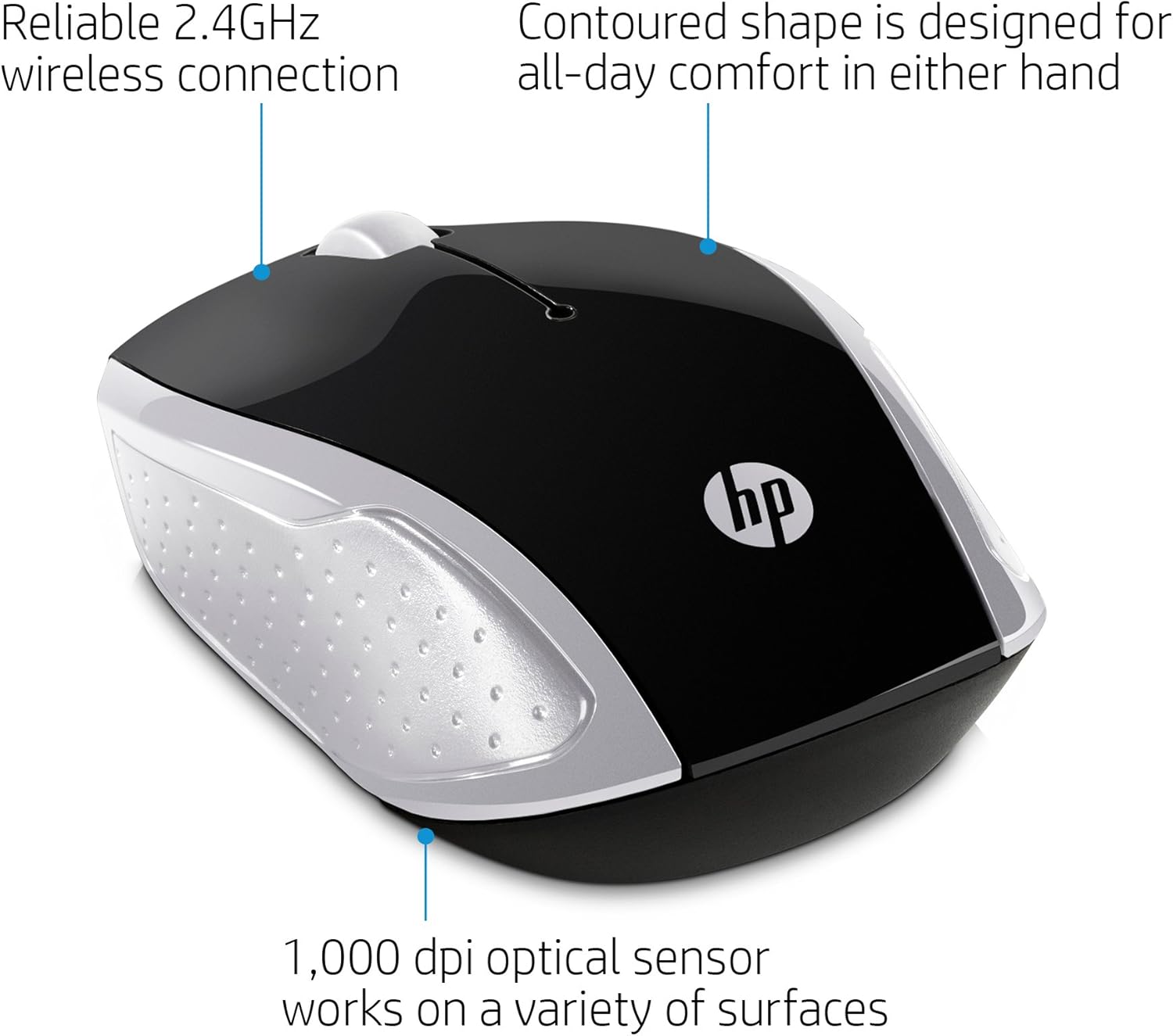
Figure 3: Ergonomic Design and Optical Sensor. This image emphasizes the comfortable, contoured shape suitable for both left and right-handed users, and the precision of the 1,000 DPI optical sensor.
The mouse features a contoured shape that fits comfortably in either hand, making it suitable for both left-handed and right-handed users. Its 1,000 DPI optical sensor provides accurate and responsive tracking on various surfaces.
Întreţinere
Înlocuirea bateriei
When the mouse performance degrades or stops responding, it may be time to replace the batteries. Follow the battery installation steps in the Înființat section to replace the two AAA batteries.
Curatenie
Pentru a curăța mouse-ul, folosiți o lavetă moale și uscată. Pentru murdăria persistentă, ștergeți ușor.ampen the cloth with water. Avoid using harsh chemicals or abrasive cleaners, as these can damage the mouse's surface.
Depanare
- Mouse-ul nu răspunde:
- Ensure the mouse is powered on using the On/Off switch on the underside.
- Verificați dacă bateriile sunt instalate corect și au o încărcare suficientă. Înlocuiți-le dacă este necesar.
- Verificați dacă receptorul USB este conectat corect la un port USB funcțional al computerului.
- Încercați să conectați receptorul USB într-un alt port USB.
- Press the "Connect" button on the underside of the mouse to re-establish the connection.
- Mișcare neregulată a cursorului:
- Ensure the optical sensor on the underside of the mouse is clean and free of obstructions.
- Use the mouse on a clean, uniform surface. Avoid highly reflective or transparent surfaces.
- Rază scurtă de acțiune wireless:
- Ensure there are no large metal objects or other electronic devices interfering with the 2.4 GHz signal between the mouse and the USB receiver.
- Mutați mouse-ul mai aproape de receptorul USB. Raza efectivă este de până la 10 metri (30 de picioare).
Specificații

Figure 4: HP Wireless Mouse 200 Dimensions. The image provides a top-down view of the mouse with its length (3.74 inches) and width (2.3 inches) clearly marked.
| Caracteristică | Detaliu |
|---|---|
| Marca | HP |
| Numele modelului | HP Wireless Mouse 200 |
| Numărul de model | 200 (2HU84AA) |
| Culoare | Negru/argintiu |
| Tehnologia de conectivitate | USB (2.4 GHz Wireless Receiver) |
| Detectarea mișcării | Optical (Red LED) |
| Sensibilitate DPI | 1000 DPI |
| Cantitate de butoane | 3 (Stânga, Dreapta, Rotiță de derulare/Clic mijloc) |
| Orientarea mâinii | Ambidextru |
| wireless Range | Până la 10 metri (30 picioare) |
| Sursa de alimentare | Alimentat cu baterie |
| Bateriile necesare | 2 x AAA (incluse) |
| Sisteme de operare compatibile | Windows 7 and above, Mac OS 10.x and above, Chrome OS |
| Greutatea articolului | 2.72 uncii |
| Dimensiuni articol (L x l) | 5 cm x 3 cm |
| Material | Plastic |
Garanție și suport
The HP Wireless Mouse 200 comes with a standard Garanție limitată HP de 1 an. For warranty claims, technical support, or additional product information, please refer to the official HP support website or contact HP customer service. Details can be found on the warranty card included in your package.