
Introducere
Welcome to the user manual for your Nokia 130 DS TA-1017 mobile phone. This guide provides essential information for setting up, operating, maintaining, and troubleshooting your device. Please read this manual carefully to ensure proper use and to maximize your phone's capabilities.
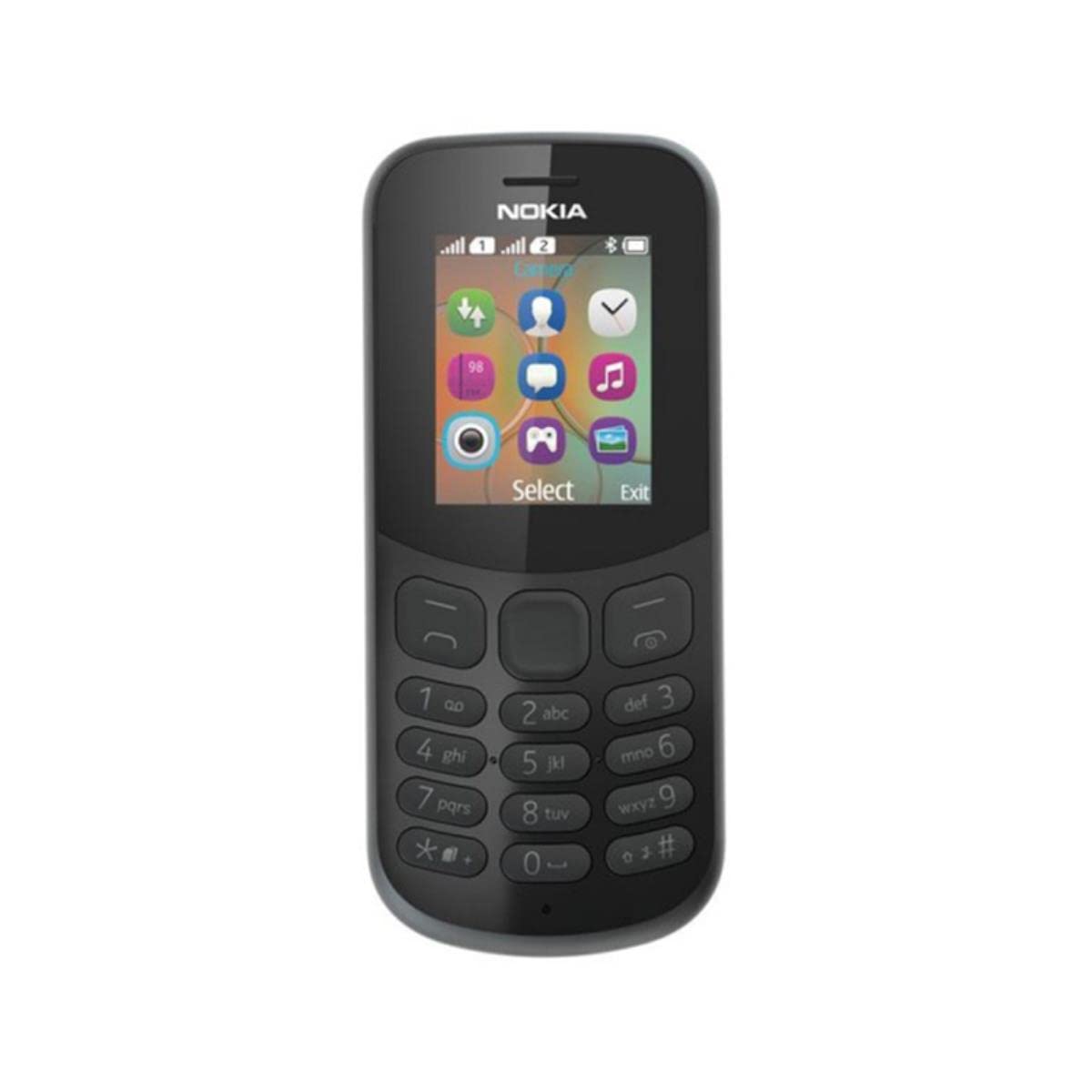
Imagine: Spate view of the Nokia 130 DS TA-1017 mobile phone, highlighting the camera and speaker components.
Înființat
1. Introducerea cartelei (cartelelor) SIM
The Nokia 130 DS TA-1017 supports dual SIM cards. To insert a SIM card:
- Scoateți capacul din spate al telefonului.
- Dacă bateria este introdusă, scoateți-o.
- Slide the SIM card(s) into the designated slot(s) with the gold contacts facing down.
- Ensure the SIM card(s) are securely in place.
2. Introduceți cardul de memorie
To expand storage, you can insert a MicroSD card (up to 32 GB):
- Cu capacul din spate și bateria scoase, localizați slotul pentru cardul MicroSD.
- Insert the MicroSD card into the slot with the gold contacts facing down until it clicks into place.
3. Insert and Charge Battery
The phone uses a removable 1020 mAh battery.
- Aliniați contactele bateriei cu contactele telefonului și apăsați ușor bateria în poziție.
- Puneți la loc capacul din spate.
- Connect the charger to the phone's charging port and plug it into a power outlet. The phone will indicate charging status.
4. Pornire/Oprire
To power on your phone, press and hold the power key until the phone vibrates or the screen lights up. To power off, press and hold the power key, then select 'Power off' from the options.
Utilizarea telefonului dvs
1. Navigare de bază
Your Nokia 130 DS TA-1017 runs on the Nokia S30+ operating system. Use the navigation keys and the center select key to move through menus and make selections. The left and right soft keys perform functions indicated on the screen.
2. Efectuarea și primirea apelurilor
- Pentru a efectua un apel: Enter the phone number using the keypad and press the call key (green button).
- Pentru a răspunde la un apel: Press the call key when the phone rings.
- Pentru a încheia un apel: Press the end call key (red button).
3. Trimiterea și primirea de mesaje
Navigate to the 'Messages' menu to compose and send SMS messages. You can also view received messages in your inbox.
4. Utilizarea camerei
Your phone is equipped with a VGA camera. To use the camera, navigate to the 'Camera' application from the main menu. Use the center select key to capture photos.
5. Connecting with Bluetooth
To connect to other Bluetooth devices:
- Accesați „Meniu” > „Setări” > „Conectivitate” > „Bluetooth”.
- Activați Bluetooth-ul.
- Selectați „Dispozitive asociate” sau „Caută audio devices' to find and connect to compatible devices.
6. Listening to Audio
The phone features a 3.5 mm headphone jack. Plug in compatible headphones to listen to music or radio privately.
Întreţinere
1. Curățarea dispozitivului
Use a soft, lint-free cloth to clean the phone's screen and body. Avoid using harsh chemicals or abrasive materials, as these can damage the device.
2. Îngrijirea bateriei
- Evitați expunerea bateriei la temperaturi extreme.
- Nu perforați și nu deteriorați bateria.
- Dacă telefonul nu va fi utilizat pentru o perioadă lungă de timp, depozitați-l cu bateria parțial încărcată.
3. Actualizări software
Periodically check for software updates to ensure your phone has the latest features and security enhancements. Refer to the phone's settings menu for update options.
Depanare
Probleme comune și soluții
- Telefonul nu pornește: Asigurați-vă că bateria este încărcată și introdusă corect.
- Fără semnal de rețea: Check that the SIM card is properly inserted. Move to an area with better network coverage.
- Durată slabă a bateriei: Reduce screen brightness, close unused applications, or replace an aging battery.
- Nu pot efectua/primi apeluri: Verify SIM card activation and network status.
Contactați asistența
If you encounter issues that cannot be resolved using the troubleshooting steps, please contact Nokia customer support or your retailer for assistance.
Specificații
| Caracteristică | Caietul de sarcini |
|---|---|
| Numele modelului | 130 DS TA-1017 |
| Dimensiuni | 10.6 x 4.5 x 1.4 cm |
| Sistem de operare | Nokia S30+ |
| RAM | 4 MB |
| Memoria internă | 8 MB |
| Suport pentru carduri MicroSD | Până la 32 GB |
| Afişa | 1.8" TFT, 160 x 120 pixels |
| Capacitatea bateriei | 1020 mAh (detașabil) |
| Conectivitate | GSM (900/1800), Bluetooth |
| Camera foto | VGA (Rear) |
| Mufă pentru căști | 3.5 mm |
| Sloturi SIM | SIM dual |
| Timp de vorbire | Până la 22 ore |
Garanție și suport
For information regarding your product's warranty, please refer to the warranty card included in the product packaging or visit the official Nokia support website. Keep your proof of purchase for warranty claims. For further assistance, contact Nokia customer service.