
InFocus IN112XV
Manual de utilizare pentru proiectorul de prezentări InFocus IN112XV
Model: IN112XV | Brand: InFocus
1. Introducere
This manual provides essential information for the safe and efficient operation of your InFocus IN112XV Presentation Projector. The IN112XV is designed for business presentations and educational use, offering a long lamp life, high brightness, and clear image quality.
- L extinsamp Viaţă: Enjoy over 15,000 hours of viewing.
- High Brightness: 3800 lumens for clear images in various lighting conditions.
- Raport de contrast: 26000:1 for distinct whites and blacks.
- Flexibil Viewing: Projects images from 28 inches to 300 inches diagonally.
- Conectivitate: Features HDMI input and SVGA (800 x 600) resolution.
2. Conținutul pachetului
Verificați dacă toate articolele enumerate mai jos sunt incluse în pachetul dumneavoastră:
- InFocus IN112XV Projector
- Cablu de alimentare
- Telecomanda
- Cablu VGA
- Documentație (acest manual și alte ghiduri)
3. Produs terminatview
Familiarize yourself with the components and controls of your InFocus IN112XV projector.
3.1 Față View
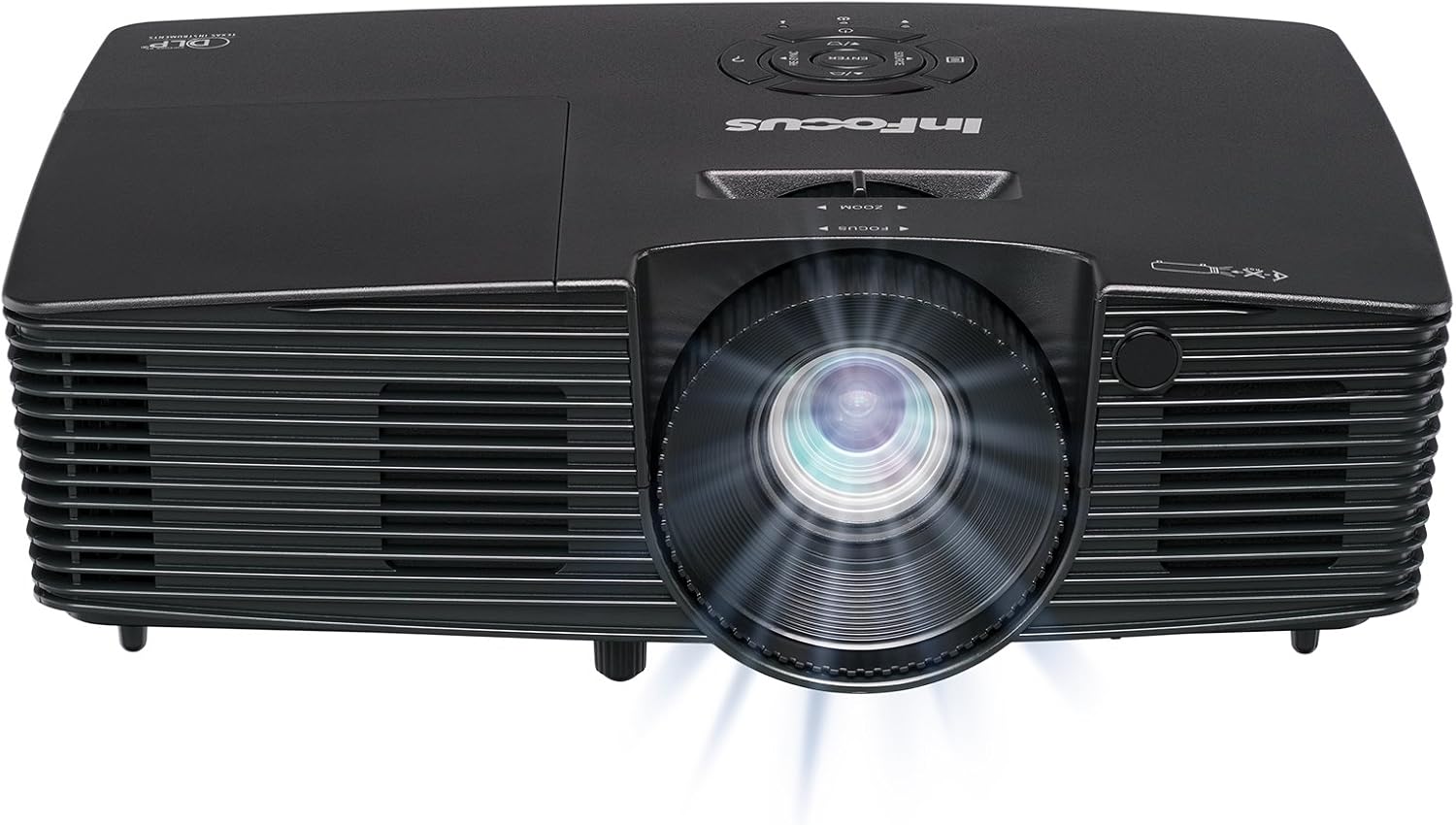
Imaginea 3.1: Faţă view of the InFocus IN112XV projector. This image highlights the main projection lens and the front ventilation grilles.
3.2 Sus View și Panoul de control

Imaginea 3.2: Top view of the InFocus IN112XV projector. The control panel is visible on the right, featuring buttons for power, source selection, menu navigation, keystone adjustment, and volume. The focus and zoom adjustment rings are located around the lens.
The control panel on the top of the projector allows for basic operation without the remote. Key buttons include:
- Putere: Pornește sau oprește proiectorul.
- Sursă: Parcurge ciclic sursele de intrare disponibile.
- Meniu: Accesează meniul de afișare pe ecran (OSD).
- Introduceți: Confirmă selecțiile din meniul OSD.
- Sagetile: Navigați prin opțiunile din meniu și ajustați setările.
- Re-Sync: Synchronizes the image.
3.3 Spate View și porturi de conectare

Imaginea 3.3: Spate view of the InFocus IN112XV projector. This image displays the available connection ports, including Video In, S-Video In, Computer In (VGA), HDMI, and the power input.
The rear panel provides various ports for connecting external devices:
- Video In: For composite video sources.
- S-Video In: For S-Video sources.
- Computer In (VGA): For connecting to computers via VGA cable.
- HDMI: For digital video and audio sources.
- Serviciu: For service and maintenance purposes.
- Putere de intrare: Connects the power cord to an electrical outlet.
3.4 Telecomandă

Imaginea 3.4: Remote control for the InFocus IN112XV projector. The remote provides full control over the projector's functions, including power, source selection, menu navigation, keystone correction, and volume.
The remote control offers convenient access to all projector functions. Ensure batteries are correctly installed.
4. Configurare
4.1 Plasarea
Position the projector on a stable, flat surface or mount it securely. Ensure there is adequate space around the projector for ventilation.
4.2 Conexiune la alimentare
- Conectați cablul de alimentare la portul de intrare al proiectorului.
- Conectați celălalt capăt al cablului de alimentare la o priză cu împământare.
4.3 Conectarea surselor de intrare
The projector supports various input sources. Choose the appropriate cable for your device:
- HDMI: Connect an HDMI cable from your source device (e.g., laptop, media player) to the projector's HDMI port.
- VGA (Intrare computer): Connect a VGA cable from your computer to the projector's Computer In port. This is a plug-and-play connection.
- Video In / S-Video In: Use composite video or S-Video cables for older video sources.
- Dispozitive mobile: To connect an iPad or smartphone, a LightCast Key (sold separately) is required.
5. Instrucțiuni de utilizare
5.1 Pornire/Oprire
- Pentru a porni: Apăsați tasta Putere button on the projector's control panel or the remote control. The power indicator light will change.
- Pentru a opri: Apăsați tasta Putere button again. A confirmation message may appear. Press again to confirm shutdown. Allow the projector to cool down before unplugging.
5.2 Selecting an Input Source
After connecting your source device, select the correct input:
- Apăsați tasta Sursă button on the projector's control panel or the remote control to cycle through available inputs (HDMI, VGA, Video, S-Video).
- Alternatively, use the dedicated input buttons (HDMI, VGA, Video) on the remote control.
5.3 Adjusting Focus and Zoom
For a clear and appropriately sized image, adjust the lens rings:

Imaginea 5.1: Manual Focus Adjustment. This image illustrates the effect of adjusting the focus ring, transforming a blurry projection into a clear and sharp image.
- Focus: Rotiți Concentrează-te ring on the projector lens until the image appears sharp and clear.
- Zoom: Rotiți Zoom ring on the projector lens to adjust the size of the projected image.
5.4 Corecție trapezoială
If the projected image appears trapezoidal (wider at the top or bottom), use keystone correction to square it:
- Apăsați tasta Keystone+ or Keystone- buttons on the remote control to adjust the image geometry.
5.5 Navigare prin meniu
Access the On-Screen Display (OSD) menu for advanced settings:
- Apăsați tasta Meniu buton de pe telecomandă sau de pe panoul de control.
- Use the arrow keys to navigate through menu options.
- Presa Intră pentru a selecta o opțiune sau a confirma o setare.
- Presa Meniu din nou pentru a ieși din OSD.
6. Întreținere
6.1 Lamp Viaţă
Proiectorul lamp has an estimated life of over 15,000 hours. When the lamp reaches the end of its life, the projector may display a warning message or the image brightness may significantly decrease. Refer to the full service manual for lamp replacement procedures if necessary.
6.2 Curățare
- Proiector Casing: Folosiți o lavetă moale și uscată pentru a șterge exteriorul proiectorului. Nu utilizați substanțe de curățare abrazive sau solvenți.
- Obiectiv: Gently clean the lens with a lens cleaning cloth and specialized lens cleaning solution. Avoid touching the lens surface with your fingers.
- Deschideri de ventilație: Periodically check and clean the ventilation openings to ensure proper airflow and prevent overheating. Use a soft brush or compressed air to remove dust.
7. Depanare
Această secțiune abordează problemele frecvente pe care le puteți întâmpina cu proiectorul dumneavoastră.
| Problemă | Cauza posibila | Soluţie |
|---|---|---|
| Nu este afișată nicio imagine |
|
|
| Imaginea este neclară |
|
|
| Imaginea este trapezoidală |
|
|
| Projector runs hot or smells of burning plastic |
|
|
| Fără sunet |
|
|
Notă importantă: This projector is not recommended for high-definition movie viewing. While it can accept a 1080p input signal, it projects at its native SVGA (800 x 600) resolution.
8. Specificații
| Caracteristică | Detaliu |
|---|---|
| Numărul de model | IN112XV |
| Tehnologia de afișare | DLP |
| Rezoluție nativă | SVGA (800 x 600) |
| Luminozitate | 3800 lumeni |
| Raport de contrast | 26000:1 |
| Lamp Viaţă | Până la 15,000 ore |
| Conectivitate | HDMI, VGA (Computer In), Video In, S-Video In |
| Caracteristica specială | Gata 3D |
| Utilizări recomandate | Afaceri, Educație |
| Dimensiunile produsului | 8.8 x 12.4 x 4 inci |
| Greutatea articolului | 5.5 lire sterline |
9. Garanție și asistență
9.1 Informații despre garanție
The InFocus IN112XV projector is backed by a 2 an garanțieAceastă garanție acoperă defectele de materiale și de fabricație în condiții normale de utilizare. Vă rugăm să păstrați dovada achiziției pentru reclamațiile în garanție.
9.2 Asistență pentru clienți
For technical assistance, troubleshooting beyond this manual, or warranty service, please contact InFocus customer support. Contact information can typically be found on the official InFocus website sau în documentația inclusă cu produsul dumneavoastră.
Ask a question about this manual
Ask about setup, troubleshooting, compatibility, parts, safety, or missing instructions. Manuals+ will review the question and use this page’s manual context to help answer it.