
1. Produs terminatview
The MERCUSYS MW300UM N300 Wireless Mini USB Adapter is designed to connect your desktop or laptop computer to a wireless network. It provides Wi-Fi connections up to 300Mbps, suitable for online gaming, HD streaming, and web browsing. Its compact, mini USB design ensures portability and convenience.
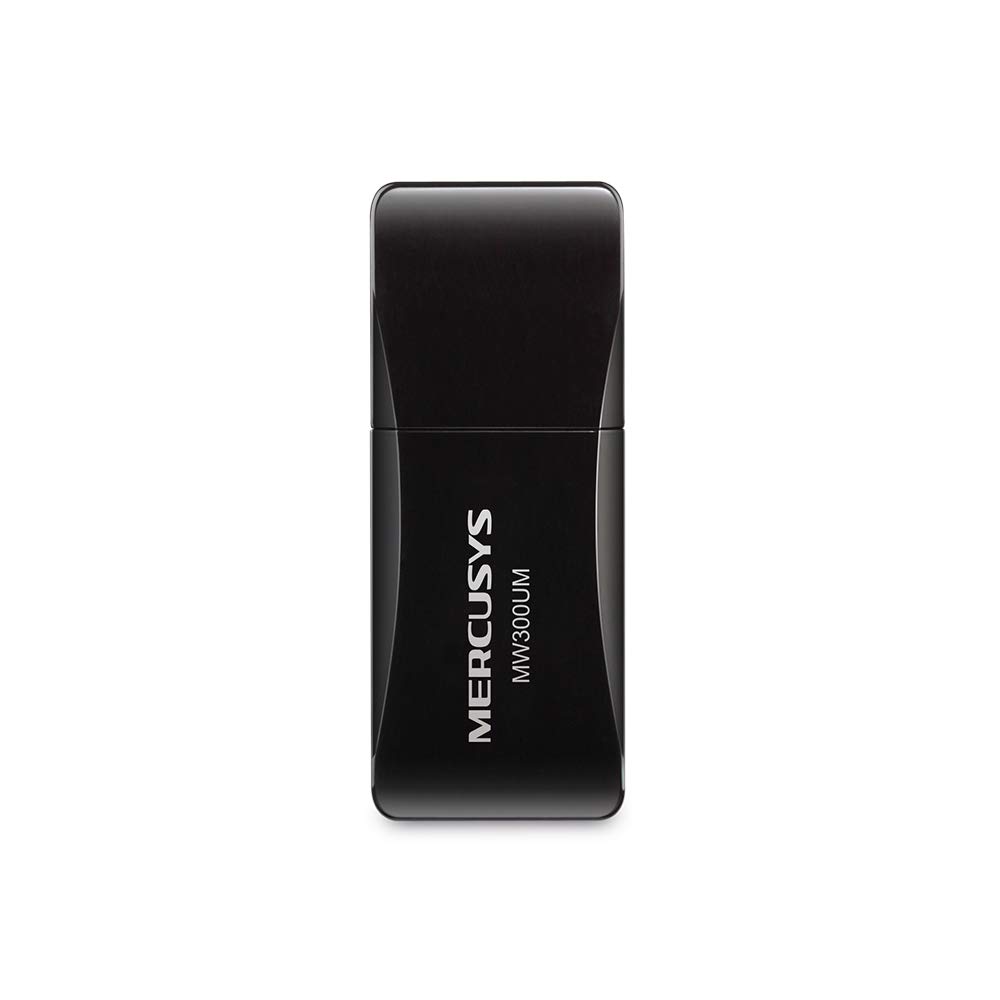
Figure 1: MERCUSYS MW300UM N300 Wireless Mini USB WiFi Adapter

Figure 2: Portable design for convenient use with laptops.
2. Conținutul pachetului
Verificați dacă pachetul dvs. conține următoarele articole:
- MERCUSYS MW300UM Wireless Mini USB Adapter
- Ghid de instalare rapidă
- CD cu resurse (pentru drivere și utilitare)

Figure 3: MW300UM product packaging and contents.
3. Ghid de instalare
Follow these steps to install and set up your MW300UM Wireless Mini USB Adapter:
- Introduceți adaptorul: Plug the MW300UM adapter into an available USB port on your desktop or laptop computer.
- Instalați drivere:
- Insert the provided Resource CD into your computer's CD-ROM drive and follow the on-screen instructions to install the drivers and utility.
- Alternatively, if your computer does not have a CD-ROM drive or if you prefer the latest drivers, download them from the official MERCUSYS website. website link is typically provided in the Quick Installation Guide.
- Conectați-vă la Wi-Fi: Once the drivers are installed, your computer will detect the adapter. Scan for available wireless networks, select your desired network, and enter the password to connect.

Figure 4: Easy setup process for the MW300UM adapter.
4. Instrucțiuni de utilizare
The MW300UM adapter provides reliable wireless connectivity and can also function as a Wi-Fi hotspot.
4.1 Conectivitate fără fir
After successful driver installation, the adapter will enable your computer to connect to 2.4GHz wireless networks at speeds up to 300Mbps. This is suitable for various online activities including video streaming, voice calls, and online gaming.

Figure 5: MW300UM performance for various applications.
4.2 Soft AP Function
The MW300UM supports Soft AP (Access Point) functionality. If your computer has an existing wired internet connection, you can use the adapter to turn your PC or laptop into a Wi-Fi hotspot, allowing other wireless devices to connect to the internet through it. Refer to the utility software for instructions on enabling and configuring Soft AP mode.
4.3 Sisteme de operare acceptate
The MW300UM adapter is compatible with a wide range of Windows operating systems:
- Windows 11 (32/64 biți)
- Windows 10 (32/64 biți)
- Windows 8.1 (32/64 biți)
- Windows 8 (32/64 biți)
- Windows 7 (32/64 biți)
- Windows XP (32/64bit)

Figure 6: Supported Operating Systems.
5. Întreținere
To ensure optimal performance and longevity of your MW300UM adapter, follow these maintenance guidelines:
- curatenie: Use a soft, dry cloth to gently wipe the adapter. Avoid using liquid cleaners or solvents, as they may damage the device.
- Depozitare: Când nu îl utilizați, depozitați adaptorul într-un loc răcoros și uscat, ferit de lumina directă a soarelui și de temperaturi extreme.
- Manipulare: Evitați să scăpați adaptorul sau să îl supuneți la impacturi puternice. Nu încercați să dezasamblați sau să modificați dispozitivul.
- Port USB: Ensure the USB port on your computer is clean and free of debris before inserting the adapter.
6. Depanare
If you encounter issues with your MW300UM adapter, refer to the following common problems and solutions:
- Adaptorul nu a fost detectat:
- Ensure the adapter is firmly plugged into a working USB port. Try a different USB port.
- Reporniți computerul.
- Verify that the drivers are correctly installed. Reinstall drivers if necessary.
- Nu mă pot conecta la rețeaua Wi-Fi:
- Verificați dacă alte dispozitive se pot conecta la aceeași rețea Wi-Fi.
- Asigurați-vă că introduceți parola Wi-Fi corectă.
- Restart your wireless router/modem.
- Update the adapter's drivers to the latest version from the MERCUSYS website-ul.
- Viteză Wi-Fi redusă:
- Ensure your computer is within a reasonable range of your wireless router.
- Verificați dacă există interferențe de la alte dispozitive electronice (de exemplu, cuptoare cu microunde, telefoane fără fir).
- Verify that your internet service plan supports the expected speeds.
- Actualizați driverele adaptorului.
7. Specificații
| Caracteristică | Caietul de sarcini |
|---|---|
| Marca | MERCUSYS |
| Numărul de model | MW300UM |
| Interfață hardware | USB 2.0 |
| Protocol de legătură de date | IEEE 802.11n, IEEE 802.11g, IEEE 802.11b |
| Rata de transfer de date | 300 de megabiți pe secundă |
| Sisteme de operare compatibile | Windows 11/10/8.1/8/7/XP (32/64bit) |
| Dimensiuni produs (L x l x H) | 17L x 9W x 43H Millimeters |
| Culoare | Negru |
| Conținutul cutiei | Wireless Mini USB Adapter, Quick Installation Guide, Resource CD |
8. Informații despre garanție
The MERCUSYS MW300UM Wireless Mini USB Adapter typically comes with a 3 an garanție from the date of purchase. This warranty covers manufacturing defects and ensures the product functions as intended under normal use. Please retain your purchase receipt for warranty claims.
For detailed warranty terms and conditions, refer to the official MERCUSYS website-ul sau cardul de garanție inclus în ambalajul produsului.
9. Suport
For further assistance, technical support, or to download the latest drivers and firmware, please visit the official MERCUSYS support website:
De asemenea, puteți găsi informații de contact pentru serviciul clienți din regiunea dvs. pe website or in the Quick Installation Guide.