
1. Introducere
The Benetech GM8910 is a multi-purpose anemometer designed for comprehensive environmental measurements. This device integrates eight functions into one unit, allowing for precise measurement of temperature, humidity, wind chill, dew point, wind speed, barometric pressure, altitude, and illumination. It features a matrix liquid-crystal display with backlighting, unit switching, and data saving capabilities, making it a versatile tool for various applications.
This manual provides detailed instructions for the proper setup, operation, and maintenance of your GM8910 anemometer to ensure accurate readings and prolonged device life.
2. Produs terminatview
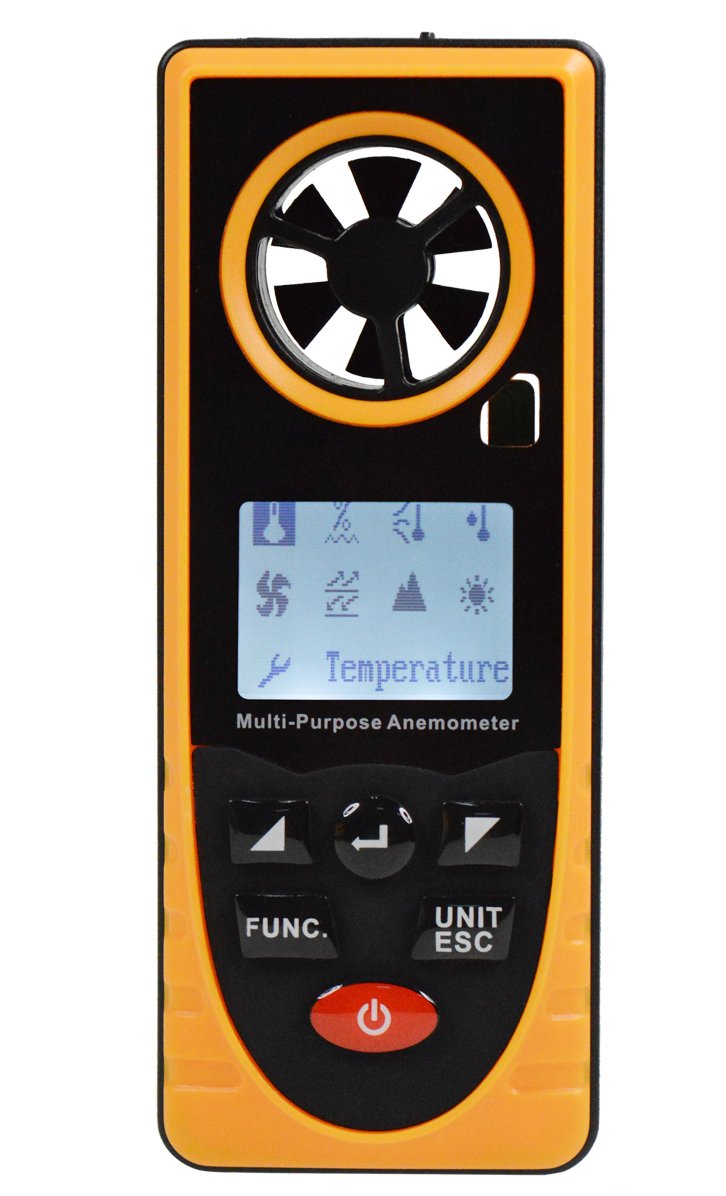
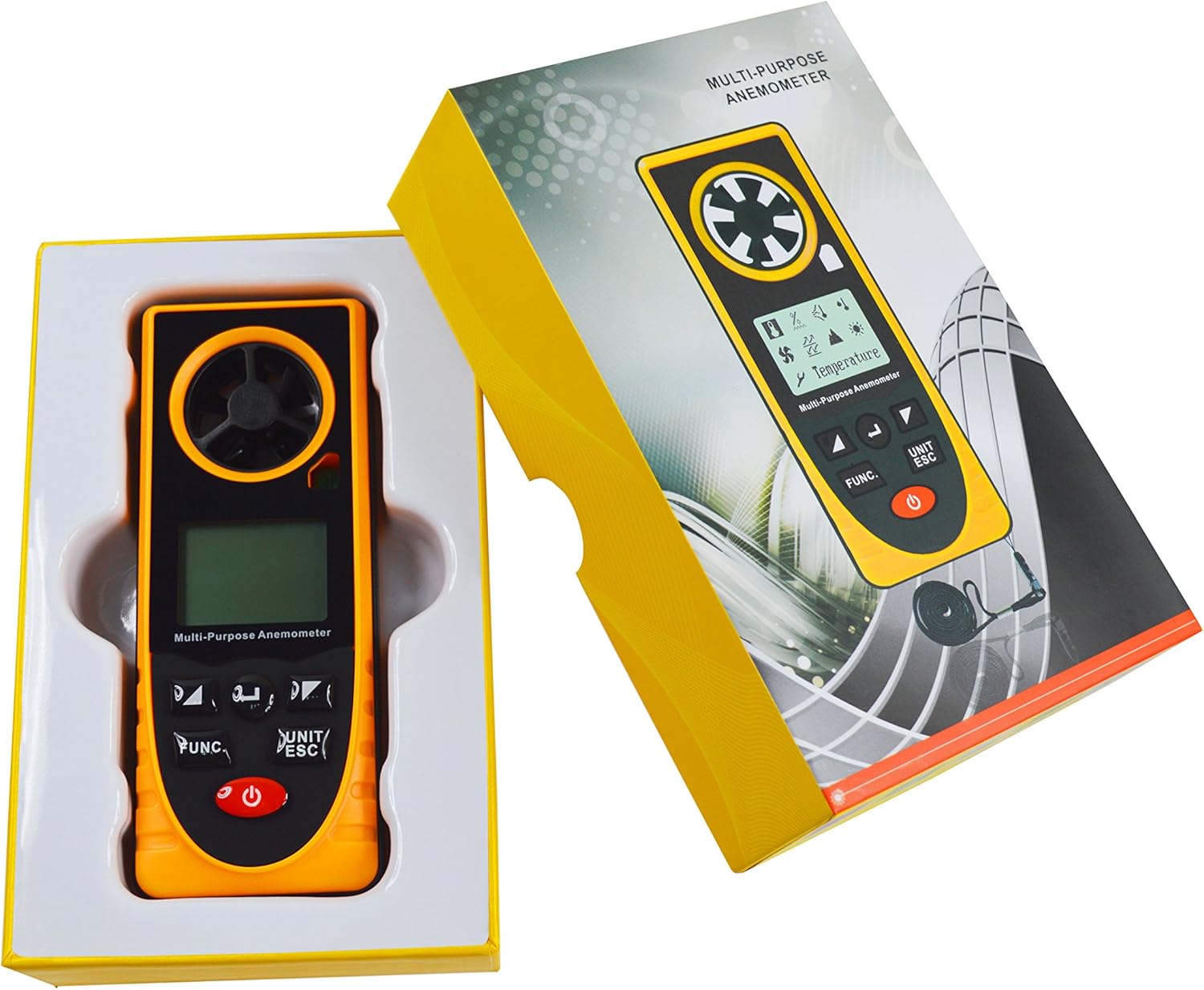
The Benetech GM8910 is a compact and robust device, typically yellow and black, featuring a clear LCD screen and intuitive control buttons. It includes a built-in fan for wind speed measurement and various sensors for other environmental parameters.
3. Caracteristici
- 8-in-1 Measurement: Measures Temperature, Humidity, Wind Chill, Dew Point, Wind Speed, Barometric Pressure, Altitude, and Illumination.
- Domenii largi de măsurare:
- Temperatura: -20~60℃
- Umiditate: 0~100%RH
- Wind Chill: -40.0~10.0℃
- Dew Point: -40.0~60.0℃
- Wind Speed: 0.7~30.0m/s
- Barometric Pressure: 300~1100hPa
- Altitude: -500~9000m
- Illumination: 0-55000Lx
- Data Saving Function: Manual saving and automatic recording of data.
- Comutarea unității: Supports various measurement units.
- Matrix LCD Screen: Rich display content with backlighting for clear visibility.
- Afișare nivel baterie: Indică starea curentă a bateriei.
4. Configurare și introducere
4.1 Instalarea bateriei
The GM8910 anemometer requires batteries for operation (batteries are not included). Locate the battery compartment on the back of the device. Open the compartment cover, insert the required batteries according to the polarity indicators, and then securely close the cover.
4.2 Pornire/Oprire
To power on the device, press and hold the power button (usually marked with a ⏻ symbol) until the display illuminates. To power off, press and hold the power button again until the display turns off.
5. Instrucțiuni de utilizare
5.1 Interfața meniului principal
After powering on, the device will display a logo for approximately 1 second, then transition to the main menu interface. This interface allows you to select the desired measurement function.

Use the left and right arrow buttons to navigate and select items on the main menu. Press the 'Confirm' button (often labeled 'FUNC' or similar) to enter the selected display interface.
5.2 Funcții de măsurare
Once a measurement function is selected from the main menu, the device will display the corresponding readings. For example, selecting 'Temperature' will show the current temperature.
To switch units (e.g., from Celsius to Fahrenheit for temperature, or m/s to km/h for wind speed), press the 'UNIT/ESC' button. This button also serves to exit the current measurement screen and return to the main menu.
For specific measurements:
- Temperatura și umiditatea: Ensure the sensors are exposed to the environment you wish to measure.
- Viteza vântului: Position the device so the built-in fan is facing the wind direction.
- Iluminare: Point the light sensor towards the light source.
- Presiune barometrică și altitudine: These measurements are typically taken automatically by internal sensors.
6. Specificații
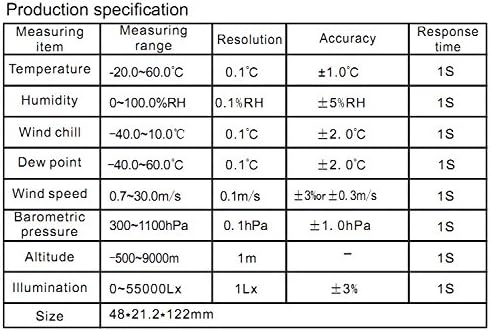
The following table details the measurement ranges, resolutions, and accuracies for the Benetech GM8910 Multi-Purpose Anemometer:

| Element de măsurare | Domeniul de măsurare | Rezoluţie | Precizie | Timp de răspuns |
|---|---|---|---|---|
| Temperatură | -20~60℃ | 0.1℃ | ±1.0℃ | 1S |
| Umiditate | 0~100%RH | 0.1%RH | ± 5% RH | 1S |
| Răcirea vântului | -40.0~10.0℃ | 0.1℃ | ±2.0℃ | 1S |
| Punct de condensare | -40.0~60.0℃ | 0.1℃ | ±2.0℃ | 1S |
| Viteza vântului | 0.7 ~ 30.0m / s | 0.1 m/s | ±3% or ±0.3m/s | 1S |
| Presiunea barometrică | 300~1100hPa | 0.1 hPa | ±1.0 hPa | 1S |
| Altitudine | -500~9000m | 1m | - | 1S |
| Iluminare | 0~55000Lx | 1Lx | ±3% | 1S |
| Dimensiune | 48 x 21.2 x 122 mm | |||
| Greutatea articolului | 1.5 kg | |||
7. Întreținere
- curatenie: Folosiți o lavetă moale și uscată pentru a curăța dispozitivul. Nu utilizați substanțe de curățare abrazive sau solvenți.
- Depozitare: Depozitați dispozitivul într-un loc răcoros și uscat, ferit de lumina directă a soarelui și de temperaturi extreme. Dacă îl depozitați pentru perioade lungi de timp, scoateți bateriile pentru a preveni scurgerile.
- Îngrijirea senzorului: Keep the wind impeller free from obstructions. Ensure humidity and temperature sensors are clean for accurate readings.
- Înlocuire baterie: Înlocuiți bateriile când pe afișaj apare indicatorul de baterie descărcată.
8. Depanare
- Dispozitivul nu pornește: Check battery installation and ensure batteries have sufficient charge. Replace batteries if necessary.
- Citiri inexacte: Ensure sensors are clean and unobstructed. Verify the device is used within its specified operating conditions.
- Probleme de afișare: If the display is dim or flickering, replace the batteries. If the issue persists, contact customer support.
9. Garanție și asistență
For warranty information and technical support, please refer to the documentation provided with your purchase or contact Benetech customer service directly. Keep your purchase receipt as proof of purchase for warranty claims.