
1. Introducere
The ASTRO Gaming A10 Headset is engineered for gaming, offering durable construction and extended comfort for prolonged use. It features ASTRO Audio for clear and precise sound, an omnidirectional microphone with flip-up mute functionality, and in-line volume control for a comprehensive audio experience.
2. Ce se află în cutie
Upon unboxing your ASTRO Gaming A10 Headset, you should find the following components:
- ASTRO Gaming A10 Headset
- A10 Volume Cable (3.5mm jack)

3. Caracteristicile produsului
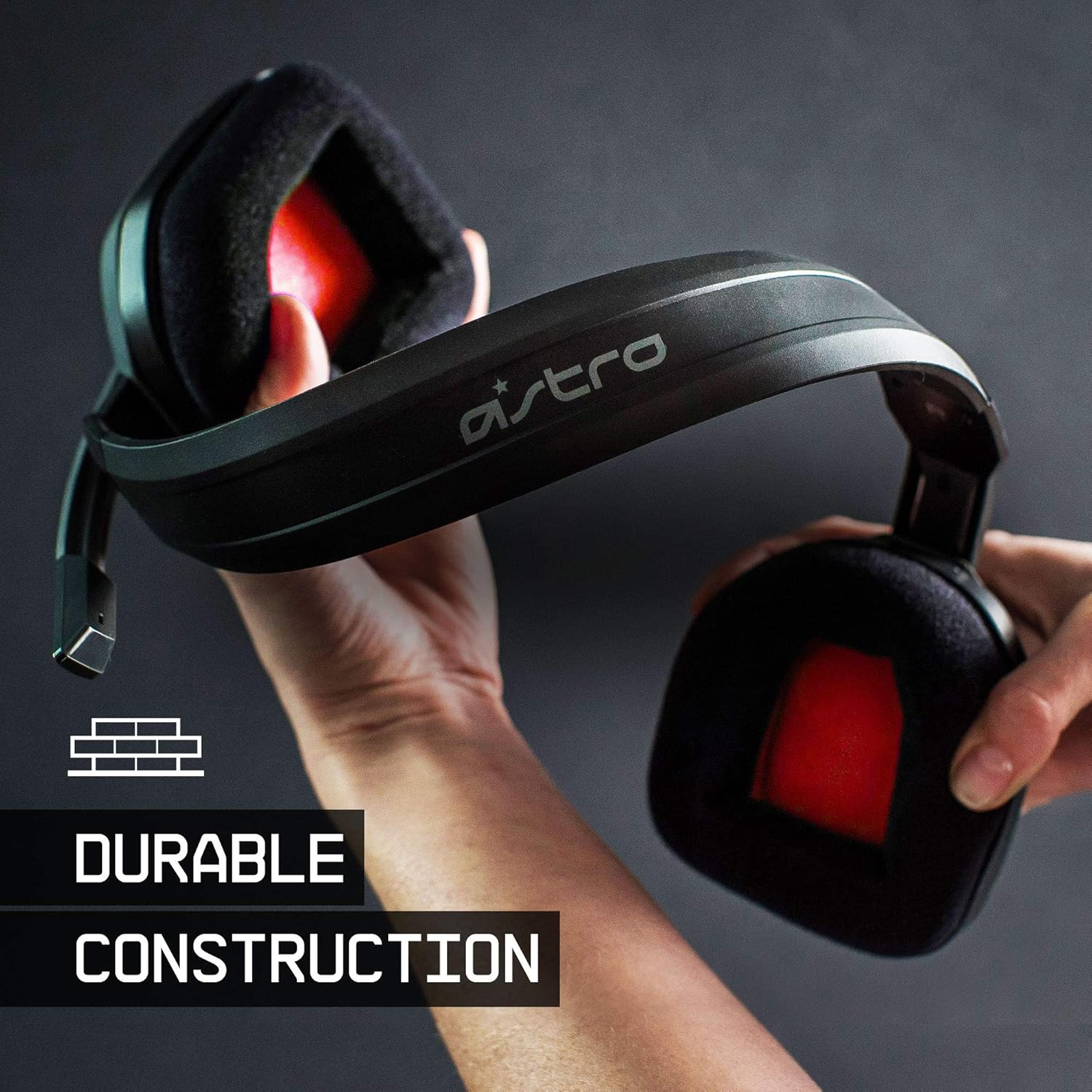
- Durabilitate: The A10 Headset is constructed with a durable headband made of anodized aluminum and a damage-resistant polycarbonate blend, designed to withstand rigorous use.
- Confort: Featuring extended comfort memory foam ear-cushions, the headset is designed to minimize fatigue during long gaming sessions.
- Comunicare: An omnidirectional microphone with flip-up mute functionality and in-line volume control ensures clear communication with teammates.
- Calitate sunet: Tuned with ASTRO Audio, the A10 delivers immersive and accurate audio, providing low latency and precise voice communication.
- Compatibilitate: The headset is compatible with multiple platforms including PS5, PC/MAC, XBOX SERIES X|S, NINTENDO SWITCH, VR, and streaming devices.



4. Instrucțiuni de configurare
- Connect the A10 Volume Cable: Insert the smaller end of the A10 Volume Cable into the 3.5mm port located on the left earcup of the ASTRO A10 Headset. Ensure it is securely connected.
- Conectați-vă la dispozitiv: Plug the larger end of the A10 Volume Cable into the 3.5mm headphone jack on your gaming controller (e.g., Xbox, PlayStation), PC, Mac, Nintendo Switch, or other compatible device.
- Reglați volumul: Use the in-line volume control wheel on the A10 Volume Cable to adjust the audio level to your preference.
- Poziția microfonului: Lower the microphone boom arm to activate the microphone. Position it appropriately for clear voice capture.

5. Instrucțiuni de utilizare
Microphone Usage (Flip-to-Mute)
The ASTRO A10 Headset features a convenient flip-to-mute microphone. To activate the microphone, simply lower the boom arm into the speaking position. To mute the microphone, flip the boom arm upwards until it clicks into the vertical position. This action instantly mutes your voice input.
Controlul volumului
Adjust the audio volume using the in-line control wheel located on the A10 Volume Cable. Rotate the wheel upwards to increase volume and downwards to decrease volume.
6. Compatibilitate
The ASTRO Gaming A10 Headset is designed for broad compatibility across various gaming and media platforms:
- PlayStation 5 (PS5)
- PlayStation 4 (PS4)
- Xbox Series X|S
- Xbox One
- Nintendo Switch
- PC
- Mac
- VR devices
- Dispozitive de streaming
- Most mobile phones and tablets with a 3.5mm jack

7. Întreținere
- curatenie: Folosiți o lavetă moale și uscată pentru a curăța setul cu cască. Evitați utilizarea substanțelor chimice dure sau a materialelor abrazive.
- Depozitare: Depozitați setul cu cască într-un loc răcoros și uscat, ferit de lumina directă a soarelui și de temperaturi extreme.
- Îngrijirea cablului: Evitați curburile bruște sau tragerea excesivă a cablului pentru a preveni deteriorarea.
- Perne de urechi: Verificați periodic pernițele pentru urechi pentru urechi pentru a vedea dacă prezintă urme de uzură. Pernițele de schimb pot fi disponibile de la producător.
8. Depanare
- Fără sunet / Sunet slab:
- Asigurați-vă că ați introdus complet cablul de 3.5 mm atât în căști, cât și în dispozitiv.
- Verificați controlul volumului încorporat și asigurați-vă că este dat la maximum.
- Verify that the audio output settings on your device are correctly configured for the headset.
- Testați setul cu cască cu un alt dispozitiv pentru a exclude o problemă specifică dispozitivului.
- Microfonul nu funcționează:
- Ensure the microphone boom arm is fully lowered into the speaking position (not flipped up for mute).
- Check the microphone input settings on your device to ensure the headset microphone is selected and not muted.
- Testați microfonul cu o altă aplicație sau dispozitiv.
- Sunet static sau distorsionat:
- Ensure the 3.5mm cable connections are secure and free from debris.
- Try using a different 3.5mm cable if available, to rule out a faulty cable.
- Reduce the volume on your device or headset if the audio is clipping.
9. Specificații
| Caracteristică | Detaliu |
|---|---|
| Marca | ASTRO Gaming |
| Numele modelului | ASTRO Gaming A10 |
| Numărul de model | 939-001508 |
| Tehnologia de conectivitate | Cablat |
| Mufă pentru căști | 3.5 mm Jack |
| Greutatea articolului | 12.35 uncii |
| Gama de frecvente | 20 Hz - 20 kHz |
| Tip de driver audio | Driver dinamic |
| Material carcasă | Aluminiu |
| Caracteristici suplimentare | Microphone Included, Volume Control |
| Dispozitive compatibile | PS5, PC/MAC, XBOX SERIES X|S, NINTENDO SWITCH, VR, STREAMING, most mobile phones, tablets |
10. Garanție și asistență
The ASTRO Gaming A10 Headset comes with a Garanție de 2 an de la producător. For warranty claims, technical support, or additional product information, please visit the official ASTRO Gaming website-ul lor sau contactați direct serviciul lor de asistență pentru clienți.
11. Videoclipuri cu produse
ASTRO A10 Experience
Video: O emisiune video oficialăasing the overall experience and key aspects of the ASTRO A10 Headset. This video provides a visual overview of the product's design and functionality.