
D-Link DCS-8000LH
Manual de utilizare D-Link DCS-8000LH Mini HD Wi-Fi Camera
Model: DCS-8000LH
Introducere
This manual provides detailed instructions for the D-Link DCS-8000LH Mini HD Wi-Fi Camera. Designed for indoor use, this compact camera offers high-definition video surveillance, night vision, and intelligent alerts to help you monitor your home effectively. Please read this manual thoroughly before operating your device to ensure proper setup and functionality.
Ce este în cutie
The D-Link DCS-8000LH/2PK-US package includes the following items:
- 2 x DCS-8000LH Devices
- 2 x Power Adapters (5V/1A)
- Ghid de instalare rapidă

Image: The D-Link DCS-8000LH Mini HD Wi-Fi Camera 2-pack, showing two white cylindrical cameras and their retail box.
Produs terminatview
The D-Link DCS-8000LH is a compact indoor Wi-Fi camera designed for discreet placement and effective home monitoring. Key features include:
- Rezoluție HD: Captures clear 720p video with a 120-degree field of view.
- Vedere de noapte: Built-in infrared LED provides visibility up to 16 feet in complete darkness.
- Detectare mișcare și sunet: Triggers automatic push notifications to your mobile device upon detecting activity.
- Înregistrare în cloud: Offers free and paid options for storing video recordings via the mydlink cloud.
- Integrare Smart Home: Compatible with Amazon Alexa and Google Assistant for voice control and live video streaming to compatible devices.
- Design compact: Small and inconspicuous, blending easily with various home decors.

Imagine: față view of two D-Link DCS-8000LH cameras, highlighting the lens and indicator lights.
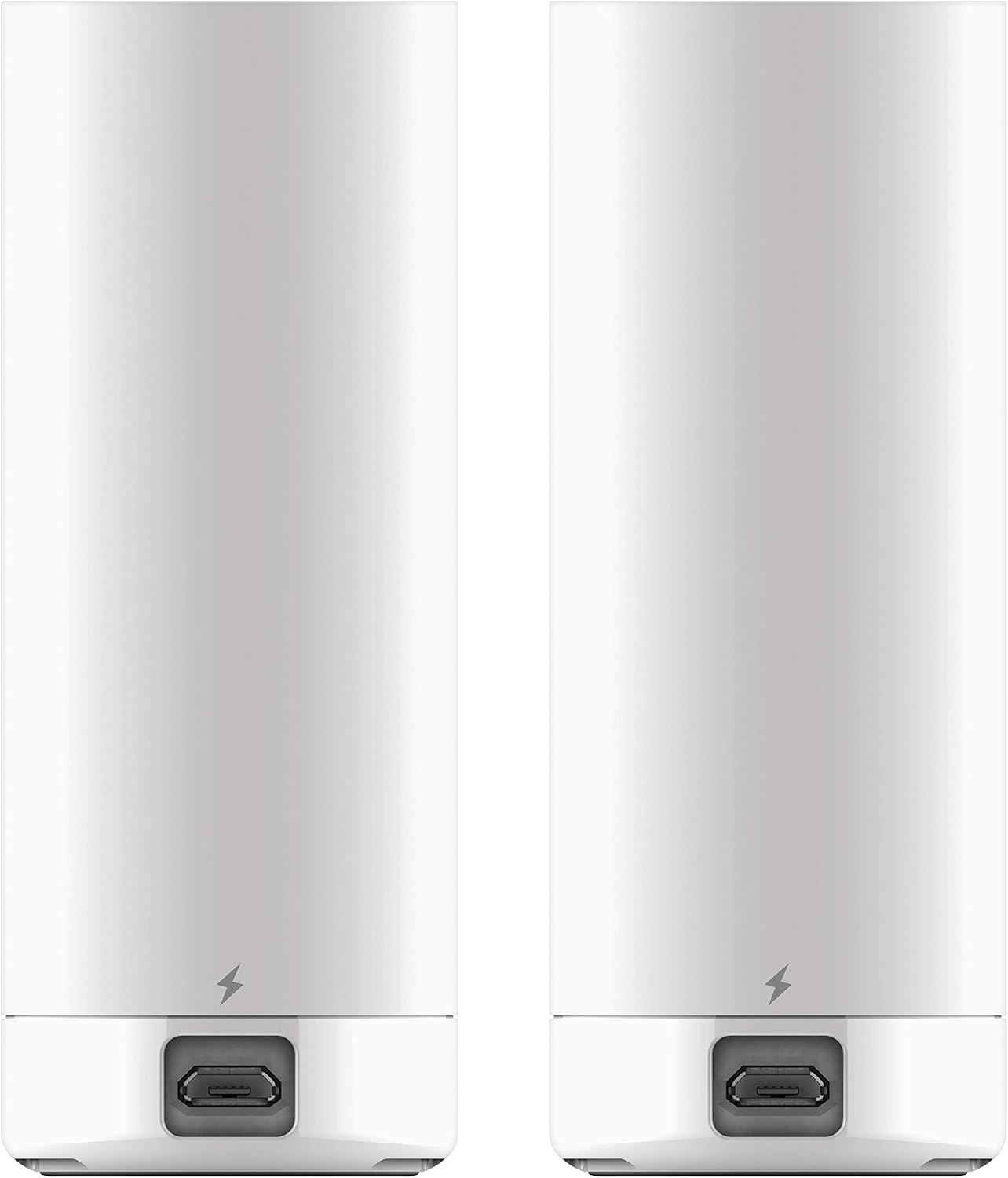
Imagine: Spate view of two D-Link DCS-8000LH cameras, showing the micro USB power port at the base.
Instrucțiuni de configurare
Follow these steps to set up your D-Link DCS-8000LH camera using the mydlink app:
- Descărcați aplicația mydlink: Caută "mydlink" in your smartphone's app store (iOS or Android) and download the official D-Link app.
- Porniți camera: Connect the camera to a power outlet using the provided adapter. Wait for the power LED on the camera to blink orange, indicating it's ready for setup.
- Launch the App and Create/Log In: Open the mydlink app. If you are a new user, create a mydlink account. Existing users can log in.
- Adăugați un dispozitiv nou: In the app, select the option to "Add a New Camera" or "Add a New Device."
- Scanați codul QR: The app will prompt you to scan the QR code located on the bottom of your DCS-8000LH camera. Ensure your phone's camera has permission to access the QR code.
- Conectați-vă la Wi-Fi: Follow the on-screen instructions to connect your camera to your home Wi-Fi network. Ensure you select a stable Wi-Fi network with a strong signal.
- Finalizare configurare: Once connected, the app will confirm "Setup Completed." You can then access live view și ajustați setările.
For a visual guide on the setup process, refer to the video below:
Video: A demonstration of the D-Link Mini HD Wi-Fi Camera setup process using the mydlink app, showing steps like scanning the QR code and connecting to Wi-Fi.
Instrucțiuni de operare
Trăi View și Înregistrare
After successful setup, open the mydlink app to access your camera's live feed. You can:
- View Video live: Tap on your camera from the device list to see the real-time video stream.
- Înregistrare video: Atingeți butonul de înregistrare în timpul transmisiunii în direct view interface to manually save footage to your mobile device or cloud account.
- Take Snapshots: Capturați imagini statice din fluxul live.
- Adjust Resolution: Switch between 720p and lower resolutions (e.g., 240p) for different viewing needs or network conditions.
Vedere de noapte
The camera automatically switches to night vision mode in low-light conditions. You can also manually control this setting:
- Toggle Night View: În cadrul transmisiunii în direct view, tap the Night View button to switch between Night Mode, Day Mode, and Automatic mode.
- The camera's infrared LEDs provide clear black-and-white video up to 16 feet in total darkness.
Detectarea mișcării și a sunetului
Configure alerts to be notified of activity:
- Activați alertele: Access camera settings in the mydlink app to enable motion and sound detection.
- Primiți notificări: When motion or sound is detected, the camera will send push notifications to your mobile device.
- Review Evenimente: Recorded events triggered by motion or sound can be reviewed via your mydlink cloud account.
Video: Un pesteview of the D-Link Mini HD Wi-Fi Camera, highlighting its compact size, 720p HD quality, sound and motion detection, and one-way audio listening capabilities.
Întreţinere
- curatenie: Folosiți o cârpă moale și uscată pentru a curăța obiectivul și corpul camerei. Evitați substanțele de curățare abrazive sau solvenții.
- Plasare: Ensure the camera is placed in a stable, indoor location away from direct sunlight, heat sources, and moisture. For optimal performance, avoid placing it directly against glass if monitoring outdoors, as this can affect night vision and image clarity due to reflections.
- Alimentare electrică: Always use the original D-Link power adapter. The camera requires continuous power and does not operate on batteries.
- Actualizări firmware: Regularly check the mydlink app for available firmware updates to ensure your camera has the latest features and security enhancements.
Depanare
Probleme de conectivitate
- No Wi-Fi Detected: Ensure your camera is within range of your Wi-Fi router. Try moving the camera closer to the router or reducing interference from other electronic devices.
- Întreruperi ale conexiunii: Verify your Wi-Fi network is stable. Restart your router and the camera.
Calitatea imaginii
- Videoclip neclar/încețoșat: Clean the camera lens with a soft cloth. Ensure there are no obstructions in front of the lens.
- Vedere nocturnă slabă: Ensure the camera's night vision mode is set to "Automatic" or "Night Mode" in the app. Remove any reflective surfaces close to the camera that might interfere with infrared light.
Alertele nu funcționează
- No Motion/Sound Alerts: Check the mydlink app settings to ensure motion and sound detection are enabled and sensitivity levels are appropriately configured. Verify that app notifications are enabled on your mobile device.
Integrare Smart Home
- Alexa/Google Assistant Issues: Ensure your D-Link account is correctly linked within the Alexa or Google Home app. Verify that the camera is online and accessible through the mydlink app.
Specificații
| Numele modelului | DCS-8000LH/2PK-US |
| Utilizare în interior/exterior | De interior |
| Rezoluție captură video | 720p |
| Câmp de View | 120 de grade |
| Gama de vedere nocturnă | 16 picioare |
| Tehnologia de conectivitate | Wifi |
| Sursa de alimentare | Corded Electric (5V/1A Adapter) |
| Tip controler | Amazon Alexa, Asistent Google, Vera |
| Tip de alertă | Audio și mișcare |
| Dimensiunile produsului | 1.38 x 1.5 x 3.62 inci |
| Greutatea articolului | 2.08 uncii |
| Culoare | Alb |
Garanție și suport
For warranty information, technical support, or further assistance with your D-Link DCS-8000LH Mini HD Wi-Fi Camera, please visit the official D-Link support website or refer to the contact information provided in your Quick Install Guide.
De asemenea, puteți vizita Magazinul D-Link pe Amazon pentru mai multe informații despre produse și resurse.
Ask a question about this manual
Ask about setup, troubleshooting, compatibility, parts, safety, or missing instructions. Manuals+ will review the question and use this page’s manual context to help answer it.