
Introducere
The HyperGear Marathon Sport Wireless Bluetooth Earphones are engineered to provide a high-fidelity audio experience for active individuals. Designed for comfort and durability, these earphones offer wireless connectivity, clear sound, and convenient hands-free calling, making them suitable for various activities from intense workouts to casual listening.
Conținutul pachetului
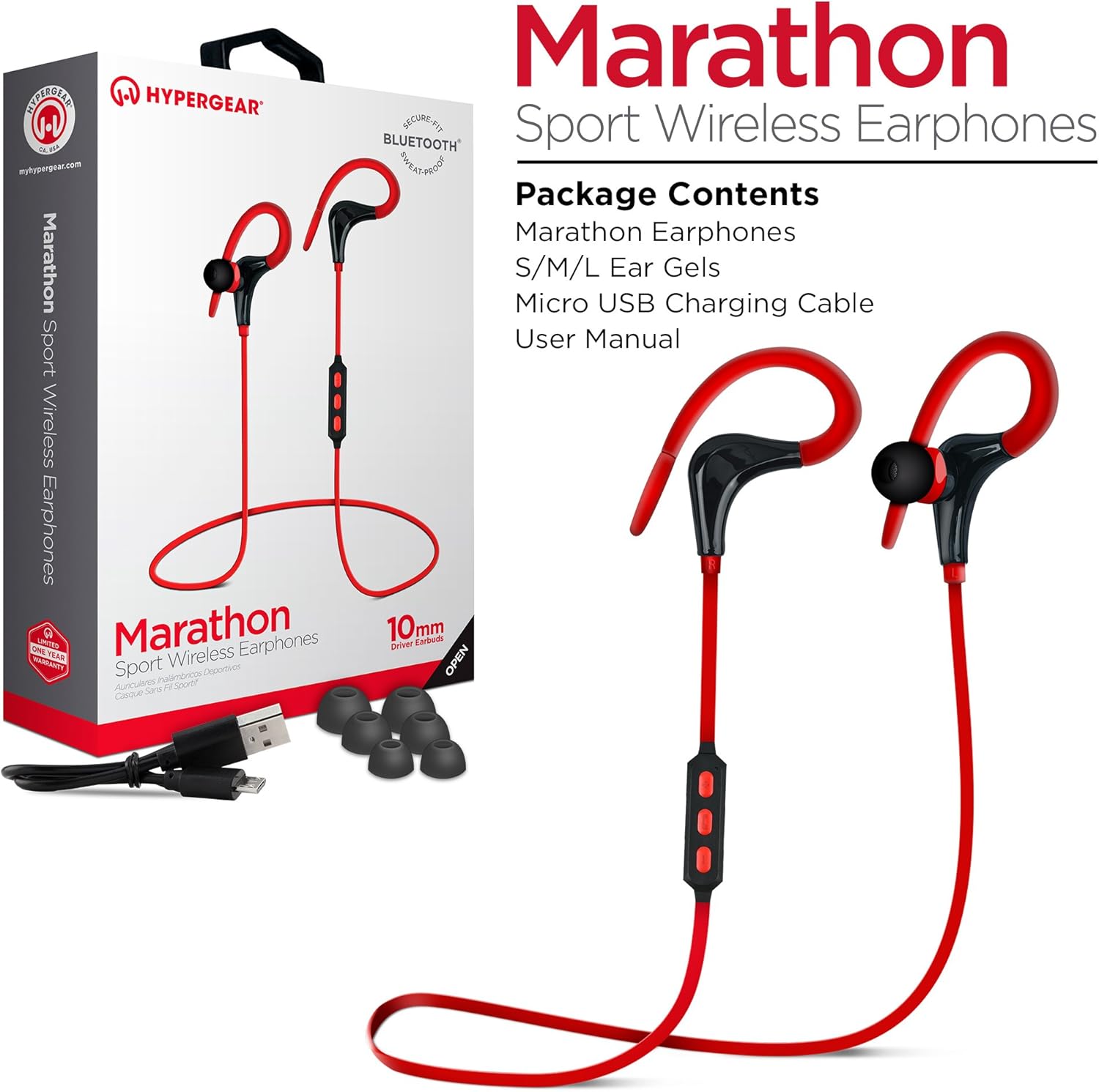
This image displays the retail packaging for the HyperGear Marathon Sport Wireless Earphones, showing the earphones themselves, a Micro USB charging cable, and various sizes of ear gels. The box highlights features such as 'Secure Fit' and 'Bluetooth'.
Vă rugăm să bifați căsuța pentru următoarele elemente:
- HyperGear Marathon Sport Wireless Earphones
- S/M/L Ear Gels (various sizes for optimal fit)
- Cablu de încărcare micro USB
- Manual de utilizare (acest document)
Înființat
1. Încărcarea căștilor
Before first use, fully charge your earphones. The battery provides up to 5 hours of average life on a single charge.
- Locate the Micro USB charging port on the earphones' in-line control module.
- Connect the provided Micro USB cable to the charging port.
- Conectați celălalt capăt al cablului USB la o sursă de alimentare USB compatibilă (de exemplu, portul USB al computerului, adaptorul USB de perete).
- The LED indicator will show charging status (refer to the LED indicator section for details). Once fully charged, the LED will change color or turn off.
2. Asocierea cu un dispozitiv Bluetooth

This image illustrates the wireless freedom of the HyperGear Marathon Sport Earphones, depicting them wirelessly connected via Bluetooth to a smartphone, tablet, and desktop computer, emphasizing their universal compatibility.
The earphones use Bluetooth 4.1 technology for reliable wireless transmission up to 33 feet (10 meters).
- Asigurați-vă că sunt încărcate și oprite căștile.
- Press and hold the Multi-function button (usually the center button on the in-line control) for approximately 5-7 seconds until the LED indicator flashes red and blue alternately, indicating pairing mode.
- Pe dispozitivul compatibil Bluetooth (smartphone, tabletă etc.), accesați setările Bluetooth și activați Bluetooth.
- Caută available devices. You should see "HyperGear Marathon" or a similar name appear in the list.
- Select "HyperGear Marathon" to connect. Once successfully paired, the LED indicator on the earphones will typically flash blue slowly or turn solid blue.
- Dacă vi se solicită o parolă, introduceți „0000”.
Căștile vor încerca automat să se reconectați la ultimul dispozitiv asociat atunci când sunt pornite.
Instrucțiuni de operare
Comenzi terminateview

This image highlights the in-line control module of the HyperGear Marathon Sport Earphones, positioned next to a smartphone displaying a music player. It emphasizes the convenience of hands-free music and call management.
The in-line control module allows you to manage music playback and calls.
| Buton/Acțiune | Funcţie |
|---|---|
| Buton multifuncțional (Centru) |
|
| Creștere volum (+) |
|
| Volum scăzut (-) |
|
Purtarea căștilor

This image shows a person cycling outdoors while wearing the HyperGear Marathon Sport Earphones, demonstrating the secure behind-the-ear hook design that keeps the earphones in place during active movement.

This image depicts a person running, wearing the HyperGear Marathon Sport Earphones. It highlights the ergonomic ear gels and sweatproof design, emphasizing their suitability for active lifestyles and secure fit during exercise.
The Marathon earphones feature a behind-the-ear hook design and ergonomic ear gels for a secure and comfortable fit, even during strenuous activities.
- Select the ear gel size that provides the best seal and comfort for your ears. Three sizes (S/M/L) are included.
- Introduceți căștile în canalul auditiv.
- Gently loop the ear hook over the top and behind your ear, adjusting it until it feels secure and comfortable.
Calitate audio

This image showcases the High-Fidelity Stereo Sound feature of the HyperGear Marathon Sport Earphones, highlighting the 10mm Neodymium Drivers that deliver powerful bass and clear highs for an authentic listening experience.
Equipped with powerful 10mm Neodymium Drivers, these earphones deliver high-fidelity stereo sound with robust bass and clear high frequencies for an immersive audio experience.
Întreţinere
Proper care will extend the life of your HyperGear Marathon earphones.
- curatenie: Use a soft, dry cloth to wipe the earphones. For ear gels, remove them and clean with a mild soap solution if necessary, then rinse and dry thoroughly before reattaching. Do not use harsh chemicals or abrasive materials.
- Depozitare: Când nu le utilizați, depozitați căștile într-un loc răcoros și uscat, ferit de lumina directă a soarelui și de temperaturi extreme.
- Rezistenta la apa: The earphones are sweatproof and water-resistant, but they are not waterproof. Do not submerge them in water or expose them to heavy rain. Dry them thoroughly if they get wet from sweat or light splashes.
- Încărcare: Avoid overcharging. Disconnect the charging cable once the earphones are fully charged.
Depanare
| Problemă | Cauza posibila | Soluţie |
|---|---|---|
| Căștile nu se pornesc | Baterie descărcată | Încărcați complet căștile. |
| Nu se poate asocia cu dispozitivul | Căștile nu sunt în modul de asociere; Bluetooth dezactivat pe dispozitiv; Dispozitivul este prea departe | Ensure earphones are in pairing mode (flashing red/blue). Turn on Bluetooth on your device. Move device closer to earphones (within 33 ft/10m). Forget previous pairings on your device and try again. |
| Fără sunet sau volum redus | Volume too low; Earphones not connected; Incorrect audio output selected on device | Increase volume on both earphones and connected device. Reconnect earphones. Check audio output settings on your device. |
| Intrare/ieșire sunet | Interference; Device too far; Obstructions | Move closer to the connected device. Avoid strong electromagnetic interference. Ensure no physical obstructions between earphones and device. |
| Microfonul nu funcționează | Incorrect settings on device; Earphones not properly connected | Check microphone input settings on your device. Ensure earphones are fully connected and selected as the audio input device. |
Specificații

This is a clear, full-view image of the HyperGear Marathon Sport Wireless Bluetooth Earphones in red, showcasing their design with ear hooks and the in-line control module.
| Caracteristică | Detaliu |
|---|---|
| Model | HYG-14077 |
| Conectivitate | Bluetooth 4.1 |
| wireless Range | Până la 33 ft (10 metri) |
| Dimensiunea driverului | Drivere din neodim de 10 mm |
| Durata de viață a bateriei | Până la 5 ore (utilizare medie) |
| Microfon | Built-In, Noise Cancelling |
| Rezistenta la apa | Sweatproof / Water Resistant |
| Greutate | 9 g |
| Material | Plastic |
| Dimensiuni | 32 x 3.3 x 2.49 cm |
| Compatibilitate | Universal (Apple, Android, tablets, wearables, gaming devices) |
Garanție și suport
HyperGear products are designed with quality and reliability in mind. For warranty information and customer support, please refer to the official HyperGear website-ul lor sau contactați direct serviciul lor de asistență pentru clienți.
- Oficial Website: www.hypergear.com (Vă rugăm să rețineți: Acesta este un substituent) URL. Refer to your product packaging or HyperGear's official documentation for the correct support website.)
- Serviciu clienți: Informațiile de contact pot fi găsite de obicei pe site-ul producătorului webamplasamentul sau ambalajul produsului.
Vă rugăm să păstrați dovada achiziției pentru cererile de garanție.