
1. Introducere
This manual provides instructions for the installation, operation, and maintenance of your FreedConn TCOM VB Bluetooth Motorcycle Intercom. Please read this manual thoroughly before use to ensure proper functionality and safety.
2. Caracteristici cheie
- Bluetooth V5.0 for stable connectivity.
- Intercom communication for 2-3 riders with an 800m range.
- Universal pairing with most Bluetooth headsets.
- Hands-free calling for mobile phones.
- Stereo music playback and music sharing with a passenger.
- Radio FM încorporat.
- CVC noise reduction technology for clear audio.
- Clasament de impermeabilitate IP65.
- LCD screen for easy information display.
- Long battery life: up to 10 hours talk time, 7 hours intercom, 300 hours standby.

Imagine: Pesteview of FreedConn TCOM VB Intercom key features.
3. Conținutul pachetului
Verificați dacă toate articolele sunt prezente în colet:
- TCOM-VB Main Unit (x2 for this package)
- Boom Microphone / Button Microphone (x2 sets)
- Speaker Pads (x12)
- Clip Bracket (x2)
- 3M Adhesive Mount (x2)
- Cheie Allen (x2)
- Cablu de date USB (x2)
- Manual de utilizare (x1)

Image: Contents of the FreedConn TCOM VB package.
4. Configurare și instalare
4.1 Montarea unității interfonului
The TCOM VB unit can be mounted using either the clip bracket or the adhesive mount.
- Alegeți locația: Alegeți o suprafață plană adecvată pe partea stângă a căștii.
- Clip Bracket Installation:
- Loosen the screws on the clip bracket.
- Slide the bracket between the helmet shell and the inner padding.
- Tighten the screws to secure the bracket.
- Adhesive Mount Installation:
- Clean the helmet surface thoroughly.
- Îndepărtați folia protectoare de pe suportul adeziv 3M.
- Apăsați ferm suportul pe suprafața căștii timp de cel puțin 30 de secunde. Așteptați 24 de ore pentru ca adezivul să se întărească înainte de utilizare.
- Atașați unitatea principală: Slide the TCOM VB main unit onto the installed bracket until it clicks into place.
4.2 Instalarea difuzorului și a microfonului
Install the speakers and microphone inside your helmet.
- Amplasarea difuzoarelor: Attach the speakers to the inside of the helmet, aligning them with your ears. Use the provided speaker pads for comfort and optimal sound.
- Selectarea microfonului: Choose between the boom microphone (for open-face helmets) or the button microphone (for full-face helmets).
- Plasarea microfonului: Position the microphone close to your mouth for clear voice transmission.
- Cabluri de conectare: Plug the speaker and microphone cables into the corresponding ports on the TCOM VB main unit.

Image: Hard and soft cable microphone options for helmet installation.
Image: Step-by-step installation guide for the intercom unit.
5. Instrucțiuni de utilizare
5.1 Pornire/Oprire
- Pornire: Press and hold the Power button for approximately 3 seconds until the blue indicator light flashes.
- Oprire: Press and hold the Power button for approximately 3 seconds until the red indicator light flashes and the unit powers down.
5.2 Bluetooth Pairing (Phone/GPS)
To connect your TCOM VB to a mobile phone or GPS device:
- Ensure the TCOM VB unit is powered off.
- Press and hold the Power button for approximately 5-7 seconds until the red and blue indicator lights flash alternately. This indicates pairing mode.
- On your phone or GPS, enable Bluetooth and search for new devices.
- Select "FreedConn TCOM VB" from the list of available devices.
- Dacă vi se solicită, introduceți codul PIN „0000”.
- După asociere, indicatorul luminos albastru va clipi lent.

Image: Bluetooth pairing with smartphone and GPS.
5.3 Intercom Pairing and Communication
The TCOM VB supports intercom communication for up to 3 riders, with 2 riders communicating simultaneously.
- Pairing Two Units (A & B):
- Ensure both units A and B are powered off.
- Press and hold the Power button on both units A and B simultaneously for 5-7 seconds until they enter pairing mode (red and blue lights flash alternately).
- Press the Power button on either unit A or B once. The units will search and pair with each other. Once paired, the blue light will flash slowly on both.
- Pairing Three Units (A, B, & C):
- First, pair units A and B as described above. Turn off both A and B after successful pairing.
- Next, pair units B and C. Turn off both B and C after successful pairing.
- To initiate a 3-way intercom: Power on all three units. Press the Power button on unit C once to connect to B. Then, press the Power button on unit B once to connect to A. All three units should now be connected.
- Initiate Intercom Call: After pairing, a short press of the Power button will initiate or end an intercom call.
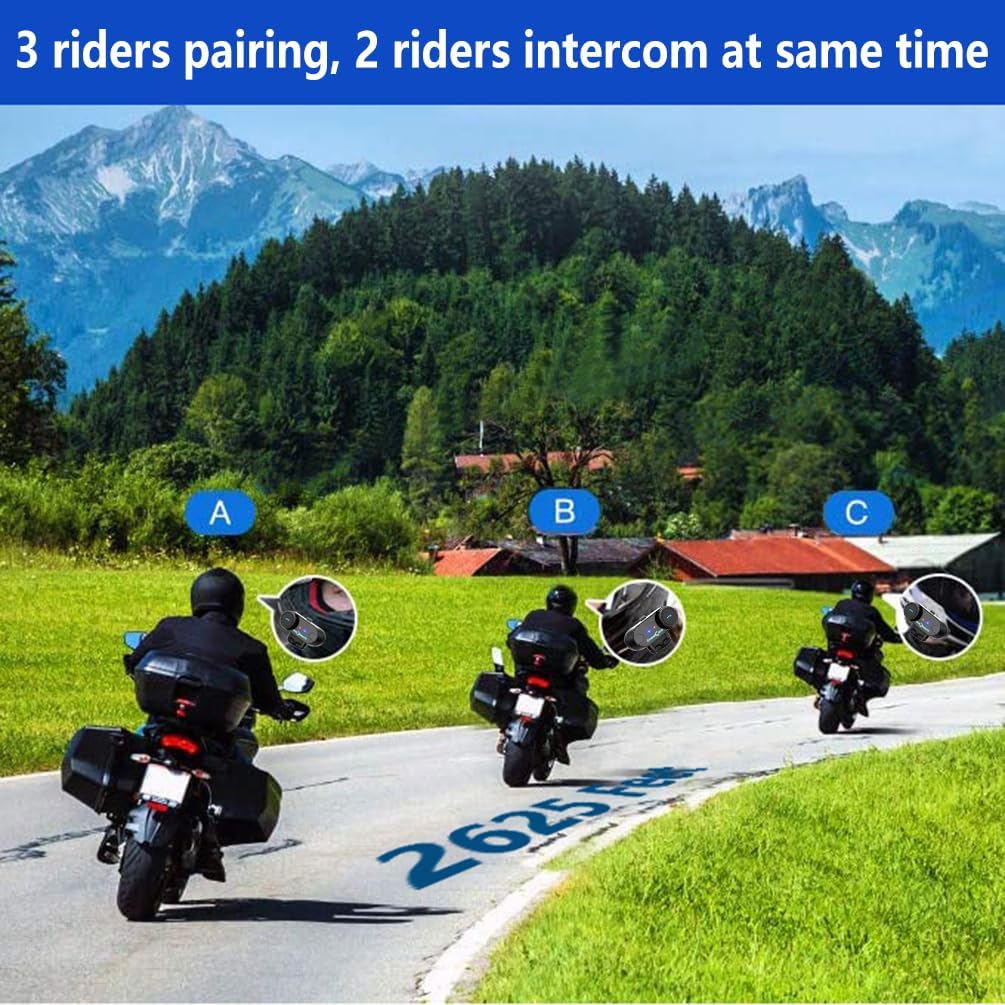
Image: 3 riders pairing, 2 riders intercom at the same time.

Image: Universal pairing feature.
Video: This video demonstrates the pairing process for three T-COMSC intercom units. The pairing steps are generally similar for TCOM VB models. First, pair two devices (A and B), then turn them off. Next, pair device B with device C. Finally, power on all three and initiate connections from C to B, then B to A for a three-way intercom.
5.4 Funcțiile telefonului
- Răspunde la apel: Short press the Phone button.
- Terminare apel: Short press the Phone button.
- Respinge apelul: Apăsați și mențineți apăsat butonul Telefon timp de 2 secunde.
- Reapelează ultimul număr: Apăsați de două ori butonul Telefon.
- Voice Assistant (Siri/S-Voice): Short press the Voice Assistant button (if available) or a specific button combination as per your device's manual.
5.5 Redarea muzicii
- Redare/Pauză: Apăsați scurt butonul Redare/Pauză.
- Următoarea piesă: Short press the "Next" button or rotate the multi-function knob clockwise.
- Pista anterioară: Short press the "Previous" button or rotate the multi-function knob counter-clockwise.
- Partajarea muzicii: While playing music, activate the music sharing function (refer to specific button combination in the full manual) to share audio with a paired intercom unit.
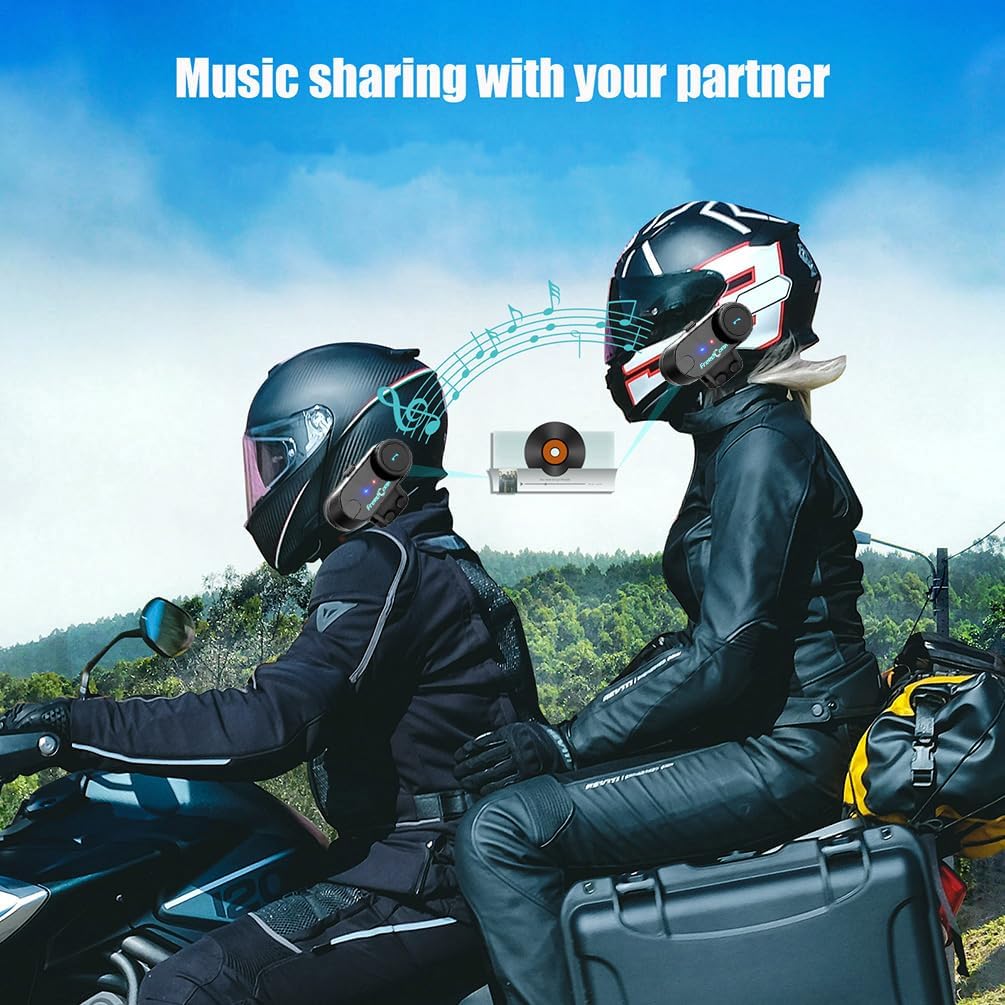
Image: Music sharing with a partner.
5.6 Radio FM
- Pornirea/Oprirea radioului FM: Apăsați și țineți apăsat butonul FM timp de 2 secunde.
- Stații de scanare: Short press the "Next" or "Previous" button to scan for available FM stations.

Image: Built-in FM Radio feature.
5.7 Controlul volumului
Adjust the volume using the multi-function knob or dedicated volume buttons (if present).
- Creșteți volumul: Rotate the multi-function knob clockwise or press the Volume Up button.
- Reduceți volumul: Rotate the multi-function knob counter-clockwise or press the Volume Down button.
6. Întreținere
- curatenie: Ștergeți unitatea cu un dispozitiv moale, damp pânză. Nu utilizați substanțe chimice dure sau produse de curățare abrazive.
- Rezistenta la apa: The unit is IP65 waterproof, meaning it is protected against low-pressure water jets from any direction. It is not designed for submersion. Ensure the USB port cover is securely closed when not charging.
- Încărcare: Charge the unit using the provided USB cable. A full charge takes approximately 2.5 hours. The indicator light will change to indicate charging status (e.g., red during charging, blue when fully charged).
- Depozitare: Depozitați unitatea într-un loc răcoros și uscat atunci când nu este utilizată pentru perioade lungi de timp.

Image: Battery life and waterproof features.
7. Depanare
| Problemă | Cauza posibila | Soluţie |
|---|---|---|
| Fără putere | Baterie descărcată | Încărcați unitatea timp de 2.5 ore. |
| Cannot pair with phone/GPS | Unit not in pairing mode; Bluetooth disabled on device | Ensure unit is in pairing mode (red/blue flashing). Enable Bluetooth on your device. |
| Interfonul nu se conectează | Units not paired correctly; out of range | Repeat intercom pairing steps. Ensure units are within 800m range. |
| Low audio volume or no sound from speakers | Speakers not positioned correctly; volume too low; cable loose | Adjust speaker position closer to ears. Increase volume. Ensure speaker cable is fully inserted. |
| Poor microphone quality / background noise | Microphone not positioned correctly; wind noise | Position microphone closer to mouth. Ensure CVC noise reduction is active. Consider using a different microphone type if applicable. |
Nota: If your two speakers or one side speaker are not working, ensure the headset cable is completely inserted into the interface and that the speaker is inserted into the correct port. If the volume is low, adjust the speaker placement as close to your ears as possible.
8. Specificații
| Model: | T-COMVB-800M |
| Versiune Bluetooth: | 5.0 |
| Gama interfon: | Up to 800 meters (between 2 riders) |
| Max Riders: | 3 (2 simultaneous communication) |
| Capacitate baterie: | 400 mAh |
| Timp de încărcare: | Aproximativ. 2.5 ore |
| Timp de convorbire: | Până la 10 ore |
| Ora interfon: | Până la 7 ore |
| Timp de așteptare: | Până la 300 ore |
| Rezistenta la apa: | IP65 |
| Diametru difuzor: | 40 mm |
| Impedanta: | 32 ohmi |
| Gama de frecvente: | 20 Hz - 20,000 Hz |
| Controlul zgomotului: | Anulare activă a zgomotului (CVC) |
| Dispozitive compatibile: | Mobile phones, MP3 players, GPS devices |
9. Garanție și asistență
Pentru informații despre garanție și asistență tehnică, vă rugăm să consultați site-ul oficial FreedConn website-ul web sau contactați distribuitorul local. Păstrați bonul fiscal ca dovadă a achiziției pentru solicitările de garanție.
For common issues, please consult the troubleshooting section of this manual or the online FAQ resources provided by FreedConn.