
Introducere
This manual provides detailed instructions for the setup, operation, maintenance, and troubleshooting of your Pabobo Kid Sleep Alarm Clock, model KS0031. Please read this manual thoroughly before using the product to ensure proper function and safety.
The Pabobo Kid Sleep Alarm Clock is designed to help children learn to tell time and establish healthy sleep routines. It features both digital and analog time displays, a visual sleep/wake indicator, and customizable alarm sounds.
Informații de siguranță
- Țineți aparatul departe de apă și umiditate.
- Nu expuneți la temperaturi extreme sau la lumina directă a soarelui.
- Folosiți doar tipul specificat de baterie. Asigurați polaritatea corectă atunci când introduceți bateriile.
- Nu lăsați bateriile la îndemâna copiilor mici.
- Nu încercați să dezasamblați sau să reparați dispozitivul singur. Contactați serviciul de asistență dacă apar probleme.
- Acest produs este destinat numai utilizării în interior.
Produs terminatview
The Pabobo Kid Sleep Alarm Clock combines an analog clock, a digital display, and a visual sleep/wake indicator to assist children in understanding time and sleep cycles.

Figura 1: Faţă view of the Pabobo Kid Sleep Alarm Clock.
Caracteristici cheie:
- Afișare oră duală: Features both an analog clock face and a digital time display for easy learning.
- Sleep Trainer: A visual indicator (sleeping child / awake child) helps children understand when it's time to sleep and when it's okay to wake up.
- Alarmă progresivă: Three selectable alarm sounds (chirping birds, cuckoo, train) that increase in volume.
- Funcție de amânare: Press the large button on the top for a two-minute snooze and a temporary backlight.
- Lumină de noapte: A mini night light emits a reassuring glow.
Înființat
1. Instalarea bateriei
The clock operates on one battery, which is included. To install or replace the battery:
- Localizați compartimentul bateriei pe spatele ceasului.
- Deschideți capacul compartimentului bateriei.
- Introduceți bateria, asigurându-vă că polaritatea este corectă (+/-).
- Închideți bine capacul compartimentului bateriei.

Figura 2: Spate view cu compartiment pentru baterii și comenzi.
2. Setarea orei
To set the current time on your alarm clock:
- Use the time setting knob (usually located on the back) to adjust the analog hands to the correct time.
- The digital display will synchronize or can be set separately using dedicated buttons (refer to specific button labels on the back, e.g., "SET" buttons).
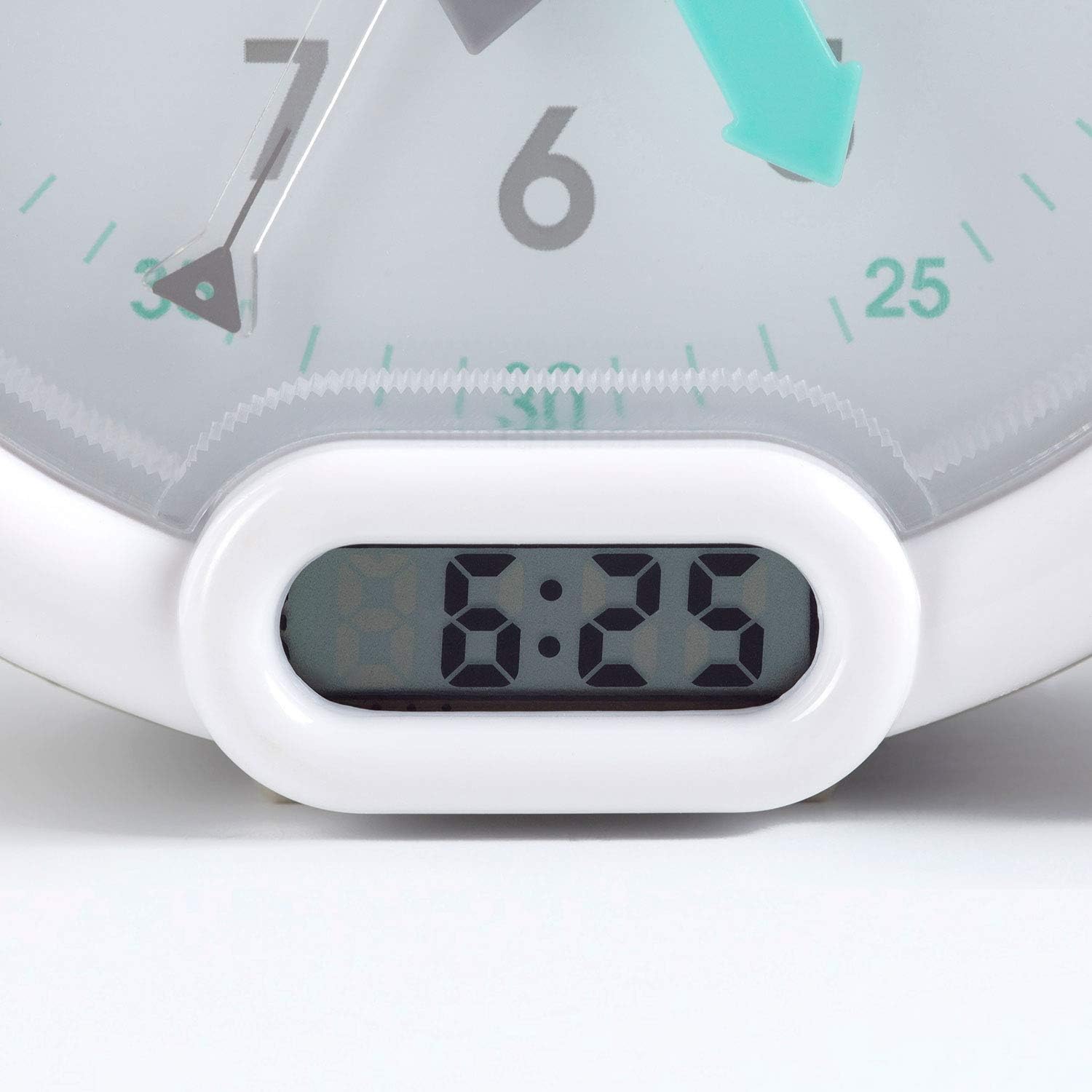
Figura 3: Digital time display.
Instrucțiuni de operare
1. Setarea alarmei
The alarm can be set to one of three sounds: chirping birds, cuckoo, or train. The alarm volume increases progressively.
- Locate the alarm setting controls on the back of the clock.
- Adjust the alarm time using the designated knob or buttons.
- Select your preferred alarm sound using the sound selection switch.
- Ensure the alarm is activated (ON position).
2. Using the Sleep Trainer
The sleep trainer feature visually indicates when it's time to sleep and when it's time to wake up.
- Sleeping Child Lit: When the image of the sleeping child is lit, it indicates that children should remain in bed and continue sleeping.
- Awake Child Lit: When the image of the awake child is lit, it signals that it is time to wake up.

Figura 4: Sleep indicator (sleeping child).

Figura 5: Awake indicator (awake child).
The sleep/wake times for this indicator are typically set independently from the alarm time, using specific controls on the back of the clock.
3. Snooze and Backlight Function
Press the large button on the top of the clock to activate the snooze function for two minutes. This button also provides a short glowing light, allowing the child to see the time during the night.

Figura 6: Clock with backlight activated.
Întreţinere
- curatenie: Ștergeți ceasul cu o cârpă moale și uscată. Nu folosiți produse de curățare abrazive sau solvenți.
- Înlocuire baterie: Replace the battery when the display dims or the alarm function becomes unreliable. Dispose of used batteries responsibly.
- Depozitare: Dacă depozitați ceasul pentru o perioadă lungă de timp, scoateți bateria pentru a preveni scurgerile.
Depanare
| Problemă | Cauza posibila | Soluţie |
|---|---|---|
| Ceasul nu pornește / afișajul este gol. | Baterie descărcată sau instalată incorect. | Check battery polarity. Replace battery. |
| Alarma nu sună. | Alarm not set or turned off. Low battery. | Ensure alarm is set and activated. Replace battery. |
| Sleep/wake indicator not changing. | Incorrect sleep/wake time settings. | Verify and adjust the sleep/wake indicator settings. |
| Clock makes clicking noise. | Mechanical movement noise (common for analog clocks). | This may be normal for the analog mechanism. If excessively loud or new, contact support. |
Specificații
| Marca: | Pabobo |
| Număr de model: | KS0031 |
| Culoare: | Gri |
| Tip de afișare: | Analogic, Digital |
| Dimensiuni produs: | 6.3 cm lățime x 5.12 cm înălțime |
| Sursa de alimentare: | Battery Powered (1 battery included) |
| Material: | Plastic |
| Tip de montare: | Suport pentru desktop |
| Greutatea articolului: | 14.1 uncii (0.88 lire) |
| Caracteristica speciala: | Adjustable, Backlit, Sleep Trainer |
Informații despre garanție
This Pabobo Kid Sleep Alarm Clock comes with a Garanție pe viață. For details regarding warranty claims and coverage, please refer to the official Pabobo website-ul sau contactați asistența pentru clienți.
Asistență pentru clienți
If you encounter any issues or have questions not covered in this manual, please contact Pabobo customer support for assistance.
- Suport online: Visit the official Pabobo website pentru întrebări frecvente și opțiuni de contact.
- E-mail: [Insert Pabobo Support Email Here, if available]
- Telefon: [Insert Pabobo Support Phone Number Here, if available]
Please have your model number (KS0031) and purchase information ready when contacting support.


