
Introducere
This manual provides essential information for the safe and efficient operation of your Amazon Basics 15-Sheet Cross-Cut Paper, CD, and Credit Card Shredder. Please read all instructions carefully before use and retain this manual for future reference.
Informații de siguranță
Pentru a asigura o funcționare în siguranță, respectați întotdeauna următoarele instrucțiuni:
- Țineți mâinile, părul și hainele largi departe de fanta de intrare a hârtiei.
- Nu pulverizați și nu păstrați produse cu aerosoli în sau în jurul mașinii de tocat.
- Do not shred items like metallic credit cards, adhesive labels, or continuous forms.
- Deconectați distrugătorul de documente atunci când nu îl utilizați sau înainte de curățare.
- Keep the shredder out of reach of children and pets.
- Nu folosiți tocătorul de documente dacă cablul de alimentare este deteriorat.
Produs terminatview
The Amazon Basics 15-Sheet Cross-Cut Shredder is designed for efficient document destruction, offering a high level of security for personal and office use.

Figura 1: Față view of the Amazon Basics 15-Sheet Cross-Cut Shredder.
Caracteristici cheie:
- Capacitate de 15 de coli: Shreds up to 15 sheets of 20 lb. paper at once.
- Cross-Cut Shredding: Shreds paper into 3/16" x 1-7/32" (4.7 x 31mm) particles for enhanced security (Security Level P-4).
- Multi-Material Shredding: Also destroys CD/DVDs, credit cards, staples, and small paper clips.
- Timp de funcționare extins: Features a 20-minute continuous run time.
- Caracteristici de siguranță: Includes Overheat / Overload protection.
- Indicatoare LED: Provides visual alerts for Standby, Overheat, Overload, Door open, and Bin full status.
- Large Capacity Bin: Equipped with a 6-gallon pull-out basket for easy waste disposal.
- Mobilitate: Casters included for convenient movement.
- 4-Mode Switch: Auto/Off/Forward/Reverse settings for versatile control.
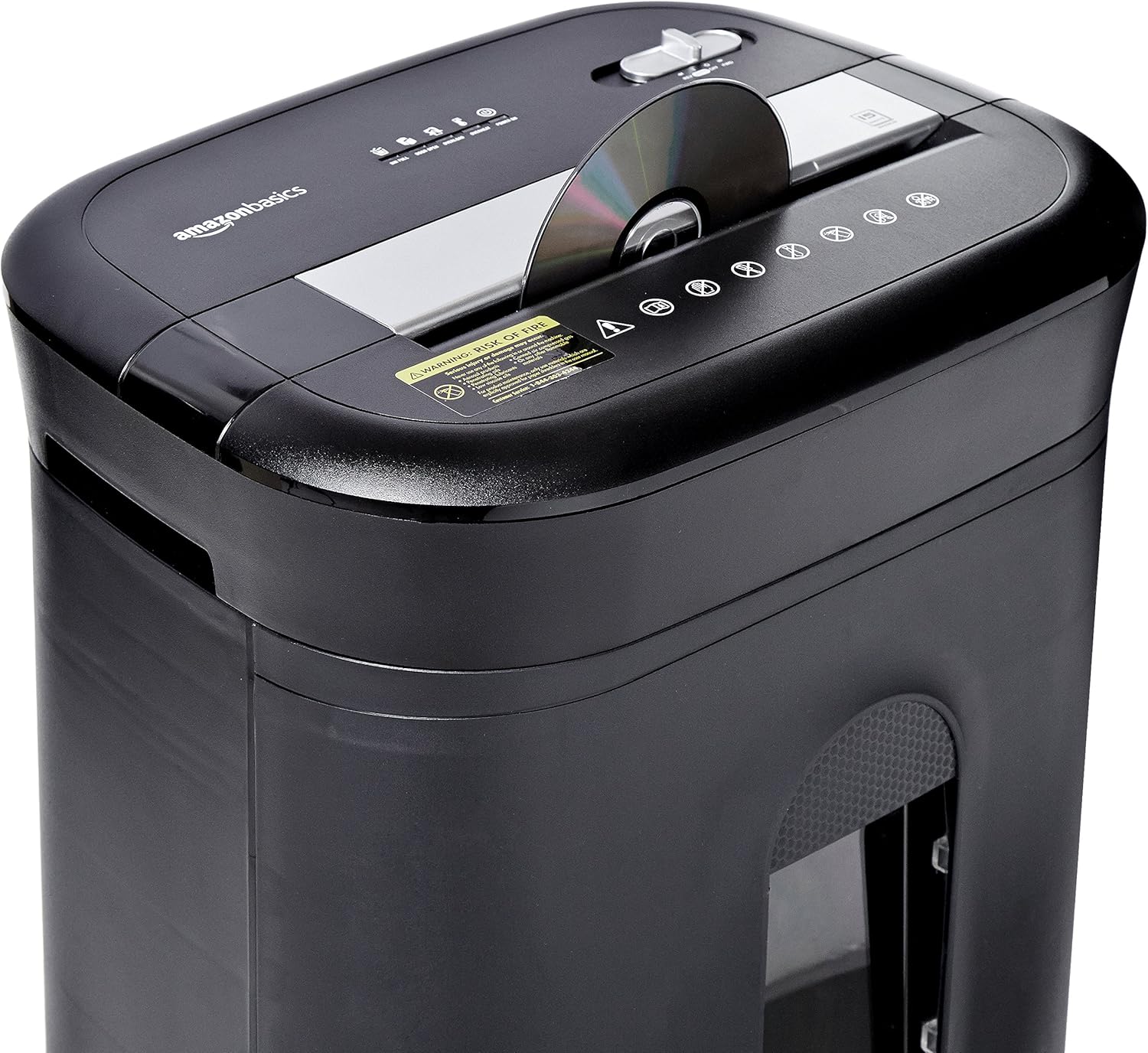
Figure 2: Diagram illustrating key features of the shredder.
Înființat
Follow these steps to set up your shredder:
- Despacheta: Scoateți cu grijă toate componentele din ambalaj.
- Poziţie: Place the shredder on a flat, stable surface. Ensure the waste bin is securely closed and properly inserted into the main unit.
- Conectare alimentare: Plug the power cord into a standard 120-volt AC outlet.
Video 1: Official product video demonstrating the setup and basic operation of the Amazon Basics 15-Sheet Cross-Cut Shredder.
Instrucțiuni de operare
Comutator mod alimentare:
The shredder features a 4-mode slide switch located on the top panel:
- AUTO (I): The shredder will automatically start when paper is inserted and stop when shredding is complete. This is the recommended setting for normal use.
- OPRIT (O): Turns off all shredder functions. Always select this setting when emptying the waste bin or when the shredder is not in use.
- FORWARD (▶▶): Manually activates the shredder to continuously cut. Useful for clearing minor jams.
- REVERSE (◀◀): Reverses the shredder mechanism to help clear paper jams.

Figure 3: Close-up of the control panel with the 4-mode switch.
Hârtie mărunțitoare:
- Ensure the power mode switch is set to AUTO (I).
- Insert up to 15 sheets of paper (20 lb. bond) straight into the paper entry slot. The shredder will automatically start and stop.
- Do not force paper into the shredder. If the shredder struggles, reduce the number of sheets.

Figure 4: Inserting paper into the shredder.
Shredding Credit Cards and CDs/DVDs:
- Ensure the power mode switch is set to AUTO (I).
- Insert one credit card or CD/DVD at a time into the dedicated slot.
- The shredder will automatically start and stop.

Figure 5: Shredding a credit card.
Întreţinere
Emptying the Shredder Bin:
Regularly empty the waste bin to prevent paper jams and ensure optimal performance.
- Set the power mode switch to OPRIT (O) and unplug the shredder.
- Pull out the waste bin from the front of the shredder.
- Aruncați materialul mărunțit.
- Slide the waste bin back into the shredder until it clicks securely into place.

Figure 6: Pull-out waste bin for easy emptying.
Oiling the Shredder:
To maintain the shredder's performance and longevity, it is recommended to oil the cutting blades periodically, especially after emptying the bin multiple times or if performance decreases.
- Apply shredder oil (or vegetable oil) in a zigzag pattern across the paper entry slot.
- Set the power mode switch to FORWARD (▶▶) for 2-3 seconds to distribute the oil.
- Then, set the switch to REVERSE (◀◀) timp de 2-3 secunde.
- Shred a few sheets of paper to remove any excess oil.
Depanare
The shredder is equipped with LED indicators to help diagnose common issues:
- Standby (Green): Indică faptul că tocătorul de documente este pornit și gata de funcționare.
- Overheat (Red): The shredder has exceeded its maximum operating temperature. Allow it to cool down for approximately 20-30 minutes before resuming use.
- Overload (Red): Too much material has been inserted. Use the REVERSE (◀◀) function to clear the jam, then reduce the amount of material.
- Door Open (Red): The waste bin is not properly closed or inserted. Ensure the bin is fully pushed in.
- Bin Full (Red): The waste bin is full and needs to be emptied.
| Problemă | Cauza posibila | Soluţie |
|---|---|---|
| Tocătorul de documente nu pornește. | Not plugged in; Power switch in OFF position; Waste bin not properly inserted. | Check power connection; Set switch to AUTO; Re-insert waste bin securely. |
| Tocătorul se oprește în timpul funcționării. | Overheat protection activated; Overload protection activated; Bin full. | Allow to cool down; Clear jam using REVERSE, then reduce material; Empty bin. |
| Blocaj de hârtie. | Too much paper inserted; Paper inserted at an angle. | Use REVERSE function; Reduce paper quantity; Insert paper straight. |
Specificații
| Caracteristică | Caietul de sarcini |
|---|---|
| Marca | Bazele Amazon |
| Numărul de model | PBH-49976 |
| Tipul de maruntire | Tăiere încrucișată |
| Dimensiunea mărunțișului | 3/16" x 1-7/32" (4.7 x 31mm) |
| Nivel de securitate | P-4 |
| Capacitate foi | 15 coli (hârtie de 20 lb) |
| Timp de funcționare continuă | 20 minute |
| Timp de răcire | 30 minute |
| Capacitatea coșului de gunoi | 6 de galoane |
| Greutatea articolului | 22 lire sterline |
| Dimensiunile produsului | 11 x 14.4 x 20.9 inci |
| Culoare | Negru |
Garanție și suport
For warranty information or technical support, please refer to the documentation included with your product or contact Amazon Basics customer service.
Serviciu Clienți: 1-844-303-4244
Pentru resurse suplimentare, vizitați Magazinul Amazon Basics.