
HoldPeak 90EPD
HOLDPEAK 90EPD Digital Auto-ranging Mobile APP DMM Multimeter User Manual
Model: 90EPD | Marcă: HoldPeak
1. Introducere
The HOLDPEAK 90EPD is a versatile digital auto-ranging multimeter designed for a wide range of electrical testing applications, including commercial, home repair, and automotive use. It offers precise measurements of AC/DC current and voltage, resistance, capacitance, frequency, temperature, and duty cycles. Key features include non-contact voltage detection, a large backlit LCD display, Data Hold, Auto Back-Light, Relative Measurement, and Mobile APP connectivity for enhanced functionality.
Caracteristici cheie:
- Măsuri AC/DC voltage and AC/DC current, resistance, capacitance, frequency, duty cycle, and temperature.
- Performs diode and continuity tests.
- Features Data Hold, Auto Back-Light, Relative Measurement, and Mobile APP DMM function.
- Auto-ranging scales simplify electronic measurements.
- Equipped with a super large Backlit LCD display for visibility in low light conditions.
- Automatically enters sleep mode after 15 minutes of inactivity to conserve power.

Figure 1.1: HoldPeak 90EPD Digital Multimeter shown with its mobile application interface on a smartphone.
2. Informații de siguranță
Always adhere to safety precautions when using the multimeter to prevent electric shock or personal injury. Read all safety information before operating the device.
- IEC61010 CAT.III 1000V, CAT.IV 600V: This meter is rated for CAT.III 1000V and CAT.IV 600V overvoltage protection. Always ensure the measurement category is appropriate for the circuit being tested.
- Dubla izolare: The meter features double insulation for enhanced safety.
- Inspectați înainte de utilizare: Before each use, inspect the meter, test leads, and accessories for any damage. Do not use if damaged.
- Conectarea corectă a terminalului: Always connect the test leads to the correct terminals for the desired measurement function.
- Voltage Măsurare: Nu aplica niciodată voltage to the meter when it is set to a current, resistance, or continuity range.
- Măsurare curentă: Ensure the circuit is de-energized before connecting the meter in series for current measurements.
- Mediu de lucru: Use the meter in a dry environment and avoid extreme temperatures.
- Înlocuire baterie: Înlocuiți bateria imediat ce apare indicatorul de baterie descărcată pentru a asigura citiri precise.
3. Conținutul pachetului
Verificați dacă toate articolele enumerate mai jos sunt incluse în pachetul dumneavoastră:
- 1 x HOLDPEAK 90EPD Digital Mobile APP DMM Multimeter
- 1 x cabluri de testare (roșu și negru)
- 1 x Temperature Test Probe
- 1 x PC Link Software CD
- 1 x cablu USB
- 1 x Husă de transport
- 1 x manual de utilizare
- 1 x 9V 6F22 battery

Figure 3.1: Contents included in the HoldPeak 90EPD Multimeter package.
4. Componente și caracteristici ale produsului
Familiarize yourself with the various components and functions of the HOLDPEAK 90EPD Multimeter.

Figure 4.1: Labeled components of the HoldPeak 90EPD Multimeter.
Key Function Icons:

Figure 4.2: Visual representation of the multimeter's measurement capabilities and features.
5. Configurare
5.1 Instalarea bateriei
The HOLDPEAK 90EPD Multimeter requires one 9V 6F22 battery for operation. To install or replace the battery:
- Asigurați-vă că multimetrul este oprit.
- Localizați compartimentul bateriilor pe spatele unității.
- Folosiți o șurubelniță pentru a deschide capacul bateriei.
- Introduceți bateria de 9V, respectând polaritatea corectă (+/-).
- Puneți la loc capacul bateriei și fixați-l cu șurubul.
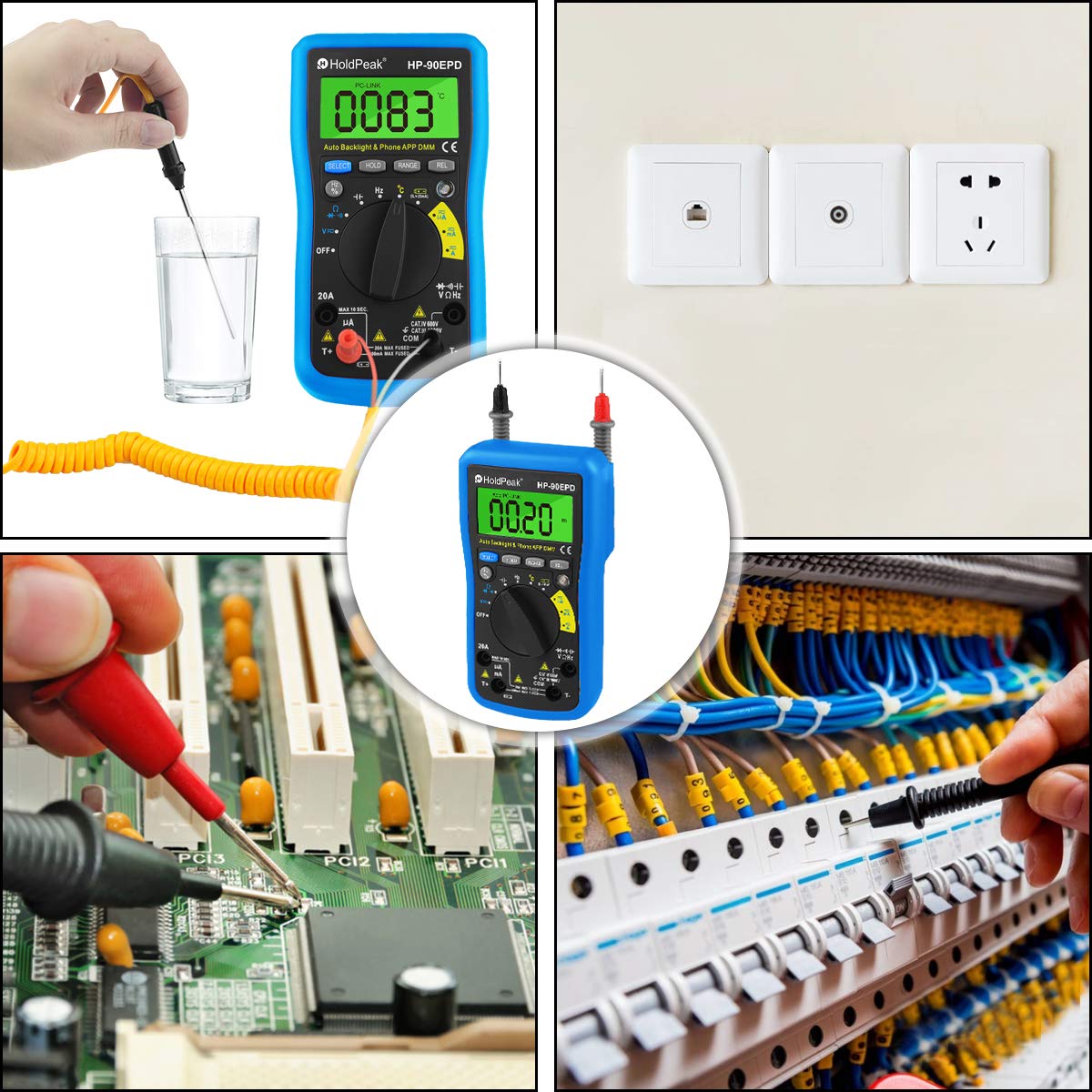
Figure 5.1: Location of the removable 9V battery compartment.
5.2 Conectarea la aplicația mobilă
The HOLDPEAK 90EPD can connect to a mobile application for enhanced data logging and display features.
- Pasul 1: Scan the QR code provided in the manual (or on the product packaging) or search for "intelligent multimeter" in your phone's app store to download the application.
- Pasul 2: Open your phone's Bluetooth settings and ensure Bluetooth is enabled. Then, launch the downloaded application.
- Pasul 3: Turn on the multimeter. Your phone should automatically detect and connect to the multimeter via Bluetooth.
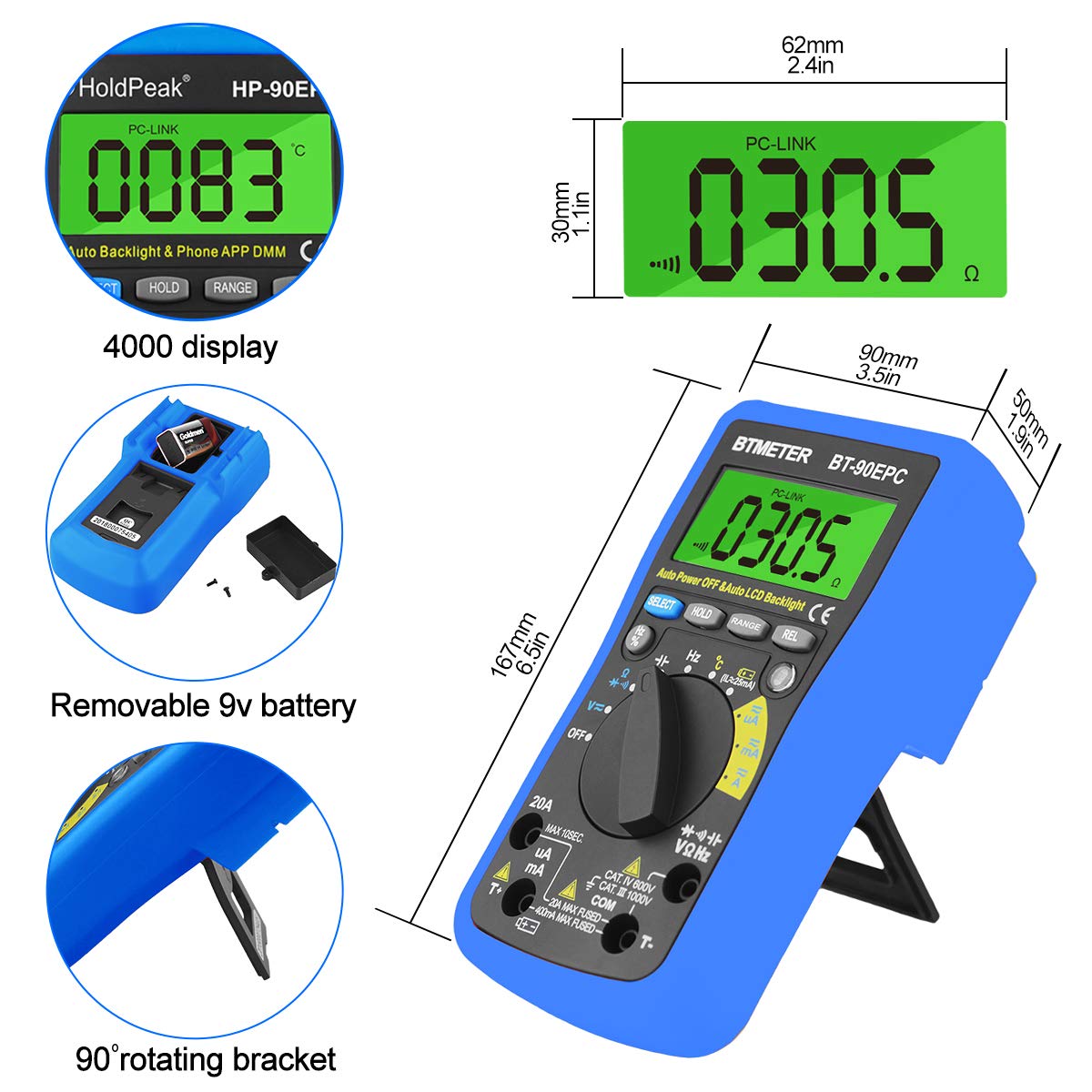
Figure 5.2: Steps for connecting the multimeter to a mobile phone application.
6. Instrucțiuni de utilizare
This section provides general guidance for using the HOLDPEAK 90EPD Multimeter for various measurements. Always refer to the specific function details in the full operating manual for precise instructions.
Operare generala:
- Pornire/Oprire: Rotate the central rotary switch to the desired measurement function to turn the meter on. Turn it to 'OFF' to power off.
- Auto-Raming: The meter automatically selects the appropriate range for most measurements, simplifying operation.
- Păstrarea datelor: Apăsați butonul „HOLD” pentru a îngheța valoarea curentă de pe afișaj. Apăsați din nou pentru a o elibera.
- Auto Back-Light: The display features an auto backlight for improved visibility in low-light conditions.
- Relative Measurement (REL): Press the 'REL' button to store the current reading as a reference value. Subsequent readings will be displayed as a deviation from this reference.
- Function Selection (SELECT): For ranges with multiple functions (e.g., AC/DC voltage, diode/continuity), press the 'SELECT' button to toggle between them.
Functii de masurare:
- AC / DC Voltage (V~ / V-): Connect test leads in parallel to the circuit. Select the appropriate voltage gama.
- AC/DC Current (A~ / A-): Connect the meter in series with the circuit. Ensure the circuit is de-energized before connecting. Select the appropriate current range (µA, mA, A).
- Rezistență (Ω): Asigurați-vă că circuitul este deconectat de la curent. Conectați cablurile de testare la componente.
- Capacitate (F): Asigurați-vă că condensatorul este descărcat înainte de testare. Conectați cablurile de testare la bornele condensatorului.
- Frecvență (Hz) / Ciclu de funcționare (%): Conectați sondele de testare la sursa de semnal.
- Diode Test (→|): Use to check the forward voltagcăderea de tensiune a unei diode.
- Continuity Test (•))): Use to check for open or closed circuits. An audible buzzer indicates continuity.
- Temperatură (°C/°F): Connect the temperature test probe to the appropriate input jacks.
- Vol. Fără contacttage (NCV): Use the NCV sensor to detect the presence of AC voltage fără contact direct.
Figura 6.1: Examples of the HoldPeak 90EPD Multimeter in various measurement scenarios.
7. Întreținere
7.1 Curățare
Pentru a curăța multimetrul, folosiți o lavetă moaleampened with mild detergent. Do not use abrasives or solvents. Ensure the meter is powered off and disconnected from any circuits before cleaning.
7.2 Depozitare
When not in use for extended periods, remove the battery to prevent leakage. Store the multimeter in its carrying case in a cool, dry place, away from direct sunlight and extreme temperatures.
8. Depanare
If you encounter issues with your HOLDPEAK 90EPD Multimeter, refer to the common problems and solutions below:
- Fără afișaj/alimentare:
- Verificați dacă bateria este instalată corect și are suficientă încărcare. Înlocuiți bateria de 9V dacă este necesar.
- Asigurați-vă că comutatorul rotativ este în poziția ON.
- Citiri incorecte:
- Verify that the test leads are properly connected to the correct input jacks for the selected function.
- Ensure the correct measurement function is selected on the rotary switch.
- Check the battery level; low battery can affect accuracy.
- Ensure the circuit being tested is within the meter's specified range.
- Mobile APP Connection Issues:
- Asigurați-vă că Bluetooth este activat pe smartphone-ul dvs.
- Make sure the multimeter is powered on and within Bluetooth range.
- Restart both the multimeter and the mobile application.
- Verificați dacă aplicația este actualizată la cea mai recentă versiune.
- "OL" Displayed (Overload):
- The measured value exceeds the selected range. The auto-ranging feature should typically handle this, but if manually ranged, switch to a higher range.
- Ensure the meter is not connected to a voltage or current exceeding its maximum input ratings.
9. Specificații
| Caietul de sarcini | Valoare |
|---|---|
| Siguranță/Conformități | IEC61010 CAT.III 1000V, CAT.IV 600V overvoltage și standard de izolare dublă |
| Afişa | Maximum reading 4000, analogue bar graph 41 segments |
| Selectarea intervalului | Auto |
| Afișaj de suprasarcină | Afișează OL |
| DC voltage | 400mV/4V/40V/400V (±0.5%), 1000V (±0.8%) |
| AC voltage | 400mV (±1.2%), 4/40/400V (±0.8%), 750V (±1.2%) |
| curent continuu | 400uA/4000uA/40mA/400mA (±1.2%), 4/20A (±2.0%) |
| Curent alternativ | 400uA/4000uA/40mA/400mA (±1.5%), 4/20A (±2.5%) |
| Capacitate | 51.2nF (±3.0%), 512nF/5.12uF/51.2uF (±2.5%), 100uF (±5.0%) |
| Rezistenţă | 400ohm/4k/40k/400k/4Mohm (±1.0%), 40Mohm (±1.5%) |
| Gama de frecvente | 5.12Hz ~ 5.12MHz (±0.1%) |
| Testul diodelor | Da |
| Test de continuitate | Da |
| Vol. Fără contacttage detectare | Da |
| Valoarea relativă | Da |
| APP mobil | Da |
| Dimensiuni | 16.7 x 9 x 5 cm (6.6" x 3.48" x 2.36") |
| Putere | baterie 9V 6F22 |
| Greutate | 0.71 lb (aprox. 322 g) |
| Producător | Zhuhai Jida Huapu Instrument Co.,Ltd |
| Numărul modelului articolului | 90EPD |
| Data primului disponibil | 1 septembrie 2016 |
10. Garanție și asistență
For detailed warranty information, technical support, or service inquiries, please refer to the official HoldPeak website-ul web sau cardul de garanție inclus împreună cu produsul. Păstrați bonul fiscal ca dovadă a achiziției pentru reclamațiile în garanție.
Ask a question about this manual
Ask about setup, troubleshooting, compatibility, parts, safety, or missing instructions. Manuals+ will review the question and use this page’s manual context to help answer it.