
1. Introducere
Thank you for choosing the MaxiAids EZ See Large Print Keyboard. This keyboard is designed to enhance visibility and typing efficiency for users who benefit from larger characters. It features extra-large, high-contrast legends on low-profile keys, making it an ideal solution for individuals with low vision or those who prefer easier-to-read keys. This manual provides essential information for setting up, operating, maintaining, and troubleshooting your new keyboard.
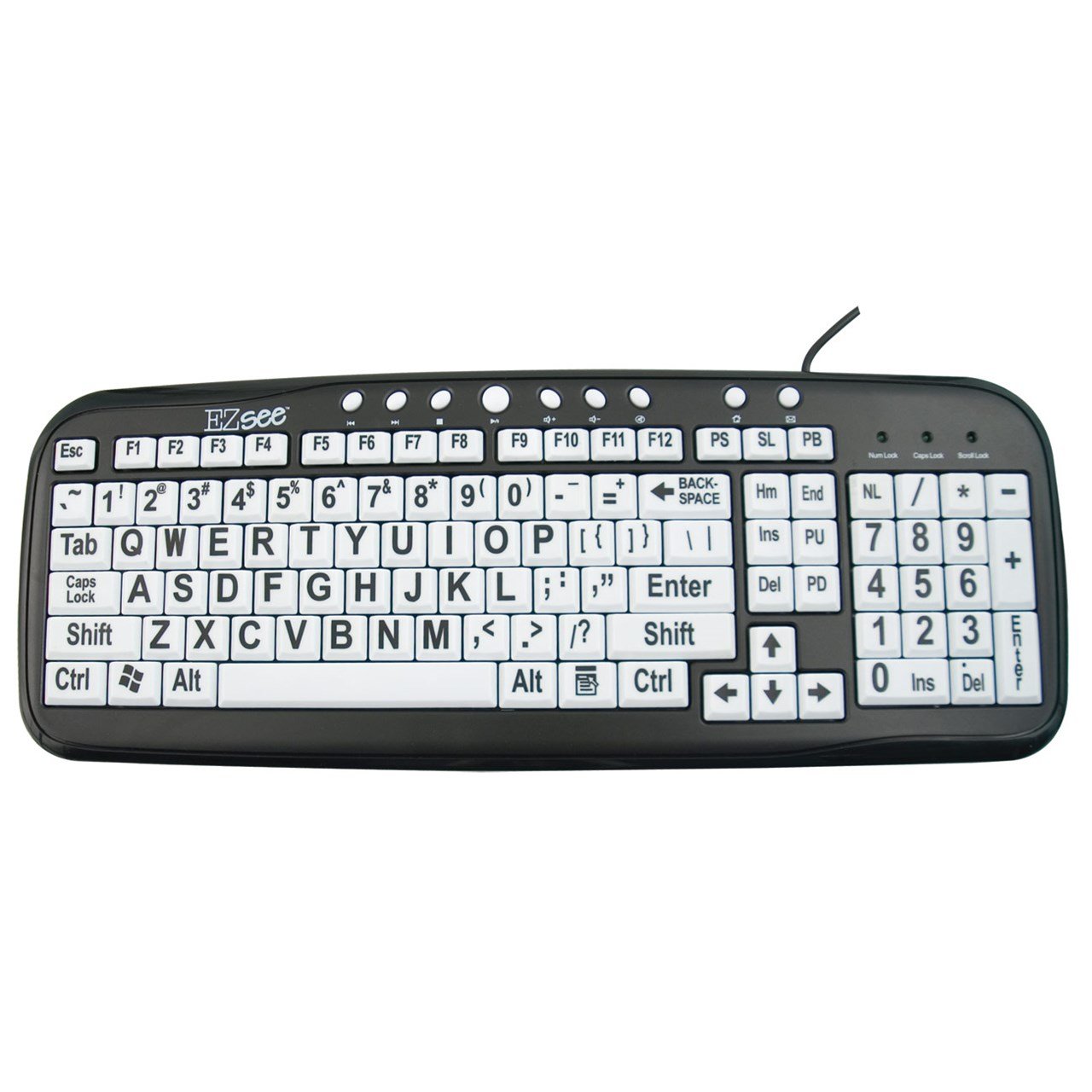
This image shows the MaxiAids EZ See Large Print Keyboard. It features white keys with oversized black characters for enhanced visibility, designed to assist users with low vision.
2. Configurare
The MaxiAids EZ See Large Print Keyboard is a plug-and-play device, requiring no special drivers for most operating systems. Follow these simple steps to connect your keyboard:
- Despachetați tastatura: Scoateți cu grijă tastatura din ambalaj.
- Localizați un port USB: Identify an available USB port on your computer (desktop or laptop).
- Conectați cablul USB: Insert the USB connector from the keyboard cable firmly into the USB port on your computer.
- Recunoașterea sistemului: Your operating system should automatically detect and install the necessary drivers for the keyboard. This process may take a few moments.
- Test the Keyboard: Open a text editor or any application that accepts text input and type a few characters to ensure the keyboard is functioning correctly.
If the keyboard does not respond, try connecting it to a different USB port or restarting your computer.
3. Utilizarea tastaturii
The EZ See Large Print Keyboard functions like a standard 104-key QWERTY keyboard, with the primary difference being the enhanced visibility of its keys.
- Aspect standard: The keyboard features a familiar QWERTY layout, including a numeric keypad, function keys (F1-F12), and navigation keys.
- Taste cu caractere mari: Each keycap is designed with oversized, high-contrast characters to reduce eye strain and improve typing accuracy for users with visual impairments.
- Low Profile Chei: The keys have a low-profile design, which can contribute to a comfortable typing experience.
- Caps Lock, Num Lock, Scroll Lock Indicators: Standard LED indicators are present to show the status of Caps Lock, Num Lock, and Scroll Lock functions.
Simply use the keyboard as you would any other, benefiting from the improved readability of the key legends.
4. Întreținere
Proper care and maintenance will ensure the longevity and optimal performance of your MaxiAids EZ See Large Print Keyboard.
- curatenie: Pentru a curăța tastatura, deconectați-o de la computer. Folosiți o lavetă moale, fără scame, ușor umedă.ampened with water or a mild, non-abrasive cleaning solution. Avoid spraying liquids directly onto the keyboard or allowing moisture to seep between the keys.
- Îndepărtarea prafului: Folosește aer comprimat pentru a îndepărta praful și resturile dintre taste.
- Evitați scurgerile: Keep liquids away from the keyboard to prevent damage. In case of a spill, immediately disconnect the keyboard and allow it to dry completely before reconnecting.
- Depozitare: Când nu este utilizată pentru perioade lungi de timp, depozitați tastatura într-un mediu curat și uscat, ferit de temperaturi extreme.
5. Depanare
Dacă întâmpinați probleme cu tastatura, vă rugăm să consultați următorii pași comuni de depanare:
- Tastatura nu răspunde:
- Asigurați-vă că ați conectat cablul USB în siguranță atât la tastatură, cât și la computer.
- Încercați să conectați tastatura la un alt port USB al computerului.
- Reporniți computerul.
- Test the keyboard on another computer, if available, to determine if the issue is with the keyboard or the computer.
- Anumite taste nu funcționează:
- Check for any debris or obstructions under the non-functioning keys. Use compressed air to clear any particles.
- Ensure the keyboard is clean and dry.
- Tastatura numerică nu funcționează:
- Verify that the Num Lock indicator light is on. Press the 'Num Lock' key to toggle it on or off.
- Some older operating systems or specific software configurations might require additional settings for the numeric keypad. Consult your computer's operating system documentation.
- Slow or Delayed Input:
- This could be a system performance issue. Close unnecessary applications and check your computer's resource usage.
- Asigurați-vă că sistemul de operare al computerului este actualizat.
If these steps do not resolve the issue, please contact MaxiAids customer support for further assistance.
6. Specificații
| Marca | MaxiAids |
| Numărul de model | 23570 |
| Tehnologia de conectivitate | USB |
| Dispozitive compatibile | Laptop (and Desktop Computers) |
| Descrierea tastaturii | Tastatura USB |
| Caracteristica specială | Ergonomic, Large Print |
| Culoare | Negru Alb |
| Stil | Clasic |
| Material | Plastic |
| Componente incluse | Tastatura |
| Cantitate de butoane | 104 |
7. Garanție și asistență
For information regarding the warranty period and terms for your MaxiAids EZ See Large Print Keyboard, please refer to the documentation included with your purchase or visit the official MaxiAids webDetaliile garanției pot varia în funcție de regiune și de comerciant.
If you require technical support, have questions about product functionality, or need assistance with troubleshooting beyond what is covered in this manual, please contact MaxiAids customer service directly. Contact information can typically be found on the manufacturer's website sau pe ambalajul produsului dumneavoastră.