
InFocus IN128HDX
Manual de utilizare pentru proiectorul de rețea profesional InFocus IN128HDx 1080p DLP
Model: IN128HDX
1. Introducere
This manual provides essential instructions for the safe and efficient operation of your InFocus IN128HDx 1080p DLP Professional Network Projector. Please read this manual thoroughly before using the projector and retain it for future reference. The InFocus IN128HDx is designed to deliver high-definition content with clarity and brightness, suitable for various professional and educational environments.
2. Produs terminatview
2.1 Caracteristici cheie
- Native 1080p resolution for high-definition content display without scaling.
- 4000 lumens brightness and 15,000:1 contrast ratio for clear, readable images in various lighting conditions.
- Integrated 10-watt speaker for audio output.
- Common throw ratio (1.3:1) for flexible installation and replacement.
- Multiple connectivity options: HDMI, VGA, composite, S-video, and LAN port for network management.
2.2 Componentele proiectorului

Figura 2.1: Faţă view of the InFocus IN128HDx projector. This image shows the main lens and the overall compact design of the unit.

Figura 2.2: Top view of the InFocus IN128HDx projector, highlighting the control panel with buttons for power, menu, source selection, and navigation. Also visible are the focus and zoom rings near the lens.

Figura 2.3: Latura view of the InFocus IN128HDx projector, illustrating the ventilation grilles for heat dissipation and the overall profile a dispozitivului.
3. Configurare
3.1 Despachetarea și plasarea
- Scoateți cu grijă proiectorul din ambalaj.
- Place the projector on a stable, flat surface or mount it securely according to installation guidelines. Ensure adequate ventilation around the unit.
- Position the projector at the desired distance from the screen. Refer to the specifications for throw ratio details.
3.2 Conectarea la alimentare
- Conectați cablul de alimentare la intrarea de alimentare a proiectorului.
- Conectați celălalt capăt al cablului de alimentare la o priză cu împământare.
3.3 Conectarea surselor video
The IN128HDx supports multiple input sources:
- HDMI: Pentru video și audio digital de înaltă definiție. Conectați un cablu HDMI de la dispozitivul sursă la portul HDMI al proiectorului.
- VGA: For analog video signals from computers. Connect a VGA cable from your computer to the projector's VGA port.
- Video compozit: For standard definition video. Connect a composite video cable (yellow RCA) to the corresponding port.
- S-Video: For improved standard definition video. Connect an S-Video cable to the S-Video port.
- LAN: For network control and management. Connect an Ethernet cable to the LAN port.
4. Instrucțiuni de utilizare
4.1 Pornire/Oprire
- Pornire: Apăsați tasta Putere button on the projector's control panel or remote control. The power indicator light will illuminate.
- Oprire: Apăsați tasta Putere button again. A confirmation message may appear; press Putere a second time to confirm shutdown. Allow the projector to cool down before unplugging.
4.2 Adjusting Focus and Zoom
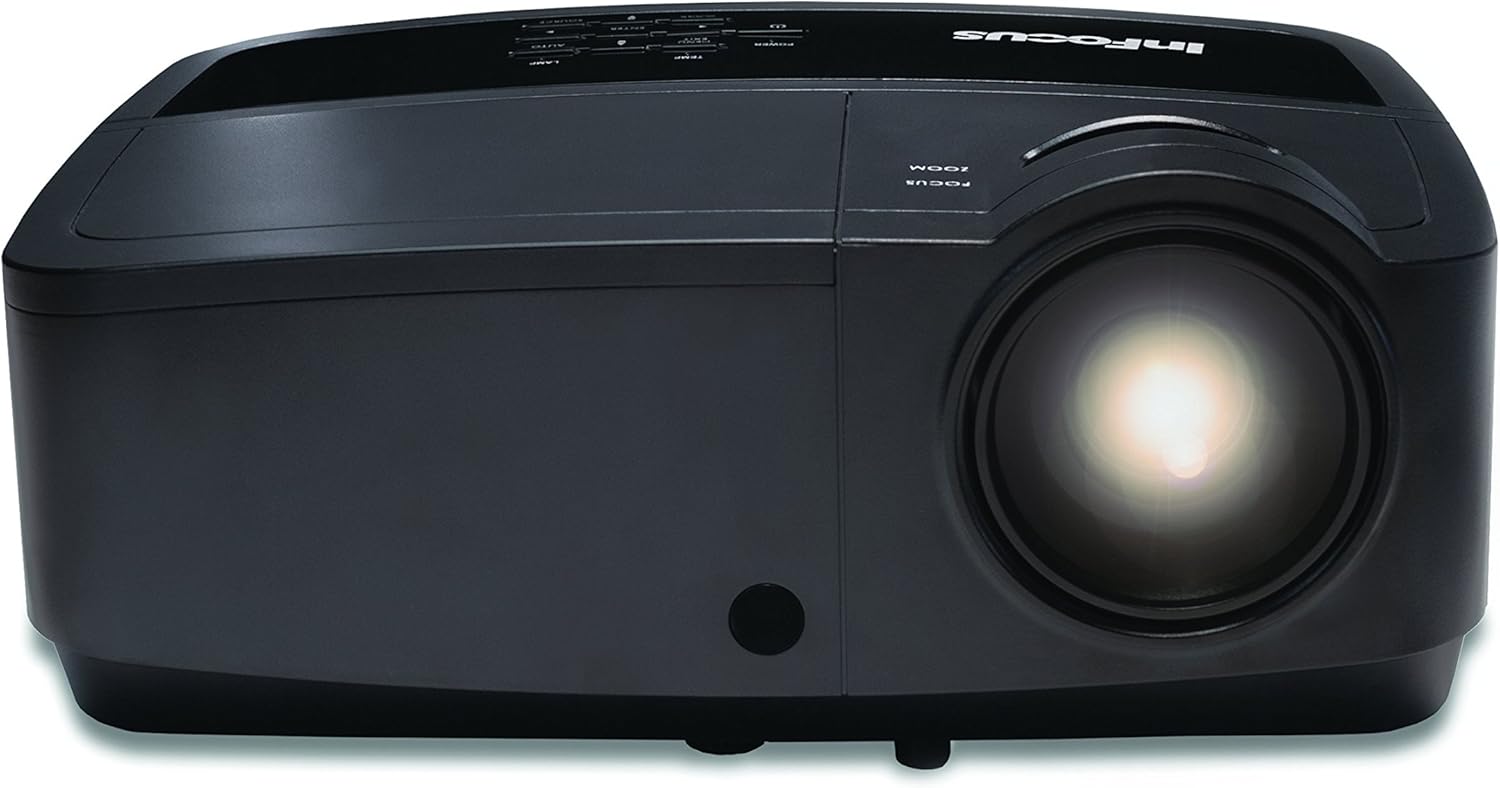
Figura 4.1: A închide view of the projector lens, showing the manual focus and zoom adjustment rings. These rings are used to sharpen the image and adjust its size on the screen.
- Focus: Rotiți Concentrează-te ring around the lens until the image appears sharp and clear on the screen.
- Zoom: Rotiți Zoom ring to adjust the size of the projected image.
4.3 Selectarea sursei de intrare
Apăsați tasta Sursă button on the control panel or remote control to cycle through available input sources (HDMI, VGA, Composite, S-Video). Alternatively, use the menu to select the desired source.
4.4 Navigare prin meniu
Apăsați tasta Meniu pentru a accesa meniul de afișare pe ecran (OSD). Folosiți butoanele săgeată pentru a naviga și Intră pentru a selecta opțiunile. Apăsați butonul Meniu or Ieșire pentru a închide meniul.
5. Întreținere
5.1 Lamp Înlocuire
Proiectorul lamp are o durată de viață finită. Când lamp indicatorul se aprinde sau luminozitatea imaginii scade semnificativ, indicatorul lamp Consultați manualul de service complet pentru informații detaliate.amp replacement procedures. Always use genuine InFocus replacement lamps.
5.2 Curățarea proiectorului
- Exterior: Utilizați o cârpă moale, fără scame dampened with a mild cleaning solution to wipe the exterior casing. Nu utilizați agenți de curățare abrazivi sau solvenți.
- Obiectiv: Curățați ușor lentila proiectorului cu o lavetă sau cu hârtie de curățare pentru lentile. Evitați atingerea suprafeței lentilei cu degetele.
- Filtre de aer: Regularly check and clean the air filters to ensure proper ventilation and prevent overheating. Refer to the full service manual for filter access and cleaning instructions.
6. Depanare
| Problemă | Cauza posibila | Soluţie |
|---|---|---|
| Nu este afișată nicio imagine |
|
|
| Imaginea este neclară |
|
|
| Fără sunet |
|
|
For more detailed troubleshooting, please consult the comprehensive user manual available on the InFocus support website-ul.
7. Specificații
| Caracteristică | Detaliu |
|---|---|
| Numărul de model | IN128HDX |
| Tip de afișare | DLP |
| Rezoluție nativă | 1920 x 1080 (1080p) |
| Luminozitate | 4000 lumeni |
| Raport de contrast | 15,000:1 |
| Conectivitate | HDMI, VGA, Composite, S-Video, LAN |
| Difuzor încorporat | 10 wați |
| Greutatea articolului | 5.06 lire (2.29 kg) |
| Dimensiunile produsului | 8.66 x 11.5 x 3.86 inchi (22 x 29.2 x 9.8 cm) |

Figura 7.1: InFocus IN128HDx projector illustrating its physical dimensions: approximately 29.2 cm (11.5 inches) in length, 22 cm (8.66 inches) in width, and 12.1 cm (4.76 inches) in height.
8. Garanție și asistență
For information regarding the product warranty, please refer to the warranty card included with your projector or visit the official InFocus website. For technical support, service, or to purchase replacement parts, please contact InFocus customer service or visit their support portal online.
InFocus Official Website: www.infocus.com
Ask a question about this manual
Ask about setup, troubleshooting, compatibility, parts, safety, or missing instructions. Manuals+ will review the question and use this page’s manual context to help answer it.