
1. Introducere
The CHERRY KC 1000 is a reliable wired keyboard designed for professional office use and everyday computing. It features a full-size Italian QWERTY layout, a flat design, and quiet keystrokes for comfortable and efficient typing. This manual provides essential information for setting up, operating, maintaining, and troubleshooting your keyboard.
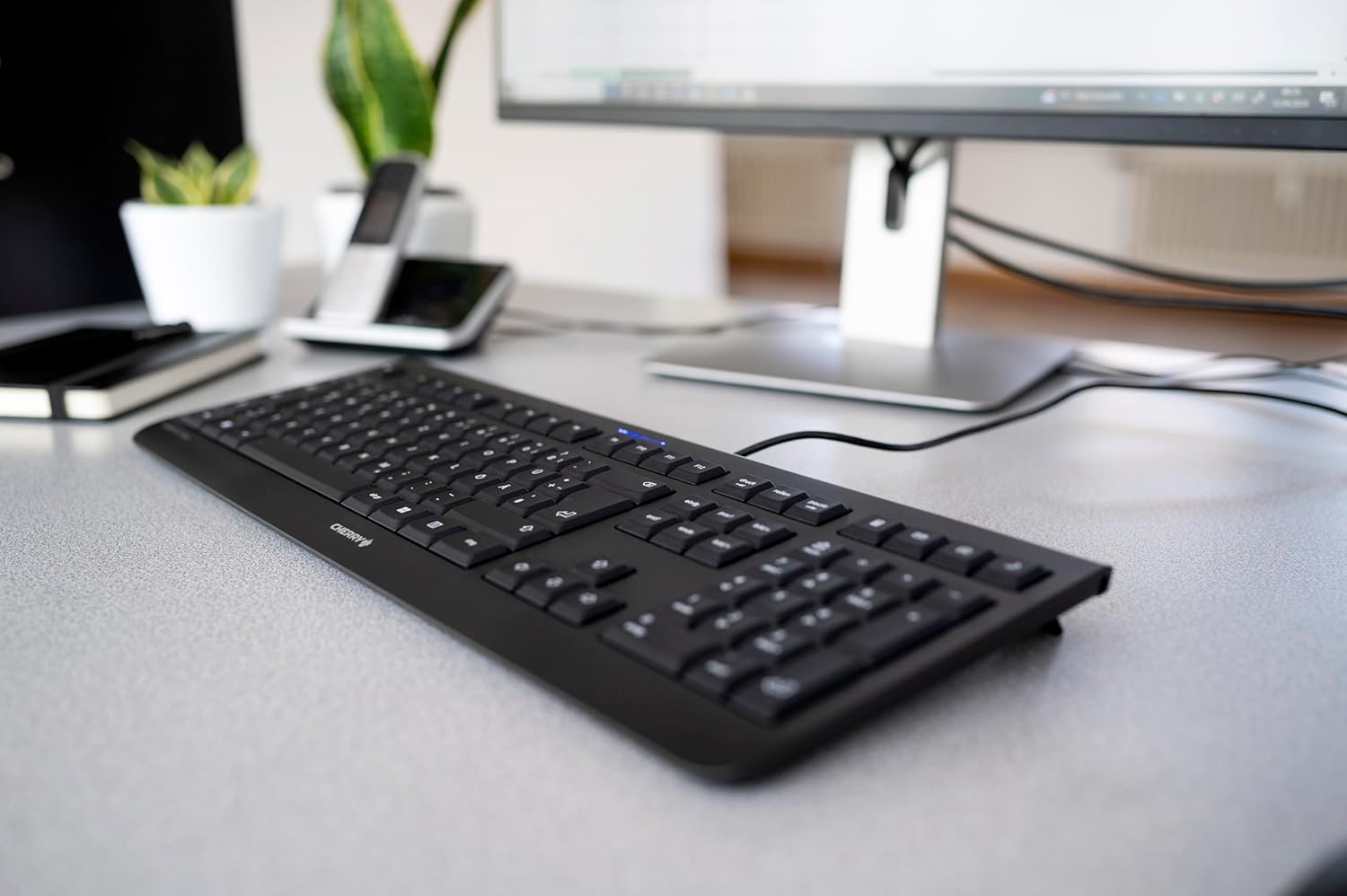
Image 1.1: The CHERRY KC 1000 keyboard in a typical office setup.
2. Configurare
The CHERRY KC 1000 keyboard is designed for simple Plug & Play installation. No additional drivers are required for most operating systems.
2.1 Conectarea tastaturii
- Locate an available USB-A port on your computer (desktop PC, laptop, or compatible device).
- Insert the USB connector of the CHERRY KC 1000 keyboard into the USB-A port.
- Your operating system will automatically detect and install the necessary drivers. This process usually takes a few seconds.
- Tastatura este acum gata de utilizare.
The keyboard features a 180 cm (approximately 5.9 feet) long cable, providing ample flexibility for desk arrangements.

Image 2.1: The USB cable connection of the CHERRY KC 1000 keyboard.
3. Utilizarea tastaturii
The CHERRY KC 1000 offers a standard Italian QWERTY layout with additional function keys for enhanced productivity.
3.1 Aranjamentul și funcțiile tastelor
The keyboard includes a full-size layout with a dedicated numeric keypad and cursor keys. The Italian QWERTY layout supports specific characters and symbols commonly used in the Italian language.

Imaginea 3.1: Pesteview of the CHERRY KC 1000 Italian QWERTY key layout.
3.2 Taste cu funcții speciale
The keyboard features 4 additional keys located above the numeric keypad for quick access to common functions:
- Calculator: Opens the default calculator application.
- E-mail: Launches your default email client.
- Browser: Deschide opțiunea implicită web browser.
- Modul de somn: Pune computerul în modul repaus.
3.3 LED-uri de stare
Three blue status LEDs are located above the function keys to indicate the status of:
- MAJUSCULE: Se aprinde când Caps Lock este activă.
- NUM: Se aprinde când tasta Num Lock este activă.
- SUL: Se aprinde când este activă tasta Scroll Lock.

Image 3.2: User interacting with the CHERRY KC 1000 keyboard.
4. Întreținere
Proper care and maintenance will ensure the longevity and optimal performance of your CHERRY KC 1000 keyboard.
4.1 Curățarea tastaturii
- Deconectați tastatura de la computer înainte de curățare.
- Folosiți o cârpă moale, fără scame dampened with water or a mild cleaning solution (e.g., isopropyl alcohol) to wipe the keycaps and keyboard surface.
- Avoid using abrasive cleaners, solvents, or harsh chemicals, as these can damage the keyboard's finish or key legends.
- Pentru praf și resturi între taste, folosiți aer comprimat sau o perie mică.
- Asigurați-vă că tastatura este complet uscată înainte de a o reconecta la computer.
4.2 Îngrijire generală
- Evitați vărsarea lichidelor pe tastatură.
- Nu expuneți tastatura la temperaturi extreme sau la lumina directă a soarelui pentru perioade lungi de timp.
- Do not attempt to disassemble the keyboard, as this may void the warranty.
5. Depanare
If you encounter issues with your CHERRY KC 1000 keyboard, refer to the following common troubleshooting steps.
5.1 Tastatura nu răspunde
- Verificați conexiunea USB: Ensure the USB cable is securely plugged into both the keyboard and the computer's USB port. Try a different USB port.
- Reporniți computerul: Uneori, o simplă repornire a computerului poate rezolva problemele de conectivitate.
- Testați pe un alt computer: If possible, connect the keyboard to another computer to determine if the issue is with the keyboard or the original computer.
- Reinstalarea driverului: Although Plug & Play, sometimes reinstalling drivers can help. Disconnect the keyboard, restart the computer, and then reconnect the keyboard.
5.2 Tastele nu funcționează corect
- Curățați tastele: Dust or debris under the keycaps can cause keys to stick or not register. Refer to the cleaning instructions in Section 4.1.
- Conflicte software: Ensure no other software or keyboard utilities are interfering with the keyboard's operation.
5.3 Status LEDs Not Working
- Verify that the corresponding lock function (Caps Lock, Num Lock, Scroll Lock) is activated.
- If the keyboard is otherwise functional, a minor software glitch might be preventing the LED from lighting up. A computer restart may resolve this.
6. Specificații
Below are the technical specifications for the CHERRY KC 1000 Wired Keyboard.
| Caracteristică | Detaliu |
|---|---|
| Numele modelului | CHERRY KC 1000 |
| Numărul de model | JK-0800IT-2 |
| Conectivitate | USB-A cu fir |
| Aspectul tastaturii | Italian QWERTY |
| Numărul de chei | 109 |
| Tehnologia cheie | Membrane or Rubber Dome |
| Caracteristici speciale | Whisper-quiet keystroke, 4 additional function keys (Calculator, Email, Browser, Sleep Mode), 3 blue status LEDs |
| Lungimea cablului | 1.8 metri (5.9 picioare) |
| Material | Plastic |
| Culoare | Negru |
| Greutate | 530 grame |
| Dispozitive compatibile | Laptop, PC |
| Certificari | c-tick, cULus, CE, FCC, BSMI, TÜV/GS, Blue Angel eco-label |
7. Garanție și asistență
CHERRY products are manufactured to high-quality standards. For information regarding warranty coverage, please refer to the warranty card included with your product or visit the official CHERRY website. For technical support or further assistance, please contact CHERRY customer service through their official channels.
The product package includes: 1 CHERRY KC 1000 keyboard and a printed instruction manual.