
1. Introducere
The HoldPeak HP-320 is a non-contact infrared thermometer designed for safe and accurate temperature measurement from a distance. It features a laser pointer for precise targeting, a backlit LCD display for easy reading, and a wide temperature range suitable for various applications. This manual provides detailed instructions for the proper use and maintenance of your device.
Informații de siguranță
- Siguranța laserului: Do not stare directly into the laser beam or point it at people or animals. The laser is used for aiming only.
- Interval de temperatură: Do not attempt to measure temperatures outside the specified range of -30°C to 320°C (-22°F to 608°F).
- Siguranta electrica: Do not immerse the device in water or expose it to extreme humidity. Do not use if the device is damaged.
- Siguranța bateriei: Use only the specified 9V battery. Ensure correct polarity when installing. Remove the battery if the device will not be used for an extended period.
- Întreţinere: Refer to the maintenance section for cleaning instructions. Do not attempt to disassemble or modify the device.
2. Configurare
Instalarea bateriei
The HoldPeak HP-320 requires one 9V battery for operation. Follow these steps to install the battery:
- Locate the battery compartment door at the bottom of the handle.
- Gently pull the battery compartment door downwards to open it.
- Conectați o baterie de 9V la conectorul bateriei, asigurându-vă că polaritatea este corectă (+ la + și - la -).
- Puneți bateria în compartiment.
- Închideți bine ușa compartimentului bateriei până când se fixează în poziție cu un clic.
This image series demonstrates the simple process of replacing the 9V battery in the HoldPeak HP-320 thermometer, showing how to open the battery compartment and insert the new battery.

The HoldPeak HP-320 infrared thermometer, shown alongside a 9V battery, which powers the device.
3. Instrucțiuni de utilizare
Operare de bază
Pentru a măsura temperatura:
- Point the thermometer at the object you wish to measure. Ensure the target is within the device's field of view.
- Press and hold the measurement trigger. The laser pointer will activate (if enabled) to help you aim.
- The temperature reading will be displayed on the LCD screen. Release the trigger to hold the reading.
Afișaj și butoane
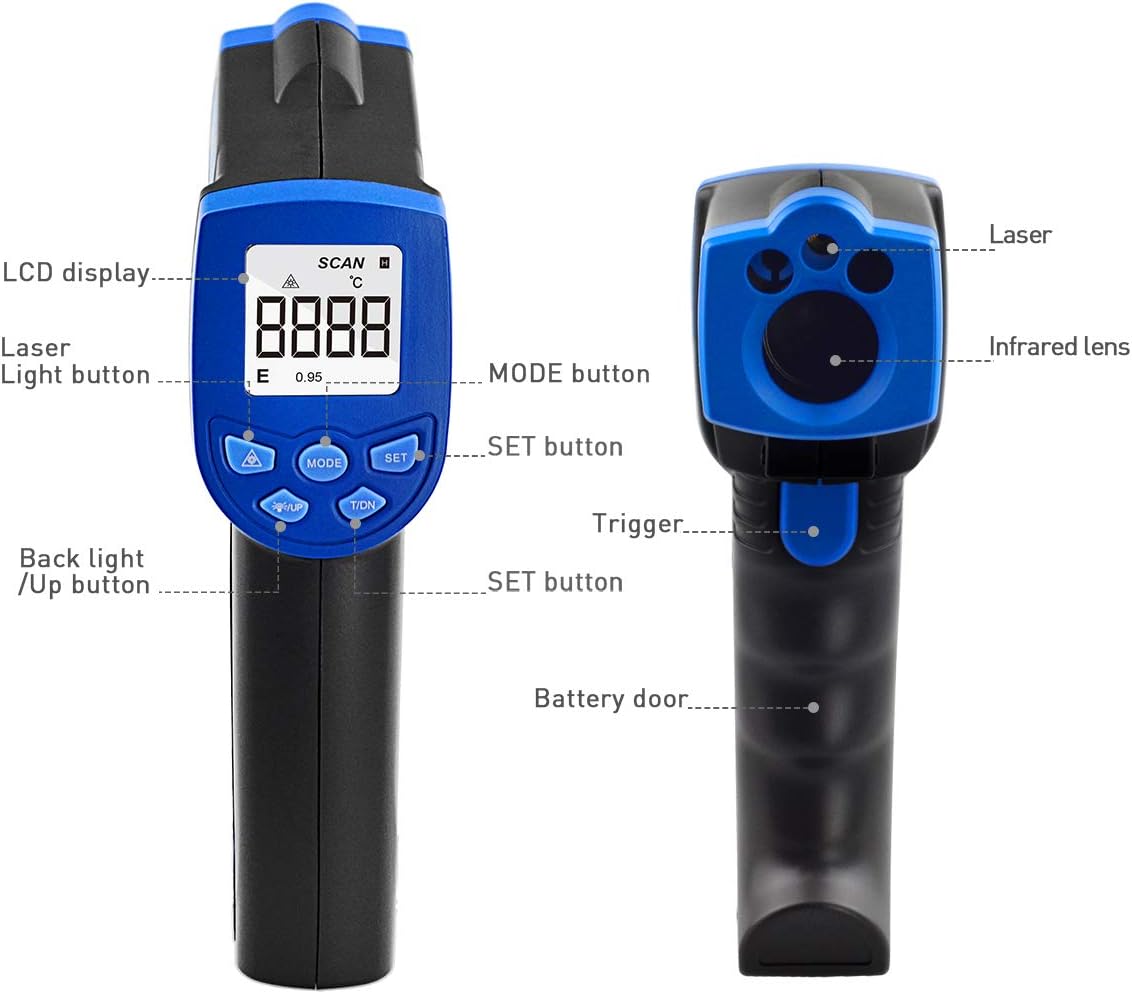
This diagram illustrates the key components of the HoldPeak HP-320, pointing out the LCD display, laser light button, mode button, set button, backlight/up button, trigger, and battery door.
- Display LCD: Shows temperature readings, unit indicators, and other relevant information.
- Laser Light Button (▲): Activează/dezactivează indicatorul laser.
- Butonul MOD: Cycles through different measurement modes or settings (if applicable).
- Buton SET: Confirms selections or enters settings menus.
- Backlight / Up Button (▼): Toggles the LCD backlight on/off. Also used for navigating menus or adjusting values.
- Declanșator: Activează măsurarea și laserul.
Temperature Unit Conversion (°C/°F)
Pentru a comuta între Celsius (°C) și Fahrenheit (°F):
- With the device powered on, press the 'MODE' button until the temperature unit setting is displayed.
- Use the '▲' or '▼' buttons to select your desired unit.
- Press the 'SET' button to confirm your selection.

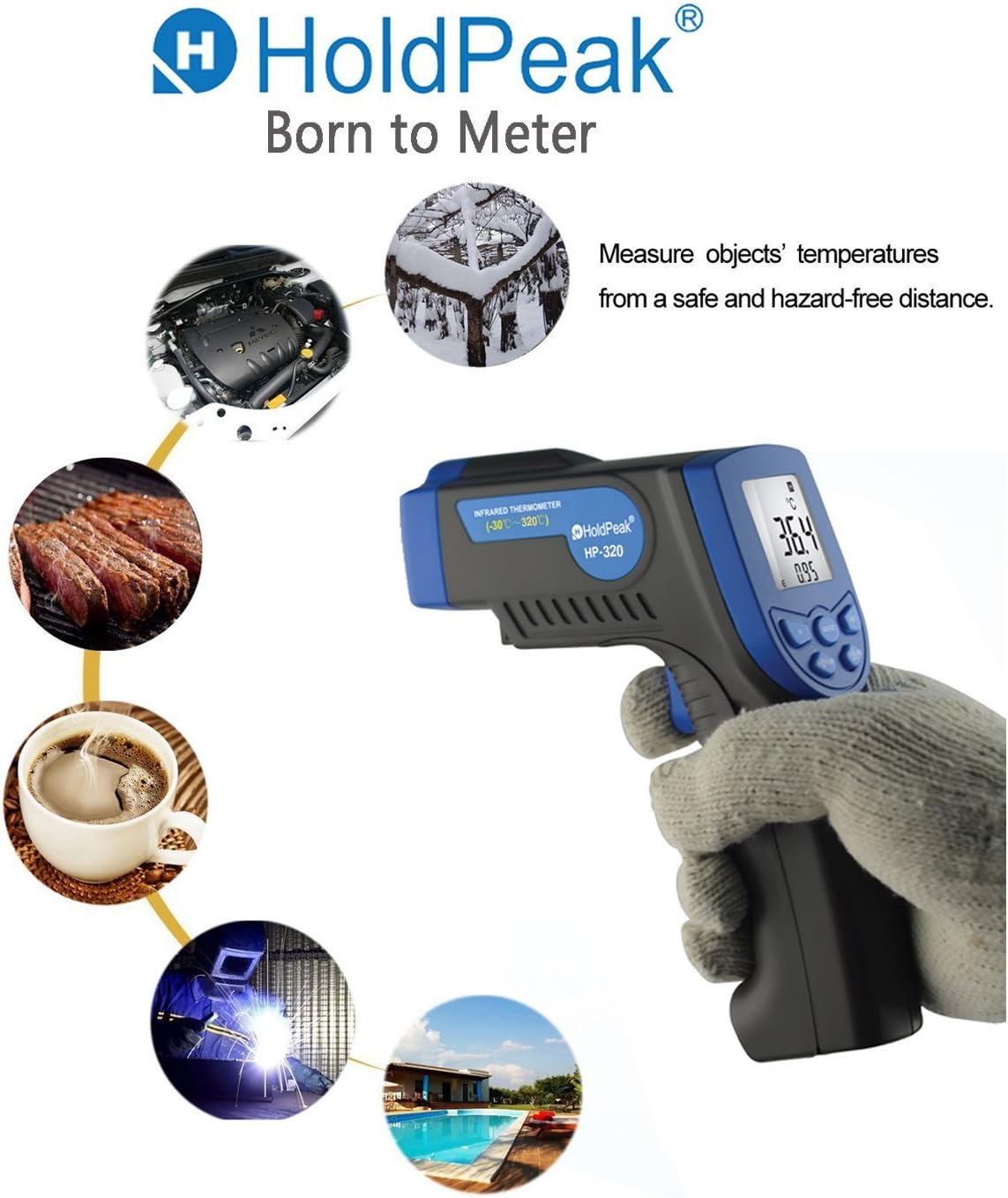
This image highlights the versatility of the HoldPeak HP-320 infrared thermometer, showing its use in diverse scenarios such as automotive maintenance, cooking, and industrial temperature monitoring.
4. Întreținere
Curatenie
Pentru a asigura citiri precise și a prelungi durata de viață a termometrului dumneavoastră:
- Curățați lentila cu un material moale, damp o cârpă sau un bețișor de bumbac. Nu utilizați substanțe de curățare abrazive sau solvenți.
- Ștergeți corpul dispozitivului cu o lavetă moale și uscată.
- Ensure the device is dry before storage.
Depozitare
When not in use, store the thermometer in a cool, dry place, away from direct sunlight and extreme temperatures. Remove the battery if storing for extended periods to prevent leakage.
5. Depanare
If you encounter issues with your HoldPeak HP-320, refer to the table below for common problems and solutions:
| Problemă | Cauza posibila | Soluţie |
|---|---|---|
| Dispozitivul nu pornește | Baterie descărcată sau descărcată; Instalare incorectă a bateriei | Replace the 9V battery; Ensure battery is installed with correct polarity. |
| Citiri inexacte | Dirty lens; Object too far or too close; Emissivity setting (if applicable) | Clean the lens; Ensure proper distance to target; Refer to advanced settings for emissivity adjustment if available. |
| Laserul nu funcționează | Laser disabled; Device malfunction | Press the laser button to enable; If issue persists, contact customer support. |
| LCD display is dim | Low battery; Backlight off | Replace the 9V battery; Press the backlight button to turn on. |
6. Specificații
Key technical specifications for the HoldPeak HP-320 Infrared Laser Thermometer:
| Caracteristică | Caietul de sarcini |
|---|---|
| Numărul de model | HP-320-01 |
| Interval de temperatură | -30°C până la 320°C (-22°F până la 608°F) |
| Precizie | ±2% or ±2°C (±3.6°F) (whichever is greater) |
| Timp de răspuns | Mai puțin de 0.5 secunde |
| Răspuns spectral | 8-14 µm |
| Raportul distanței-punct (D:S) | 12:1 |
| emisivitate | 0.95 (fix) |
| Alimentare electrică | 1 baterie de 9V (inclusă) |
| Oprire automată | Da (după 7 de secunde de inactivitate) |
| Dimensiuni | 14.61 x 8 x 3.81 cm (5.75 x 3.15 x 1.5 țoli) |
| Greutate | 132 g (0.29 lbs) |
| Producător | ZhuHai JiDa HuaPu Instrument Co.,Ltd |
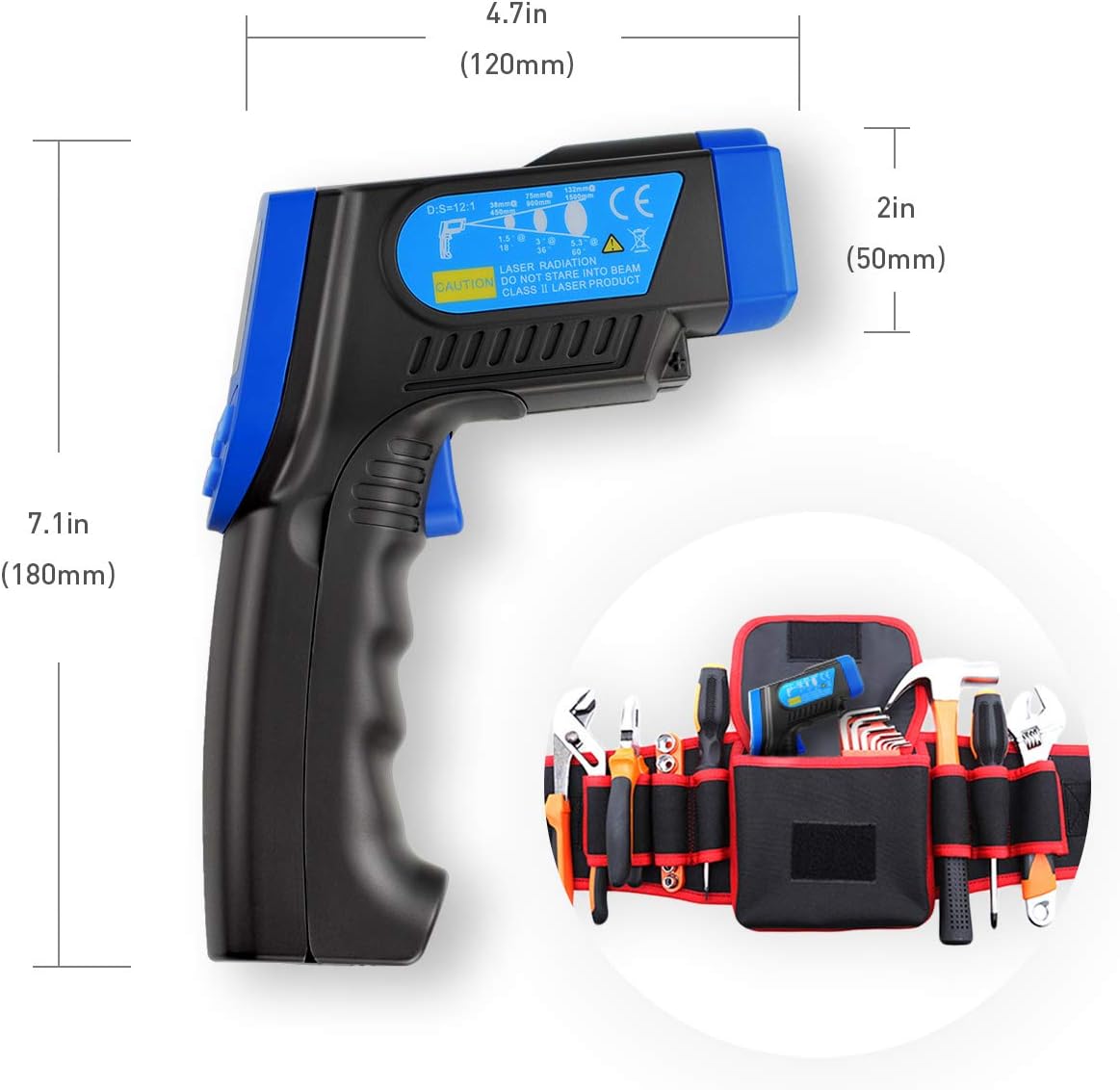
A visual representation of the HoldPeak HP-320 infrared thermometer's dimensions, indicating its length of 7.1 inches (180mm), height of 4.7 inches (120mm), and width of 2 inches (50mm).
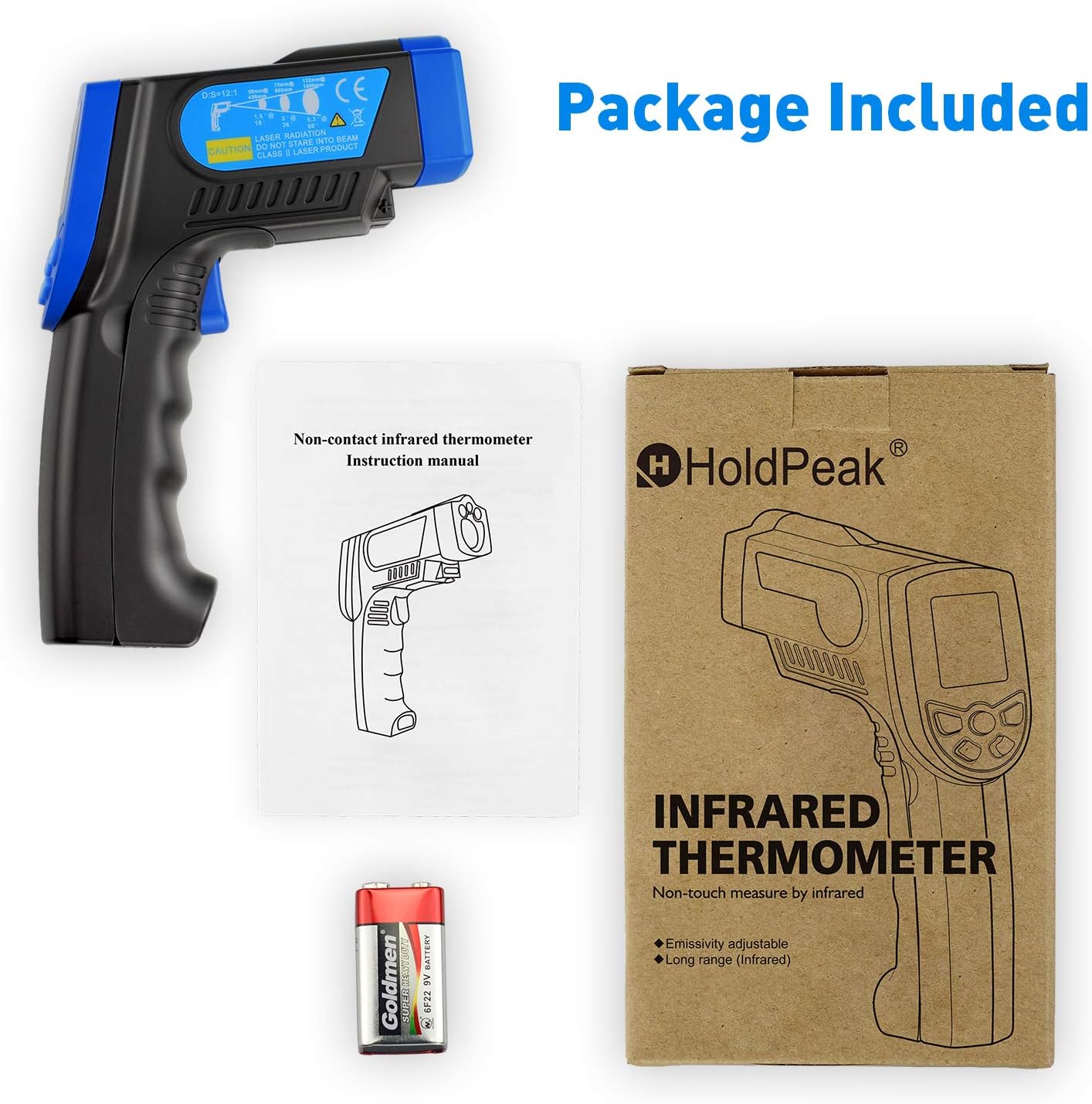
This image displays the complete package contents for the HoldPeak HP-320 infrared thermometer, including the device itself, the user instruction manual, and a 9V battery.
7. Garanție și asistență
Informații despre garanție
HoldPeak products are manufactured to high-quality standards. For specific warranty terms and conditions, please refer to the warranty card included with your product or contact HoldPeak customer support.
Asistență pentru clienți
If you have any questions, require technical assistance, or need to report an issue with your HoldPeak HP-320 thermometer, please contact our customer support team. Contact information can typically be found on the product packaging or the official HoldPeak website-ul.