
1. Introducere
The Innovo Medical FR201 is a non-contact infrared thermometer designed for accurate and reliable temperature measurement of the human body. It offers a safe and hygienic method for temperature screening, suitable for infants, children, adults, and the elderly. This device is CE and FDA cleared, ensuring its quality and safety standards.
Caracteristicile cheie includ:
- Non-contact measurement for hygiene.
- One-second reading for quick results.
- Comutabil între Fahrenheit (°F) și Celsius (°C).
- Silent and audible mode options.
- Memory recall for up to 20 previous readings.
2. Informații și precauții de siguranță
Please read this manual thoroughly before using the thermometer. Improper use may lead to inaccurate readings or device damage.
- Nu scufundați termometrul în apă sau alte lichide.
- Nu expuneți dispozitivul la lumina directă a soarelui, praf și temperaturi extreme.
- Evitați să scăpați termometrul sau să îl supuneți la impacturi puternice.
- Nu încercați să dezasamblați sau să reparați singur dispozitivul.
- Folosiți doar tipul de baterie specificat (2 baterii AAA).
- Nu lăsați bateriile la îndemâna copiilor.
- Consult a medical professional if you have concerns about temperature readings.
- This thermometer is intended for household use and should not replace professional medical advice.
3. Produs terminatview
Familiarize yourself with the components of your Innovo FR201 thermometer.
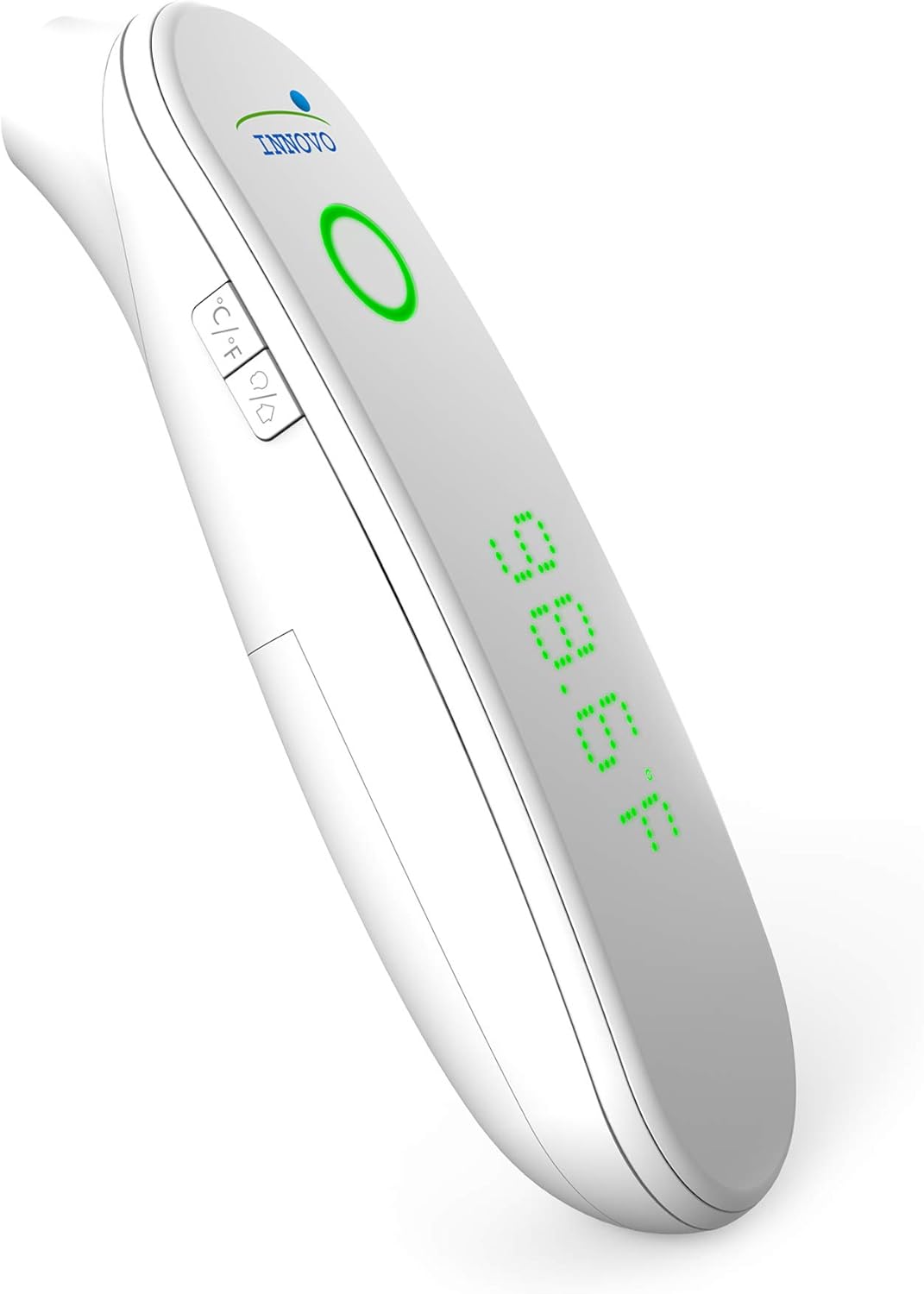
Imaginea 1: Față view of the Innovo FR201 thermometer, highlighting the display, measurement button, and mode selection buttons.
The thermometer features a clear LCD display, a measurement button, and buttons for switching between Fahrenheit/Celsius and silent/audible modes. The infrared sensor is located at the front of the device.
4. Configurare
4.1 Instalarea bateriei
The Innovo FR201 thermometer requires 2 AAA batteries (included).
- Localizați capacul compartimentului bateriilor pe spatele termometrului.
- Deschideți capacul.
- Introduceți două baterii AAA, asigurându-vă de polaritatea corectă (+ și -) așa cum este indicată în interiorul compartimentului.
- Închideți capacul compartimentului bateriei până când se fixează în poziție cu un clic.
Termometrul este acum gata de utilizare.
5. Instrucțiuni de utilizare
5.1 Taking a Forehead Temperature Measurement
- Ensure the thermometer is in forehead measurement mode. If not, press the mode button to switch.
- Țineți termometrul la aproximativ 2-5 cm de centrul frunții.
- Press and release the measurement button.
- Temperatura indicată va fi afișată pe ecranul LCD în decurs de o secundă.
- A beep will sound (if not in silent mode) to indicate the measurement is complete.
Nota: For best accuracy, ensure the forehead is clean and dry, free from hair or sweat. Wait at least 30 seconds between measurements if taking multiple readings on the same person.
5.2 Comutarea între grade Fahrenheit și Celsius
With the thermometer turned on, press the °C/°F button to toggle between Fahrenheit and Celsius display modes.
5.3 Silent and Audible Mode
To switch between silent and audible modes, press the speaker icon button. The display will indicate if silent mode is active.
5.4 Rechemare memorie
The thermometer can store up to 20 previous temperature readings.
- With the thermometer turned on, press the "MEM" button (or similar memory icon, refer to device for exact icon).
- Each press of the "MEM" button will cycle through the stored readings, from most recent to oldest.
6. Întreținere
6.1 Curățarea termometrului
Regular cleaning ensures accurate readings and extends the life of your device.
- Ștergeți corpul termometrului cu o lavetă moale și uscată.
- For the infrared sensor, gently wipe with a cotton swab lightly moistened with alcohol. Allow to dry completely before use.
- Nu utilizați substanțe de curățare abrazive și nu scufundați dispozitivul în apă.
6.2 Depozitare
When not in use, store the thermometer in its protective carrying case in a cool, dry place, away from direct sunlight and extreme temperatures.

Image 2: Innovo FR201 thermometer with its user manual and protective carrying case, illustrating proper storage.
If the thermometer will not be used for an extended period, remove the batteries to prevent leakage.
7. Depanare
| Problemă | Cauza posibila | Soluţie |
|---|---|---|
| Se afișează „Lo” sau „Hi” | Temperature is outside the measurement range (e.g., below 89.6°F / 32°C or above 109.2°F / 42.9°C). | Ensure the thermometer is used within the specified ambient temperature range. Re-measure correctly. |
| Citiri inexacte | Dirty sensor, incorrect measurement distance, environmental factors (drafts, direct sunlight), recent activity (eating, exercising). | Clean the sensor. Ensure correct distance and stable environment. Wait 15-30 minutes after activity before measuring. |
| Nu se afișează / Dispozitivul nu pornește | Baterii descărcate sau introduse incorect. | Înlocuiți bateriile cu baterii AAA noi, asigurându-vă că polaritatea este corectă. |
| Mesajul „Eroare” | System error or malfunction. | Remove batteries, wait 1 minute, then reinsert. If error persists, contact customer support. |
8. Specificații
| Model: | FR201 (10499DC2-O) |
| Interval de măsurare: | Body: 89.6°F - 109.2°F (32.0°C - 42.9°C) |
| Precizia măsurătorilor: | ± 0.4 ° F (± 0.2 ° C) |
| Rezoluția afișajului: | 0.1°F / 0.1°C |
| Distanța de măsurare: | 1-2 inchi (2-5 cm) |
| Memorie: | 20 de lecturi |
| Sursa de alimentare: | 2 x baterii AAA (incluse) |
| Oprire automată: | Aproximativ 30 de secunde după ultima măsurare |
| Dimensiuni produs: | 6.8 x 5 x 2.6 inci |
| Greutatea articolului: | 0.5 lire sterline (8 uncii) |
| Specificație îndeplinită: | CE, FDA |
9. Garanție și asistență
Innovo Medical products are designed for reliability and durability. For specific warranty details, please refer to the warranty card included with your product or visit the official Innovo Medical website-ul.
If you encounter any issues or have questions regarding your Innovo FR201 thermometer, please contact Innovo Medical customer support. Contact information can typically be found on the product packaging or the official Innovo Medical website-ul.
Nota: The provided product data does not contain explicit warranty duration or direct support contact details. Please refer to the manufacturer's official resources for the most current information.