
1. Introducere
This manual provides instructions for the proper setup, operation, and maintenance of your Amazon Basics Large Portable Bluetooth Speaker (Model BTV3_2). Please read this manual thoroughly before using the product to ensure optimal performance and safety.
2. Informații de siguranță
- Nu expuneți difuzorul la apă sau umiditate excesivă.
- Evitați amplasarea difuzorului în apropierea surselor de căldură sau în lumina directă a soarelui.
- Nu încercați să dezasamblați sau să modificați difuzorul. Aceasta va anula garanția.
- Use only the provided AC power adapter for charging.
- Țineți difuzorul departe de copii.
3. Conținutul pachetului
Verificați dacă toate articolele sunt prezente în colet:
- Amazon Basics Large Portable Bluetooth Speaker
- Adaptor de curent alternativ

Descriere: This image shows the Amazon Basics Large Portable Bluetooth Speaker securely placed within its brown cardboard packaging, indicating how the product is received.
4. Produs terminatview
4.1. Față View

Descriere: This image displays the front of the Amazon Basics Large Portable Bluetooth Speaker, featuring a black mesh grille that covers the speaker drivers.
4.2. Comenzile panoului superior

Descriere: This image shows the top panel of the speaker with four circular buttons and a small LED indicator. From left to right, the buttons are: Volume Down (-), Play/Pause, Volume Up (+), and Bluetooth Pairing/Call Answer. Below the buttons, a small Bluetooth logo and an LED indicator are visible.
- - (Reduceți volumul): Reduce volumul audio.
- Redare/Pauză: Redă sau întrerupe redarea audio.
- + (Mărire volum): Mărește volumul audio.
- Bluetooth/Call: Initiates Bluetooth pairing mode or answers/ends phone calls.
- Indicator LED: Displays power and Bluetooth status.
4.3. Porturi panou lateral

Descriere: This image shows the right side panel of the speaker, featuring a power switch, a DC input port for charging, and an AUX input port for wired audio connections.
- Comutator PORNIT / OPRIT: Pornește sau oprește difuzorul.
- Port DC IN: Connects to the AC power adapter for charging.
- Port AUX: Connects to audio devices using a 3.5mm stereo cable (not included).
5. Configurare
5.1. Încărcarea difuzorului
- Connect the provided AC power adapter to the DC IN port on the side of the speaker.
- Conectați adaptorul de alimentare CA la o priză de perete.
- The LED indicator will illuminate to show charging status. A full charge provides up to 8 hours of playback.
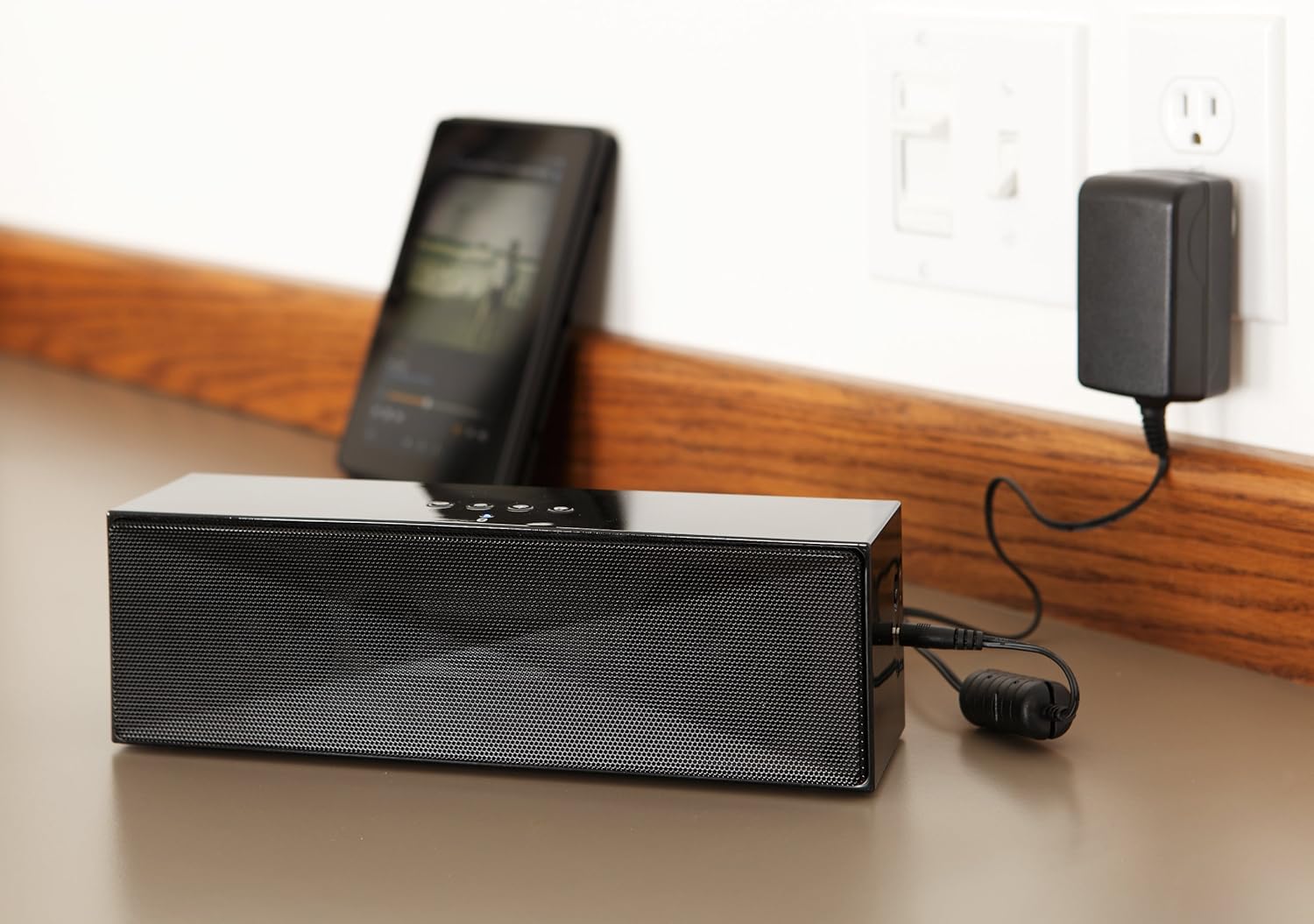
Descriere: This image shows the speaker placed on a surface, with its AC power adapter plugged into a wall outlet, illustrating the charging process.
5.2. Pornire/Oprire
Slide the ON/OFF switch located on the side panel to the "ON" position to power on the speaker. Slide it to the "OFF" position to power off.
6. Instrucțiuni de utilizare
6.1. Asociere Bluetooth
- Ensure the speaker is powered on. The LED indicator will flash, indicating it is in pairing mode.
- Pe dispozitivul compatibil Bluetooth (smartphone, tabletă, laptop), activați Bluetooth și căutați dispozitivele disponibile.
- Select "Amazon Basics BTV3_2" from the list of devices.
- Once paired, the LED indicator on the speaker will glow solid blue.
- The speaker can connect to devices up to 30 feet (10 meters) away.

Descriere: This image shows the speaker positioned next to a tablet displaying a music playback interface, demonstrating a typical Bluetooth connection scenario.
6.2. Connecting via AUX Cable
- Connect one end of a 3.5mm stereo audio cable (not included) to the AUX port on the speaker.
- Conectați celălalt capăt al cablului la mufa de ieșire audio a dispozitivului.
- Difuzorul va comuta automat în modul de intrare AUX.
6.3. Apeluri hands-free
The speaker features a built-in microphone for hands-free calls when connected via Bluetooth.
- Răspunsul la un apel: Apăsați butonul Bluetooth/Apel o dată.
- Încheierea unui apel: Apăsați butonul Bluetooth/Apel o dată în timpul unui apel.
- Respingerea unui apel: Apăsați și mențineți apăsat butonul Bluetooth/Apel.
7. Întreținere
- Curățați difuzorul cu o lavetă moale și uscată. Nu utilizați agenți de curățare lichizi sau aerosoli.
- Depozitați difuzorul într-un loc răcoros și uscat atunci când nu îl utilizați pentru perioade lungi de timp.
- Evitați să scăpați difuzorul sau să îl supuneți la impacturi puternice.
8. Depanare
| Problemă | Cauza posibila | Soluţie |
|---|---|---|
| Difuzorul nu pornește. | Bateria este epuizată. | Connect the speaker to the AC power adapter and charge it. |
| Nu se poate conecta prin Bluetooth. | Speaker is not in pairing mode; device Bluetooth is off; device is out of range. | Ensure speaker LED is flashing; enable Bluetooth on your device; move device closer to the speaker (within 30 feet/10 meters). |
| Niciun sunet sau volum redus. | Volume on speaker or connected device is too low; incorrect input source. | Increase volume on both the speaker and your connected device. Ensure correct connection (Bluetooth or AUX). |
| Speaker turns off automatically when using AUX. | Automatic power-off feature activated due to prolonged silence. | This model may have an automatic power-off feature after a period of inactivity or silence, even when connected via AUX. To resume playback, power the speaker off and then on again using the side switch. |
| Distorsiunea sunetului. | Volume too high; weak battery; interference. | Reduce volume; charge the speaker; move away from other electronic devices. |
9. Specificații
| Caracteristică | Detaliu |
|---|---|
| Numărul de model | BTV3_2 |
| Dimensiuni (L x l x H) | 10.2 x 2.9 x 3.1 inchi (25.9 x 7.4 x 7.9 cm) |
| Greutate | 1.61 lire (0.73 kg) |
| Ieșire difuzor | 2 x 5W (10W în total) |
| Conectivitate | Bluetooth, 3.5 mm AUX |
| Gama Bluetooth | Până la 30 de picioare (10 metri) |
| Durata de viață a bateriei | Până la 8 ore |
| Capacitatea bateriei | 8000 mAh |
| Microfon încorporat | Da |
| Sursa de alimentare | Alimentat de la baterie, adaptor CA |
| Material | Plastic |

Descriere: This image provides a visual representation of the speaker's dimensions, showing its length (10.2"), width (2.9"), and height (3.1").
10. Garanție și asistență
Pentru informații despre garanție și asistență pentru clienți, vă rugăm să consultați documentația inclusă odată cu achiziția sau să vizitați site-ul oficial Amazon Basics. webPăstrați dovada achiziției pentru reclamații în garanție.
Suport online: Magazinul Amazon Basics