
Informații importante privind siguranța
Please read these instructions carefully before using the shredder. Keep this manual for future reference.
- Țineți copiii și animalele de companie departe de tocător.
- Nu lăsați hainele largi, bijuteriile, părul și alte obiecte străine să se apropie de orificiul tocătorului de documente.
- Do not insert fingers or hands into the shredder opening.
- Deconectați distrugătorul de documente atunci când nu îl utilizați sau înainte de curățare.
- Do not shred metal objects, large paper clips, or hard plastic (except credit cards as specified).
- Nu utilizați produse cu aerosoli, lubrifianți pe bază de petrol sau alte produse inflamabile pe sau în apropierea tocătorului.
- Nu folosiți tocătorul de documente dacă cablul de alimentare este deteriorat.
- The shredder is equipped with overheat protection. If it overheats, it will automatically shut off. Allow it to cool down before resuming operation.
Conținutul pachetului
Asigurați-vă că toate articolele sunt prezente:
- Amazon Basics AS665C Paper Shredder Unit
- Coș de gunoi
- Manual de instrucțiuni (acest document)
Înființat
- Despachetați distrugătorul: Scoateți cu grijă toate componentele din ambalaj.
-
Position the Waste Bin: Place the shredder head securely on top of the provided waste bin. Ensure it is properly seated.
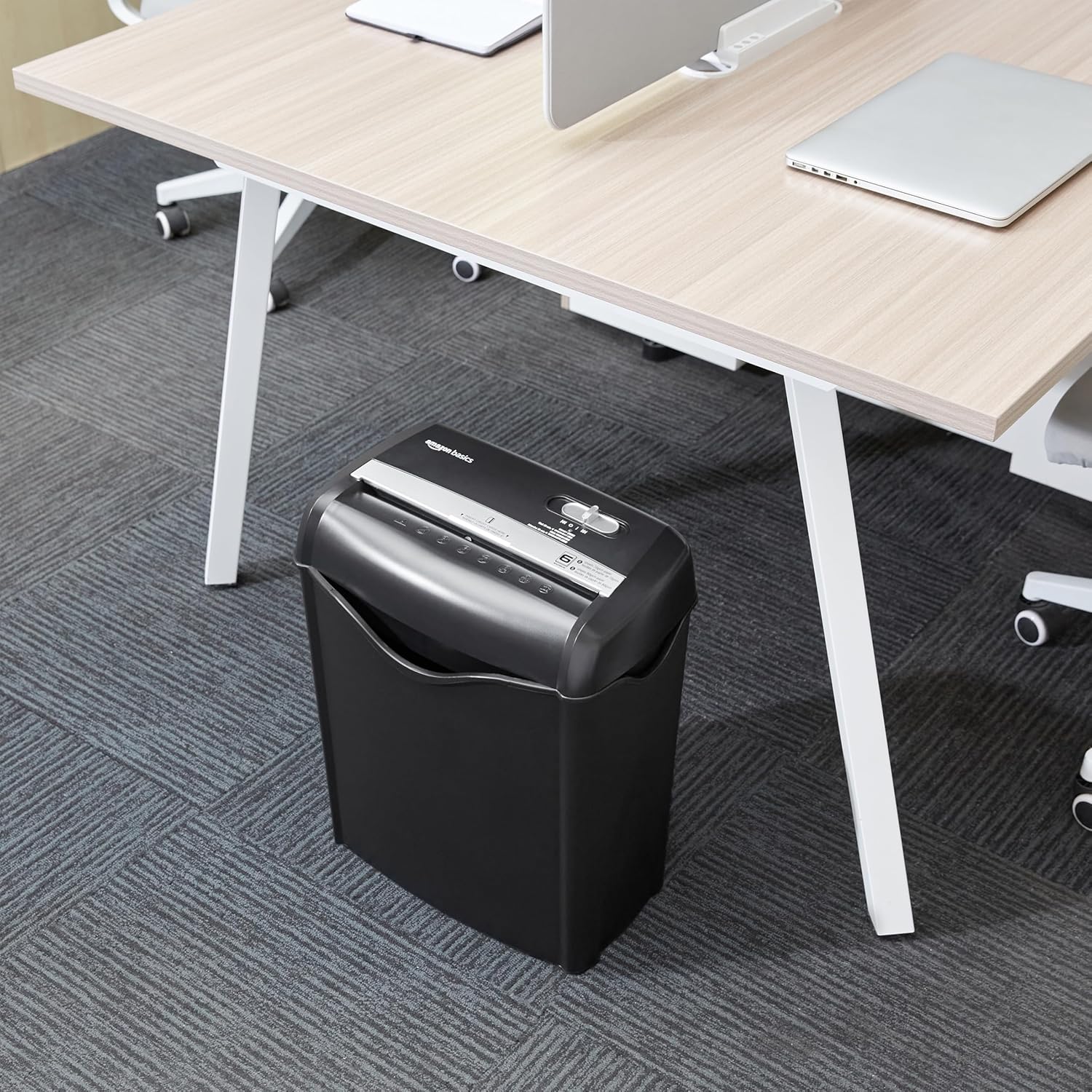
Image: The Amazon Basics AS665C Paper Shredder positioned under a desk, demonstrating its compact size and ease of placement in an office or home environment.
- Conectare alimentare: Conectați cablul de alimentare la o priză electrică standard.
Instrucțiuni de operare
Comutator de control
The shredder features a slide switch with three positions:
- AUTO (I): Distrugătorul va porni automat când este introdusă hârtia și se va opri când distrugerea este completă.
- OPRIT (O): Tocătorul de documente este oprit.
- REV (<<): Activates the reverse function to clear paper jams.

Imagine: O imagine detaliată view of the shredder's control switch, showing the "AUTO", "OFF", and "REV" settings, along with the "READY" (green) and "OVERHEAT" (red) indicator lights.
Shredding Documents
- Selectați modul: Setați comutatorul de control pe AUTO (I) position. The "READY" indicator light (green) will illuminate.
-
Introduceți hârtie: Insert up to 6 sheets of 70gsm paper (or 5 sheets of 80gsm paper) straight into the paper entry slot. The shredder will automatically start and stop.
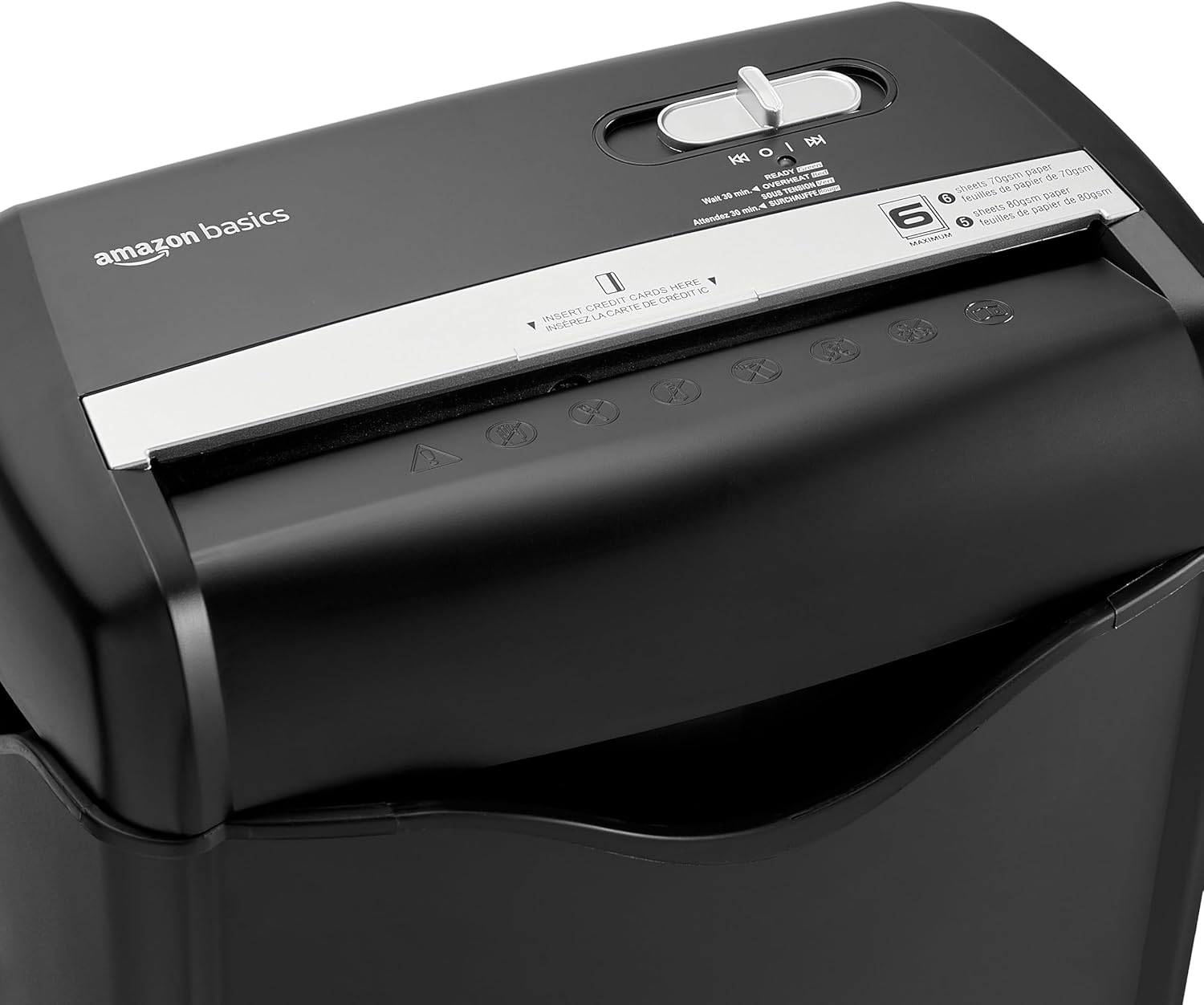
Imagine: Sus view of the shredder, highlighting the paper entry slot, the control switch, and the "MAXIMUM" sheet capacity label.

Image: A close-up of the shredder's label indicating the maximum sheet capacity: 6 sheets of 70gsm paper or 5 sheets of 80gsm paper.
-
Distrugerea cardurilor de credit: Introduceți câte un card de credit pe rând în slotul dedicat pentru carduri de credit.

Imagine: Un prim-plan view of the shredder's dedicated slot for inserting credit cards, clearly labeled "INSERT CREDIT CARDS HERE".
- Protecție la supraîncălzire: The shredder will automatically shut off if it runs continuously for too long or if the motor overheats. The "OVERHEAT" indicator light (red) will illuminate. Allow the shredder to cool down for approximately 30 minutes before resuming operation.

Image: A pile of cross-cut shredded paper, demonstrating the small particle size for enhanced security. A quarter coin is placed next to it for scale.
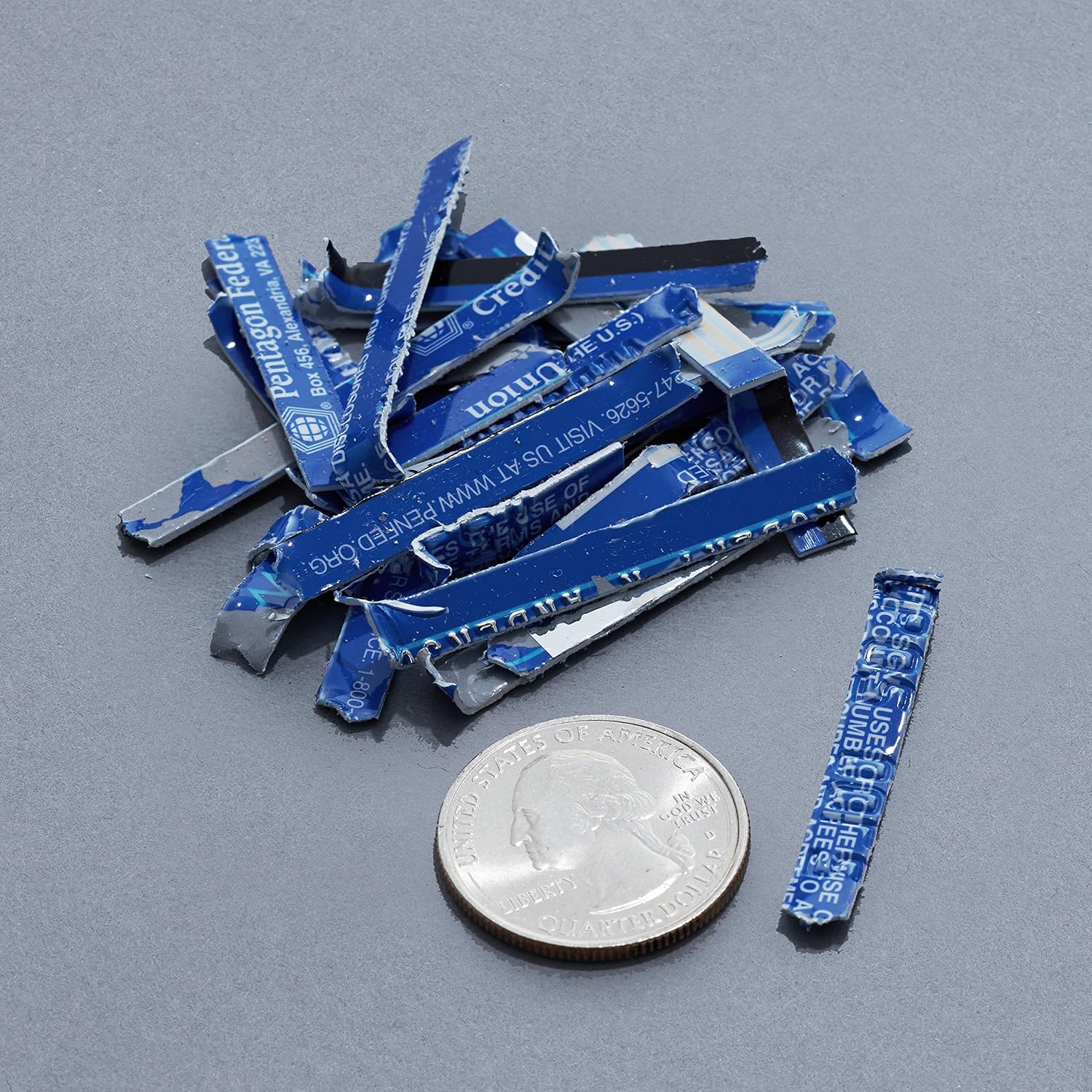
Image: A collection of shredded credit card pieces, illustrating the secure destruction of plastic cards. A quarter coin is included for size reference.
Întreţinere
Golirea coșului de gunoi
Regularly empty the waste bin to prevent paper jams and ensure optimal performance. Unplug the shredder before removing the head to empty the bin.
Curatenie
- Deconectați distrugătorul de documente înainte de curățare.
- Wipe the exterior of the shredder with a soft, dry cloth.
- Nu utilizați agenți de curățare abrazivi sau solvenți.
- For optimal performance, periodically oil the shredder blades with shredder oil sheets or liquid shredder oil. Follow the oil product's instructions.
Depanare
| Problemă | Cauza posibila | Soluţie |
|---|---|---|
| Tocătorul de documente nu pornește. |
|
|
| Blocaj de hârtie. |
|
|
| Tocătorul se oprește în timpul funcționării. |
|
|
Specificații
| Caracteristică | Detaliu |
|---|---|
| Marca | Bazele Amazon |
| Numărul de model | AS665C (Manufacturer Model: AS662C-EU) |
| Tipul de maruntire | Decupat transversal |
| Capacitate foi | 6 sheets (70gsm paper) / 5 sheets (80gsm paper) |
| Bucăți | Hârtie, carduri de credit |
| Sursa de alimentare | Electric cu fir |
| Caracteristici speciale | Portable, Overheat Protection, Manual Reverse |
| Dimensiuni produs (L x l x H) | 30.7 x 19.6 x 38.1 cm (12.1 x 7.7 x 15 țoli) |
| Greutatea produsului | 3.72 kg (8.2 lbs) |
| Material | Plastic și Metal |
Garanție și suport
For warranty information and customer support, please refer to the Amazon Basics website-ul web sau contactați direct serviciul clienți Amazon. Păstrați bonul fiscal pentru reclamații în garanție.