
Introducere
This manual provides instructions for the installation, operation, and maintenance of your Sitecom WLA-3001 AC450 Wi-Fi 5GHz USB Adapter. This device is designed to upgrade your notebook or desktop PC to the latest 802.11ac Wi-Fi technology, enabling fast and reliable 5GHz wireless connectivity.
- 802.11ac Technology: Utilizes the latest generation Wi-Fi standard for enhanced performance.
- Viteza wireless: Offers a wireless throughput of up to 450 Mbps.
- 5GHz Adapter: Adds 5GHz band support to your device, reducing interference and improving speed.
- High-Performance Antenna: Features one internal high-performance antenna for optimal signal reception.
- Nano Design: Compact size allows it to remain permanently connected to your device without obstruction.
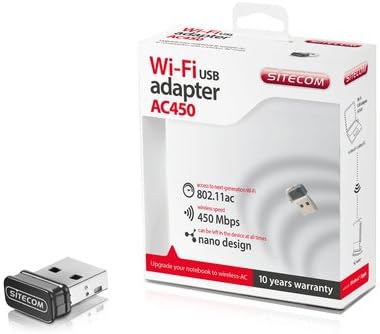
Image: The Sitecom WLA-3001 AC450 Wi-Fi 5GHz USB Adapter shown alongside its retail box, highlighting its compact size and packaging details.
Instrucțiuni de configurare
Follow these steps to install and set up your Sitecom WLA-3001 USB Adapter.
1. Instalare hardware
- Introduceți adaptorul: Carefully insert the Sitecom WLA-3001 USB Adapter into an available USB port on your laptop or desktop computer. Ensure it is fully seated.
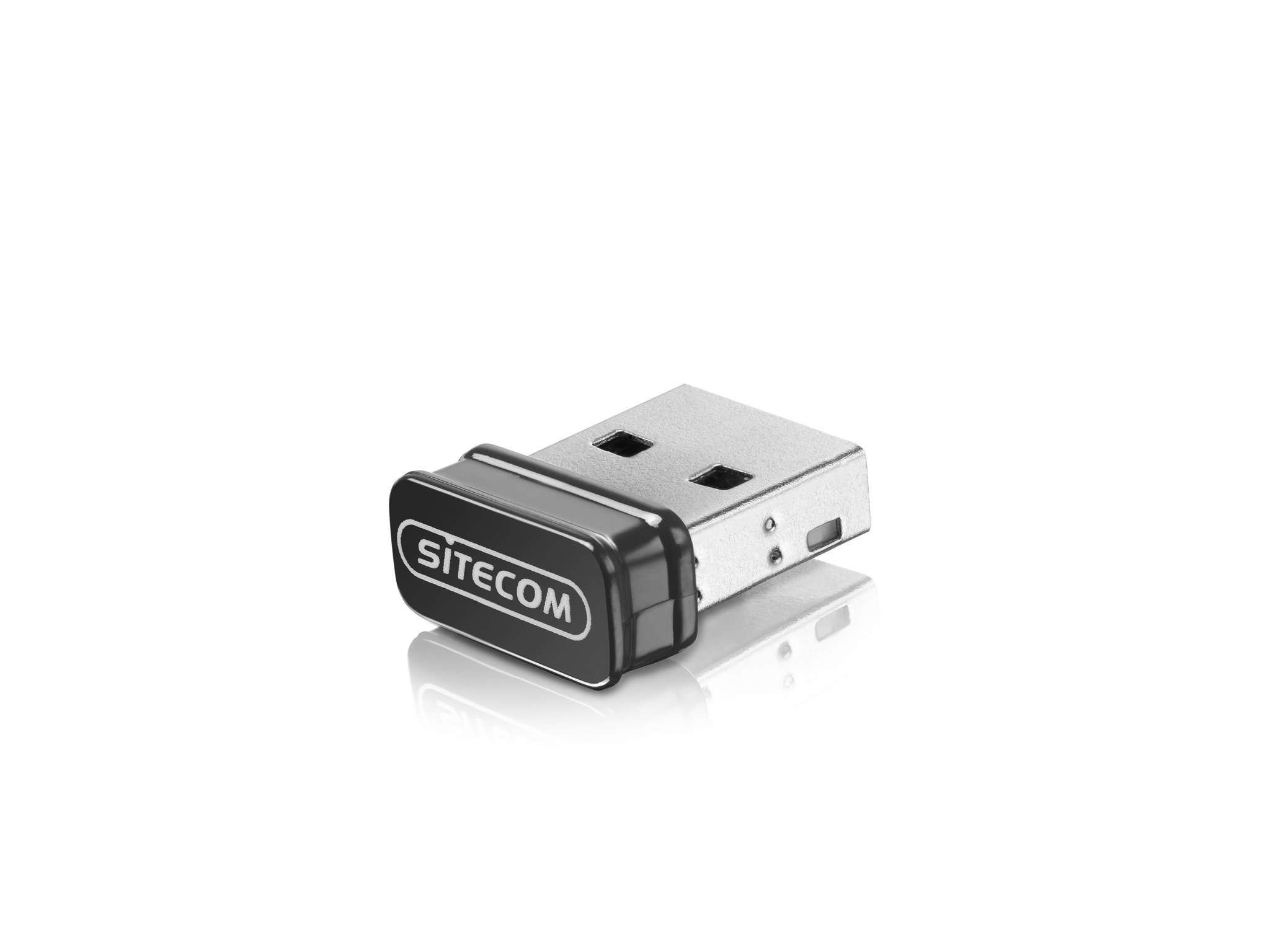
Image: The Sitecom WLA-3001 USB Adapter plugged into the side USB port of a laptop, showing its low-profile proiecta.
2. Instalarea driverului
Upon inserting the adapter, your operating system may automatically detect and install the necessary drivers. If not, follow these steps:
- Check for Auto-Installation: Wait a few moments to see if your operating system (Windows, macOS, Linux) automatically installs the drivers. A notification usually appears upon successful installation.
- Instalare manuală a driverului: If drivers are not installed automatically, you may need to download them from the official Sitecom support website-ul. Caută 'WLA-3001 drivers' on www.sitecom.com. Follow the on-screen instructions provided by the installer.
- Verificați instalarea: After installation, check your computer's Device Manager (Windows) or System Information (macOS) to ensure the adapter is recognized and functioning correctly.
3. Conectarea la o rețea Wi-Fi
După instalarea adaptorului, vă puteți conecta la o rețea wireless:
- Accesați setările de rețea: Faceți clic pe pictograma Wi-Fi din bara de sistem (Windows) sau din bara de meniu (macOS).
- Selecteaza reteaua: A list of available wireless networks will appear. Select your desired 5GHz network (often indicated by '5G' or '5GHz' in the network name).
- Introduceți parola: If prompted, enter the network security key (Wi-Fi password) and click 'Connect'.
- Confirmați conexiunea: The adapter's LED indicator may light up or blink to confirm an active connection. Your device should now be connected to the internet via the 5GHz band.
Instrucțiuni de operare
The Sitecom WLA-3001 adapter operates automatically once connected and configured. Here are some operational considerations:
- Reconectare automată: The adapter is designed to automatically reconnect to previously configured networks when within range.
- 5GHz Band Advantage: Utilizing the 5GHz band provides higher speeds and less interference compared to the 2.4GHz band, ideal for streaming, gaming, and large file transfers. Ensure your wireless router also supports 5GHz.
- Puterea semnalului: For optimal performance, ensure your device is within a reasonable range of your 5GHz Wi-Fi router. While 5GHz offers higher speeds, its range can be shorter and more susceptible to obstacles than 2.4GHz.
Întreţinere
To ensure the longevity and optimal performance of your Sitecom WLA-3001 USB Adapter, consider the following maintenance tips:
- Păstra curat: Periodically clean the adapter with a soft, dry cloth. Avoid using liquid cleaners or solvents.
- Protejați împotriva daunelor: Due to its nano design, it can remain in the USB port. However, be mindful of physical impacts that could damage the adapter or the USB port.
- Actualizări ale driverului: Regularly check the Sitecom website for updated drivers. Keeping your drivers current can improve performance, stability, and security.
- Depozitare: If removing the adapter for storage, keep it in a safe, dry place away from extreme temperatures.
Depanare
If you encounter issues with your Sitecom WLA-3001 USB Adapter, try the following solutions:
- Adaptorul nu a fost detectat:
- Asigurați-vă că adaptorul este introdus complet în portul USB.
- Încercați un alt port USB pe computer.
- Reporniți computerul.
- Check Device Manager (Windows) or System Information (macOS) to see if the adapter is listed. If there's an error, reinstall the drivers.
- Nu se poate conecta la Wi-Fi:
- Verificați dacă routerul Wi-Fi este pornit și transmite semnal.
- Ensure you are selecting the correct network and entering the correct password.
- Reporniți routerul și modemul Wi-Fi.
- Verificați dacă alte dispozitive se pot conecta la aceeași rețea Wi-Fi.
- Confirm your router supports 5GHz Wi-Fi and that the 5GHz band is enabled.
- Viteză mică de conectare:
- Ensure you are connected to a 5GHz network, not a 2.4GHz network.
- Mută-te mai aproape de routerul Wi-Fi pentru a îmbunătăți puterea semnalului.
- Minimize physical obstructions (walls, large furniture) between the adapter and the router.
- Update your adapter's drivers to the latest version.
- Verificați dacă există alte dispozitive din rețeaua dvs. care ar putea consuma lățime de bandă.
- Deconectări frecvente:
- Ensure the adapter is securely plugged into the USB port.
- Verificați dacă există actualizări de drivere.
- Consider changing the Wi-Fi channel on your router to avoid interference from neighboring networks.
- Ensure your computer's power management settings are not turning off the USB port to save power.
Specificații
| Caracteristică | Detaliu |
|---|---|
| Marca | Sitecom |
| Numărul de model | WLA-3001 |
| Serie | AC450 Wi-Fi 5GHz USB Adapter |
| Culoare | Negru |
| Tip de tehnologie fără fir | 802.11a, 802.11n, 802.11ac |
| Protocol de legătură de date | IEEE 802.11a, IEEE 802.11ac, IEEE 802.11n, USB |
| Rata de transfer de date | 450 Mbps (Wireless), 480 Mbps (USB) |
| Interfață hardware | USB |
| Bluetooth | Nu |
| Dimensiuni articol (L x l x H) | 5.2 x 13.1 x 15.5 cm (Note: These dimensions seem unusually large for a nano adapter and might refer to packaging or a different product. The adapter itself is very small.) |
| Prima dată disponibilă | 4 aprilie 2014 |
Informații despre garanție
The Sitecom WLA-3001 AC450 Wi-Fi 5GHz USB Adapter comes with a manufacturer's warranty of 2 years from the date of purchase. Please retain your proof of purchase for warranty claims. The warranty covers defects in materials and workmanship under normal use. It does not cover damage caused by misuse, accidents, unauthorized modifications, or external factors.
For detailed warranty terms and conditions, please refer to the official Sitecom website-ul sau contactați serviciul de asistență pentru clienți.
Sprijin
For further assistance, technical support, or to download the latest drivers and firmware for your Sitecom WLA-3001 USB Adapter, please visit the official Sitecom support website:
You may also find frequently asked questions (FAQs) and additional resources on their website-ul.