
Introducere
Thank you for choosing the Tascam TH-200X Studio Headphones. These closed-back headphones are designed for accurate audio monitoring, mixing, and general music listening. They feature a lightweight, durable construction with comfortable padding for extended use. This manual provides essential information for the proper setup, operation, maintenance, and troubleshooting of your TH-200X headphones.
Ce este în cutie
Vă rugăm să verificați dacă toate următoarele articole sunt incluse în pachetul dumneavoastră:
- Tascam TH-200X Studio Headphones
- Attached Audio Cable (3.5mm jack)
- 6.35mm (1/4-inch) Screw-on Adapter
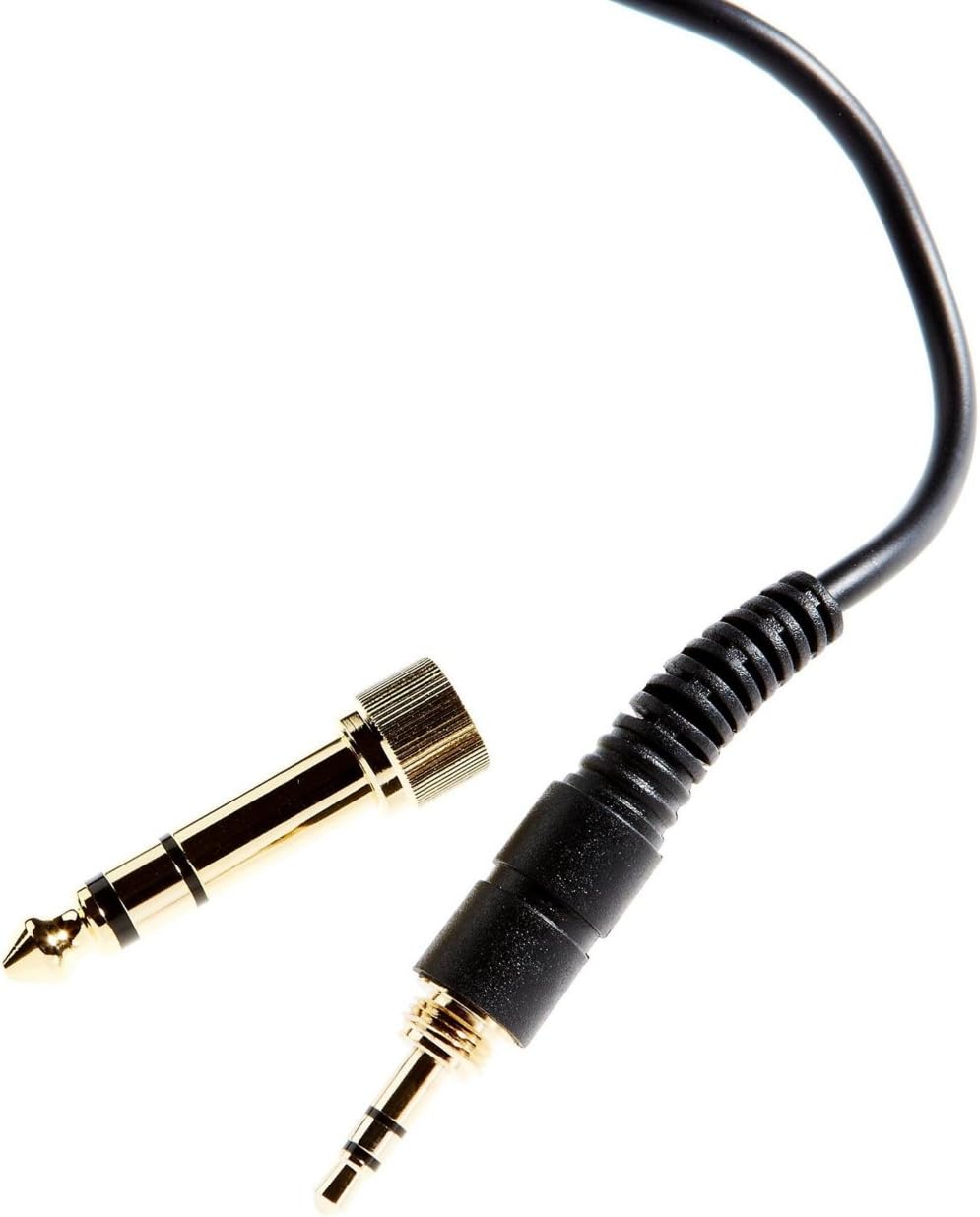
Image: The included 3.5mm audio jack and the detachable 6.35mm (1/4-inch) screw-on adapter for wider compatibility with audio equipment.
Instrucțiuni de configurare
- Despachetarea: Scoateți cu grijă căștile și toate accesoriile din ambalaj.
- Conectarea la o sursă audio:
- For devices with a 3.5mm headphone jack (e.g., smartphones, laptops), simply plug the attached 3.5mm cable directly into the audio output.
- For devices with a 6.35mm (1/4-inch) headphone jack (e.g., audio interfaces, mixing consoles, amplifiers), screw the provided 6.35mm adapter onto the 3.5mm jack before plugging it into the audio output. Ensure the adapter is securely fastened.
- Ajustarea potrivirii:
- Place the headphones over your ears, ensuring the earcups fully enclose your ears for optimal sound isolation and comfort.
- Adjust the headband by sliding the earcups up or down along the stainless steel frame until a comfortable and secure fit is achieved. The 'L' and 'R' indicators on the inside of the headband denote the left and right earcups, respectively.

Imagine: Laterală view of the Tascam TH-200X headphones, highlighting the branding and the 'L' indicator for the left earcup.
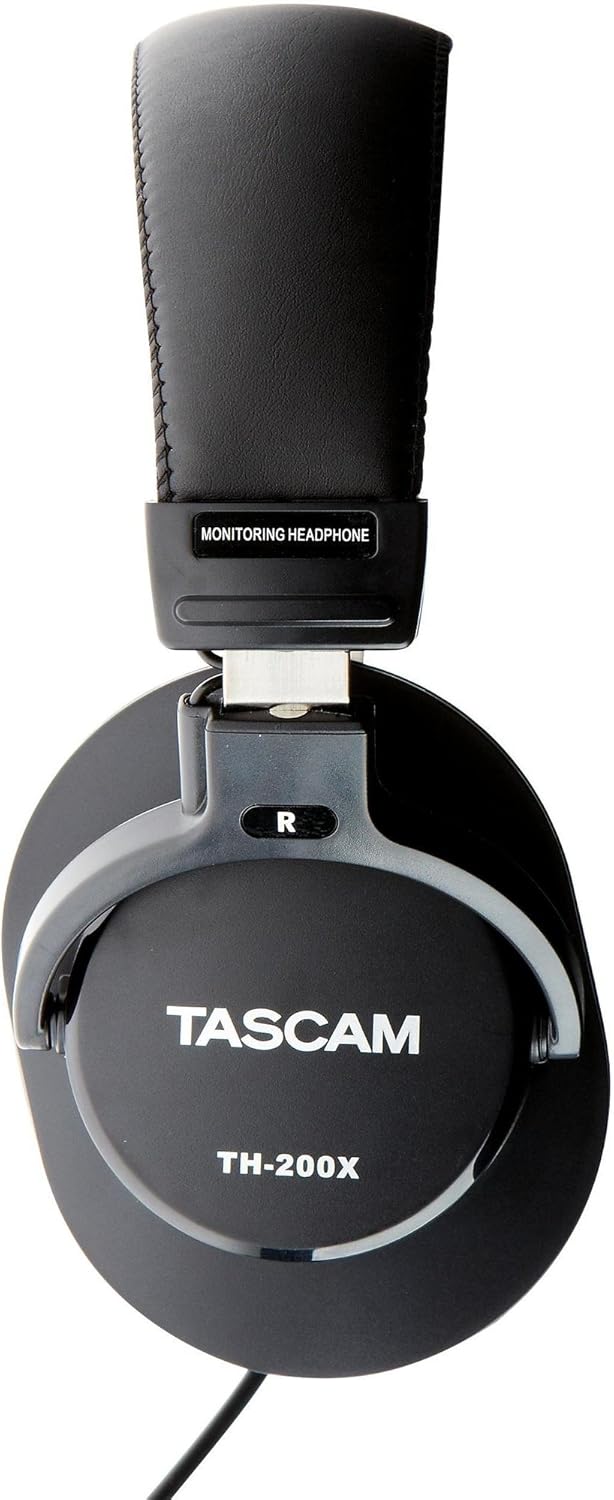
Imagine: Laterală view of the Tascam TH-200X headphones, highlighting the branding and the 'R' indicator for the right earcup.
Instrucțiuni de operare
- Controlul volumului: Adjust the volume directly from your connected audio source (e.g., computer, audio interface, smartphone). The TH-200X headphones do not feature inline volume controls.
- Ascultați în siguranță: To prevent hearing damage, avoid listening at high volumes for extended periods. Start with a low volume and gradually increase it to a comfortable level.
- Utilizare prevăzută: These headphones are optimized for studio monitoring and mixing, providing a neutral sound reproduction. They are also suitable for general music listening.
Întreţinere
- curatenie:
- Ștergeți căștile și banda pentru cap cu o lavetă moale și uscată.
- Pentru murdăria persistentă, dreaptă ușorampClătiți cârpa cu apă. Evitați utilizarea substanțelor chimice dure sau a produselor de curățare abrazive.
- Do not immerse the headphones in water or any other liquid.
- Depozitare:
- Depozitați căștile într-un loc curat și uscat, ferit de temperaturi extreme și de lumina directă a soarelui.
- Evitați să așezați obiecte grele pe căști.
- Îngrijirea cablului:
- Evitați îndoirea sau răsucirea bruscă a cablului.
- Do not pull on the cable to disconnect it from an audio source; always grasp the plug itself.

Imagine: Înclinată view of the Tascam TH-200X headphones, demonstrating the adjustable headband and durable construction.
Depanare
- Fără sunet:
- Ensure the headphone cable is fully plugged into both the headphones and the audio source.
- Verificați nivelul volumului sursei audio și asigurați-vă că nu este dezactivat.
- Testați căștile cu o altă sursă audio sau un alt dispozitiv pentru a exclude o problemă specifică dispozitivului.
- If using the 6.35mm adapter, ensure it is securely screwed onto the 3.5mm jack.
- Sunet distorsionat:
- Lower the volume on your audio source. Excessive volume can cause distortion.
- Ensure the audio cable connections are secure.
- Test with another audio source to determine if the issue is with the headphones or the source.
- Potrivire incomodă:
- Adjust the headband length by sliding the earcups until they sit comfortably over your ears without excessive pressure.
- Ensure the earcups fully cover your ears.
Specificatii tehnice
| Model | TH-200X |
| Marca | Tascam |
| Plasarea urechii | Peste ureche |
| Factor de formă | Peste ureche |
| Controlul zgomotului | Izolarea sunetului |
| Tip de driver audio | Dynamic Driver (40mm Neodymium Magnet) |
| Gama de frecvente | 15Hz–22kHz |
| Tehnologia de conectivitate | Cablat |
| Mufă pentru căști | Mufă de 3.5 mm, mufă de 6.35 mm (cu adaptor) |
| Material | Oțel inoxidabil (cadru) |
| Greutatea articolului | 0.41 kilograme |
| Caracteristici suplimentare | Lightweight, Adjustable, Durable, Retractable Cable |

Imagine: față view of the Tascam TH-200X headphones, showcasing the comfortable padded headband and earcups.
Garanție și suport
Tascam products are manufactured to high-quality standards. For specific warranty information, please refer to the warranty card included with your product or visit the official Tascam website-ul.
For technical support, service, or further inquiries, please visit the official Tascam support page:
Vă rugăm să păstrați dovada achiziției pentru cererile de garanție.
Additionally, if purchased through Amazon, a 30-day refund/replacement policy may apply. Please refer to your Amazon purchase details for more information.