
1. Introducere
This manual provides essential instructions for the safe and efficient operation of your ICOM BC-152 charger. Please read this manual thoroughly before using the charger to ensure proper setup, operation, and maintenance. Keep this manual for future reference.
2. Informații de siguranță
Always observe the following safety precautions to prevent injury, damage to the charger, or damage to the device being charged.
- Use only with compatible ICOM battery packs. Using incompatible batteries may cause fire, explosion, or injury.
- Nu expuneți încărcătorul la ploaie, umezeală sau temperaturi extreme.
- Nu dezasamblați și nu modificați încărcătorul. Apelați la personal calificat pentru orice service.
- Asigurați-vă că voltajul prizeitagcorespunde specificațiilor încărcătorului.
- Țineți încărcătorul departe de sursele de căldură și lumina directă a soarelui.
- Deconectați încărcătorul de la priză atunci când nu îl utilizați sau înainte de curățare.
3. Configurare
3.1 Despachetarea
Carefully remove the ICOM BC-152 charger from its packaging. Verify that all components are present:
- ICOM BC-152 Charger Unit
- AC Adapter (if included)
- Manual de instrucțiuni (acest document)
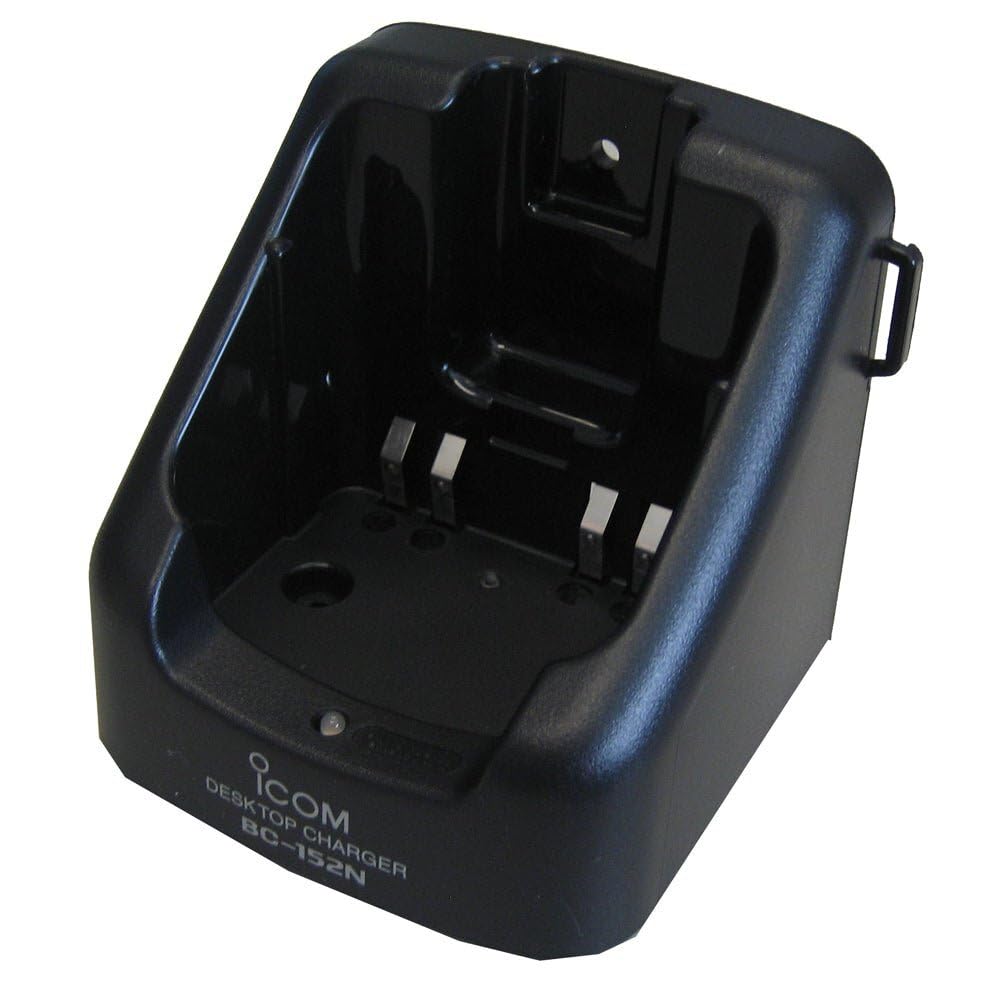
Figure 1: The ICOM BC-152 charger unit. This image shows the compact black charger with a single slot for a battery pack.
3.2 Conectarea puterii
- Connect the AC adapter cable to the DC input jack on the rear of the BC-152 charger unit.
- Conectați adaptorul de curent alternativ la o priză standard de perete.
- Încărcătorul este acum gata de utilizare.
4. Instrucțiuni de utilizare
4.1 Încărcarea unui pachet de baterii
Follow these steps to charge a compatible ICOM battery pack:
- Ensure the charger is connected to a power source as described in Section 3.2.
- Carefully insert the battery pack into the charging slot of the BC-152 charger. Ensure it is seated firmly.
- Observe the charging indicator light.
4.2 Indicatoare luminoase
The BC-152 charger features an LED indicator to show the charging status:
- Roșu (Solid): Bateria se încarcă în prezent.
- Verde (solid): Charging is complete. The battery pack is fully charged.
- Roșu intermitent: Charging error or battery fault. Remove the battery and re-insert. If the error persists, consult the troubleshooting section.
- Fara lumina: Charger is not connected to power, or no battery is inserted.
Charging time may vary depending on the battery's capacity and its current charge level. Typically, a fully depleted battery will take approximately 2-4 hours to charge.
5. Întreținere
5.1 Curățare
Pentru a menține performanța și aspectul optime:
- Deconectați întotdeauna încărcătorul de la priză înainte de curățare.
- Folosiți o lavetă moale și uscată pentru a șterge exteriorul încărcătorului.
- Nu utilizați produse de curățare abrazive, solvenți sau substanțe chimice dure.
- Ensure no moisture enters the charging slot or power input.
5.2 Depozitare
When not in use for extended periods, store the charger in a cool, dry place, away from direct sunlight and extreme temperatures. Disconnect it from the power supply.
6. Depanare
If you encounter issues with your BC-152 charger, refer to the table below for common problems and solutions.
| Problemă | Cauza posibila | Soluţie |
|---|---|---|
| Indicatorul luminos al încărcătorului este stins. | No power supply or battery not inserted. | Check AC adapter connection. Ensure battery is correctly inserted. |
| Indicatorul luminos clipește în roșu. | Battery fault or charging error. | Remove and re-insert the battery. Try a different compatible battery if available. |
| Bateria nu se încarcă. | Faulty battery, charger, or power supply. | Verify power connection. Test with a known good battery. If problem persists, contact support. |
7. Specificații
| Marca | ICOM |
| Model | BC-152 |
| Vol. De intraretage | 12-16V DC (via AC adapter) |
| Ieșire Voltage | 8.4V DC |
| Curent de încărcare | Aproximativ. 450mA |
| Dimensiuni (L×A×D) | Approx. 80 × 50 × 90 mm (3.1 × 2.0 × 3.5 inches) |
| Greutate | 0.18 lire sterline (aproximativ 82 g) |
| Culoare | Negru |
Notă: Specificațiile pot fi modificate fără notificare prealabilă în scopul îmbunătățirii.
8. Informații despre garanție
ICOM products are manufactured with high-quality components and are subject to rigorous quality control. This product is covered by a limited warranty against defects in materials and workmanship. The specific terms and duration of the warranty may vary by region. Please refer to the warranty card included with your purchase or visit the official ICOM website pentru informații detaliate despre garanție.
This warranty does not cover damage caused by misuse, accident, unauthorized modification, or improper installation.
9. Asistență pentru clienți
If you have any questions, require technical assistance, or need to report a problem that cannot be resolved using the troubleshooting guide, please contact ICOM customer support.
ICOM America Inc.
Visit ICOM America's Contact Page
Please have your product model (BC-152) and serial number ready when contacting support.