
1. Produs terminatview
The TP-Link TL-WA750RE is a 150Mbps Universal Wireless Range Extender designed to expand the coverage of an existing wireless network. It eliminates Wi-Fi dead zones by boosting the wireless signal to previously unreachable or hard-to-wire areas. Its compact, wall-mounted design allows for flexible deployment and easy relocation within your home or office.
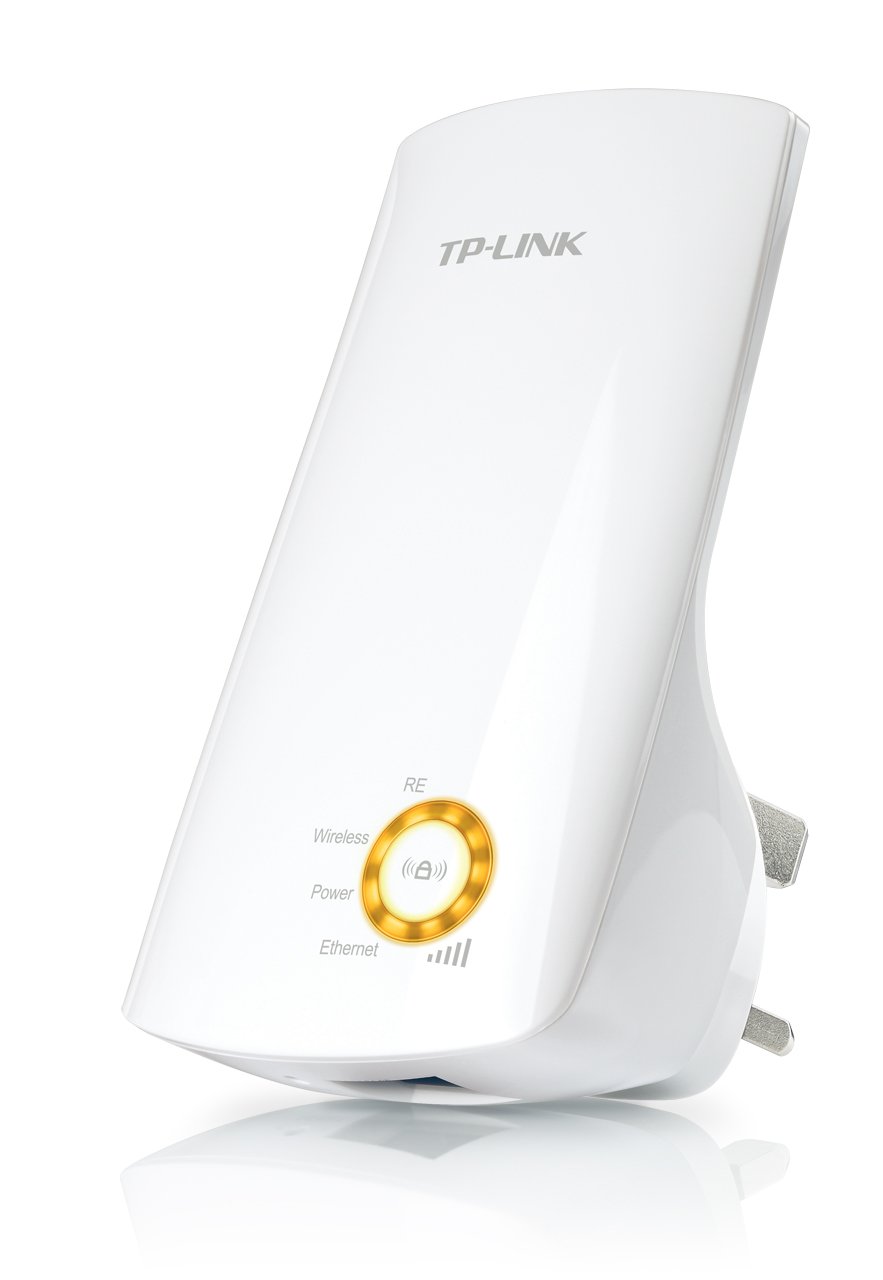
Figura 1: TP-Link TL-WA750RE Universal Wireless Range Extender. This image shows the device in its retail packaging, highlighting its compact design and wall-plug form factor.
2. Caracteristici cheie
- Mod de extindere a gamei: Boosts wireless signal to eliminate Wi-Fi dead zones and extend network coverage.
- Design compact: Small size and wall-mounted design for easy deployment and flexible movement.
- Butonul WPS: Allows for instant setup and secure connection with compatible routers.
- Indicator de semnal inteligent: Helps users find the optimal location for placing the range extender for best performance.
- Universal Compatibilitate: Works seamlessly with all 802.11n/g/b wireless devices.
3. Conținutul pachetului
Pachetul produsului include de obicei următoarele articole:
- TP-Link TL-WA750RE 150Mbps Universal Wireless Range Extender
- Manual de instructiuni
4. Ghid de instalare
4.1. Configurare rapidă folosind butonul WPS
- Conectare: Conectați TL-WA750RE la o priză electrică din apropierea routerului wireless.
- Activați WPS pe router: Apăsați butonul WPS de pe routerul wireless principal. Consultați manualul routerului pentru locația și procedura exacte.
- Activați WPS pe extender: Within two minutes, press the WPS button on the TL-WA750RE. The Signal LED on the extender should begin to flash.
- Așteptați conexiunea: The Signal LED will turn solid blue or green when a successful connection is established.
- Mutați extensia: Unplug the extender and move it to a location between your router and the Wi-Fi dead zone. Ensure the Signal LED indicates a strong connection (e.g., solid blue or green) in the new location.
4.2. Configurare manuală prin Web Browser
- Conectare: Plug the TL-WA750RE into an electrical outlet near your computer.
- Conectare la extender: Connect your computer to the extender's Wi-Fi network (e.g., "TP-LINK_Extender_XXXXXX"). No password is required initially.
- Acces Web Interfata: Deschide a web browser și tip http://tplinkrepeater.net or the extender's default IP address (usually 192.168.0.254) into the address bar.
- Log in: Enter "admin" for both the username and password when prompted.
- Urmați instrucțiunile de pe ecran: Use the Quick Setup wizard to select your main Wi-Fi network and enter its password.
- Mutați extensia: Once configured, unplug the extender and move it to an optimal location between your router and the desired coverage area.
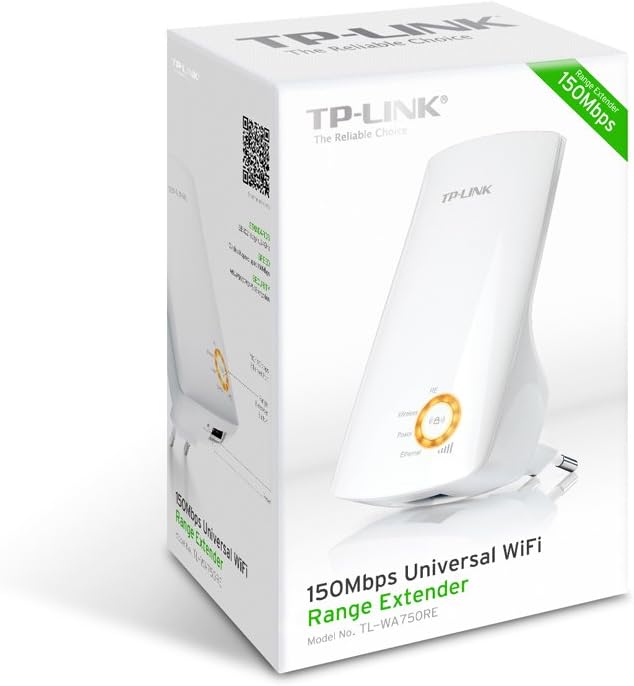
Figura 2: Latura view of the TL-WA750RE. This image illustrates the physical layout of the device, including the WPS button and Ethernet port, which are crucial for setup and operation.
5. Utilizarea amplificatorului de gamă
Once the TL-WA750RE is successfully set up, it will automatically extend your existing Wi-Fi network. Devices within the extended range can connect to the network name created by the extender (e.g., "YourNetworkName_EXT").
5.1. Indicator de semnal inteligent
The Smart Signal Indicator LEDs on the front of the device provide real-time feedback on the signal strength received from your main router. This helps you determine the best placement for the extender:
- Albastru/Verde continuu: Excellent signal strength.
- Roșu continuu: Weak signal strength. Consider relocating the extender closer to your router.
- Off: No connection to the main router.
5.2. Ethernet Port Usage
The TL-WA750RE includes an Ethernet port. This port can be used to connect a wired device, such as a desktop computer, gaming console, or smart TV, to your wireless network, providing a stable wired connection in the extended Wi-Fi area.
6. Întreținere
- curatenie: Folosiți o lavetă moale și uscată pentru curățarea dispozitivului. Nu utilizați agenți de curățare lichizi sau cu aerosoli.
- Plasare: Evitați amplasarea extenderului în lumina directă a soarelui, în apropierea surselor de căldură sau în zone cu umiditate ridicată.
- Actualizări firmware: Verificați periodic oferta oficială TP-Link website pentru actualizări de firmware pentru a asigura performanță și securitate optime.
- Ciclu de alimentare: If the device experiences issues, try unplugging it from the power outlet for 10 seconds and then plugging it back in.
7. Depanare
- Î1: Ce ar trebui să fac dacă nu pot accesa extenderul web pagina de management?
- A1: Ensure your computer is connected to the extender's network. Verify that http://tplinkrepeater.net is correctly typed in the browser. If issues persist, try using the extender's IP address (e.g., 192.168.0.254) or reset the extender to factory defaults.
- Q2: My extended network has poor signal or frequent disconnections.
- A2: Check the Smart Signal Indicator on the extender. If it's red or off, the extender is too far from your main router. Relocate the extender to a position where the indicator shows a strong signal (solid blue/green). Ensure there are no major obstructions between the router and the extender.
- Î3: Cum resetez extenderul la setările implicite din fabrică?
- A3: With the extender powered on, use a pin to press and hold the Reset button (usually a small hole) for approximately 5-10 seconds until all LEDs flash briefly. The extender will then restart with factory default settings.
8. Specificații
| Marca | TP-Link |
| Numărul de model | TL-WA750RE |
| standard wireless | 802.11b/g/n |
| Rata de transfer de date | 150 Mbps |
| Frecvenţă | 2.4 GHz |
| Caracteristici speciale | Smart Signal Indicator, WPS Button |
| Tip conector | RJ45 (Port Ethernet) |
| Greutatea articolului | 0.4 lire sterline |
| Culoare | Alb |
9. Garanție și asistență
9.1. Informații despre garanție
This TP-Link TL-WA750RE device comes with a 2 an garanție de la data achiziției. Vă rugăm să păstrați dovada achiziției pentru reclamațiile în garanție. Garanția acoperă defectele de materiale și de fabricație în condiții normale de utilizare.
9.2. Suport tehnic
Pentru asistență tehnică, depanare sau întrebări suplimentare, vă rugăm să vizitați pagina oficială de asistență TP-Link. website-ul lor sau contactați serviciul lor de asistență pentru clienți. Puteți găsi resurse detaliate de asistență, întrebări frecvente și informații de contact la www.tp-link.com/support.