
1. Introducere și Pesteview
The TRENDnet 8-Port Gigabit GREENnet Switch, model TEG-S82G, is designed to provide high bandwidth performance, ease of use, and reliability for your network. This switch incorporates GREENnet technology, which automatically adjusts power consumption to reduce energy usage by up to 70% without requiring any management. It offers 8 Gigabit Ethernet ports, supporting a total switching capacity of 16 Gbps in full-duplex mode, ensuring smooth data traffic and reducing network bottlenecks. Its compact, lightweight metal housing and fanless design make it suitable for desktop installations and quiet environments.
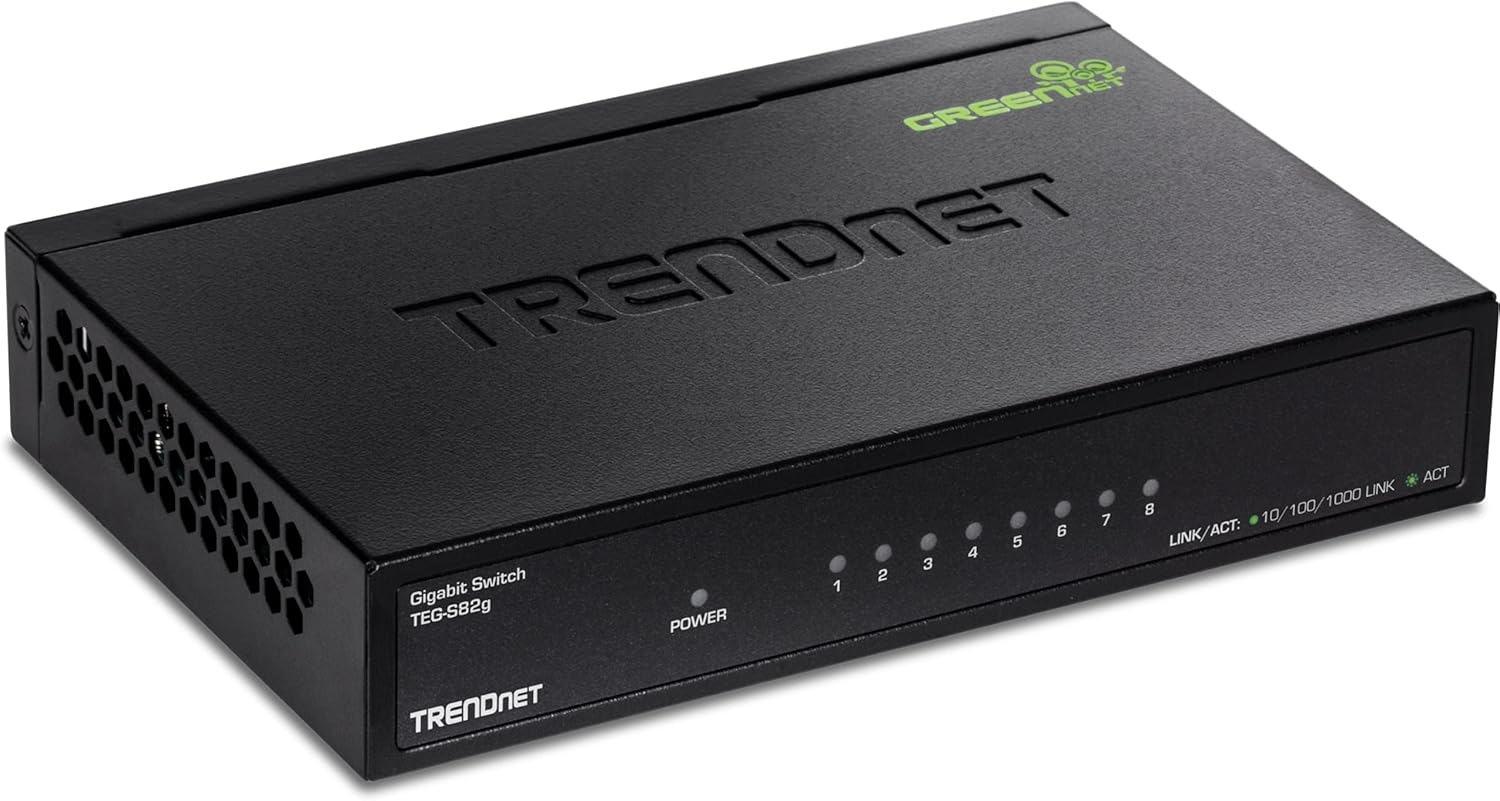
Figure 1: The TRENDnet 8-Port Gigabit GREENnet Switch (TEG-S82G).
2. Conținutul pachetului
Verificați dacă pachetul dvs. conține următoarele articole:
- TRENDnet 8-Port Gigabit GREENnet Switch (TEG-S82G)
- Adaptor de alimentare (5V DC, 1A)
- Ghid de instalare rapidă

Figure 2: Included items: TEG-S82G switch, power adapter, and quick installation guide.
3. Caracteristicile produsului
- 8 Gigabit RJ-45 Ports: Provides high-speed network connections to devices.
- 16 Gbps Switching Capacity: Allows data traffic to flow smoothly, reducing bottlenecks.
- GREENnet Technology: Reduces power consumption by up to 70% by automatically adjusting power as needed.
- Compact and Lightweight Metal Housing: Durable design suitable for desktop installations.
- Design fără ventilator: Ensures quiet operation, ideal for noise-sensitive environments.
- Conectează și utilizează: Easy setup with no software configuration required.
- Montabil pe perete: Oferă opțiuni flexibile de plasare.
- NDAA + TAA Compliant: Meets U.S. integrity and supply chain standards for government contracts (U.S. and Canada Only).
4. Configurare
The TEG-S82G switch is designed for simple plug-and-play installation. No software configuration is required.
- Conectați adaptorul de alimentare: Plug the included power adapter into the DC IN port on the rear of the switch and then into a power outlet. The Power LED on the front panel will illuminate.
- Conectați dispozitivele Ethernet: Connect your network devices (e.g., computers, network-attached storage, routers) to any of the 8 Gigabit RJ-45 ports using standard Ethernet cables.
- Verificați conexiunea: The Link/ACT LED for each connected port will illuminate to indicate an active connection. If the LED is blinking, it signifies data activity.

Figura 3: Spate view of the TEG-S82G switch showing Gigabit ports and DC IN.

Figura 4: Față view of the TEG-S82G switch showing Power and Link/ACT LEDs.
5. Operare
The TEG-S82G operates automatically once connected. Its GREENnet technology optimizes power usage, and LED indicators provide real-time status updates.
Indicatoare LED
- LED de alimentare: Se aprinde când comutatorul este pornit.
- Link/ACT LED (per port):
- Solid Green: Indicates a valid network link at 1000 Mbps (Gigabit speed).
- Solid Amber: Indicates a valid network link at 10/100 Mbps.
- Blinking: Indicates data activity on the port.
- Oprit: Nu s-a detectat nicio legătură de rețea.
GREENnet Technology
This embedded technology automatically detects the length of the connected Ethernet cable and adjusts power usage accordingly. It also reduces power consumption for inactive ports, contributing to significant energy savings without compromising performance.

Figure 5: GREENnet technology saves up to 70% on energy costs.
6. Întreținere
The TEG-S82G is designed for minimal maintenance. Its fanless operation ensures silent performance and reduces potential points of failure. The sturdy metal housing provides durability and helps dissipate heat efficiently.
- Keep the device in a well-ventilated area to ensure optimal heat dissipation.
- Evitați să așezați obiecte grele deasupra comutatorului.
- Clean the exterior with a soft, dry cloth as needed.
7. Depanare
Most issues with the TEG-S82G can be resolved by checking basic connections and power.
- Fără putere: Asigurați-vă că adaptorul de alimentare este conectat corect la comutator și la o priză funcțională. Verificați dacă LED-ul de alimentare este aprins.
- Fără lumină de legătură: Verify that the Ethernet cables are securely connected to both the switch port and the network device. Try using a different Ethernet cable or port. Ensure the connected device is powered on and functioning correctly.
- Conexiune lentă: Ensure all connected devices and cables support Gigabit Ethernet (Cat5e or higher cables are recommended for Gigabit speeds). Check for excessive network traffic or issues with your internet service provider.
As a plug-and-play device, the switch requires no software configuration, simplifying troubleshooting to physical connections and power status.
8. Specificații
| Dimensiunile produsului | 5.9 cm L x 3.8 cm l x 1.1 cm Î |
| Greutatea articolului | 13.4 uncii (380 grame) |
| Voltage | 5 volți |
| Materialul carcasei | Metal |
| Temperatura de operare | 32 până la 104 de grade Fahrenheit |
| Tip de interfață | RJ45 |
| Rata de transfer de date | 2000 Megabits Per Second (Full Duplex) |
| Evaluare curentă | 1 Amps |
| Numărul de porturi | 8 |
| Numărul de model | TEG-S82G |
9. Videoclipuri oficiale ale produselor
Watch these official videos from TRENDnet for more information on the TEG-S82G switch.
Produs terminatview Video
Acest videoclip oferă o imagine generalăview of the TRENDnet 8-Port Gigabit GREENnet Switch, highlighting its key features and benefits.
TRENDnet 8-Port Gigabit GREENnet Switch, TEG-S82G, Ethernet Splitter, Ethernet/Network Switch, 8...
A detailed look at the TRENDnet TEG-S82G, showcasing its functionality as an Ethernet splitter and network switch.
10. Garanție și asistență
- Lifetime Manufacturer Protection: The TEG-S82G 8-Port Gigabit GREENnet Switch is secured with Lifetime Manufacturer Protection from TRENDnet (U.S. and Canada Only).
- Suport tehnic fiabil: Our team of English-speaking advisors, support, and tech experts are available for all your needs during normal business hours.