
1. Introducere
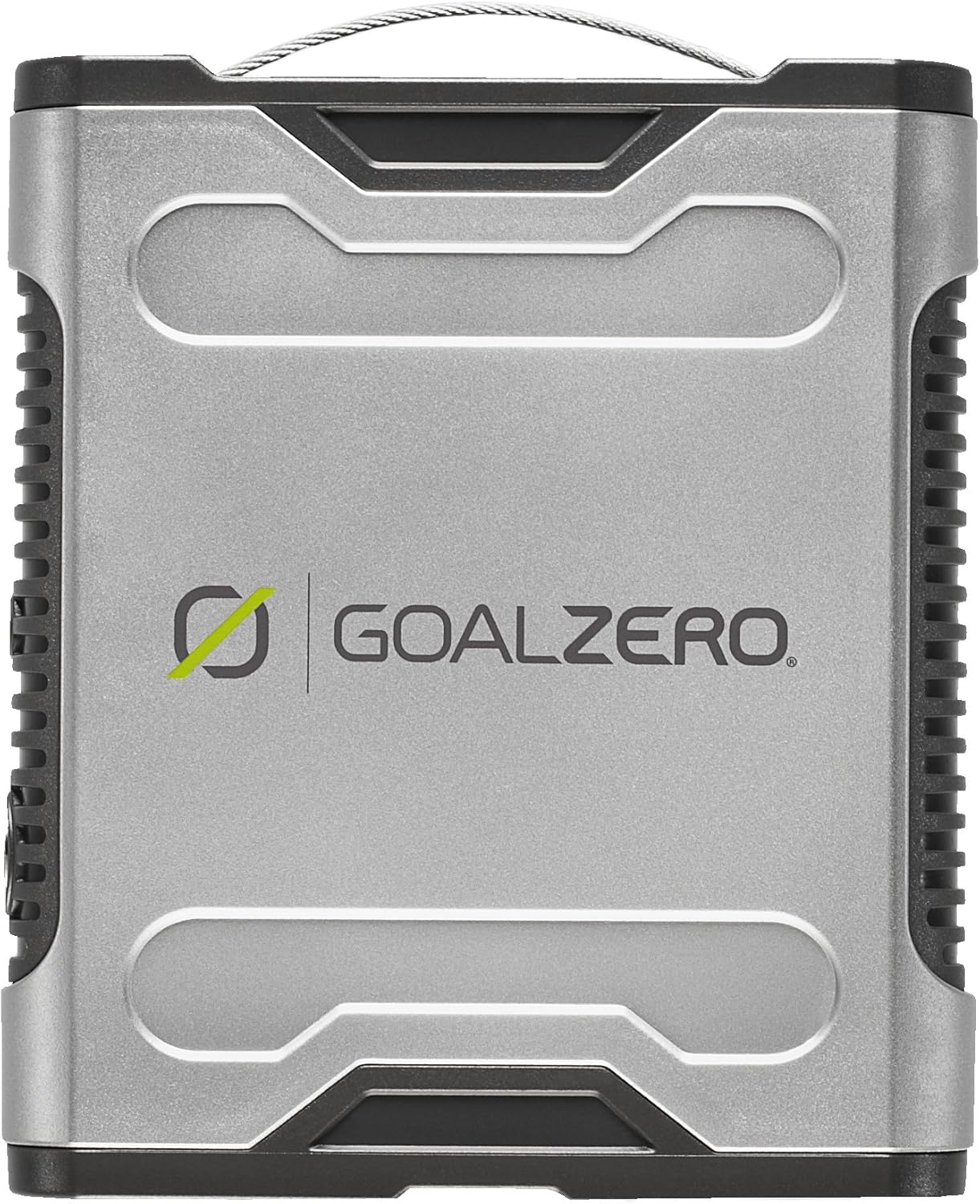
The Goal Zero Sherpa 50 Recharger is a compact and lightweight portable power solution designed to provide power for various electronic devices. It is capable of charging laptops, tablets, cameras, video equipment, DVD players, CPAP machines, and more. This manual provides essential information for the safe and efficient use of your Sherpa 50 Recharger.
2. Configurare și încărcare
Before first use, ensure your Sherpa 50 Recharger is fully charged. The device can be charged using multiple methods:
- Incarcator de perete: Connect the included AC wall charger to the Sherpa 50 and a standard wall outlet. Charging typically takes 2-3 hours.
- Încărcător auto: An optional 12V car charger (sold separately) can be used to charge the unit from your vehicle's 12V outlet. Charging typically takes 4-6 hours.
- Panou solar: The Sherpa 50 is compatible with Goal Zero solar panels, such as the Nomad 13 (sold separately). Connect the solar panel to the Sherpa 50 for solar charging. Charging times vary depending on sunlight intensity, typically 5-10 hours.
Ensure all connections are secure during charging. The device features an indicator to show the current charge level.
3. Instrucțiuni de utilizare
The Sherpa 50 Recharger provides power through various output ports:
- Port USB: Use the standard USB port (5.0V, 1.5A) to charge smartphones, tablets, and other USB-powered devices.
- Laptop Ports: The Sherpa 50 features switchable laptop jacks (12V 6A or 19V 5A) for powering compatible laptops. Ensure you select the correct voltage pentru dispozitivul dvs.
- Optional AC Inverter: A bolt-on inverter (sold separately) can convert the Sherpa 50 into a standard wall plug (117 Volt AC, 75 Watts max) for powering small AC devices. Using the inverter is less efficient than direct DC connections.
Typical run times for devices include 1-3 hours for laptops and 15+ hours for tablets, depending on the device's power consumption.
4. Întreținere
To ensure the longevity and optimal performance of your Sherpa 50 Recharger, follow these maintenance guidelines:
- Încărcare regulată: It is recommended to charge the unit every 3 months if not in regular use, or keep it connected to a charger.
- Depozitare pe termen lung: For storage up to 1 year, discharge the unit to approximately 50% capacity, remove the fuse, and store it in a cool, dry place.
- curatenie: Keep the unit clean and free from dust and debris. Use a dry cloth for cleaning.
- Temperatură: Avoid exposing the unit to extreme temperatures. Some warmth during charging is normal.
5. Depanare
If you encounter issues with your Sherpa 50 Recharger, consider the following:
- Dispozitivul nu se încarcă: Ensure the Sherpa 50 has sufficient charge. Check all cable connections for proper seating. Verify the correct voltage setting for laptop charging.
- Încărcare lentă: Charging times can vary based on the power source (wall, car, solar) and the power consumption of the connected device. For solar charging, ensure the panel is in direct sunlight.
- Fără putere de ieșire: Check if the Sherpa 50 is turned on. Confirm the output port is active. If using an inverter, ensure it is properly connected and within its wattage limită.
- Supraîncălzire: While some warmth is normal, excessive heat may indicate an issue. Disconnect devices and allow the unit to cool. Ensure proper ventilation.
If problems persist, contact Goal Zero customer support.
6. Specificații
| Caracteristică | Detaliu |
|---|---|
| Marca | Golul Zero |
| Numărul de model | 11004 |
| Wattage | 50 wați |
| Greutatea articolului | 1.1 lire sterline |
| Culoare | Argint |
| Sursa de alimentare | Solar Powered (with optional panel) |
| Tehnologia de conectivitate | USB |
| Total porturi USB | 1 |
| Componente incluse | 1 x AC wall charger |
| Dispozitive compatibile | iPod, Laptop/Notebook Computers, PDA, CPAP, Camera, Video, DVD Player |
| Tip conector de alimentare principal | 2 Pin |
| Portabil | Da |
| GTIN / UPC | 659763157539, 772259156585, 847974000625 |
7. Garanție și asistență
The Goal Zero Sherpa 50 Recharger comes with a 1 Year Repair/Replace Warranty. For warranty claims, technical support, or further assistance, please visit the official Goal Zero website-ul sau contactați departamentul de servicii pentru clienți.
Official Goal Zero Store: Visit the Goal Zero Store on Amazon
8. Media produsului
Imagini de produs




Videoclipuri oficiale despre produse
Goal Zero Nation Shares the Sun
This video highlights Goal Zero's involvement in disaster relief efforts, showcasing how their portable power solutions, including units similar to the Sherpa 50, provide essential power and lighting to communities affected by outages. It demonstrates the practical application of Goal Zero products in critical situations.
Goal Zero Brand Video - Power. Anything. Anywhere.
An official brand video from Goal Zero, illustrating the diverse applications of their portable power products across various human experiences, from outdoor adventures and remote work to emergency preparedness and community support. It emphasizes the brand's commitment to providing power solutions for any situation, anywhere.