
1. Introducere
Mulțumesc pentru achizițieasing the Sharp XL-HF201P Micro Hi-Fi System. This system is designed to provide high-quality audio playback from various sources, including CDs, USB devices, and iPods. This manual provides essential information for the safe and efficient operation of your new audio system. Please read it thoroughly before use and retain it for future reference.
2. Informații importante privind siguranța
- Sursa de alimentare: Conectați unitatea doar la o priză de curent alternativ de tipultage specified on the unit's rear panel.
- Ventilare: Asigurați o ventilație adecvată. Nu blocați orificiile de ventilație. Evitați așezarea unității pe suprafețe moi care ar putea bloca orificiile de ventilație.
- Apă și umiditate: Nu expuneți unitatea la ploaie, umezeală sau lichide care picură/stropi. Nu așezați obiecte umplute cu lichide, cum ar fi vaze, pe unitate.
- Căldură: Țineți unitatea departe de surse de căldură, cum ar fi calorifere, registre de căldură, sobe sau alte aparate (inclusiv ampliificatori) care produc căldură.
- curatenie: Deconectați unitatea de la priza de perete înainte de curățare. Folosiți doar o cârpă uscată.
- Service: Nu încercați să reparați singur acest produs. Consultați toate lucrările de service către personalul calificat de service.
3. Conținutul pachetului
Vă rugăm să verificați dacă toate articolele enumerate mai jos sunt incluse în pachetul dumneavoastră:
- Main Unit (CD Player/Receiver)
- Left Speaker (x1)
- Right Speaker (x1)
- Telecomandă (cu 2 baterii AA)
- Antena FM
- Antenă buclă AM
- Cablu de alimentare
- Manual de instrucțiuni (acest document)
4. Configurare
4.1 Despachetarea și plasarea
Carefully remove all components from the packaging. Place the main unit and speakers on a stable, flat surface. Ensure there is sufficient space around the unit for proper ventilation.
4.2 Conectarea difuzoarelor
Connect the speaker wires to the corresponding terminals on the main unit and speakers. Match the positive (+) and negative (-) terminals. For optimal sound, ensure the wires are securely connected. If the speaker wires do not insert directly into the screw-knobs, wrap the bare wire ends around the terminal posts and then tighten the screw-knobs to secure them.
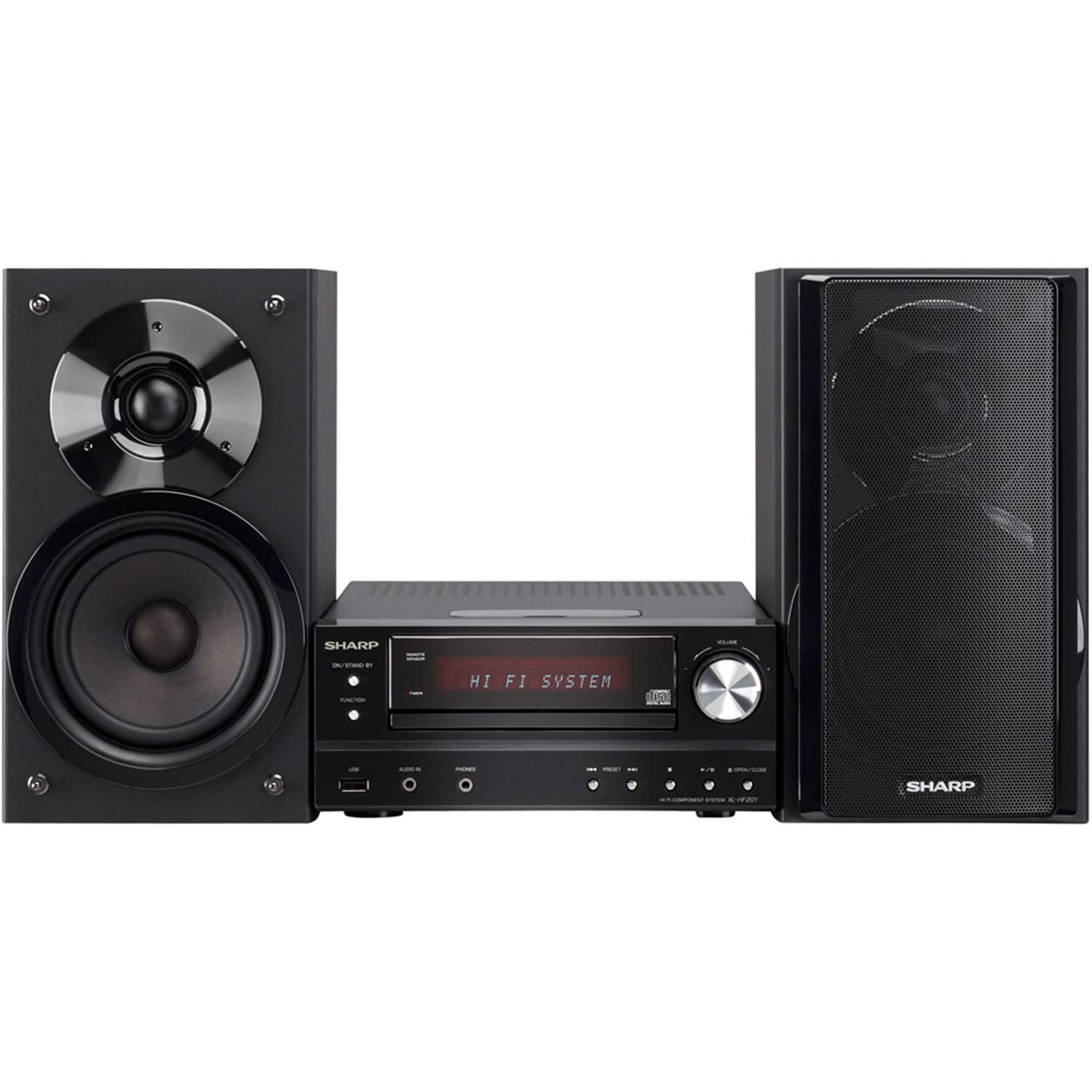
Image 4.2.1: The Sharp XL-HF201P Micro Hi-Fi System, showing the main unit and two speakers. This image illustrates the overall appearance of the system, which includes a central receiver with a CD tray and an iPod dock on top, flanked by two dark-colored speakers.
4.3 Connecting the Antennas
- Antena FM: Connect the supplied FM wire antenna to the FM antenna terminal on the rear of the main unit. Extend the wire for better reception.
- Antena AM: Assemble the AM loop antenna and connect it to the AM antenna terminals. Position the antenna for optimal AM reception.
4.4 Conexiune la alimentare
After all other connections are made, plug the power cord into the AC inlet on the rear of the main unit, then plug the other end into a wall outlet.
5. Instrucțiuni de utilizare
5.1 Pornire/Oprire
Apăsați tasta PUTERE button on the front panel or the remote control to turn the unit on or off (standby mode).
5.2 Selectarea sursei
Apăsați tasta FUNCŢIE button on the front panel or the remote control repeatedly to cycle through available sources: CD, USB, iPod, FM, AM, AUX.
5.3 Redare CD
- Selectați CD funcţie.
- Apăsați tasta DESCHIS/ÎNCHIS butonul pentru a deschide tava CD.
- Place a CD (CD-DA, MP3, WMA) with the label side up on the tray.
- Presa DESCHIS/ÎNCHIS Apăsați din nou pentru a închide sertarul. Redarea va începe automat.
- Utilizare REDARE/PAUZĂ, STOP, SARE butoane (înainte/înapoi) pentru control.
5.4 Redare USB
- Insert a USB device (containing MP3 or WMA files) into the USB port on the front panel.
- Selectați USB funcţie.
- Playback will begin automatically or you may need to select a track.
- Utilizare REDARE/PAUZĂ, STOP, SARE butoane pentru control.
5.5 Dock iPod/iPhone
- Carefully place your compatible iPod or iPhone onto the dock connector on top of the main unit.
- Selectați iPod funcţie.
- Your device will begin charging and you can control playback using the system's remote or your device's controls.
5.6 Acordarea radioului
- Selectați FM or AM funcţie.
- Utilizați TUNING buttons (or knob on the unit) to manually tune to a station.
- Țineți apăsat butonul TUNING butoane pentru scanarea automată a posturilor.
- Pentru a preseta posturile, acordați la postul dorit, apoi apăsați MEMORIE urmat de un buton cu număr presetat.
5.7 Controlul volumului
Reglați volumul folosind VOLUM +/- buttons on the remote control or the volume knob on the main unit.
6. Întreținere
6.1 Curăţarea unităţii
Wipe the exterior of the unit with a soft, dry cloth. Do not use abrasive cleaners, waxes, or solvents as they may damage the finish. For stubborn stains, lightly dampClătiți laveta cu apă și detergent blând, apoi ștergeți-o.
6.2 Îngrijirea lentilelor CD
Avoid touching the CD lens. If the lens becomes dirty, use a commercially available CD lens cleaner. Do not use compressed air or liquid cleaners directly on the lens.
7. Depanare
| Problemă | Cauza posibila | Soluţie |
|---|---|---|
| Fără putere | Cablul de alimentare nu este conectat corect. | Verificați conexiunea cablului de alimentare la unitate și la priza de perete. |
| Nici un sunet | Volume is too low or muted. Speaker wires are not connected correctly. | Increase volume. Check speaker wire connections, ensuring correct polarity (+/-). |
| CD-ul nu se redă | CD is dirty, scratched, or inserted incorrectly. Incorrect function selected. | Clean or replace CD. Insert CD with label side up. Select CD function. |
| Dispozitivul USB nu este recunoscut | USB device is not formatted correctly or contains unsupported files. | Ensure USB device is FAT16/FAT32 formatted and contains MP3/WMA files. Try another USB device. |
| Recepție radio slabă | Antenna not properly positioned or connected. Interference. | Adjust antenna position. Move unit away from other electronic devices. |
| Telecomanda nu funcționează | Batteries are depleted or inserted incorrectly. Obstruction between remote and unit. | Replace batteries (2 AA). Ensure clear line of sight to the unit's remote sensor. |
8. Specificații
- Marca: Ascuțit
- Model: XL-HF201P
- Putere de iesire: 100 wați RMS
- Media suportate: CD-DA, MP3, WMA (CD, USB)
- Conectivitate: USB, iPod Dock, AUX Input, FM/AM Tuner
- Tip difuzor: Subwoofers (integrated into speaker design)
- Sursa de alimentare: Electric cu fir
- Dimensiuni produs (unitate principală): Aproximativ 13 x 15.09 x 20.15 inci
- Greutatea articolului: Aproximativ 20.3 lire sterline
- Baterii (Telecomandă): 2 baterii AA (incluse)
9. Garanție și asistență
Pentru informații despre garanție și asistență pentru clienți, consultați cardul de garanție inclus împreună cu produsul sau vizitați site-ul oficial Sharp. website. You may also contact Sharp customer service directly for assistance with product registration, technical support, or service inquiries.
Suport online: www.sharpusa.com