
1. Produs terminatview
The Fellowes Powershred 99Ci is a heavy-duty cross-cut shredder designed for secure document disposal. It features a 100% Jam Proof System, SafeSense Technology for user safety, SilentShred for quiet operation, and an Energy Savings System. This shredder can process up to 18 sheets of paper per pass, converting them into 5/32" x 1-1/2" (Security Level P-4) cross-cut particles. It is also capable of shredding CDs/DVDs, credit cards, staples, paper clips, and junk mail. The unit includes a 9-gallon pull-out bin and can operate for up to 30 minutes continuously before requiring a cool-down period.

Imaginea 1.1: Partea frontală view of the Fellowes Powershred 99Ci Cross-Cut Shredder.
2. Instrucțiuni de configurare
- Despachetarea: Carefully remove the shredder from its packaging. Retain packaging materials for future transport or storage.
- Plasare: Position the shredder on a flat, stable surface near a power outlet. Ensure adequate space around the unit for ventilation and bin access. The shredder dimensions are approximately 17.32 inches (L) x 11.42 inches (W) x 25.2 inches (H).
- Bin Installation: Ensure the 9-gallon pull-out waste bin is correctly inserted and fully seated into the shredder cabinet. The shredder will not operate if the bin is not properly in place.
- Conexiune de alimentare: Conectați cablul de alimentare la o priză cu împământare.

Image 2.1: The shredder shown with approximate dimensions and a person for scale, indicating its compact footprint.

Imaginea 2.2: Față view of the shredder, highlighting the paper entry and waste bin window.
3. Instrucțiuni de utilizare
3.1 Pornire/Oprire
Locate the main power switch on the shredder. Turn it to the 'ON' position to activate the shredder. To turn off, switch it to the 'OFF' position.
3.2 Distrugerea documentelor
- Insert up to 18 sheets of paper into the paper entry slot. The shredder will automatically detect the paper and begin shredding.
- For CDs/DVDs and credit cards, use the dedicated media entry slot.
- The 100% Jam Proof System is designed to prevent paper jams by detecting paper thickness and automatically reversing if an overload is detected.
- The SafeSense Technology features an electronic safety sensor around the paper entry that automatically disables the shredder when hands touch the opening, enhancing user safety.

Image 3.1: Key operational specifications: 18 sheet capacity, 9-gallon bin, and 30 minutes of continuous shredding.
3.3 Bin Full Indicator
The shredder is equipped with a bin full indicator. When the waste bin is full, the indicator light will illuminate, and the shredder will cease operation until the bin is emptied. Refer to Image 3.2 for the location of the bin full indicator.
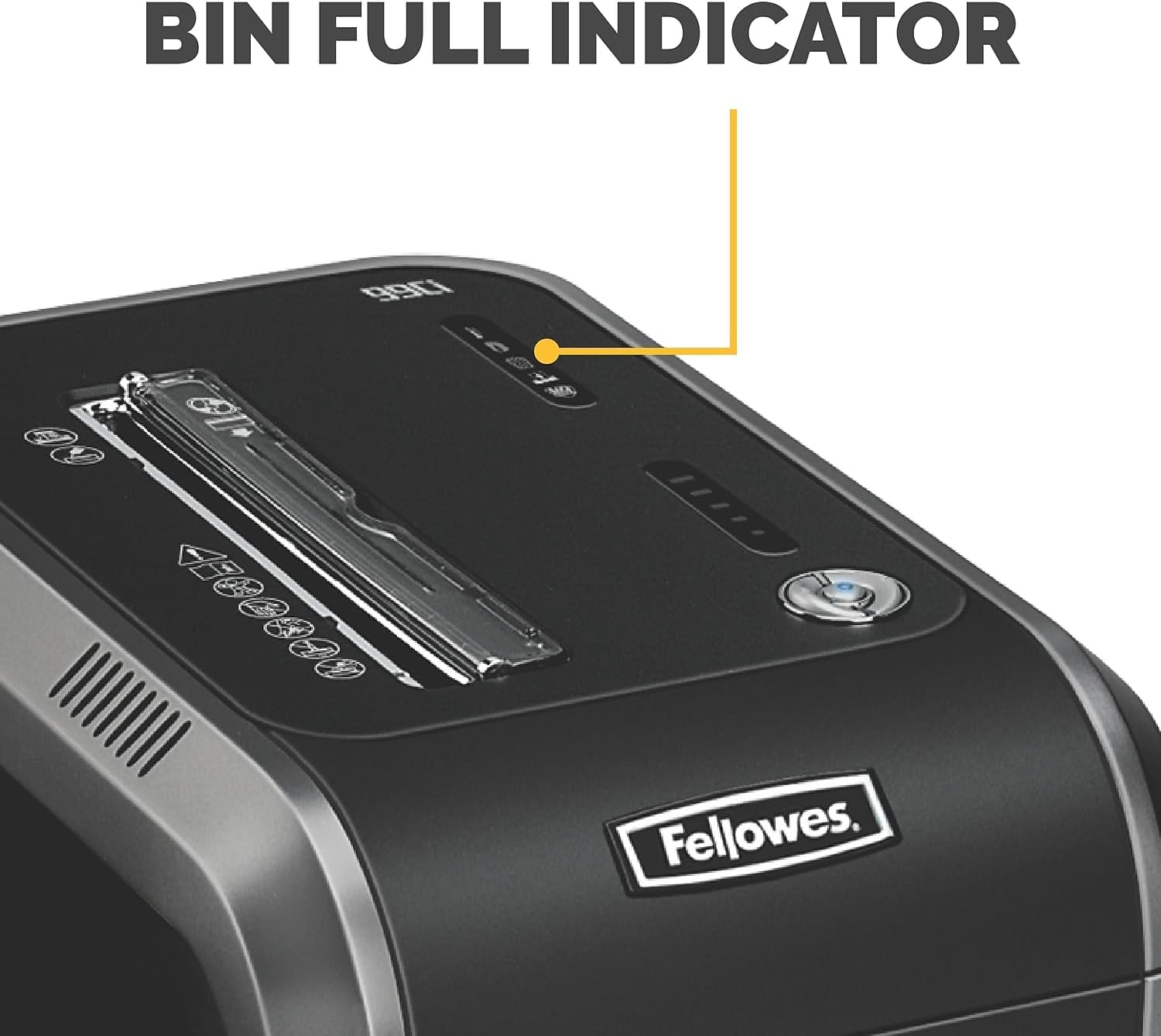
Image 3.2: Close-up of the control panel, indicating the 'Bin Full' warning light.
3.4 SilentShred Technology
The SilentShred Technology ensures ultra-quiet performance, making the shredder suitable for shared office environments without causing disruption.

Image 3.3: An office environment demonstrating the quiet operation of the shredder.
3.5 Energy Savings System
The shredder incorporates an Energy Savings System, which includes standby and sleep modes, reducing power consumption when not in active use.

Image 3.4: A user in an office setting, illustrating the shredder's integration and energy-saving features.
3.6 Videoclipuri operaționale
Video 3.1: General pesteview of the shredder's features and basic operation (Duration: 2:45).
Video 3.2: Demonstration of specific shredder functions and safety features (Duration: 2:01).
Video 3.3: Detailed guide on using the shredder for various materials and optimizing performance (Duration: 3:29).
4. Întreținere
- Oiling the Cutters: Regular oiling of the shredder's cutters is essential for optimal performance and longevity. Apply shredder oil (specifically designed for paper shredders) across the paper entry slot as instructed by the oil manufacturer, typically after every 30 minutes of continuous shredding or after emptying the waste bin a few times.
- Golirea coșului de gunoi: Empty the waste bin regularly, especially when the 'Bin Full' indicator illuminates. This prevents shredded material from backing up and potentially causing jams.
- curatenie: Periodically clean the exterior of the shredder with a soft, dry cloth. Do not use abrasive cleaners or solvents. Ensure the paper entry area is free of dust and debris.
5. Depanare
- Shredder Not Turning On:
- Asigurați-vă că cablul de alimentare este conectat corect la o priză electrică funcțională.
- Verificați dacă întrerupătorul principal de alimentare este în poziția „PORNIT”.
- Check if the waste bin is fully and correctly seated. The shredder has a safety interlock that prevents operation if the bin is not properly closed.
- If the shredder has been used continuously for an extended period, it may have overheated. Allow it to cool down for at least 30 minutes before attempting to use it again.
- Blocaje de hârtie:
- The 100% Jam Proof System is designed to prevent jams. If a jam occurs, the shredder may automatically reverse to clear it.
- If paper remains in the entry, try pressing the reverse button to clear the jam.
- Do not force paper into the shredder beyond its stated capacity (18 sheets).
- Bin Not Seating Properly:
- Ensure the waste bin is free of obstructions that might prevent it from sliding in completely.
- Check the bin's tracks or guides for any damage or debris.
6. Specificații
| Caracteristică | Caietul de sarcini |
|---|---|
| Numărul de model | 4691101 |
| Tip de tăiere | Cross-Cut (5/32" x 1-1/2") |
| Nivel de securitate | P-4 |
| Capacitate foi | 18 coli per trecere |
| Capacitatea recipientului | 34 litri (9 galoane) |
| Timp de funcționare continuă | 30 minute |
| Perioada de răcire | Required after 30 minutes of continuous use |
| Bucăți | Paper, CDs/DVDs, Credit Cards, Staples, Paper Clips, Junk Mail |
| Dimensiuni produs (L x l x H) | 17.32 x 11.42 x 25.2 inci |
| Greutatea articolului | 36.3 lire sterline |
| Culoare | Negru/Argintiu închis |
7. Garanție și asistență
7.1 Informații despre garanție
The Fellowes Powershred 99Ci comes with a 2-year product and service warranty, in addition to a lifetime cutter warrantyVă rugăm să păstrați dovada achiziției pentru a putea face reclamații în garanție.
7.2 Asistență pentru clienți
For technical assistance, troubleshooting beyond this manual, or warranty inquiries, please contact Fellowes customer support. Refer to the official Fellowes website-ul sau ambalajul produsului pentru cele mai recente informații de contact.