
C2G 22014
C2G 22014 Cat6 Cable - Snagless Unshielded Ethernet Network Patch Cable User Manual
Brand: C2G | Model: 22014
1. Introducere
This manual provides essential information for the proper use and care of your C2G 22014 Cat6 Snagless Unshielded Ethernet Network Patch Cable. This cable is designed for high-performance networking applications, facilitating voice, data, and video distribution. It is engineered to handle bandwidth-intensive tasks and minimize signal degradation.
2. Produs terminatview
The C2G 22014 Cat6 cable is a reliable solution for connecting network devices. Its design focuses on durability and optimal signal integrity.
Caracteristici cheie:
- Snagless Design: Prevents unwanted cable snags during installation and provides extra strain relief, protecting the RJ45 connector clip.
- Performanță ridicată: Meets all Cat6 TIA/EIA-568-B-2.1, draft 9 standards, ensuring high-speed data transmission.
- Reduced Impedance & SRL: Drastically reduces both impedance and structural return loss (SRL) compared to standard 100 MHz wire.
- Minimized NEXT: Constructed with bonded pairs and a shortened body plug to minimize Near-End Crosstalk (NEXT) levels.
- Construcție durabilă: Features a copper braid and PVC jacket for enhanced durability.
- Utilizare versatilă: Ideal for connecting network adapters, hubs, switches, routers, DSL/cable modems, and patch panels.
Imagini de produs:

Figura 2.1: Pesteview of the C2G 22014 Cat6 Snagless Unshielded Ethernet Network Patch Cable, illustrating its black cable and clear RJ45 connectors on both ends.

Figura 2.2: Detaliat view of a single RJ45 connector on the C2G 22014 cable, highlighting the integrated snagless boot designed to protect the clip during connection and disconnection.

Figura 2.3: Pro lateralfile of the RJ45 connector and the cable, demonstrating the robust strain relief mechanism that enhances durability and prevents cable damage at the connection point.
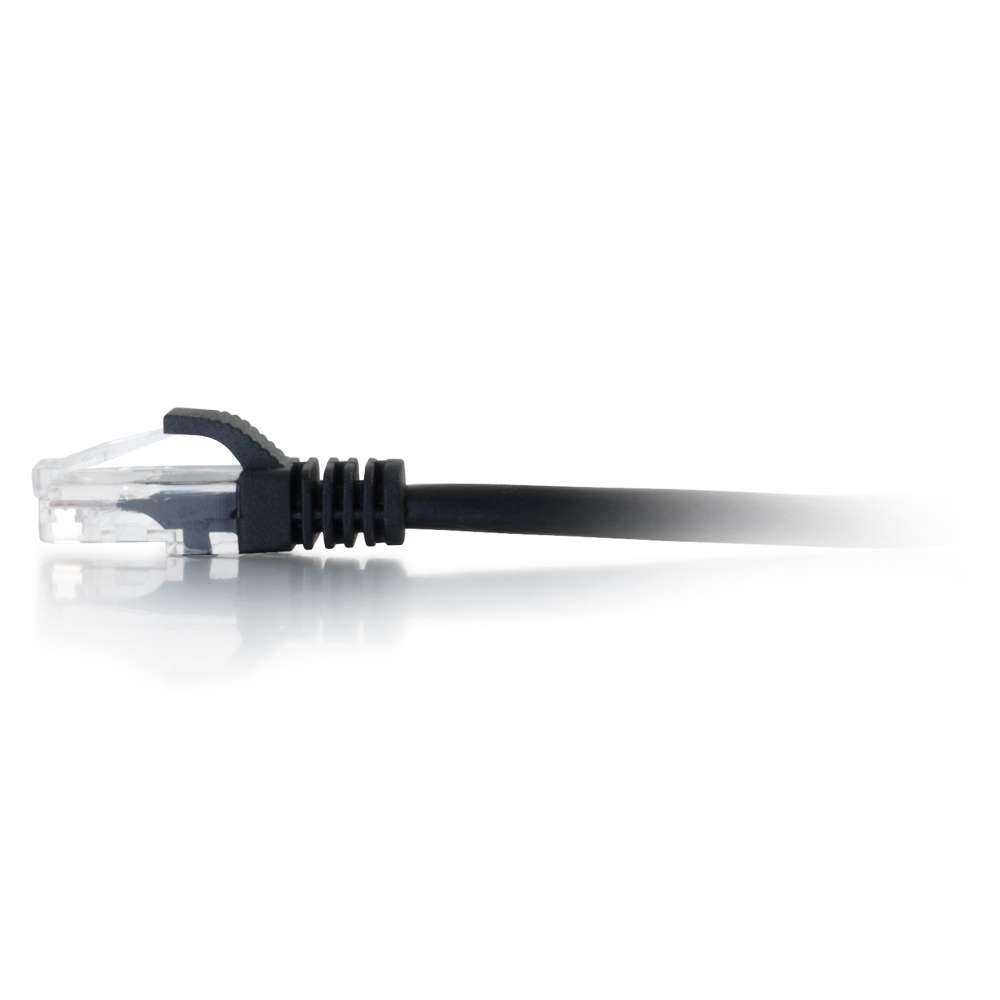
Figure 2.4: An alternative close-up of the RJ45 connector, providing a view of the internal wiring through its transparent housing, which is characteristic of unshielded twisted pair (UTP) cables.
Videoclipuri despre produse:
There are no official product videos available for this item from the seller.
3. Configurare
The C2G Cat6 cable is designed for simple plug-and-play installation. Follow these steps to set up your network connection:
- Identificați porturile: Locate the RJ45 Ethernet ports on your network devices (e.g., computer, router, modem, switch, patch panel).
- Conectați primul capăt: Gently insert one end of the C2G Cat6 cable into an available RJ45 port on your first device. Ensure the connector clicks into place, indicating a secure connection. The snagless boot will help prevent the clip from breaking during insertion.
- Conectați al doilea capăt: Insert the other end of the cable into an RJ45 port on your second network device. Again, ensure a secure click.
- Verificați conexiunea: Most network devices have indicator lights (LEDs) next to the Ethernet ports. A solid or blinking light typically indicates an active and functional connection. Refer to your device's manual for specific LED behavior.
This cable is compatible with any device featuring a standard RJ45 Ethernet port, supporting 10 Gigabit data transmission for 10GBase-T applications.
4. Operare
As a passive network component, the C2G Cat6 cable does not require active operation or configuration. Once properly connected between two compatible network devices, it facilitates data transmission automatically.
- Flux de date: The cable transmits data signals between connected devices.
- Viteză: It supports speeds up to 10 Gigabit Ethernet (10GBase-T) over its specified length, provided the connected devices also support these speeds.
- Performanţă: The cable's design minimizes signal interference (NEXT) and loss (SRL), ensuring stable and efficient network performance.
5. Întreținere
Proper maintenance ensures the longevity and optimal performance of your C2G Cat6 cable:
- Depozitare: Store the cable in a cool, dry place away from direct sunlight and extreme temperatures. Avoid tightly coiling or bending the cable sharply, as this can damage the internal wires.
- curatenie: Dacă este necesar, ștergeți ușor cablul și conectorii cu o lavetă moale, uscată și fără scame. Nu utilizați agenți de curățare lichizi sau solvenți.
- Manipulare: Always grasp the connector housing when plugging or unplugging the cable, not the cable itself. This prevents strain on the connector and internal wiring.
- Protecţie: Utilize the snagless boot feature by ensuring it is properly aligned when inserting the connector to protect the locking clip.
6. Depanare
If you experience issues with your network connection, consider the following troubleshooting steps:
- Fără conexiune la rețea:
- Ensure both ends of the cable are securely plugged into their respective ports. Listen for a click.
- Check the network indicator lights on your devices. If they are off, try re-seating the cable or using a different port.
- Test the cable with another known working device or try a different Ethernet cable to isolate the problem.
- Viteză redusă a rețelei:
- Verify that both connected devices support the desired network speed (e.g., Gigabit Ethernet).
- Ensure the cable is not excessively bent, kinked, or run near sources of strong electromagnetic interference (EMI).
- Confirm that the cable length is appropriate for your application and does not exceed recommended maximums for Cat6 (e.g., 100 meters for 1000Base-T, shorter for 10GBase-T).
- Conexiune intermitentă:
- Verificați dacă există deteriorări fizice ale cablului sau conectorilor.
- Asigurați-vă că nu călcați pe cablu sau că nu este ciupit de mobilă.
- Try connecting the cable to different ports on your devices.
If issues persist after these steps, the cable may be faulty, or the problem might lie with the connected network hardware.
7. Specificații
| Atribut | Detaliu |
|---|---|
| Marca | C2G |
| Numărul de model | 22014 |
| Tip cablu | Snagless, Booted, Ethernet Patch Cable, Unshielded (UTP) |
| Tip conector | RJ45 Male to RJ45 Male |
| Lungime | 15 Feet / 4.57 Meters (as per product variant) |
| Culoare | Negru (conform variantei de produs) |
| Dispozitive compatibile | Modem, Router, Network Adapters, Hubs, Switches, Patch Panels |
| Caracteristica specială | Transfer de date |
| Dimensiunile produsului | 12 x 10 x 0.03 inci; 5.93 uncii |
| Data primului disponibil | 5 august 2011 |
8. Informații despre garanție
Specific warranty details for the C2G 22014 Cat6 cable are not provided in the product data. Please refer to the manufacturer's official website or contact C2G customer support for comprehensive warranty information.
9. Suport
For technical assistance, product inquiries, or further support regarding your C2G 22014 Cat6 cable, please visit the official C2G website or contact their customer service department. Contact information is typically available on the manufacturer's packaging or website-ul.
De asemenea, puteți vizita C2G Store on Amazon pentru mai multe informații și produse.
Ask a question about this manual
Ask about setup, troubleshooting, compatibility, parts, safety, or missing instructions. Manuals+ will review the question and use this page’s manual context to help answer it.