
Introducere
This manual provides detailed instructions for the safe installation, operation, and maintenance of your Utilitech 3-Light 123-Watt Bronze Dusk-to-Dawn Security Light. Please read all instructions carefully before beginning installation and retain this manual for future reference. This security light is designed for outdoor use and features a built-in motion sensor and photo-control for automated operation.
Informații de siguranță
AVERTISMENT: Risc de electrocutare. Deconectați alimentarea la siguranța sau întrerupătorul de circuit înainte de instalare sau service.
- Acest produs trebuie instalat în conformitate cu codul de instalare aplicabil de către o persoană familiarizată cu construcția și funcționarea produsului și cu pericolele implicate.
- Asigurați voltage is 120 Volts AC, 60 Hz.
- Use only suitable bulbs as specified in the 'Specifications' section.
- Nu încercați să modificați dispozitivul de iluminat. Orice modificare poate anula garanția și poate crea un pericol pentru siguranță.
- This fixture is UL Safety Listed, ensuring compliance with recognized safety standards.
Conținutul pachetului
Before beginning installation, ensure all parts are present. If any part is missing or damaged, do not attempt to assemble, install, or operate the product.
- Security Light Fixture (1)
- Elemente de montare (șuruburi, piulițe de sârmă etc.)
- Manual de instrucțiuni (1)
Configurare și instalare
This security light is designed for wall mount installation and requires hardwiring to an existing electrical circuit.
1. Pregătiți-vă pentru instalare
- Opriți alimentarea cu energie electrică la întrerupătorul sau la cutia de siguranțe a prizei unde va fi instalat corpul de iluminat.
- Despachetați cu grijă dispozitivul și componentele sale.
2. Montarea dispozitivului de fixare
- Attach the mounting bracket to the electrical junction box using the provided screws. Ensure it is securely fastened.
- Feed the electrical wires from the junction box through the center hole of the mounting bracket.
3. Conexiuni de cablare
- Connect the bare copper ground wire from the fixture to the ground wire from the junction box using a wire nut.
- Conectați firul alb (neutru) de la dispozitivul de iluminat la firul alb (neutru) de la cutia de joncțiune folosind o piuliță de sârmă.
- Conectați firul negru (sub tensiune) de la dispozitivul de iluminat la firul negru (sub tensiune) de la cutia de joncțiune folosind o piuliță de sârmă.
- Introduceți cu grijă toate firele în cutia de joncțiune.
4. Securing the Fixture and Installing Bulbs
- Align the fixture with the mounting bracket and secure it with the provided screws. Ensure a tight seal against the mounting surface to prevent water intrusion.
- Install three (3) Halogen or compact fluorescent bulbs (not included) into the sockets. Do not exceed the maximum wattage specified in the 'Specifications' section.
- Adjust the light heads to the desired direction.
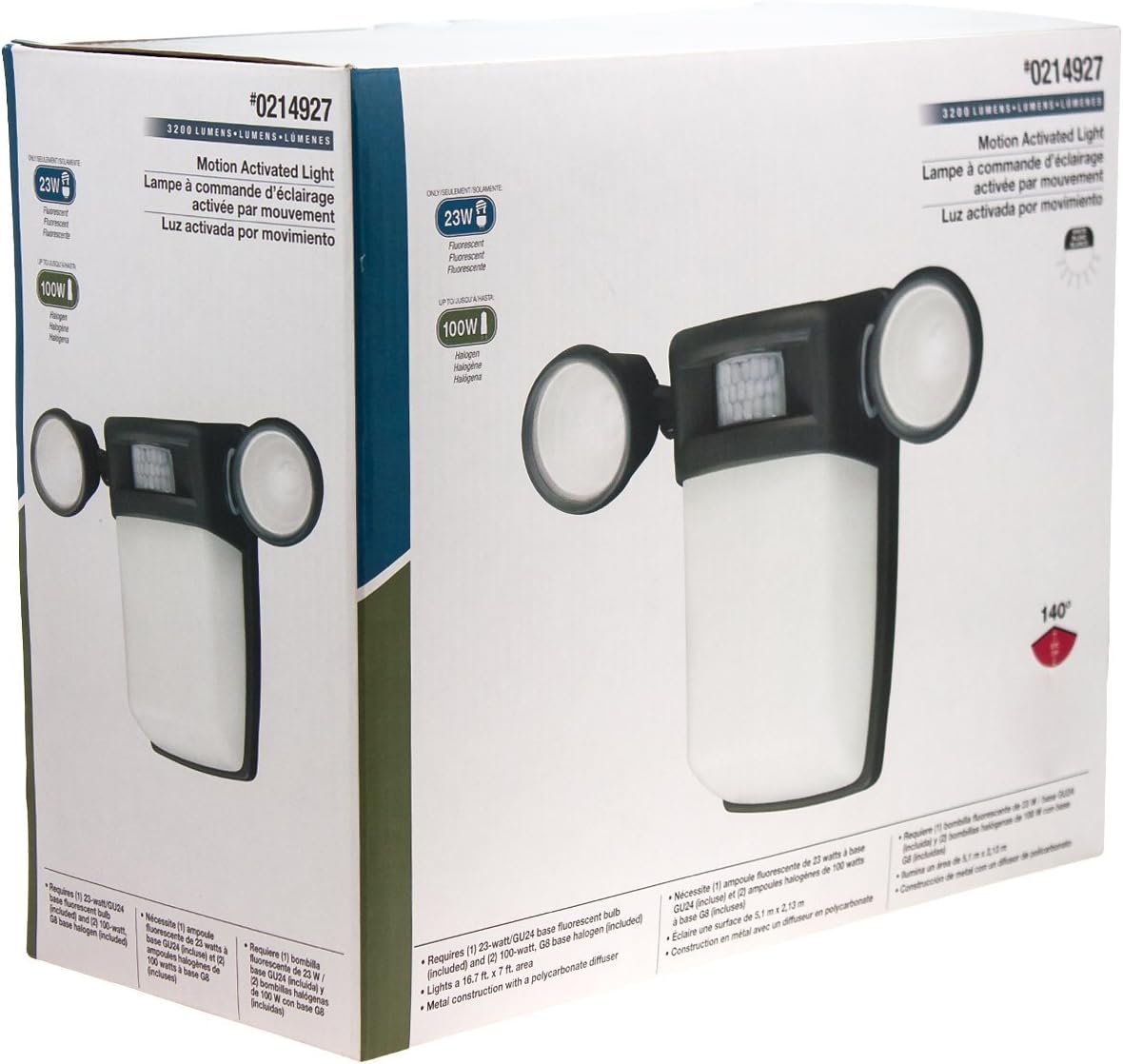
Figura 1: Față view of the Utilitech 3-Light 123-Watt Bronze Dusk-to-Dawn Security Light in its retail packaging. This image shows the overall design with three adjustable light heads and the central motion sensor.

Figura 2: lateral view of the Utilitech 3-Light 123-Watt Bronze Dusk-to-Dawn Security Light in its retail packaging. This perspective highlights the depth of the fixture and the positioning of the light heads relative to the main body.
Instrucțiuni de operare
This security light is equipped with both a photo-control sensor for dusk-to-dawn operation and a 140° automatic motion sensor for enhanced security.
Funcție de la amurg la zori
The integrated photo-control sensor detects ambient light levels. The light will automatically turn on at dusk and turn off at dawn, providing continuous illumination during nighttime hours. No manual adjustment is typically required for this feature.
Funcționarea senzorului de mișcare
The 140° automatic motion sensor detects movement within its range. When motion is detected, the light will activate for a set duration. The fixture may include adjustable settings for sensitivity and duration. Refer to the specific controls on your fixture for adjustment. Some models may also feature remote control capabilities for these settings.
Adjusting Light Heads
The three light heads are adjustable. Gently pivot each light head to direct illumination to your desired coverage area.
Întreţinere
Regular maintenance ensures optimal performance and extends the lifespan of your security light.
- curatenie: Curățați periodic corpul de iluminat cu o lavetă moale,amp cloth. Do not use abrasive cleaners or solvents, as they may damage the finish or electrical components. Ensure power is off before cleaning.
- Înlocuire bec: Turn off power at the circuit breaker before replacing bulbs. Allow bulbs to cool completely before handling. Replace with three (3) Halogen or compact fluorescent bulbs of the specified wattage.
- Curățarea senzorului: Keep the motion sensor lens and photo-control sensor free of dirt, dust, and obstructions to ensure proper operation.
Depanare
If your security light is not functioning as expected, refer to the following common issues and solutions:
| Problemă | Cauza posibila | Soluţie |
|---|---|---|
| Light does not turn on at all. | No power, faulty bulbs, wiring issue, or defective sensor. | Check circuit breaker. Ensure bulbs are correctly installed and not burnt out. Verify wiring connections. If issues persist, consult a qualified electrician. |
| Lumina rămâne aprinsă continuu. | Motion sensor sensitivity too high, duration setting too long, or photo-control sensor obstructed/faulty. | Adjust motion sensor sensitivity and duration settings. Ensure photo-control sensor is not blocked by debris or external light sources. |
| Lumina se aprinde în timpul zilei. | Photo-control sensor is obstructed or in a shaded area. | Ensure the photo-control sensor is exposed to natural daylight and not covered by dirt or obstructions. |
| Motion sensor does not detect movement. | Sensor sensitivity too low, obstructed view, or incorrect angle. | Increase sensor sensitivity. Clear any obstructions from the sensor's field of view. Adjust the sensor's angle to cover the desired area. |
Specificații
| Caracteristică | Caietul de sarcini |
|---|---|
| Marca | Utilitech |
| Numărul de model | 0214927 |
| Voltage | 120 volți AC, 60 Hz |
| Wattage | 123 wați (total) |
| Tip bec | Halogen or Compact Fluorescent (3 bulbs required) |
| Light Heads | 3, reglabil |
| Unghiul senzorului de mișcare | 140 de grade |
| Funcție de la amurg la zori | Yes, photo-control sensor |
| Material | Metal |
| Termina | Bronz |
| Tip de montare | Montare pe perete |
| Dimensiuni (Îl x l x A) | 10.25 in x 13.5 in x 5.75 in |
| Greutatea articolului | 3.5 lire sterline |
| Listă de siguranță | Listat UL |