
Introducere
The Califone HIR-HP1 are wireless infrared stereo/mono headphones designed for computer listening centers. These headphones offer the flexibility to switch between stereo and mono modes, making them suitable for various audio applications. They are compatible with both Windows and Mac computers when used with the included infrared transmitter and USB transmitter.
Conținutul pachetului
Please inspect the package contents carefully. If any items are missing or damaged, contact your vendor immediately.
- Califone HIR-HP1 Wireless Infrared Headphones
- Transmițător cu infraroșu
- emițător USB
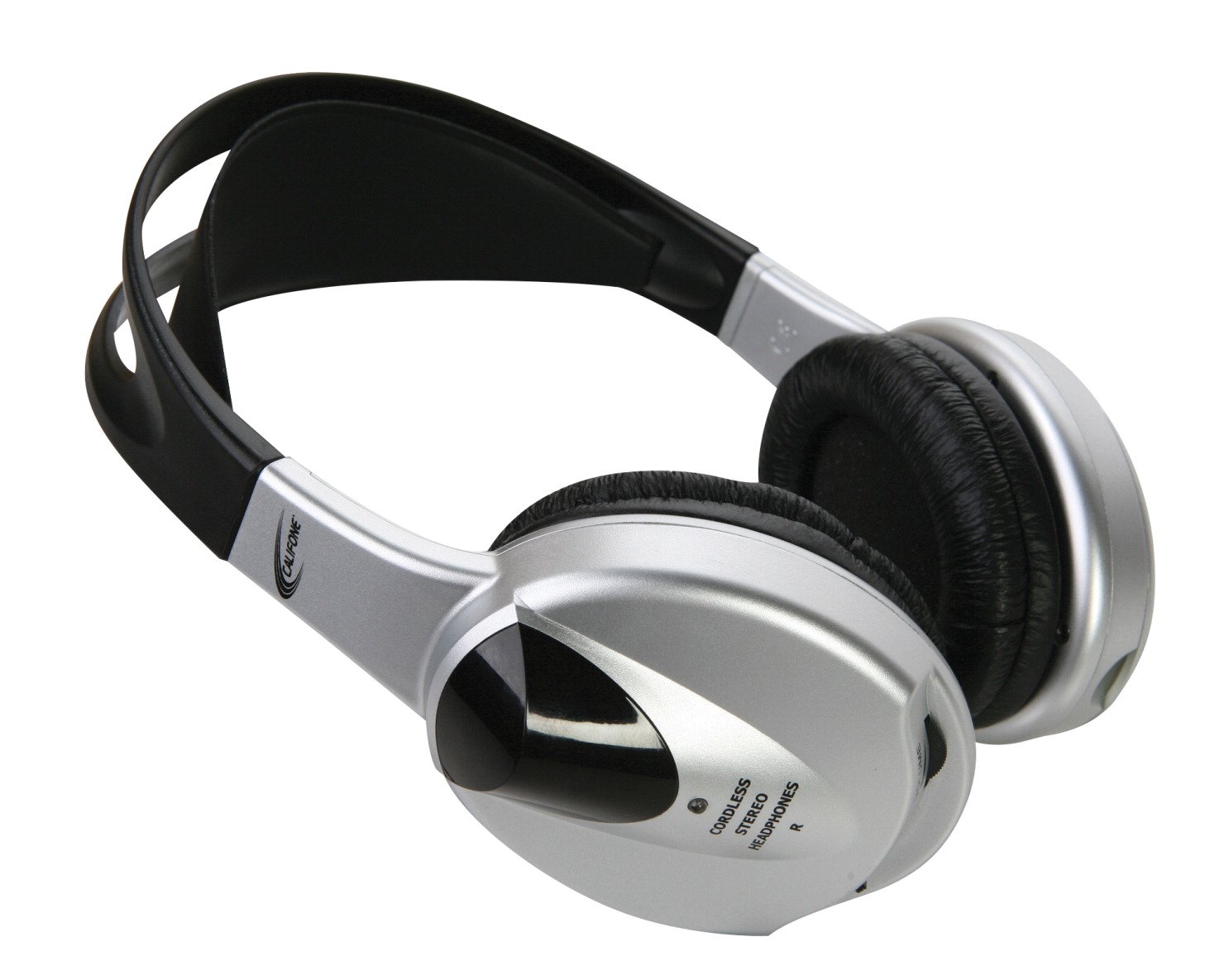
Image: The Califone HIR-HP1 Wireless Infrared Headphones, shown with the infrared and USB transmitters. The headphones feature an adjustable headband and earcups.
Înființat
- Powering the Headphones: Ensure the headphones have sufficient power. If battery-operated, insert fresh batteries or ensure the internal battery is charged (specifics not provided, refer to product packaging for battery type/charging instructions).
- Connecting the Infrared Transmitter: Connect the infrared transmitter to your audio source (e.g., computer audio output, Califone Infrared Music Maker Plus, or Califone Infrared Cassette Player). Ensure the transmitter is positioned to provide a clear line of sight to the headphones.
- Connecting the USB Transmitter (for Computer Use): For computer applications, connect the USB transmitter to an available USB port on your Windows or Mac computer. The computer should recognize the device automatically.
- Pornire: Locate the power switch on the headphones and slide it to the "ON" position.
- Reglarea volumului: Use the volume control on the headphones to set a comfortable listening level.
Instrucțiuni de operare
- Pornire/Oprire: Use the dedicated power switch located on the headphone earcup to turn the unit on or off.
- Comutator stereo/mono: A switch is provided to select between stereo and mono audio output, depending on your application requirements.
- Controlul volumului: Adjust the volume using the rotary dial or buttons on the headphones to achieve your desired listening level.
- Ajustarea benzii pentru cap: The headphones feature a fully adjustable headband with a "comfort strap" for a secure and comfortable fit. Extend or retract the headband arms to fit your head size.
- Receiving Signal: The headphones receive audio wirelessly via infrared technology. Ensure the infrared transmitter is active and within range, with no obstructions between the transmitter and the headphones.
Întreţinere
- curatenie: Use a soft, dry cloth to clean the exterior of the headphones and transmitters. Do not use liquid cleaners or abrasive materials.
- Depozitare: Depozitați căștile într-un loc răcoros și uscat, ferit de lumina directă a soarelui și de temperaturi extreme.
- Îngrijirea bateriei: If your headphones use replaceable batteries, remove them if the headphones will not be used for an extended period to prevent leakage. If rechargeable, follow manufacturer guidelines for charging and battery longevity.
- Organizare de cabluri: Keep all cables (if any, for transmitters) untangled and free from kinks to prevent damage.
Depanare
| Problemă | Cauza posibila | Soluţie |
|---|---|---|
| Niciun sunet din căști. |
|
|
| Calitate slabă a sunetului sau static. |
|
|
| USB Transmitter not recognized by computer. |
|
|
Specificații
- Marca: Califone
- Model: HIR-HP
- Tehnologie de conectivitate: Wireless (infraroșu)
- Factor de formă: La ureche
- Tip control: Volume Control, Power On/Off, Stereo/Mono Switch
- Caracteristici speciale: Adjustable Headband, Comfort Strap
- Dimensiuni produs: 7.48 x 6.69 x 3.15 inci
- Greutatea articolului: 7.2 uncii
- Compatibilitate: Windows & Mac computers (with USB transmitter), Califone Infrared Music Maker Plus (2395IR), Califone Infrared Cassette Player (3432IR)
- UPC: 610356830383
Garanție și suport
For detailed warranty information, please refer to the warranty card included with your product or visit the official Califone website. For technical support or further assistance, please contact Califone customer service directly.
Note: Warranty terms and support options may vary by region and purchase date.