
Introducere
This manual provides essential information for the proper installation, operation, and maintenance of the Gentex GCS24CR Fire Evacuation Strobe. Please read these instructions thoroughly before installation and retain for future reference.
The Gentex GCS24CR is a ceiling mount strobe designed for fire evacuation systems. It offers dependable visual alarms with selectable candela options and minimal operating current.
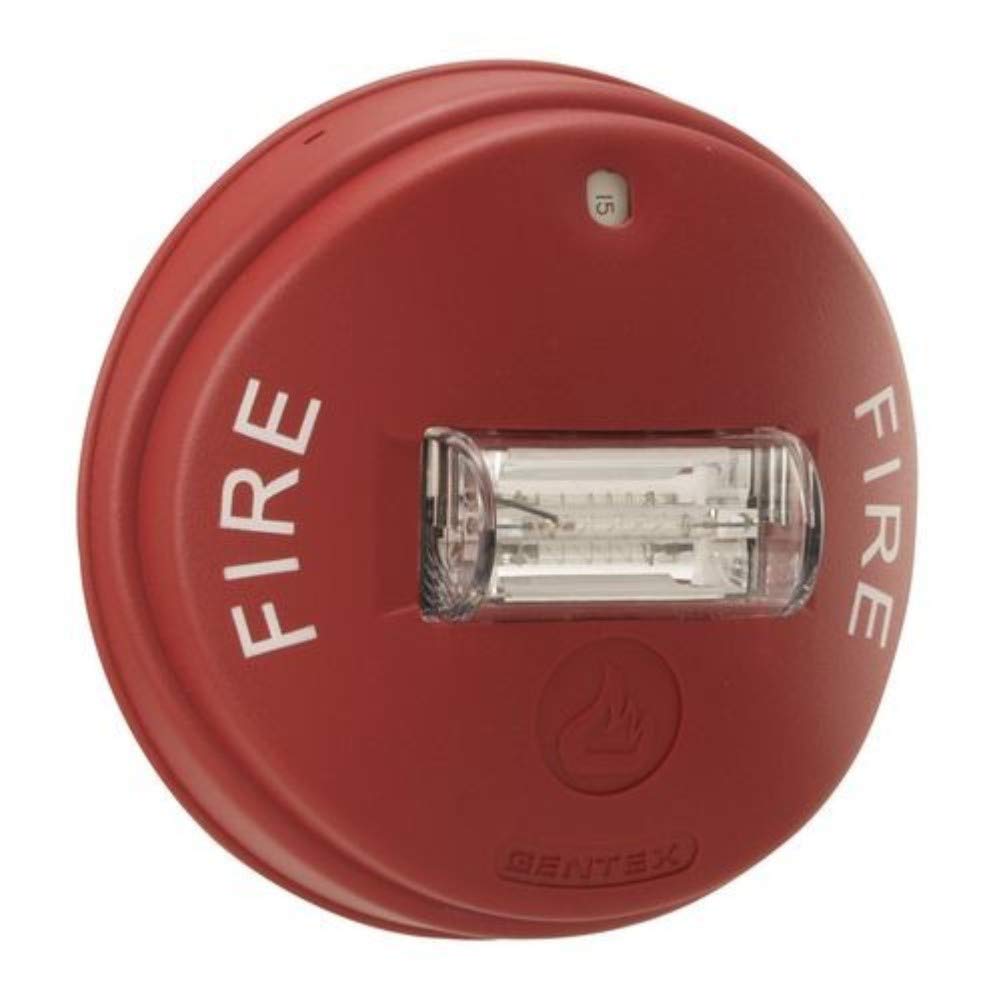
Image 1: Gentex GCS24CR Fire Evacuation Strobe. This image shows the red faceplate and the ceiling mount design of the strobe unit.
Informații importante privind siguranța
AVERTIZARE:
- Installation must be performed by qualified personnel in accordance with all local and national electrical codes and standards.
- Disconnect power before installing, servicing, or removing the device. Failure to do so may result in electric shock or equipment damage.
- This device is intended for use with fire alarm control panels (FACP) that provide regulated 24VDC power.
- Do not paint over the strobe lens as this will impair its effectiveness.
Configurare și instalare
1. Despachetarea
Carefully remove the GCS24CR strobe from its packaging. Inspect the unit for any signs of damage. If damage is found, do not install and contact your supplier.
2. Montare
The GCS24CR is designed for ceiling mount applications. It utilizes a 4-inch mounting plate, which incorporates the SuperSlide feature for easy installation and supervision testing.
- Secure the mounting plate to a standard 4-inch square or octagonal electrical box. Ensure the plate is firmly attached.
- Connect the wiring from the Fire Alarm Control Panel (FACP) to the terminal block on the strobe unit. Observe proper polarity.
- Slide the strobe unit onto the mounting plate, ensuring it locks securely into place. The SuperSlide feature allows for easy alignment.
3. Candela Selection
The GCS24CR offers field-selectable candela options. These settings determine the light output intensity of the strobe. The available options are 15, 30, 75, 95, 115, and 150 candela.
- Locate the candela selection switches on the back of the strobe unit.
- Using a small screwdriver or similar tool, set the switches according to the desired candela rating as specified by local codes and system design.
- Refer to the product label or technical documentation for the exact switch configurations for each candela setting.
Operațiunea
The Gentex GCS24CR operates as a visual alarm device within a fire evacuation system. When activated by a compatible Fire Alarm Control Panel (FACP), the strobe will flash at a minimum rate of 1Hz, providing a visual alert.
- Activare: The strobe activates upon receiving a 24VDC signal from the FACP.
- Rata de flash: The strobe maintains a minimum flash rate of 1Hz, regardless of input voltage fluctuations, ensuring consistent visual signaling.
- Extragerea curentă: The device is designed for minimal operating current, optimizing system power requirements.
For systems requiring synchronized strobes, ensure the FACP or a compatible synchronization module is used. The GCS24CR is designed to synchronize with other Gentex strobes when connected to a compatible synchronization source.
Întreţinere
The Gentex GCS24CR requires minimal maintenance to ensure proper operation. Regular inspections are recommended.
- curatenie: Periodically clean the strobe lens with a soft, damp o lavetă pentru a îndepărta praful sau resturile. Nu folosiți produse de curățare abrazive.
- Inspecție vizuală: Annually inspect the unit for any physical damage, discoloration, or loose connections.
- Testare funcțională: Conduct functional tests as required by local codes and standards (e.g., NFPA 72). This typically involves activating the fire alarm system to verify the strobe flashes correctly.
ATENŢIE:
Do not attempt to repair the unit. Refer all servicing to qualified personnel. Unauthorized repairs will void the warranty.
Depanare
If the Gentex GCS24CR strobe is not functioning as expected, refer to the following troubleshooting guide:
| Problemă | Cauza posibila | Soluţie |
|---|---|---|
| Strobe does not flash. | No power from FACP. Cablare incorectă. Unitate defectă. | Verify 24VDC power at the terminal block. Check wiring for correct polarity and secure connections. Replace the unit if power and wiring are confirmed correct. |
| Strobe flashes inconsistently. | Putere insuficientă. Problemă de cablare. Incompatible synchronization. | Ensure stable 24VDC power supply. Check for loose or damaged wiring. Verify FACP or synchronization module compatibility and proper connection. |
| Strobe lens is dirty or obstructed. | Praf sau resturi acumulate. | Curățați lentila cu un material moale, damp cloth. Ensure no obstructions are blocking the light path. |
If troubleshooting steps do not resolve the issue, contact Gentex technical support or a qualified fire alarm technician.
Specificații
| Caracteristică | Detaliu |
|---|---|
| Numărul de model | GCS24-CR |
| Marca | Gentex |
| Vol. De intraretage | 24 V CC (nominal) |
| Setări Candela | 15, 30, 75, 95, 115, 150 cd (selectable) |
| Rata blițului | Minimum 1Hz |
| Tip de montare | Montare pe tavan |
| Culoare | Placă roșie |
| Material | Metal (housing), Plastic (lens) |
| Tip sursă de lumină | Xenon |
| Greutatea articolului | 1.06 livre (aproximativ) |
| UPC | 700217018453 |
Informații despre garanție
Gentex products are warranted to be free from defects in materials and workmanship under normal use and service for a period specified in the product's official warranty statement. For complete warranty details, please refer to the official documentation provided with your product or visit the Gentex website-ul.
This warranty does not cover damage caused by improper installation, misuse, abuse, unauthorized repairs, or acts of nature.
Suport tehnic și contact
For technical assistance, product inquiries, or to report issues, please contact Gentex customer support.
Corporația Gentex
www.gentex.com
Please have your product model number (GCS24-CR) and serial number (if applicable) ready when contacting support.