
PWR+ USB-C Laptop Charger Instruction Manual
Model: PWR-TAJ65PD
1. Introducere
This manual provides essential information for the safe and effective use of your PWR+ USB-C Laptop Charger, Model PWR-TAJ65PD. This charger is designed to provide reliable power to compatible LG Gram laptops and other USB-C powered devices. Please read these instructions carefully before use and retain them for future reference.
2. Informații de siguranță
Your PWR+ charger is designed with multiple safety features and is UL Safety Certified to ensure protection for both the device and the user.

Image: UL Safety Certified Logo, indicating the product meets rigorous safety standards.
Protecții de siguranță încorporate:
- Protecție la scurtcircuit (SCP): Previne deteriorarea cauzată de scurtcircuite.
- Protecție la supracurent (OCP): Măsuri de siguranță împotriva fluxului excesiv de curent.
- Peste VoltagProtecție e (OVP): Protejează dispozitivele de supratensiunetage vârfuri.
- Protecție la supraîncălzire (OTP): Previne supraîncălzirea în timpul funcționării.

Image: A diagram showing the internal safety protections (SCP, OCP, OVP, OTP) and the high-quality construction of the power cord, including high-grade copper, wire insulation, aluminum foil shield, protective tinned copper braid, and PVC cable jacket.
Always use the charger in a well-ventilated area and avoid covering it during use to prevent heat buildup.
3. Conținutul pachetului
The PWR+ USB-C Laptop Charger package includes:
- 1 x PWR+ USB-C Laptop Charger (Model: PWR-TAJ65PD)
- 1 x cablu de alimentare CA.

Image: The PWR+ USB-C Laptop Charger, including the main adapter unit and the detachable AC power cord, shown alongside its product packaging.
4. Specificații
| Caracteristică | Detaliu |
|---|---|
| Numărul de model | PWR-TAJ65PD |
| Vol. De intraretage | 100-240V |
| Ieșire | 5V 3A, 9V 3A, 12V 3A, 15V 3A, 20V 3.25A (30W, 45W, 65W Compatible) |
| Wattage | 65 wați |
| Ampepoca | 3.25 Amps |
| Tip conector | USB tip C |
| Total porturi USB | 1 |
| Lungimea cablului de alimentare | 12 Feet (Total AC/DC cord length) |
| Certificare de siguranță | Listat UL/cUL |
| Greutatea articolului | 1.12 lire sterline |
| Dimensiuni pachet | 8.43 x 3.54 x 3.5 inci |
5. Compatibilitate
This PWR+ USB-C Laptop Charger is compatible with a wide range of LG Gram laptops and other devices requiring USB-C Power Delivery (PD) charging. Compatible LG Gram models include, but are not limited to:
- LG Gram 14, 15, 16, 17 series
- Specific models: 14Z90N, 14Z90R, 14T90R, 14T90P, 14Z90RS, 14Z90Q, 14Z90P, 15Z90N, 15Z995, 15Z90R, 15Z95N, 15Z95P, 15Z90Q, 16Z90R, 16Z90P, 16Z90RS, 16T90R, 16T90Q, 16T90SP, 17Z90P, 17U70P, 17Z90N, 17Z95N, 17Z90Q, 17Z90R, 17Z90SP, 17Z95P
- Part numbers: ADT-65DSU-D03-2, EAY65910831, EAY65895901, LP65WFC20P-NJB
For a complete list of compatible models, please refer to the product listing or contact PWR+ customer support.
6. Configurare și conectare
Follow these steps to connect and begin using your PWR+ USB-C Laptop Charger:
- Connect the AC power cord to the charger unit. Ensure a firm connection.
- Plug the AC power cord into a standard wall outlet (100-240V).
- Insert the USB-C connector of the charger into the USB-C charging port on your compatible laptop or device.
- The charger features a blue LED indicator light that illuminates when power is supplied, confirming proper connection and operation.
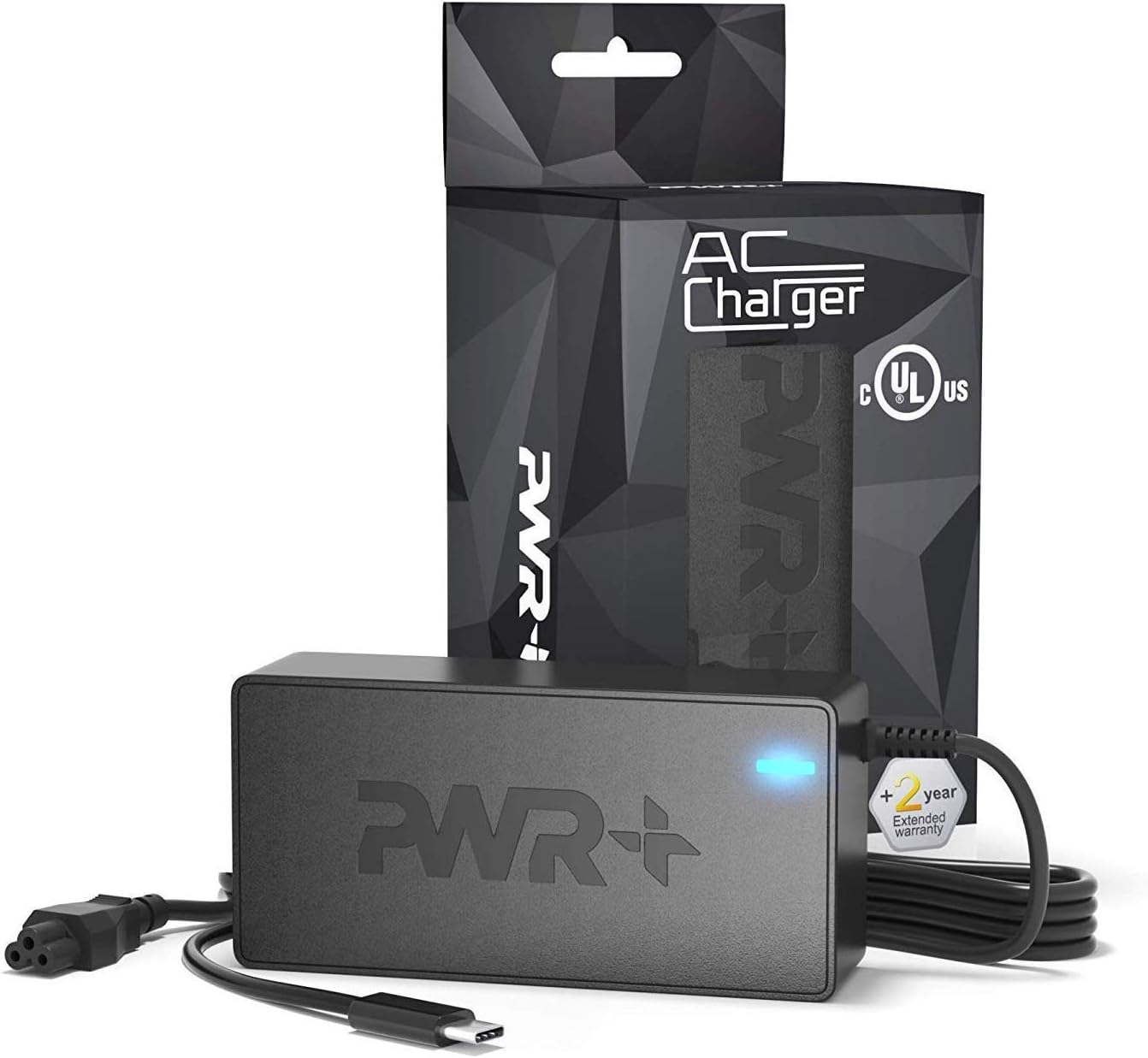
Image: The PWR+ USB-C Laptop Charger connected to a laptop, demonstrating the proper setup for charging.
7. Funcționare
Once connected, the PWR+ USB-C Laptop Charger will automatically detect your device's power requirements and deliver the appropriate voltage and current (up to 65W) using Power Delivery (PD) technology. The blue LED indicator on the charger will remain lit during operation.
Video: An official PWR+ video demonstrating the charger's features and compatibility with various laptop brands, highlighting its reliable power delivery.
The extra-long 12-foot power cord provides flexibility for use in various environments, from office desks to home settings.
8. Întreținere
To ensure the longevity and optimal performance of your PWR+ USB-C Laptop Charger, follow these maintenance guidelines:
- curatenie: Disconnect the charger from the power outlet and your device before cleaning. Use a soft, dry cloth to wipe the surface. Avoid liquid cleaners or abrasive materials.
- Depozitare: When not in use, store the charger in a cool, dry place. Avoid extreme temperatures and direct sunlight.
- Îngrijirea cablului: Nu îndoiți, nu răsuciți și nu trageți excesiv de cabluri. Evitați să așezați obiecte grele pe cabluri.
- Inspecţie: Verificați periodic încărcătorul și cablurile pentru a depista orice semne de deteriorare, cum ar fi fire uzate sau cabluri crăpate.asing. Dacă se constată o deteriorare, întrerupeți utilizarea și contactați serviciul de asistență pentru clienți.
9. Depanare
If you encounter issues with your PWR+ USB-C Laptop Charger, refer to the following common problems and solutions:
- Charger Not Working / No Power:
- Ensure the AC power cord is securely connected to both the charger unit and the wall outlet.
- Verificați dacă priza de perete funcționează testând-o cu un alt dispozitiv.
- Check if the blue LED indicator on the charger is lit. If not, there may be an issue with the power supply or the charger itself.
- Slow Charging / Device Displays "Slow Charging" Message:
- Confirm that your device is fully compatible with the charger's power output (up to 65W PD). Some devices may require specific power profiles.
- Ensure no other power-intensive tasks are running on your laptop that might draw more power than the charger can consistently deliver, especially when the battery is very low.
- Try disconnecting and reconnecting the charger to reset the power delivery negotiation.
- Charger Gets Warm During Use:
- It is normal for chargers to become warm during operation, especially under heavy load.
- Ensure the charger is in a well-ventilated area and not covered by blankets or other materials.
- If the charger becomes excessively hot to touch, disconnect it immediately and contact customer support.
- Loose Connection at the Wall Outlet or Charger Unit:
- Ensure all connections are snug. If the AC cord connection to the brick feels loose, it might affect power delivery.
If these steps do not resolve the issue, please contact PWR+ customer support for further assistance.
10. Garanție și asistență
PWR+ stands behind the quality of its products. This USB-C Laptop Charger comes with a Garanție extinsă de 2 ani.

Image: A red stamp graphic indicating a "2 Year Warranty" for the product.
For warranty claims, technical support, or any questions regarding your PWR+ product, please visit the official PWR+ website or contact their customer service department. Please have your model number (PWR-TAJ65PD) and purchase details ready when contacting support.