
Introducere
This manual provides essential information for the safe and efficient use of your Doro PhoneEasy 105wr cordless phone. Please read these instructions carefully before using the phone and retain them for future reference.
Conținutul pachetului
Înainte de a începe, asigurați-vă că toate articolele sunt prezente în pachet:
- Doro PhoneEasy 105wr Handset
- Unitate de bază
- Adaptor de alimentare pentru unitatea de bază
- Cablu de linie telefonică
- Baterii reîncărcabile (NiMH)
- Manual de utilizare (acest document)
Înființat
1. Conectarea unității de bază
- Conectați adaptorul de alimentare: Plug the small end of the power adapter into the DC IN socket on the back of the base unit. Plug the other end into a wall power outlet.
- Connect the Telephone Line Cord: Plug one end of the telephone line cord into the LINE socket on the back of the base unit. Plug the other end into your telephone wall socket.
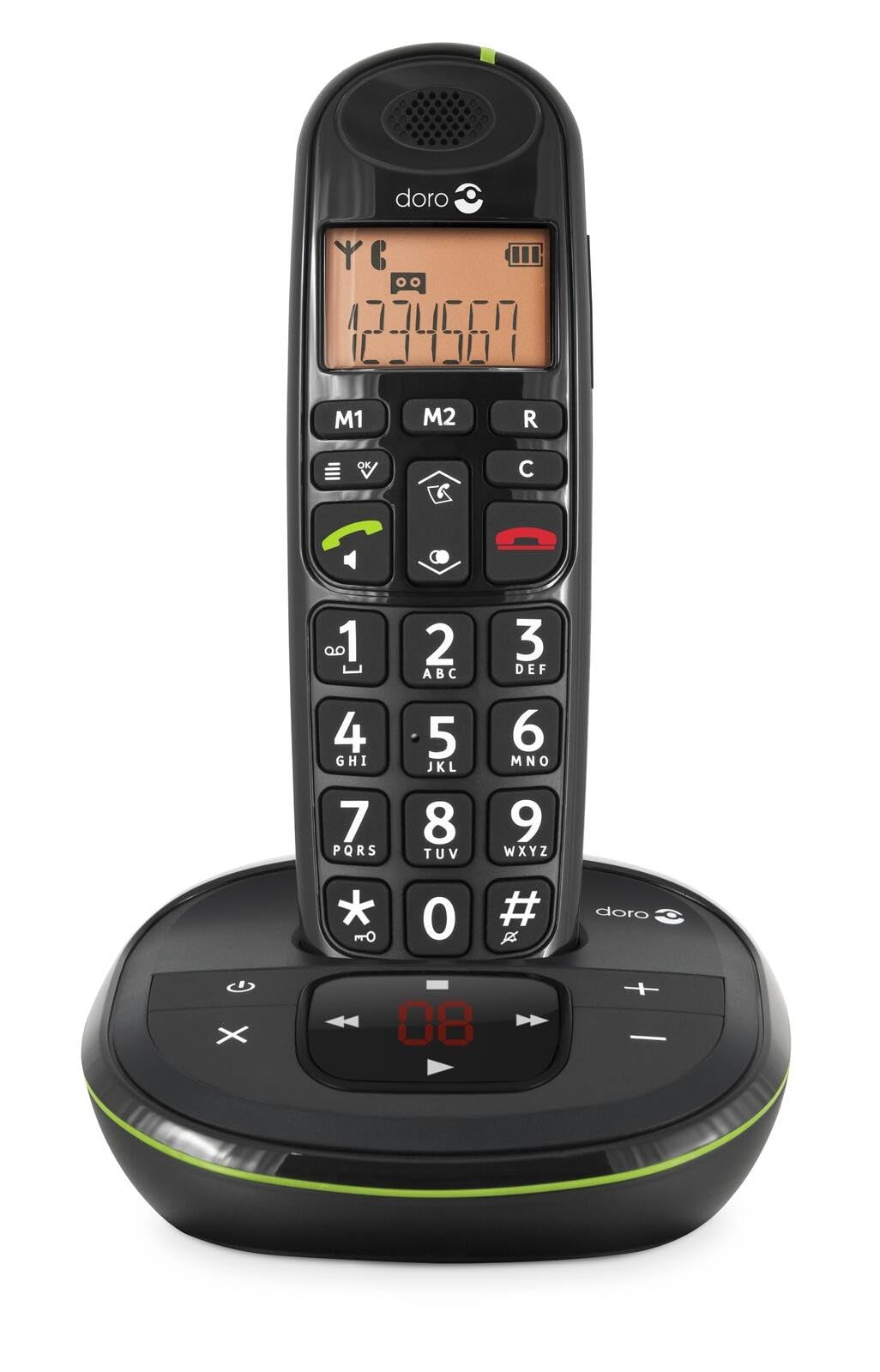 Image: The Doro PhoneEasy 105wr handset docked in its base unit, showing the keypad and display.
2. Installing Batteries in the Handset
- Deschideți compartimentul bateriei: Slide the battery compartment cover on the back of the handset downwards and remove it.
- Introduceți bateriile: Insert the supplied rechargeable NiMH batteries, observing the correct polarity (+ and -) as indicated inside the compartment.
- Închideți compartimentul: Puneți la loc capacul compartimentului bateriei glisându-l în sus până când se fixează cu un clic.
3. Încărcarea receptorului
Place the handset on the base unit. The battery icon on the handset display will animate to indicate charging. For optimal battery performance, charge the handset for at least 10-12 hours before its first use, even if the display indicates a full charge sooner.
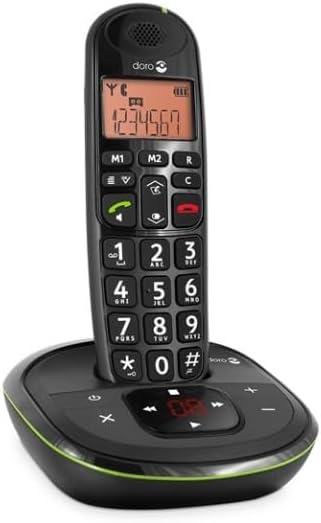
 Image: A slightly angled view of the Doro PhoneEasy 105wr handset in its charging cradle, highlighting its ergonomic design.
Instrucțiuni de operare
Efectuarea unui apel
- Apelare: Ridicați receptorul sau apăsați tasta Butonul verde de apelare. Enter the phone number using the keypad.
- Încheierea unui apel: Apăsați tasta Buton roșu de terminare apel sau așezați receptorul înapoi pe unitatea de bază.
Primirea unui apel
Când sună telefonul, apăsați butonul Butonul verde de apelare pentru a răspunde. Pentru a încheia apelul, apăsați tasta Buton roșu de terminare apel or return the handset to the base unit.
Reglarea volumului
În timpul unui apel, utilizați Up şi Jos navigation buttons on the handset to adjust the earpiece volume.
Agenda telefonică
Your Doro PhoneEasy 105wr can store up to 20 entries in its phonebook.
- Adăugarea unei intrări:
- Apăsați tasta Meniu buton.
- Navigați la „Agendă telefonică” și selectați „Adăugați nouă”.
- Enter the name and number, then save.
- Apelare din agenda telefonică:
- Apăsați tasta Agenda telefonică button (often a book icon).
- Scroll through the entries using the navigation buttons.
- Apăsați tasta Butonul verde de apelare pentru a apela intrarea selectată.
Answering Machine (if applicable)
The Doro PhoneEasy 105wr features a digital answering machine with a recording capacity of 20 minutes.
- Redarea mesajelor: Apăsați tasta Redare/Oprire butonul de pe unitatea de bază.
- Ștergerea mesajelor: În timpul redării mesajului, apăsați butonul Şterge butonul de pe unitatea de bază.
- Înregistrarea mesajului de ieșire: Refer to the handset menu for options to record or select a pre-recorded outgoing message.
 Imagine: O față directă view of the Doro PhoneEasy 105wr cordless phone, showing the large buttons and clear display on the handset, and the answering machine controls on the base.
Întreţinere
- curatenie: Ștergeți telefonul și unitatea de bază cu o lavetă moale șiamp pânză. Nu utilizați agenți de curățare abrazivi sau solvenți.
- Îngrijirea bateriei: Folosiți doar bateriile reîncărcabile specificate. Dacă telefonul nu va fi utilizat pentru o perioadă lungă de timp, scoateți bateriile pentru a preveni scurgerile.
- Conditii de mediu: Evitați expunerea telefonului la temperaturi extreme, lumina directă a soarelui sau umiditate.
Depanare
| Problemă | Cauza posibila | Soluţie |
|---|---|---|
| Fără ton de apel | Cablul liniei telefonice nu este conectat sau este defect. | Check the telephone line cord connection to the base unit and wall socket. Test with another phone if possible. |
| Telefonul nu se încarcă | Handset not correctly placed on the base unit; dirty charging contacts; faulty batteries. | Ensure the handset is seated correctly. Clean charging contacts on both handset and base with a dry cloth. Replace batteries if old. |
| Calitate slabă a sunetului | Handset too far from base unit; interference; low battery. | Move closer to the base unit. Avoid placing the base near other electronic devices. Charge the handset battery. |
| Nu pot efectua/primi apeluri | No power to base unit; handset not registered. | Check power adapter connection. Refer to the full manual for handset registration instructions if needed. |
Specificații
| Caracteristică | Detaliu |
|---|---|
| Marca | Doro |
| Numărul de model | 380102 |
| Culoare | Negru |
| Tip de telefon | Fără fir |
| Material | Metal (internal components) |
| Sursa de alimentare | Alimentat cu baterii (baterie de 1 A inclusă) |
| Tip de apelator | Tastatură unică |
| Dimensiuni articol (L x l x H) | 19.4 x 15.4 x 10.3 centimetri |
| Greutatea articolului | 706 grame |
| Tip de sistem de răspuns | Digital |
| Timp de vorbire | 600 Minutes (10 hours) |
| Timp de așteptare | 100 de ore |
| Capacitate de înregistrare | 20 de minute |
| ID apelant | Da |
| Independent Test Certification | Energy Star |
Garanție și suport
Information regarding specific warranty terms and customer support contact details is not available in this document. Please refer to the warranty card included with your product or visit the official Doro website pentru cele mai actualizate informații.
For further assistance, you may contact Doro customer service through their official channels.