
Introducere
The Sharp AQUOS BD-HDW43 is a 320GB Blu-ray recorder featuring dual-tuner simultaneous full HD recording. This advanced model supports up to 8.5x full HD recording, allowing approximately 36 hours of recording on a single 50GB Blu-ray disc. It is designed to record full HD video, 5.1ch audio, and linked data with high-quality pure recording, enabling full digital double recording for extended high-definition recording of two programs simultaneously. This manual provides essential information for setting up, operating, maintaining, and troubleshooting your device.

Figura 1: Față view of the Sharp AQUOS BD-HDW43 Blu-ray Recorder.
Înființat
Follow these steps to properly set up your Sharp AQUOS BD-HDW43 Blu-ray Recorder:
- Despachetarea: Carefully remove the recorder and all accessories from the packaging. Ensure all components are present.
- Plasare: Place the recorder on a stable, level surface with adequate ventilation. Avoid placing it near heat sources or in direct sunlight.
- Conexiune antenă: Connect your TV antenna cable to the 'Antenna Input' terminal on the rear of the recorder. Then, connect an RF cable from the 'Antenna Output' terminal on the recorder to the 'Antenna Input' on your television.
- Video/Audio Connection (HDMI): For the best picture and sound quality, connect an HDMI cable from the HDMI output terminal on the recorder to an available HDMI input on your TV.
- Other Connections (Optional):
- LAN: Connect an Ethernet cable to the LAN terminal for network features.
- DV Terminal: Use for connecting compatible digital video cameras.
- D-Terminal (D4x1): For connecting to TVs with D-terminal inputs.
- Audio digital optic: For high-quality digital audio output to an ampliifier sau sistem home theater.
- Conexiune de alimentare: Plug the power cord into the AC inlet on the recorder, then into a wall outlet.
- Configurare inițială: Turn on the recorder and your TV. Follow the on-screen instructions for initial setup, including channel scanning and clock settings.

Figure 2: Rear panel connections of the Sharp AQUOS BD-HDW43 Blu-ray Recorder.
Instrucțiuni de operare
This section covers basic operations of your Blu-ray recorder.
Programe de înregistrare
- Înregistrare programată: Access the electronic program guide (EPG) to select programs for recording. The BD-HDW43 supports dual-tuner simultaneous recording, allowing you to record two programs at once.
- Moduri de înregistrare: Choose from various recording modes, including full HD recording at up to 8.5x compression, which maximizes storage capacity while maintaining high video quality.
- Înregistrare instantanee: Press the 'Record' button on the remote control to start recording the currently viewprogram ed.
Redare
- HDD Playback: Navigate to the recorded title list to select and play back programs stored on the internal hard disk drive.
- Redare Blu-ray/DVD: Insert a Blu-ray disc or DVD into the disc drive. The recorder will typically start playback automatically. Use the remote control for playback functions such as play, pause, stop, fast forward, and rewind.
Disc Management
- Dublare: Transfer recorded content from the HDD to a Blu-ray disc or DVD. Refer to the on-screen menu for dubbing options and settings.
- Finalizarea discurilor: After recording to a BD-R/RE or DVD-R/RW, finalize the disc if you intend to play it on other compatible players.
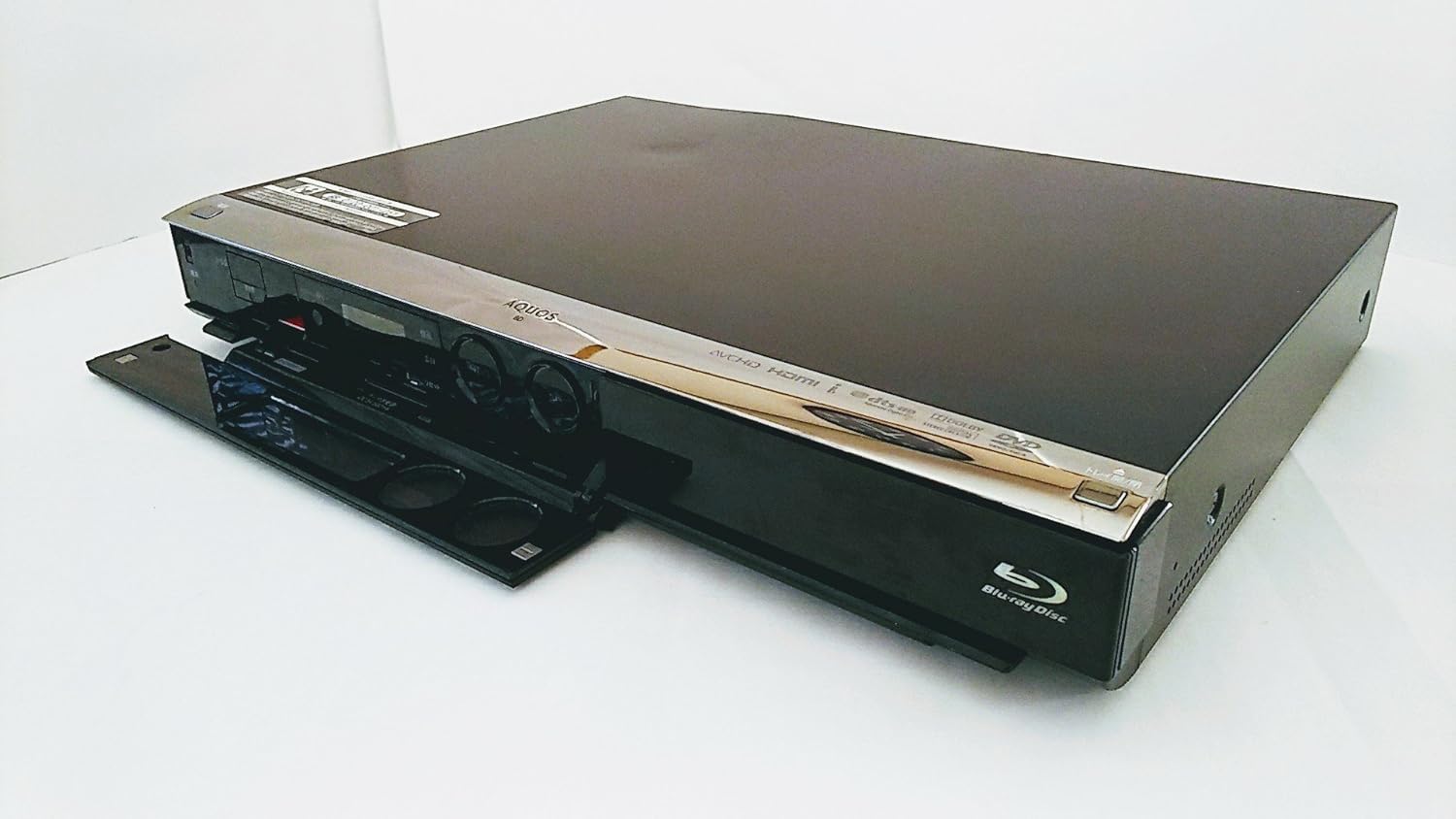
Figure 3: Front panel of the recorder with the disc tray open, showing controls.
Întreţinere
Proper maintenance ensures the longevity and optimal performance of your recorder.
- Curățarea unității: Wipe the exterior of the recorder with a soft, dry cloth. Do not use liquid cleaners, abrasive pads, or chemical sprays, as these can damage the finish.
- Îngrijirea discurilor: Handle discs by their edges. Keep them clean and free of scratches. Store discs in their cases when not in use. Avoid exposing discs to direct sunlight or extreme temperatures.
- Ventilare: Ensure that the ventilation openings on the recorder are not blocked. Adequate airflow prevents overheating.
- Actualizări firmware: Periodically check the Sharp support website for any available firmware updates for your model. Updates can improve performance and add new features.
Depanare
If you encounter issues with your recorder, refer to the following common problems and solutions:
| Problemă | Cauză/Soluție posibilă |
|---|---|
| Fără putere | Ensure the power cord is securely plugged into both the recorder and a working wall outlet. |
| No Picture/Sound on TV | Check all video and audio cables (e.g., HDMI) are correctly connected. Ensure the TV input is set to the correct source (e.g., HDMI 1). |
| Disc Not Reading / Playback Issues | Ensure the disc is clean and free of scratches. Try a different disc to rule out a faulty disc. If the issue persists, the disc drive may require servicing. |
| Telecomanda nu răspunde | Check the batteries in the remote control and replace them if necessary. Ensure there are no obstructions between the remote and the recorder's IR sensor. If using a universal remote, ensure it is programmed correctly for Sharp devices. |
| Poor Recording Quality (especially at 8.5x mode) | Highly compressed recording modes (like 8.5x) may show reduced detail or artifacts, especially in fast-moving scenes or complex images. For critical recordings, use a lower compression mode (e.g., 5x or less) for better quality. |
| Scheduled Recording Failed | Verify that the program guide information is correct and that the recorder was powered on or in standby mode at the scheduled time. Check for conflicting recordings. |
Specificații
Detailed technical specifications for the Sharp AQUOS BD-HDW43 Blu-ray Recorder:
- Marca: Ascuțit
- Număr de model: BD-HDW43
- Capacitate de stocare: HDD de 320 GB
- Tunere: 2 (Dual-tuner simultaneous recording)
- Media compatibile: BD/DVD-R/-RW
- Rezoluţie: 1920 x 1080 pixels (1080p video output)
- Tehnologie de conectivitate: HDMI, USB
- Terminale de intrare/ieșire:
- LAN Terminal: Yes
- DV Terminal: Yes
- D-Terminal (Output): D4x1
- Optical Digital Audio (Output): 1
- HDMI Terminal (Output): 1
- HDD Recording Time: Approximately 453 hours (standard mode) / 28 hours (high quality mode)
- Media Recording Time: Approximately 36 hours (8.5x full HD recording on 50GB BD) / 4.3 hours (standard mode on 50GB BD)
- High-speed HD Dubbing (HDD to Disc): 60x
- Max Scheduled Programs: 65/an
- Video 3D: Nu este acceptat
- Scanare progresivă: Sprijinit
- Ghid de program (EPG): Da
- Mod de ieșire audio: Stereo, Surround
- Formate audio acceptate: Dolby Digital, DTS, PCM
- Configurație canal difuzor: 5.1
- Format de codare video: H.264/AVC
- Dispozitive compatibile: TV
- Format video analogic: NTSC
- File Formats (Playback): MP4, AVI, MP3, JPEG
- Greutatea articolului: 4.5 kg

Figure 4: Product label showing model number BD-HDW43 and other details.
Garanție și suport
For warranty information, technical support, or service inquiries, please contact Sharp customer service directly. Details regarding your product's warranty period and terms can typically be found in the documentation included with your purchase or on the official Sharp website-ul.
Producător: Sharp Corporation