
Fellowes 225Ci
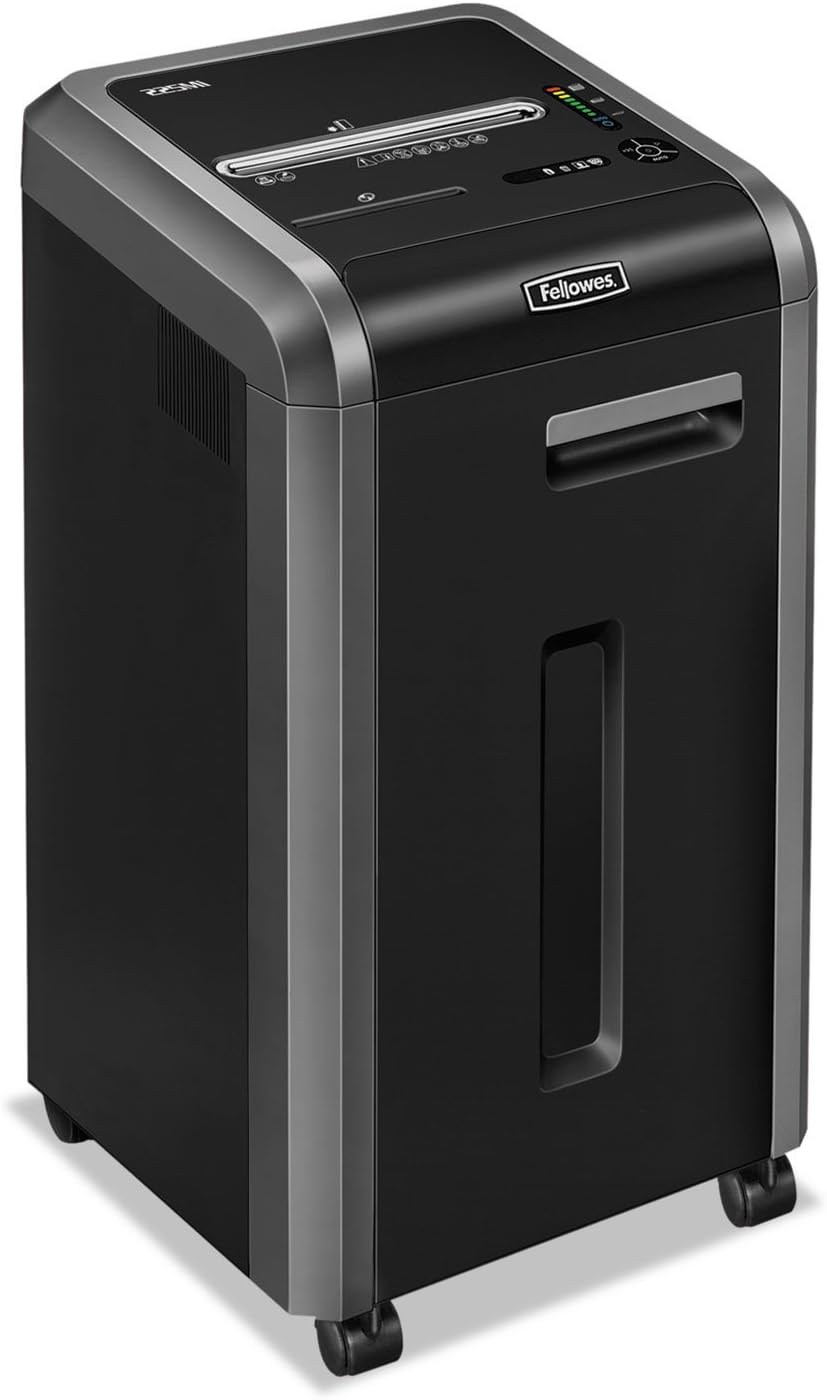
Fellowes Powershred 225Ci Crosscut Paper Shredder Instruction Manual
Model: 225Ci (3825001)
1. Instrucțiuni importante de siguranță
Please read these safety instructions carefully before using the shredder. Failure to follow these instructions may result in injury or damage to the product.
- Keep hands, jewelry, loose clothing, hair, and pets away from the paper entry slot.
- Do not insert more than the maximum sheet capacity into the shredder.
- Nu mărunțiți obiecte metalice, hârtie umedă sau materiale adezive.
- Deconectați întotdeauna distrugătorul de documente înainte de a muta, curăța sau goli coșul de gunoi.
- Nu folosiți tocătorul de documente dacă cablul de alimentare este deteriorat.
- A nu se lăsa la îndemâna copiilor.
- The shredder is equipped with SafeSense Technology, which stops shredding when hands touch the paper opening. However, exercise caution at all times.
2. Conținutul pachetului
Verificați dacă toate articolele sunt prezente în colet:
- Fellowes Powershred 225Ci Shredder Unit
- Manual de instructiuni
- Sample Shredder Oil
- Five Waste Bags
- Roți (pivotanți)
3. Configurare
Follow these steps to set up your shredder:
- Despachetați distrugătorul: Scoateți cu grijă tocătorul de documente din ambalaj.
- Instalați roțile: If not pre-installed, insert the casters into the designated slots at the bottom of the shredder until they click into place.
- Poziționați tocătorul: Place the shredder on a flat, stable surface near a power outlet. Ensure adequate ventilation around the unit.
- Conectare alimentare: Conectați cablul de alimentare la o priză cu împământare.
- Prepare Waste Bin: Pull out the 16-gallon waste bin and line it with one of the provided waste bags. Ensure the bag is properly seated. Close the bin securely.
4. Instrucțiuni de utilizare
4.1 Pornire/Oprire
- To turn on the shredder, locate the power switch (usually on the back or side) and set it to the 'ON' position.
- The control panel on top of the shredder will illuminate, indicating it is ready for operation.
- To turn off, set the power switch to the 'OFF' position.
4.2 Distrugerea documentelor
The Powershred 225Ci can shred up to 22 sheets of paper per pass, as well as staples, credit cards, paper clips, CDs/DVDs, and junk mail.
- Ensure the shredder is powered on and in 'Auto' mode (if applicable).
- Insert paper or other shreddable items into the paper entry slot. The shredder will automatically start.
- For CDs/DVDs, use the dedicated media entry slot (if present).
- The shredder features a continuous duty motor for non-stop shredding during extended use.

4.3 Tehnologia SafeSense
This shredder is equipped with patented SafeSense Technology. This feature automatically stops the shredding process when hands or paws touch the paper opening, enhancing user safety.

4.4 Jam Prevention
The 225Ci features 100% Jam-Proof technology. If too much paper is inserted, the shredder will automatically detect the overload, reverse the paper, and then attempt to shred it again. This helps prevent frustrating paper jams.
4.5 Waste Bin Full Indicator
The shredder is equipped with an LED bin-full indicator. When the waste bin is full, this indicator will illuminate, signaling that the bin needs to be emptied to continue shredding.
5. Întreținere
Regular maintenance ensures optimal performance and extends the life of your shredder.
5.1 Ungerea cuțitelor
It is recommended to oil the shredder cutters regularly, especially after emptying the waste bin or after approximately 30 minutes of cumulative shredding. Use only Fellowes brand shredder oil or a vegetable-based oil. Do not use aerosol lubricants.
- Aplicați o linie subțire de ulei peste fanta de intrare a hârtiei.
- Run the shredder in reverse for 5-10 seconds to distribute the oil.
5.2 Golirea coșului de gunoi
When the LED bin-full indicator illuminates, or when the bin appears full, empty the waste bin:
- Turn off and unplug the shredder.
- Scoateți coșul de gunoi.
- Aruncați materialul mărunțit.
- Reinsert the waste bin securely.
- Plug in and turn on the shredder.
5.3 Curățare
Ștergeți exteriorul tocătorului de documente cu o cârpă moale și uscată. Nu utilizați substanțe de curățare abrazive sau solvenți.
6. Depanare
Consultați tabelul de mai jos pentru problemele comune și soluțiile acestora.
| Problemă | Cauza posibila | Soluţie |
|---|---|---|
| Tocătorul de documente nu pornește. | Not plugged in; power switch off; waste bin not fully closed. | Ensure power cord is securely plugged in. Turn power switch to 'ON'. Push waste bin in completely. |
| Blocaj de hârtie. | Too much paper inserted; foreign object. | The 100% Jam-Proof system should automatically reverse and clear. If not, unplug, remove excess paper, and try again. Do not force. |
| Tocătorul se oprește în timpul funcționării. | Overheating; waste bin full; SafeSense activated. | Allow shredder to cool down. Empty waste bin. Remove hands from paper entry. |
| Tocătorul de resturi este zgomotos. | Cutters need oiling. | Oil the shredder cutters as per maintenance instructions. |
7. Specificații
Detailed specifications for the Fellowes Powershred 225Ci:
| Caracteristică | Detaliu |
|---|---|
| Tipul de maruntire | Tăiere încrucișată |
| Dimensiunea mărunțișului | 5/32” x 1-1/2” (4x38mm) |
| Capacitate foi | 22 de coli (hârtie de 70 g/m²) |
| Capacitatea coșului de gunoi | 16 galoane (60 litri) |
| Shreds Materials | Paper, Staples, Paper Clips, Credit Cards, CDs/DVDs, Junk Mail |
| Nivel de securitate | P-4 |
| Caracteristici de siguranță | Tehnologie SafeSense |
| Jam Prevention | 100% Jam-Proof System |
| Tip motor | Taxa continuă |
| Dimensiuni (Îl x l x A) | 30.75" x 17.75" x [Depth not specified in image, using 17.75" as a placeholder for depth based on typical shredder proportions] |
| Greutate | 93 lbs (42.18 kg) |
| Economie de energie | Sistem de economisire a energiei |

8. Garanție și asistență
The Fellowes Powershred 225Ci is backed by a comprehensive warranty:
- Product and Service Warranty: 2 ani de la data cumpărării.
- Cutter Warranty: Lifetime warranty on the shredder cutters.
For technical assistance, warranty claims, or to purchase accessories, please contact Fellowes customer support. Refer to the contact information provided in your product registration or on the official Fellowes website-ul.
Ask a question about this manual
Ask about setup, troubleshooting, compatibility, parts, safety, or missing instructions. Manuals+ will review the question and use this page’s manual context to help answer it.