
Introducere
Thank you for choosing the Westclox 66705 Digital Alarm Clock. This clock is designed for simplicity and reliability, featuring a large 1.8-inch red LED display for clear visibility and an oversized snooze bar for easy access. It operates on AC power with a battery backup system to maintain time and alarm settings during power interruptions. This manual provides detailed instructions for setup, operation, and maintenance to ensure optimal performance of your alarm clock.
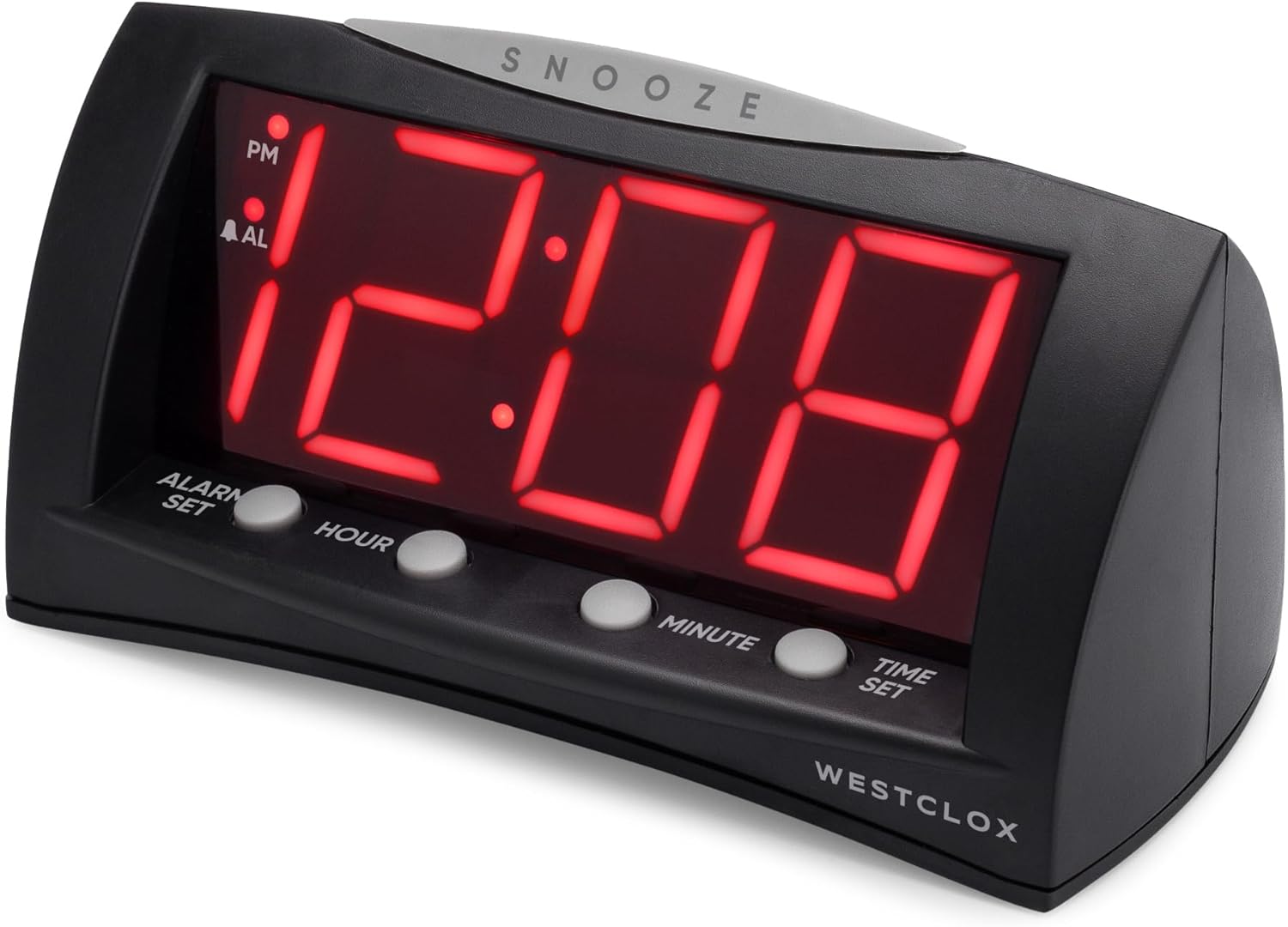
Faţă view of the Westclox 66705 Digital Alarm Clock, showing the large red LED display and control buttons.
Caracteristicile produsului
- 1.8" Extra Large Display: Large red LED digits ensure visibility from anywhere in the room.
- Convenient Oversized Snooze Bar: Easy-to-find snooze bar for temporary alarm pause.
- Opțiuni de alimentare duală: Corded operation for reliability and battery backup for power outages.
- Precizie digitală: Precise timekeeping for maintaining your schedule.
- Modern and Versatile Style: Sleek black finish and compact design suitable for various spaces.
Înființat
- Conectați curent alternativ: Connect the AC power cord to a standard household electrical outlet. The clock will display 12:00.
- Instalați bateria de rezervă: Open the battery compartment on the bottom of the clock. Insert one (1) AA battery (not included), ensuring correct polarity. This battery preserves time and alarm settings during power outages but does not power the display.
- Setați ora curentă:
- Press and hold the 'SETAREA OREI' button.
- While holding 'SETAREA OREI', press 'ORĂ' to advance the hour.
- Continue holding 'SETAREA OREI' and press 'MINUT' to advance the minute.
- Observe the 'PM' indicator on the display to ensure correct AM/PM setting.
- Release 'SETAREA OREI' when the correct time is displayed.
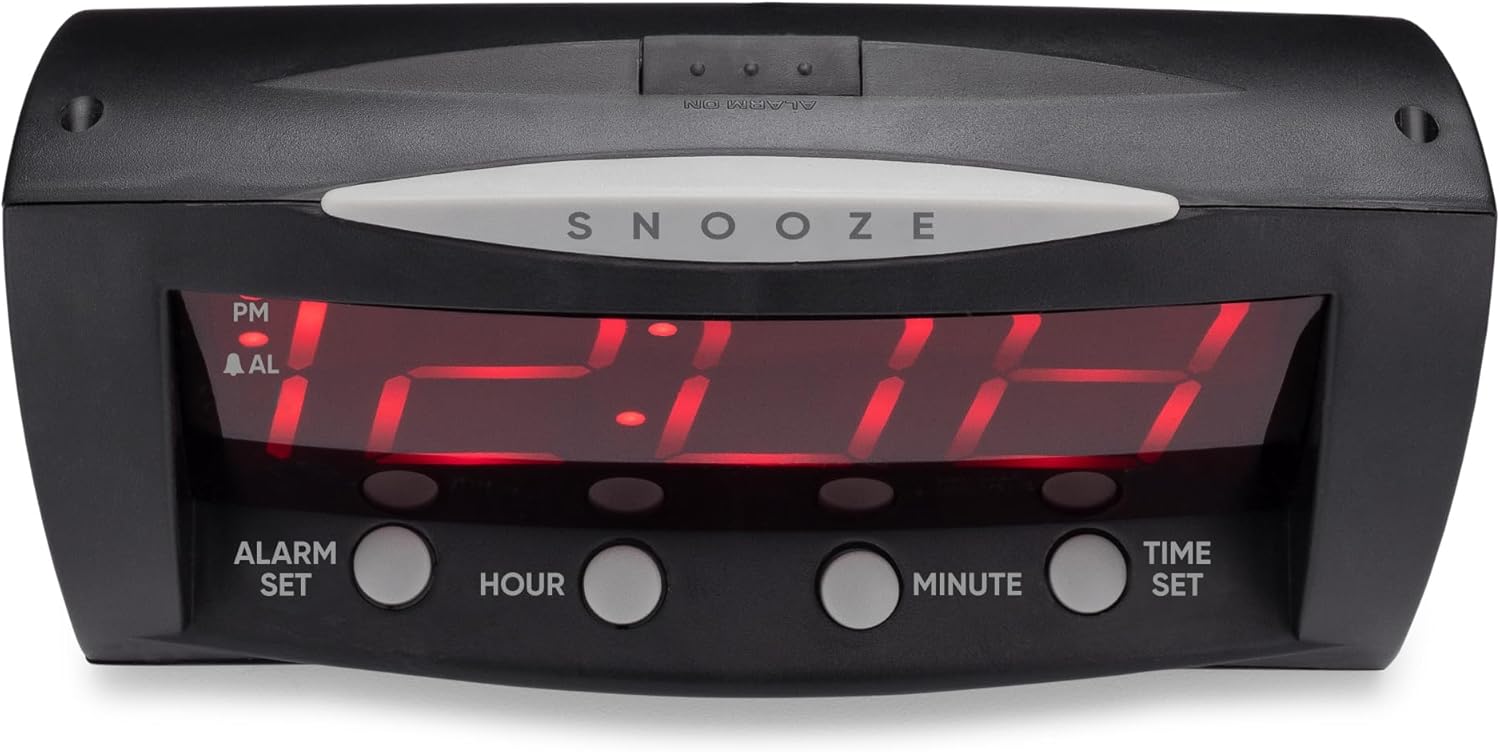
Frontal view of the Westclox 66705 Digital Alarm Clock, highlighting the oversized snooze bar and time/alarm setting buttons.
Instrucțiuni de operare
- Setați ora de alarmă:
- Press and hold the 'SET ALARMĂ' button.
- While holding 'SET ALARMĂ', press 'ORĂ' to advance the alarm hour.
- Continue holding 'SET ALARMĂ' and press 'MINUT' to advance the alarm minute.
- Observe the 'PM' indicator and the 'AL' (alarm) indicator for correct AM/PM setting.
- Release 'SET ALARMĂ' when the desired alarm time is displayed.
- Activați / dezactivați alarma:
- Locate the 'ALARM ON / OFF' slide switch on the back of the clock.
- Slide the switch to 'ALARMĂ ACTIVATĂ' to enable the alarm. The 'AL' indicator will illuminate on the display.
- Slide the switch to 'ALARMĂ OPRITĂ' to disable the alarm. The 'AL' indicator will turn off.
- Funcție de amânare:
- When the alarm sounds, press the large 'PUI DE SOMN' bar located on top of the clock.
- Alarma se va opri temporar și va suna din nou după aproximativ 9 minute.

Spate view of the Westclox 66705 Digital Alarm Clock, displaying the power cord and the alarm on/off switch.
Întreţinere
- curatenie: To clean the clock, wipe it with a soft, dry cloth. Do not use abrasive cleaners or solvents, as they may damage the finish.
- Înlocuire baterie: If the battery backup is used frequently or if the clock experiences power outages and settings are lost, replace the AA battery in the compartment on the bottom of the clock.
- Depozitare: Dacă depozitați ceasul pentru o perioadă lungă de timp, scoateți bateria pentru a preveni scurgerile.
Depanare
- Display is blank or not working:
- Ensure the AC power cord is securely plugged into a working electrical outlet.
- If a battery is installed, check if it is fresh and correctly inserted. The battery backup only maintains settings, not the display.
- Alarma nu sună:
- Verify that the 'ALARM ON/OFF' switch on the back of the clock is set to 'ALARM ON'.
- Check that the alarm time is correctly set and the 'AL' indicator is visible on the display.
- Time or alarm cannot be set:
- Ensure you are pressing and holding the 'SETAREA OREI' or 'SET ALARMĂ' button while adjusting the hour and minute. Release the button after setting.
- Display is too bright:
- This model does not feature a dimmer function. Consider adjusting the clock's position if the brightness is an issue.
Specificații
| Marca | Westclox |
| Numărul de model | 66705 |
| Tip de afișare | Digital, LED roșu de 1.8" |
| Sursa de alimentare | Corded-electric with Battery Backup |
| Cerința bateriei | 1 baterie AA (nu este inclusa) |
| Dimensiunile produsului | 22.1 cm lățime x 17.8 cm înălțime |
| Greutatea articolului | 12.5 uncii |
| Material | Plastic |
| Caracteristici speciale | Large Digits, Oversized Snooze, Corded, Battery Backup |
Informații despre garanție
This Westclox product is covered by a 1-year limited warranty from the date of purchase. This warranty covers manufacturing defects in materials and workmanship. It does not cover damage caused by misuse, accidents, unauthorized repairs, or normal wear and tear. Please retain your original proof of purchase for any warranty claims.
Sprijin
For further assistance, technical support, or to inquire about replacement parts, please visit the official Westclox website or refer to the contact information provided on the product packaging. Our customer service team is available to help with any questions or concerns you may have regarding your Westclox 66705 Digital Alarm Clock.