
1. Produs terminatview
The D-Link DES-1008D is an 8-port Fast Ethernet unmanaged desktop switch designed to expand network connectivity for small workgroups. This device allows for flexible connection of Ethernet and Fast Ethernet devices, automatically detecting network speed and negotiating between 10BASE-T and 100BASE-TX, as well as full and half-duplex modes. Its plug-and-play design ensures simple operation without complex configuration.

Figure 1: D-Link DES-1008D 8-Port Fast Ethernet Unmanaged Desktop Switch (Silver/Blue model).
Caracteristicile cheie includ:
- 8 10/100 Mbps auto-sensing ports for flexible network integration.
- Unmanaged design for simple plug-and-play installation.
- Automatic MDI/MDIX crossover for all ports, eliminating the need for crossover cables.
- Fanless operation for silent performance.
2. Conținutul pachetului
Verificați dacă pachetul dvs. conține următoarele articole:
- D-Link DES-1008D Switch pentru desktop negestionat Fast Ethernet cu 8 porturi
- Adaptor de alimentare
- Quick Install Guide and Documentation
If any of the above items are missing or damaged, please contact your local D-Link reseller for assistance.
3. Instrucțiuni de configurare
The DES-1008D switch is designed for easy installation. Follow these steps to set up your device:
- Plasare: Place the switch on a flat, stable surface or mount it to a wall. Ensure adequate ventilation around the device.
- Conectare alimentare: Connect the provided power adapter to the power input port on the switch and then plug the adapter into a standard electrical outlet. The Power LED on the switch should illuminate.
- Conectarea dispozitivelor de rețea: Connect your network devices (e.g., computers, printers, network-attached storage, routers) to any of the 8 Fast Ethernet ports on the switch using standard Ethernet cables. The Link/Act LED for each connected port should illuminate, indicating an active connection.
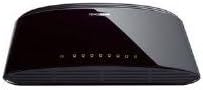
Figura 2: Spate view of the D-Link DES-1008D (Black model) showing Ethernet ports and power input.
The switch will automatically detect the speed and duplex mode of the connected devices. No further configuration is required for basic operation.
4. Instrucțiuni de utilizare
The D-Link DES-1008D is an unmanaged switch, meaning it operates automatically without user configuration. Once powered on and devices are connected, it functions as a central hub for your network traffic.
Indicatoare LED:
Comutatorul dispune de indicatoare LED pentru a oferi informații despre stare:
- LED de alimentare: Se aprinde când comutatorul este alimentat cu energie.
- LED-uri Link/Act (per port):
- Verde continuu: Indicates a valid network connection at 100 Mbps.
- Chihlimbar solid: Indicates a valid network connection at 10 Mbps.
- Clipește: Indicates network activity (data transmission or reception) on that port.
- Off: No device is connected, or the connected device is powered off.
Transfer de date:
The switch facilitates data transfer between connected devices. Each port supports auto-negotiation for speed (10/100 Mbps) and duplex mode (full/half-duplex), ensuring optimal performance for each connection. In full-duplex mode, a workstation can achieve up to 200 Mbps data transfer rate.
5. Întreținere
To ensure optimal performance and longevity of your D-Link DES-1008D switch, consider the following maintenance guidelines:
- Mediu: Operate the switch within its specified temperature range (up to 40°C). Avoid placing it in direct sunlight or near heat sources.
- Ventilare: Ensure that the ventilation openings on the switch are not blocked. Proper airflow is crucial for heat dissipation.
- curatenie: Păstrați comutatorul curat și fără praf. Folosiți o cârpă moale și uscată pentru curățare. Nu utilizați agenți de curățare lichizi sau cu aerosoli.
- Alimentare electrică: Use only the power adapter supplied with the device. Using an incorrect power adapter may damage the switch and void the warranty.
- Organizare de cabluri: Organize network cables to prevent strain on the ports and to maintain a tidy setup.
6. Depanare
If you encounter issues with your D-Link DES-1008D switch, refer to the following troubleshooting tips:
- Fără LED de alimentare:
- Asigurați-vă că adaptorul de alimentare este conectat corect la întrerupător și la o priză electrică funcțională.
- Verificați dacă priza electrică funcționează conectând un alt dispozitiv.
- No Link/Act LED for a Connected Device:
- Verificați dacă cablul Ethernet este conectat corect atât în portul switch-ului, cât și în dispozitivul de rețea.
- Asigurați-vă că dispozitivul de rețea conectat este pornit și funcționează corect.
- Încercați un alt cablu Ethernet.
- Încearcă să te conectezi la un alt port de pe switch.
- Verify that the cable length does not exceed the maximum recommended length for Ethernet (100 meters).
- Performanță lentă a rețelei:
- Ensure all connected devices are operating at their optimal speed. The Link/Act LED color indicates the connection speed (Green for 100 Mbps, Amber for 10 Mbps).
- Check for excessive network traffic or bandwidth-intensive applications on your network.
- Verify that your network cables are not damaged.
- Conectivitate intermitentă:
- Verificați dacă există conexiuni de cablu slăbite.
- Ensure the switch is placed in an area with good ventilation to prevent overheating.
- Testați cu diferite cabluri și dispozitive pentru a izola problema.
If problems persist after following these steps, contact D-Link technical support for further assistance.
7. Specificații
| Caracteristică | Detaliu |
|---|---|
| Numărul de model | DES-1008D |
| Numărul de porturi | 8 |
| Tip de interfață | RJ45 |
| Rata de transfer de date | 10/100 Megabits Per Second (Mbps) |
| Capacitatea de comutare | 1.6 Gbps (fără blocare) |
| Standarde | IEEE 802.3 10BASE-T Ethernet, IEEE 802.3u 100BASE-TX Fast Ethernet, IEEE 802.3x Flow Control |
| MDI/MDIX automat | Acceptat pe toate porturile |
| Intrare de putere | 230 Volts (AC) (via external power adapter) |
| Consumul de energie | Low power consumption (fanless design) |
| Dimensiuni (L x l x H) | 6.5" x 4.41" x 1.42" (aprox. 165 mm x 112 mm x 36 mm) |
| Greutatea articolului | 8.9 uncii (252 grame) |
| Materialul carcasei | Plastic |
| Temperatura de operare | 0°C până la 40°C (32°F până la 104°F) |
| Temperatura de depozitare | -10°C până la 70°C (14°F până la 158°F) |
| Umiditatea de funcționare | 10% până la 90% fără condensare |
| Certificari | FCC Class B, CE Class B, VCCI Class B, C-Tick, RoHS |
8. Garanție și asistență
The D-Link DES-1008D switch comes with a limited 2-year warranty. For specific terms and conditions, please refer to the warranty documentation included with your product or visit the official D-Link website-ul.
For technical support, product registration, or to download the latest firmware and documentation, please visit the D-Link support portal:
When contacting support, please have your product model number (DES-1008D) and serial number ready.