
1. Introducere și Pesteview
The Hama UV Filter 390 HTMC Multi-Coated is an essential accessory for DSLR camera lenses. It is designed to absorb harmful ultraviolet rays, which can cause atmospheric haze and reduce image clarity, especially in bright outdoor conditions or at high altitudes. Additionally, this filter provides a crucial layer of physical protection for the front element of your valuable camera lens against scratches, dust, and fingerprints.
This manual provides instructions for the proper installation, use, and maintenance of your Hama UV Filter 390 HTMC Multi-Coated 82mm.

Image 1.1: The Hama UV Filter 390 HTMC Multi-Coated 82mm. This filter is designed to protect your lens and improve image quality by reducing UV light.
2. Caracteristici cheie
- UV Absorption: Effectively absorbs ultraviolet rays up to 390 nm, reducing atmospheric haze and improving image clarity.
- Protecția lentilelor: Acts as a protective barrier for the front lens element against scratches, dust, dirt, and fingerprints.
- HTMC Multi-Coating: Features four layers of coating on each side, ensuring high light transmission and minimizing reflections.
- Neutral Colour: Maintains accurate color balance without introducing any color cast to your images.
- Sticlă de înaltă calitate: Constructed from high-quality lens glass for optical clarity and durability.
- Compatibilitate largă: Compatible with DSLR camera lenses from various brands including Canon, Nikon, Sony, Sigma, Tamron, Samyang, and Olympus, provided the lens has an 82mm filter thread.
- Slim Profile: Features a mount thickness of 5mm, reducing the risk of vignetting on wide-angle lenses.
3. Configurare și instalare
Installing the Hama UV Filter is a straightforward process. Ensure your camera is turned off before handling the lens.
- Identify Lens Filter Thread: Locate the filter thread on the front of your camera lens. The Hama UV Filter is designed for lenses with an 82mm filter thread. This measurement is usually printed on the front of your lens or on the inside of the lens cap.
- Scoateți capacul obiectivului: Carefully remove the front lens cap from your camera lens.
- Aliniați filtrul: Hold the Hama UV Filter with the threaded side facing the lens. Gently align the filter's threads with the lens's filter threads.
- Atașați filtrul: Rotate the filter clockwise slowly. Ensure it threads smoothly without resistance. If you feel resistance, stop, realign, and try again. Do not force the filter, as this can damage both the filter and your lens threads.
- Filtru securizat: Continue rotating until the filter is securely attached. It should be snug but do not overtighten.

Imaginea 3.1: Prim-plan view of the Hama UV filter's metal mount and threading, designed for secure attachment to a camera lens.
To remove the filter, simply rotate it counter-clockwise until it detaches from the lens.
4. Instrucțiuni de utilizare
Once the Hama UV Filter is correctly installed on your lens, it operates passively and requires no further adjustment. Its primary functions are to:
- Reduce UV Haze: The filter continuously absorbs ultraviolet light, which is invisible to the human eye but can cause a bluish cast or haziness in photographs, particularly in landscapes, coastal scenes, or mountain photography. By filtering these rays, the filter helps to produce clearer, sharper images with better contrast.
- Protect Lens: The filter acts as a sacrificial layer, protecting the expensive front element of your camera lens from accidental impacts, scratches, dust, and moisture. It is generally more cost-effective to replace a damaged filter than a damaged lens element.
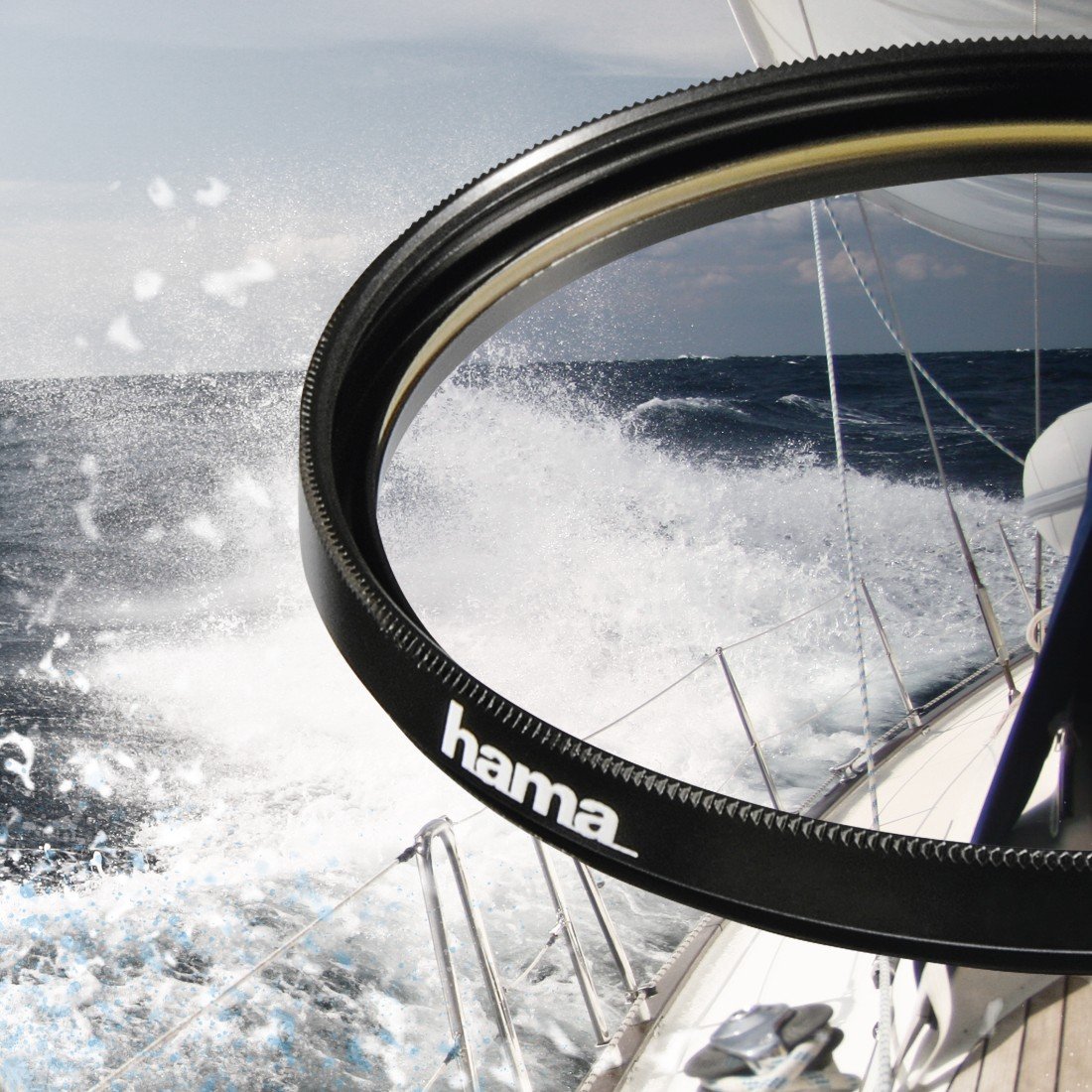
Image 4.1: The Hama UV filter in use, demonstrating its ability to reduce haze and enhance clarity in bright, outdoor environments like a sea voyage.

Image 4.2: The Hama UV filter applied to a lens, illustrating its benefit in high-altitude, bright conditions such as a ski slope, where UV light is more prevalent.
5. Întreținere
Proper care and maintenance will ensure the longevity and optimal performance of your Hama UV Filter.
- curatenie: Use a soft, lint-free microfiber cloth specifically designed for optical surfaces. For dust, use a blower brush first. For smudges or fingerprints, apply a small amount of lens cleaning solution to the microfiber cloth (never directly to the filter) and gently wipe the filter surface in a circular motion from the center outwards.
- Depozitare: Când nu este utilizat, depozitați filtrul în carcasa sa originală de protecție sau într-o husă specială pentru filtru pentru a preveni acumularea de praf și zgârieturi.
- Manipulare: Always handle the filter by its metal rim to avoid touching the glass surface.
- Evitați substanțele chimice dure: Do not use abrasive cleaners, solvents, or harsh chemicals on the filter, as these can damage the multi-coating.

Imaginea 5.1: Vedere lateralăfile of the Hama UV filter, highlighting its slim design and metal construction.
6. Depanare
If you encounter any issues with your Hama UV Filter, consider the following common solutions:
- Difficulty Attaching Filter:
- Ensure the filter is correctly aligned with the lens threads.
- Check for any debris or dirt on both the filter and lens threads. Clean if necessary.
- Do not force the filter; cross-threading can cause permanent damage.
- Vignetting (Dark Corners in Photos):
- Vignetting can occur, especially with wide-angle lenses, when multiple filters are stacked. Try removing any additional filters.
- While this filter has a slim profile (5mm), extreme wide-angle lenses might still show slight vignetting.
- Reduced Image Quality/Flares:
- Ensure the filter surface is clean and free from smudges, dust, or fingerprints.
- Check for strong light sources directly hitting the filter, which can cause lens flare. A lens hood can help mitigate this.
7. Specificații
| Caracteristică | Detaliu |
|---|---|
| Marca | Hama |
| Numărul de model | 00070682 |
| Material | Sticlă |
| Dimensiunea firului filtrului foto | 82 Milimetri |
| Descrierea acoperirii | HTMC Multi-Coated (8 Layers) |
| Tipul efectului filtrului foto | ultraviolete (UV) |
| Grosimea montului | 5mm |
| Greutatea articolului | 41 grame |
| Culoare | Negru |
| Nivel de rezistență la apă | Nu este rezistent la apă |
8. Garanție și asistență
This Hama UV Filter 390 HTMC Multi-Coated 82mm comes with a Garanție de 5 an de la producător.
For warranty claims, technical support, or any product-related inquiries, please contact Hama customer service directly or visit the official Hama website for detailed contact information and support resources.
Vă rugăm să păstrați dovada achiziției pentru validarea garanției.